Create a Custom AI Chatbot GPT with YourGPT in 2 Minutes

Rohit Joshi
Last updated on July 30, 2026
A no-code platform lets businesses build a custom AI chatbot trained on their own documents, FAQs, and website content.
YourGPT supports models from OpenAI, Anthropic, Google, and xAI, helping the agent provide answers grounded in approved business data.
Setup takes minutes with no coding, and the finished agent can run across websites, WhatsApp, Instagram, and other channels while improving accuracy over time.
Businesses increasingly need a chatbot that understands their own products, policies, and customer history, since generic answers from public information rarely hold up under real support and sales questions. Handling FAQs, capturing leads, and offering personalized recommendations all depend on that context, and a well-built chatbot can noticeably improve response times and customer satisfaction.
Most existing tools fall short somewhere in that list. Some are too basic to handle real conversations, some require coding skills most teams don’t have, and some offer limited customization once a business tries to match its own brand and workflows. Finding a platform that combines advanced capabilities, training on real business data, multi-channel deployment, and brand-accurate tone in one product is the actual challenge.
YourGPT addresses this with a no-code builder that trains an agent on a business’s own documents, FAQs, and web content, then lets that business adjust its look and tone before deploying it across a website, WhatsApp, Instagram, and other channels, all without writing code.
This blog covers exactly how to set up a custom AI chatbot with YourGPT, train it on real business data, and get it live in minutes.
An AI GPT Chatbot is an intelligent virtual chat based assistant powered by the Generative Pre-trained Transformer (GPT) model. Other platforms are restricted to fixed scripts, but a GPT chatbot can process natural language, understand context, and generate responses that feel closer to human interaction. To learn more, read our full guide on GPT Chatbots here.
When you create a GPT chatbot with YourGPT, you build a conversational agent trained on your own business data, policies and tools. This allows it to:
Because YourGPT supports both custom model, so your ChatGPT AI chatbot can be as general or as specialized as your use case demands.
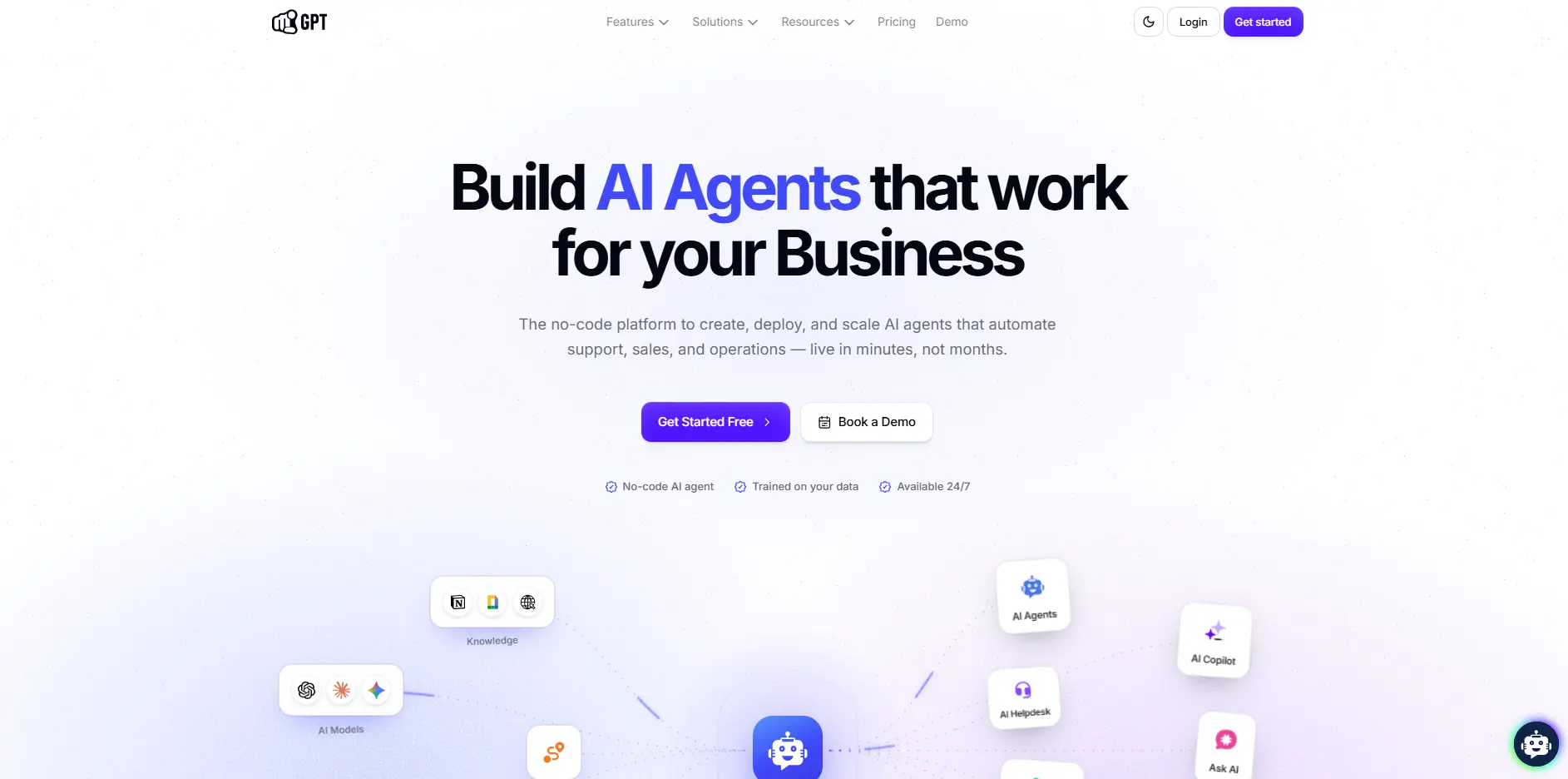
YourGPT is an AI first platform designed to automate customer support, sales, and business workflows across web, mobile, and messaging apps.
It enables businesses to deploy Custom Chat GPT Chatbots using no-code tools, advanced AI models, and multi-channel integrations all without needing technical skills.
YourGPT removes the technical barriers by giving you an easy way to build and launch powerful GPTs that works exactly the way you need.
Here is what makes it simple:
By combining advanced GPT technology with a user-friendly interface, YourGPT makes it possible for any business to create a professional-grade ChatGPT chatbot without coding knowledge or complex setup.
Follow these simple steps to get your Custom Chat GPT Chatbot live on your website in just 2 minutes.
1. Sign Up: Visit the YourGPT Chatbot and create an account to add AI co-pilot to your website or any other you want it to deploy.

2. Train: Upload your training data and train your chatbot no coding required.
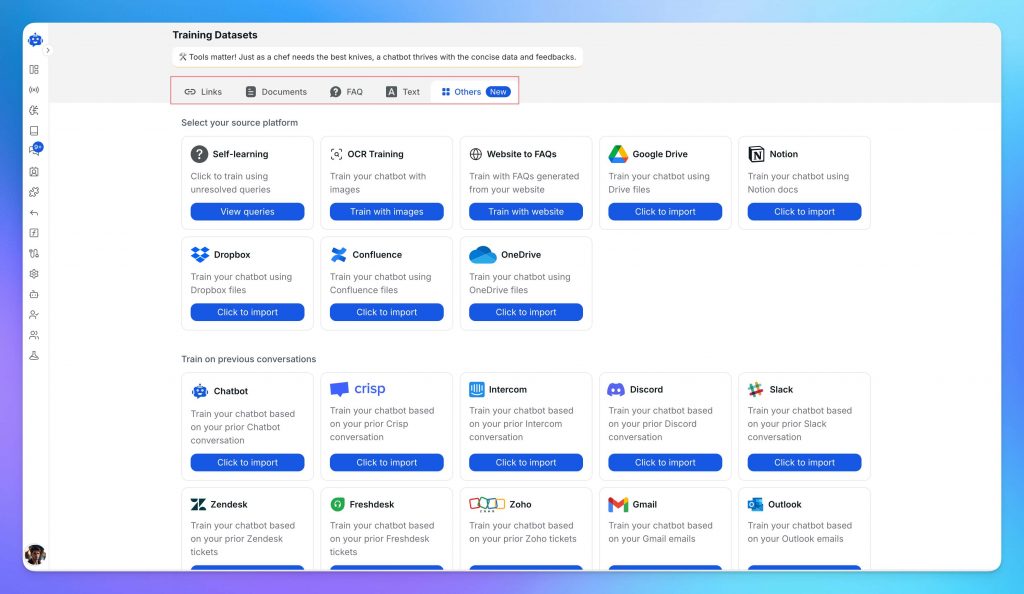
Our intuitive, no-code interface lets you easily train your AI chatbot using your own data. We support multiple data sources to give your chatbot the context it needs to deliver accurate, helpful responses.
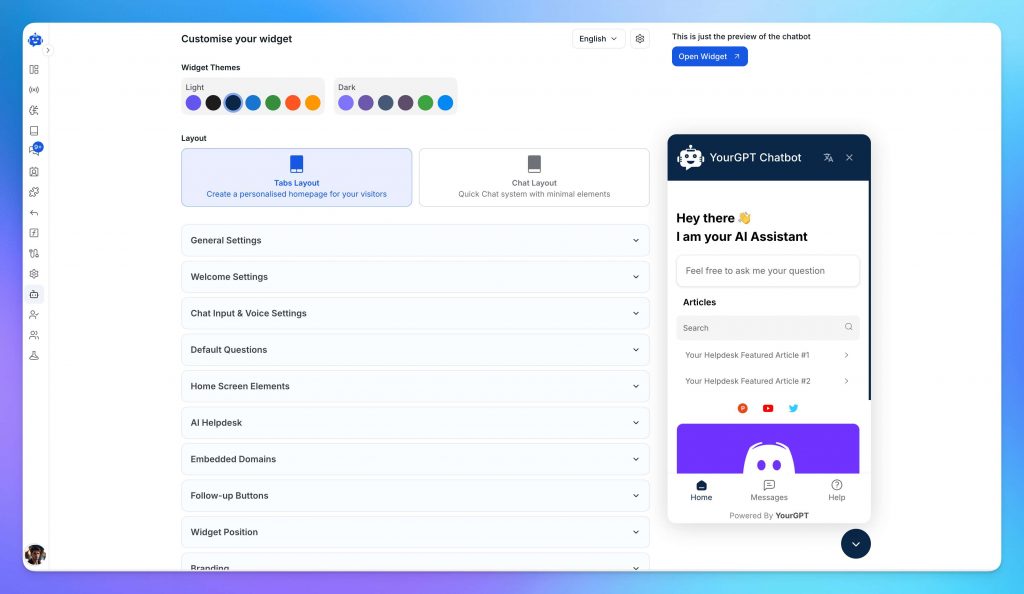
3. Customise: You can customize your chatbot’s look, tone, welcome message, and personality — all without any code.
4. Integrate: Easily embed your chatbot on your website or app using a simple code snippet. You can also connect the chatbot to your preferred social channels for seamless, omnichannel customer engagement.

5. Go Live: Activate your chatbot and start responding to customers in real time.
6. Improve: Track performance with built-in analytics and let the chatbot refine its answers through self-learning.
Train it on your own data, customise the look and tone, deploy it across channels, and track performance with built-in analytics and self-learning.
No credit card required • Full access • Live in 2 minutes
YourGPT Chatbot is more than just a support tool. It is your AI-first platform designed to help you scale support, sales, and operations without added complexity.
Here’s what sets it apart:
The result is fast setup, scalable automation, and a stronger customer experience in one AI platform.
YourGPT provides flexible options for training your Custom Chat GPT Chatbot. You can upload various data types to enhance its capabilities:
User expectations are becoming instant answers whether they are browsing product details, checking order status, or seeking support. If your business relies is not using AI systems delays are inevitable and missed opportunities can cost you sales.
A Custom Chat GPT Chatbot can help you:
When you create a chatbot AI GPT with YourGPT, you can train it on your own documents, FAQs, and product information. This makes it more accurate and relevant than generic AI bots that rely only on general data.
From ecommerce and SaaS to finance and education, an AI-powered chatbot can keep visitors engaged, informed, and ready to take the next step.
| Industry | Example Use Cases |
|---|---|
| Ecommerce | Track orders, handle returns, product FAQ |
| SaaS | Lead qualification, onboarding, subscription help |
| Healthcare | Book appointments, answer patient queries |
| Education | Course recommendations, student onboarding |
| Legal | Initial client intake, legal prerequisites, doc collection |
| Finance | Account questions, loan eligibility checks |
| Marketing | Generate blog posts, ad copy, email campaigns, and social media content |
YourGPT builds an AI chatbot trained on a business’s own data to answer questions quickly and accurately. It supports natural, context-aware conversations across websites, apps, and chat channels, with model choice across OpenAI, Anthropic, Google, and xAI.
YourGPT uses language models to interpret open-ended conversations instead of relying only on rigid, flow-based scripts. It combines no-code setup, omnichannel deployment, and customization based on real business data in one platform.
Yes. Training sources include uploaded documents, website links, FAQs, and direct connections to Google Drive or Dropbox. This helps the chatbot answer questions using real business content.
No. The builder is no-code, so teams can set up, train, customize, and deploy a chatbot without writing code.
Setup typically takes minutes. Create an account, add training data, customize the chatbot’s appearance and tone, and embed a short script on the website.
Yes. The chatbot automatically detects and responds in over 100 languages, helping businesses support international customers without additional language configuration.
Yes. Built-in lead collection and CRM or email integrations can capture visitor details and automate follow-ups after a conversation ends.
Yes. YourGPT offers a 7-day free trial with no credit card required.
Today customers expect quick answers. Whether they want to know your pricing, need support, or have questions about your products, waiting is frustrating.
A custom GPT chatbot is the smart way to provide instant responses, qualify leads, and engage visitors on your website or app.
GPT chatbot built with YourGPT can answer product questions, check order status, explain features, or recommend items based on browsing history in real time.
You can train your AI agent on your business data and tools to provides accurate, brand-specific replies all day without requiring a large support team.
From small businesses to fast-growing enterprises, YourGPT helps you improve customer experience, increase retention, and save time with automated yet personalised support.
Join thousands of businesses transforming customer interactions with YourGPT AI
No credit card required • Full access • Limited time offer
TL;DR Adding an AI chatbot to an Adalo app involves embedding a widget script through Adalo’s Custom Actions or Webview component, as Adalo does not offer a dedicated chatbot marketplace integration. YourGPT trains the assistant using uploaded documents and FAQs, then generates the widget code required for the embed while providing controls for setup, branding, […]
TL;DR Connecting an AI agent to Crisp helps businesses support customers outside normal working hours. The agent answers inside Crisp using existing business data and can transfer conversations to a human teammate when needed. This guide explains what the integration adds, how to connect it, and which settings to configure after launch. Support teams run […]
Customer satisfaction directly affects how people view your business, interact with your website, and decide whether to return. When visitors receive quick and helpful support, they are more likely to trust your brand, continue their journey, and take meaningful action. Many businesses struggle to deliver this experience consistently. Slow responses, repetitive questions, generic replies, and […]