10 Best Business Productivity Tools for Teams in 2026

Rajni
November 3, 2026
The best business productivity tools help teams reduce repetitive work, improve collaboration, and save time. This guide compares 10 tools for 2026, including YourGPT, Proton Pass, Notion, Semrush, CoAnimator, Loom, Canva, Cal.com, Jira, and Airtable.
Each tool serves a different purpose, from AI automation and project management to content creation and scheduling. Rather than adopting multiple tools at once, identify your team’s biggest productivity challenge, test the most relevant options, and choose based on features, pricing, and measurable results.
Managing projects, handling customer requests, creating content, and coordinating meetings can take up hours every week. As teams grow, these repetitive tasks can slow down work and make collaboration harder.
The right business productivity tools help teams automate routine tasks, organize information, improve communication, and get more done without adding unnecessary complexity.
In this blog, we compare 10 of the best business productivity tools for teams in 2026, covering AI automation, project management, collaboration, content creation, scheduling, and security.
Each tool is reviewed based on its key features, best use cases, limitations, and pricing structure to help you choose what fits your team’s needs.
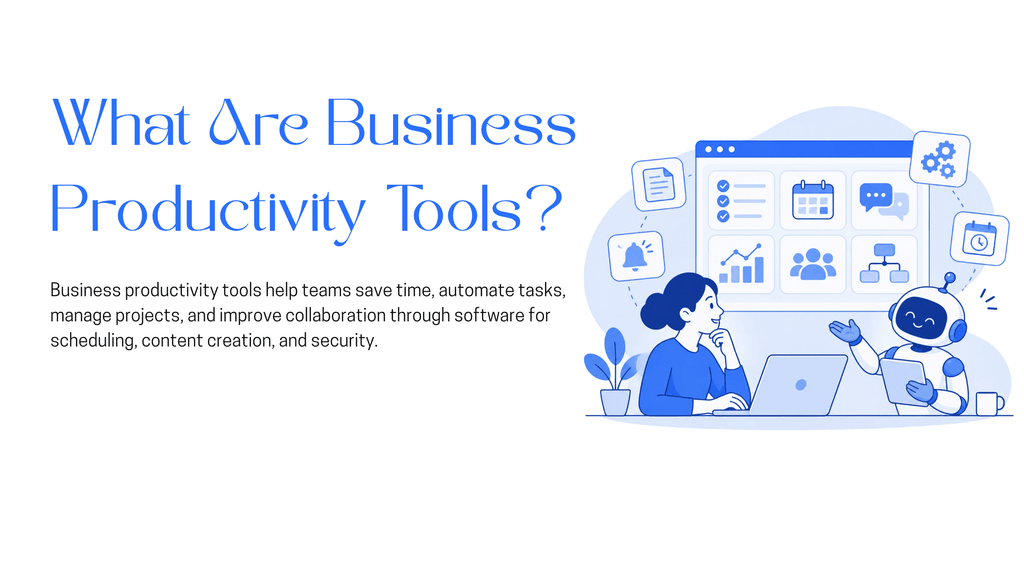
Business productivity tools are software applications that help teams organize work, automate repetitive tasks, improve communication, and manage information with less manual effort.
These tools generally fall into five categories:
The right productivity tools can help businesses:
The goal isn’t to use more software. It’s to help teams work more effectively, reduce operational costs, and focus on tasks that matter most.
As businesses grow, managing tasks, communication, and daily operations becomes more challenging. Without the right systems, teams spend valuable time switching between applications, searching for information, and repeating manual work.
Business productivity tools help reduce these challenges by:
The biggest benefit comes from choosing tools that solve existing problems rather than adding more software. A good productivity tool should reduce the time spent on routine work and help teams achieve measurable results.
The best business productivity tools address different challenges, from repetitive customer requests and project management to communication, content creation, and data security.
The following ten platforms cover different business needs. Each is evaluated based on its features, practical benefits, and limitations to help teams choose the right software.
YourGPT is a no-code AI agent platform that helps businesses automate customer support, sales, and operational workflows. Teams can connect company knowledge, business systems, and APIs to create AI agents that answer questions, qualify leads, and complete customer requests.
The platform supports multi-step actions, human handoff, and communication across websites, WhatsApp, Instagram, and other channels. YourGPT also identifies knowledge gaps from unresolved conversations to help teams improve performance. The company reports over 90% AI resolution for eligible repetitive requests in maintained production environments, although results vary by use case.
Best for: Customer support, sales, and operations teams managing repetitive customer requests and business processes.
Proton Pass is a password manager that helps businesses securely store, organize, and share login credentials. It provides encrypted vaults where employees can access approved passwords and passkeys without exchanging sensitive information through messages or spreadsheets.
The platform supports password sharing, autofill, and access management across devices. Its business features also include administrative controls, activity monitoring, and single sign-on, helping teams manage shared accounts and reduce security risks.
Best for: Businesses that need secure password sharing and controlled access to team accounts.
Notion is a collaborative workspace that brings documents, project tracking, knowledge management, and task organization into one platform. Teams can create shared pages, databases, project boards, and internal wikis to keep information accessible.
It also includes AI features for drafting content, summarizing meetings, searching workspace information, and assisting with routine tasks. Its flexible structure makes it useful for teams that want to manage multiple workflows without maintaining separate applications.
Best for: Teams managing projects, documentation, tasks, and internal knowledge.
Semrush is a digital marketing platform that helps businesses improve online visibility through keyword research, competitor analysis, website audits, and search performance tracking.
Marketing teams can use it to identify content opportunities, monitor rankings, analyze backlinks, and evaluate website performance. Its AI visibility tools also help businesses monitor brand mentions and appearances in AI-generated search results.
Best for: SEO professionals and marketing teams managing organic search performance and online visibility.
CoAnimator is an agentic AI animation studio that helps teams create and edit product demos, launch videos, tutorials, and explainers using natural language. It works with AI agents such as Claude Code, Codex, Gemini, and OpenClaw to research products, draft scripts, and build videos scene by scene.
Teams can also edit recorded footage by describing the changes they want, including captions, effects, and overlays. As an AI agent video editor, CoAnimator supports reusable templates, plugins for voice and publishing, and editable project files. Videos render locally on Windows, macOS, and Linux, with no credit-based export limits.
Best for: Product, marketing, and content teams creating professional videos with AI agents while keeping projects editable.
Loom is a video communication platform that lets employees record their screens, cameras, and microphones and share recordings through links. It helps teams explain tasks, demonstrate problems, and provide updates without scheduling meetings.
Users can add comments and reactions to recordings, making feedback easier to manage. Loom also provides AI features that generate video summaries and titles, helping employees understand shared information without watching every recording in full.
Best for: Remote and distributed teams sharing project updates, feedback, and instructions.
Canva is an online design platform that helps teams create presentations, marketing graphics, documents, and videos without advanced design skills. It provides templates and editing tools that make everyday content creation more accessible.
Teams can collaborate on designs, maintain consistent branding through Brand Kits, and share reusable templates. Canva also includes AI tools for generating and editing text, images, and layouts, helping businesses produce visual content with less manual effort.
Best for: Marketing, sales, and business teams creating branded visual content.
Cal.com is a scheduling platform that helps businesses arrange meetings without repeated emails or manual calendar coordination. Users can share booking links, connect calendars, and allow others to select available meeting slots.
For teams, Cal.com offers round-robin scheduling, shared availability, and routing forms that direct meetings to the appropriate employee. These features help sales, recruiting, and customer-facing teams manage appointments more consistently.
Best for: Sales, recruiting, consulting, and customer success teams managing external meetings.
Jira is a project and issue management platform designed for software development, IT, and product teams. It helps employees organize tasks, assign responsibilities, track bugs, and monitor project progress through customizable workflows.
Teams can use Scrum and Kanban boards for planning and execution, while reporting tools provide visibility into project performance. Jira also offers automation rules and Atlassian Rovo AI features for search and work assistance.
Best for: Software development, IT, and product teams managing projects and technical tasks.
Airtable is a flexible database platform that combines spreadsheet-style organization with workflow management. Teams can organize customer records, project information, content calendars, and operational data in connected tables.
It supports multiple views, linked records, and automated workflows. Airtable also provides AI features such as Omni for building applications through natural-language instructions and Field Agents for summarizing, categorizing, and processing information.
Best for: Operations, marketing, and project teams managing structured information and custom workflows.
The table below compares ten business productivity tools based on their technical capabilities, AI functionality, integrations, automation, and collaboration features.
| Tool | AI Capabilities | Automation & Workflows | Integrations | Collaboration & Controls |
|---|---|---|---|---|
| YourGPT | Conversational AI, AI agents, multiple LLMs | Multi-step actions, API calls, conditional workflows | APIs, CRM systems, messaging channels | Human handoff, multi-agent coordination, analytics |
| Proton Pass | Not a core AI feature | Password autofill, secure credential sharing | Browser extensions, SSO, SCIM | Shared vaults, access permissions, activity logs |
| Notion | AI writing, workspace search, AI agents | Database automation, scheduled agent tasks | Slack, Google Drive, connected apps, API | Shared workspaces, permissions, real-time editing |
| Semrush | AI visibility monitoring, content assistance | SEO audits, scheduled reports, tracking | Google Analytics, Search Console, API | Projects, shared reports, user access |
| CoAnimator | Agent-assisted video and animation creation | Scene generation, rendering, video updates | Claude Code, Codex, compatible AI agents | Editable projects, file-based collaboration |
| Loom | AI summaries, titles, chapters | Recording processing, transcript generation | Slack, Jira, Confluence | Video sharing, comments, access controls |
| Canva | AI image, text, and design generation | Bulk creation, design workflows | Google Drive, Slack, third-party apps | Shared designs, Brand Kits, approval workflows |
| Cal.com | AI-assisted capabilities through integrations | Round-robin scheduling, routing, webhooks | Google Calendar, Outlook, Zoom, API | Team availability, roles, managed event types |
| Jira | Rovo AI search, chat, agents | Workflow rules, triggers, issue automation | GitHub, Confluence, Slack, API | Role permissions, project boards, audit logs |
| Airtable | Omni AI, Field Agents | Record triggers, automations, scheduled workflows | Slack, Google Workspace, API | Shared bases, interfaces, permission controls |
Choosing the right business productivity tool involves more than comparing features. The software should fit your existing workflows, reduce manual work, and help your team achieve measurable results.
Here are five important features to consider:
The right productivity tool should solve an existing problem without creating additional work for your team. Focus on capabilities your business will use regularly rather than choosing software with the longest feature list.
Choosing the right productivity tool starts with understanding your team’s needs. Instead of selecting software based on popularity, focus on the problems it can solve and the results it can provide.
Follow these steps to make the right decision:
The best choice is not necessarily the tool with the most features. It is the one your team can use consistently to reduce manual work and improve results.
The best productivity tools depend on your team’s daily tasks. Notion helps manage documents and projects, Cal.com simplifies scheduling, and Airtable organizes business data. Teams should choose tools based on their specific needs rather than using multiple platforms with overlapping features.
Business productivity tools reduce repetitive work, organize information, and improve communication. They help employees manage tasks, track deadlines, automate routine processes, and spend more time on important business activities.
Yes. AI platforms such as YourGPT can automate customer questions, qualify leads, and perform actions through connected business systems. They also support human handoff when a request requires personal assistance, helping support and sales teams manage repetitive work.
Notion, Loom, Canva, and Jira are useful for remote teams. Notion supports shared documentation, Loom enables recorded video updates, Canva helps teams collaborate on designs, and Jira manages projects and tasks.
Focus on ease of use, integrations, automation capabilities, security, and team collaboration. Test the software with real tasks and measure whether it saves time, reduces errors, or improves team performance.
Yes. Small businesses can use AI tools to automate repetitive customer requests, create content, organize information, and manage routine workflows. Start with one task that takes significant time and expand automation when it produces useful results.
There is no fixed number. Most teams should start with a small set of tools that address different needs, such as communication, project management, and automation. Avoid adding software that duplicates existing features or creates unnecessary work.
Choose business productivity tools that solve real challenges for your team, not just those with the most features. The right software should fit your existing workflows, make daily tasks easier, and provide measurable value as your business grows.
Before committing, test the tools with real tasks, gather team feedback, and evaluate whether they improve performance.
If managing customer support, sales, or operational requests takes up too much time, YourGPT is a practical place to start. Its AI agents can handle conversations and complete actions across connected systems.
You can compare plans on the pricing page, read how YourGPT measures its AI resolution rate, or book a demo to see how it handles your business requirements.
The best productivity tools don’t just help your team work faster. They help your team focus on work that matters.
TL;DR Salesforce offers powerful CRM capabilities, but implementation and ongoing management can increase costs for smaller teams. Pipedrive and Nutshell simplify pipeline management, while HubSpot and Zoho CRM offer broader automation. Freshsales, monday CRM and Copper suit specific workflows. For customer support and lead qualification, YourGPT Chatbot works alongside your CRM, starting at $39/month billed […]

TL;DR Yellow.ai has spent a decade building an enterprise conversational AI platform out of Bangalore, and in 2026 it is asking Wall Street to value it at half a billion dollars while cutting a third of its staff and rebuilding its core product around a new “agentic interface” called Nexus. Both moves showed up in […]


Prepare a replacement support agent, test real requests and human handoff, then switch the storefront while keeping ownership of unfinished conversations.
The reader can shortlist one or two platforms by primary job, existing stack, action depth, handoff, governance, and billing unit.

A practical breakdown of Gorgias Helpdesk and AI Agent pricing, including what counts toward each allowance, how to compare plans and how to budget with your own volumes.
Choose Halloween ecommerce campaigns that fit your products, with AI agent workflows, offer worksheets, launch tests and order measurement.