Build a Powerful LINE AI Chatbot in Minutes
An AI agent on your LINE Official Account. It trains on your documents, website, and knowledge base, keeps learning from real conversations, and answers 24/7 in Japanese, Thai, Traditional Chinese, or the language they use.
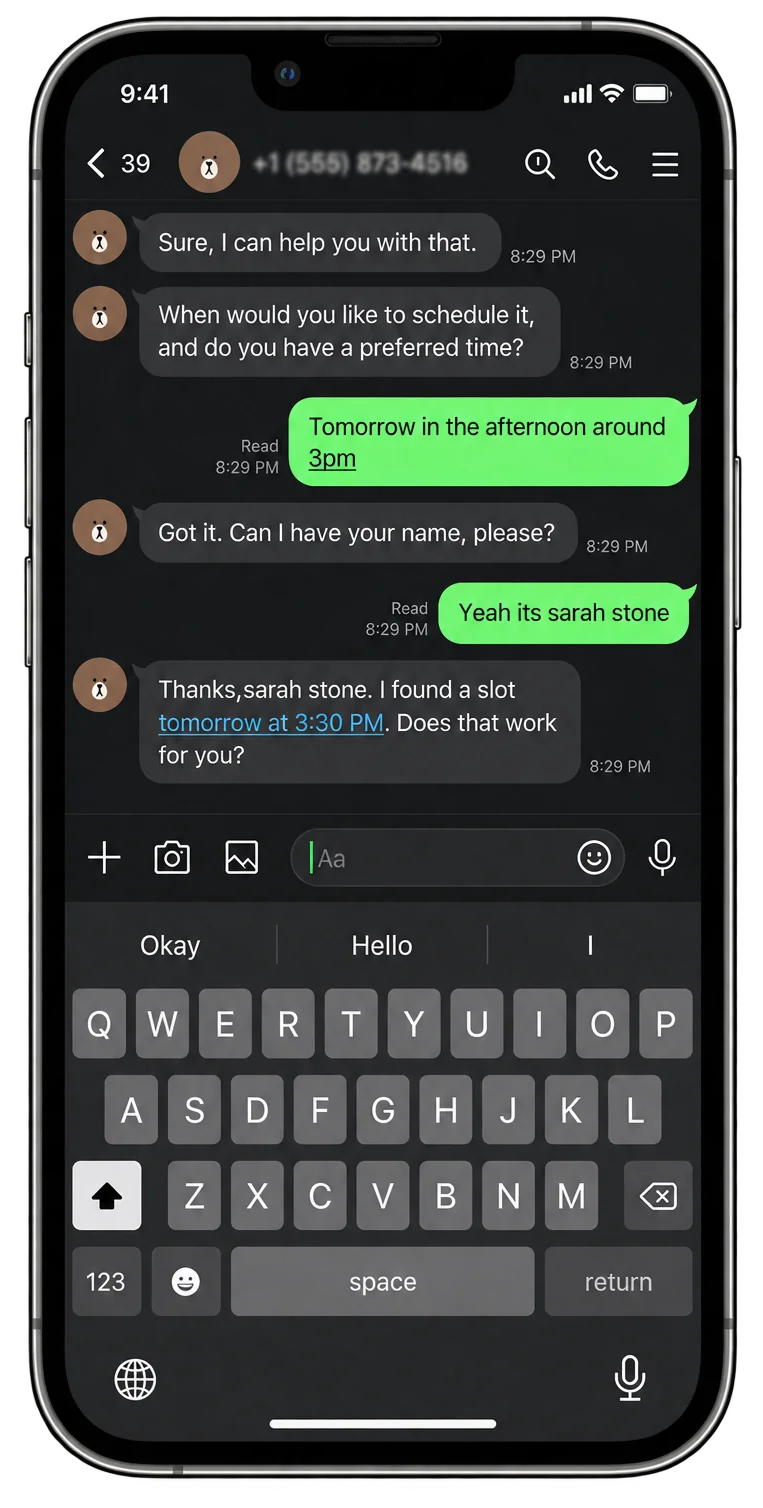
Trusted by 10,000+ teams











Handle support and sales on LINE
Show products they can tap. Look up an order. Take a booking. All in the same LINE chat.
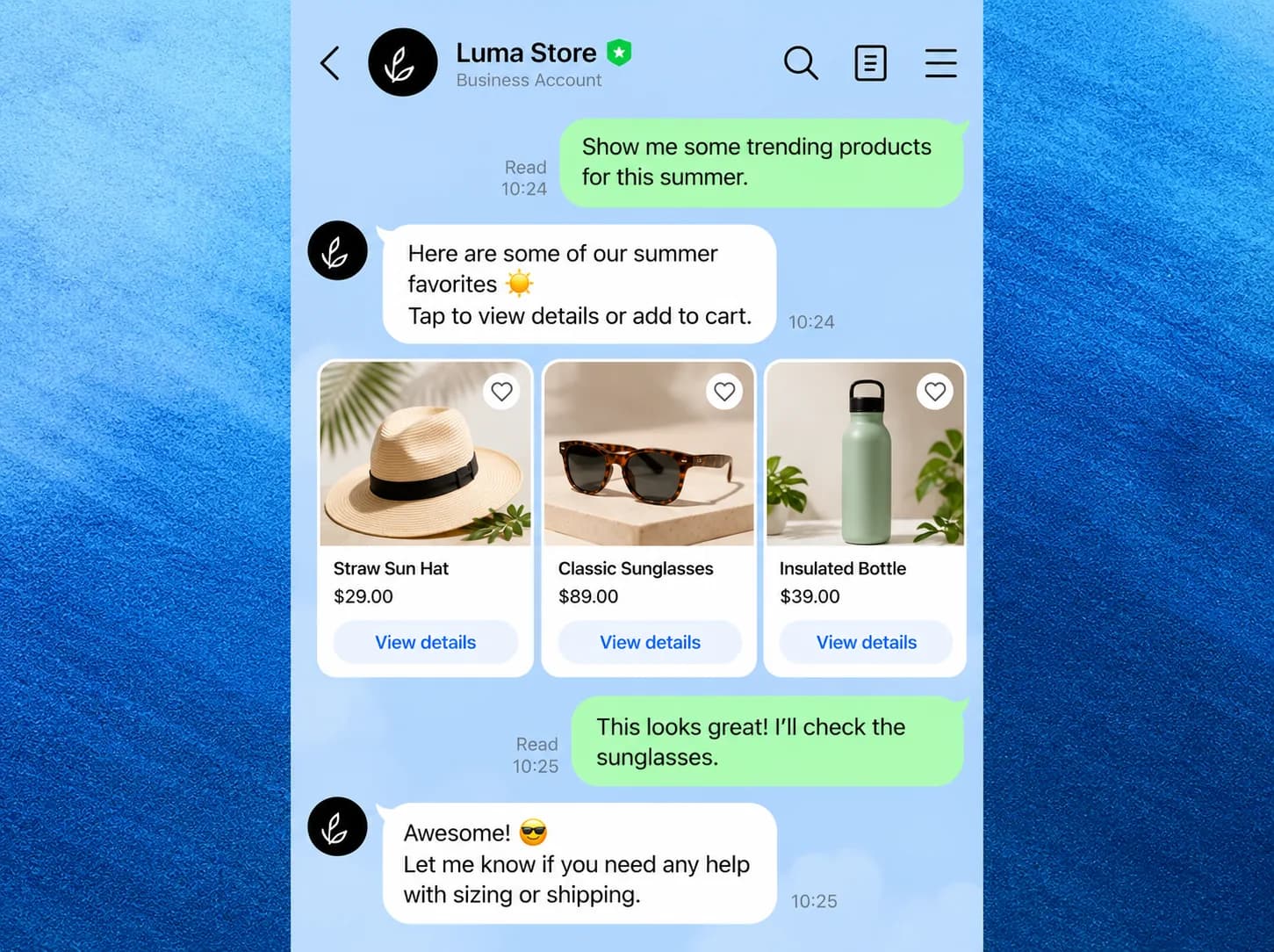
Sales and conversions
Guide product discovery in LINE, show items with a photo and a price, and let customers tap through to buy without leaving the chat.
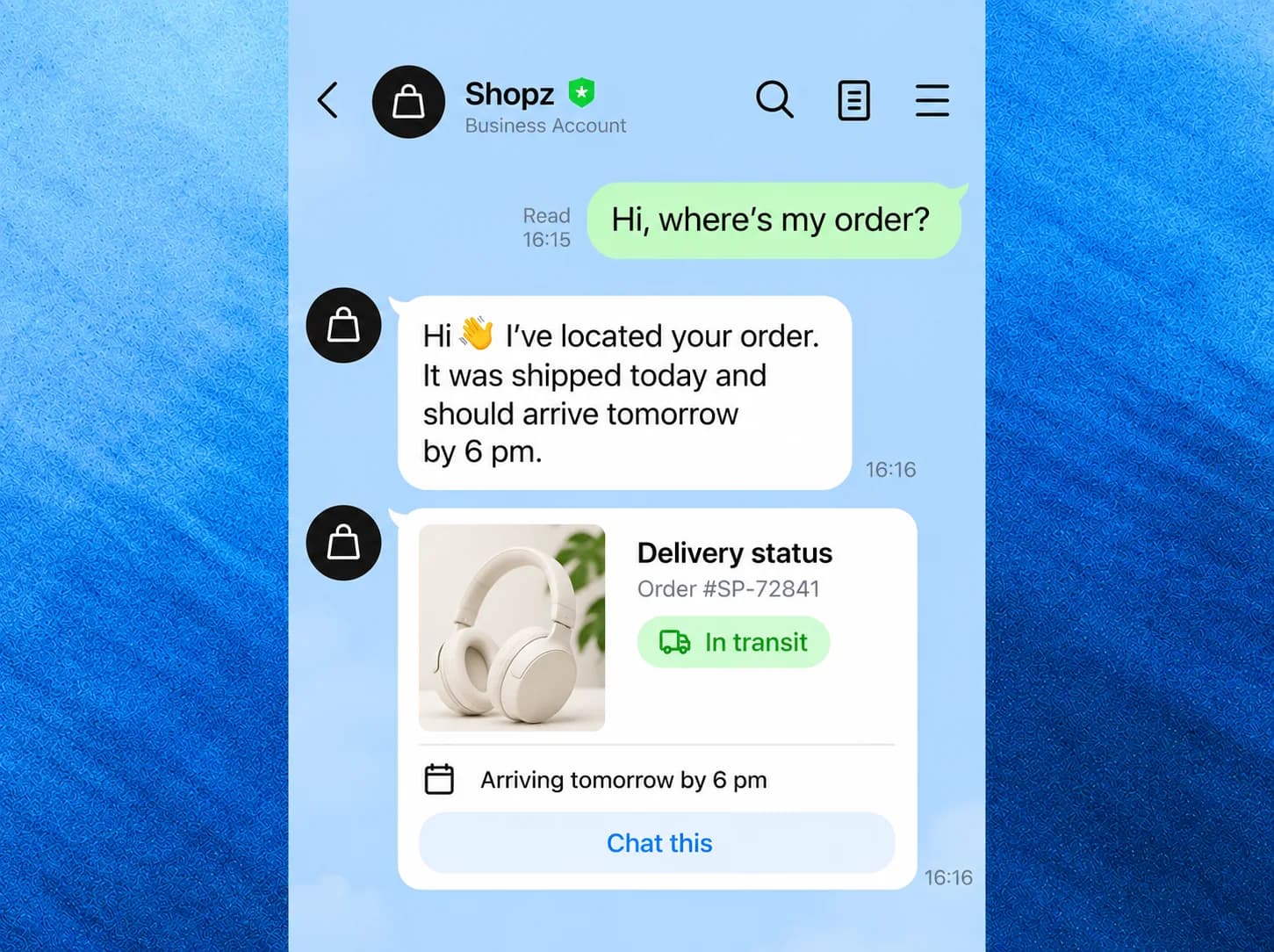
24/7 customer support
Answer order and delivery questions as they come in, so customers get a status in the same LINE chat instead of waiting on email.
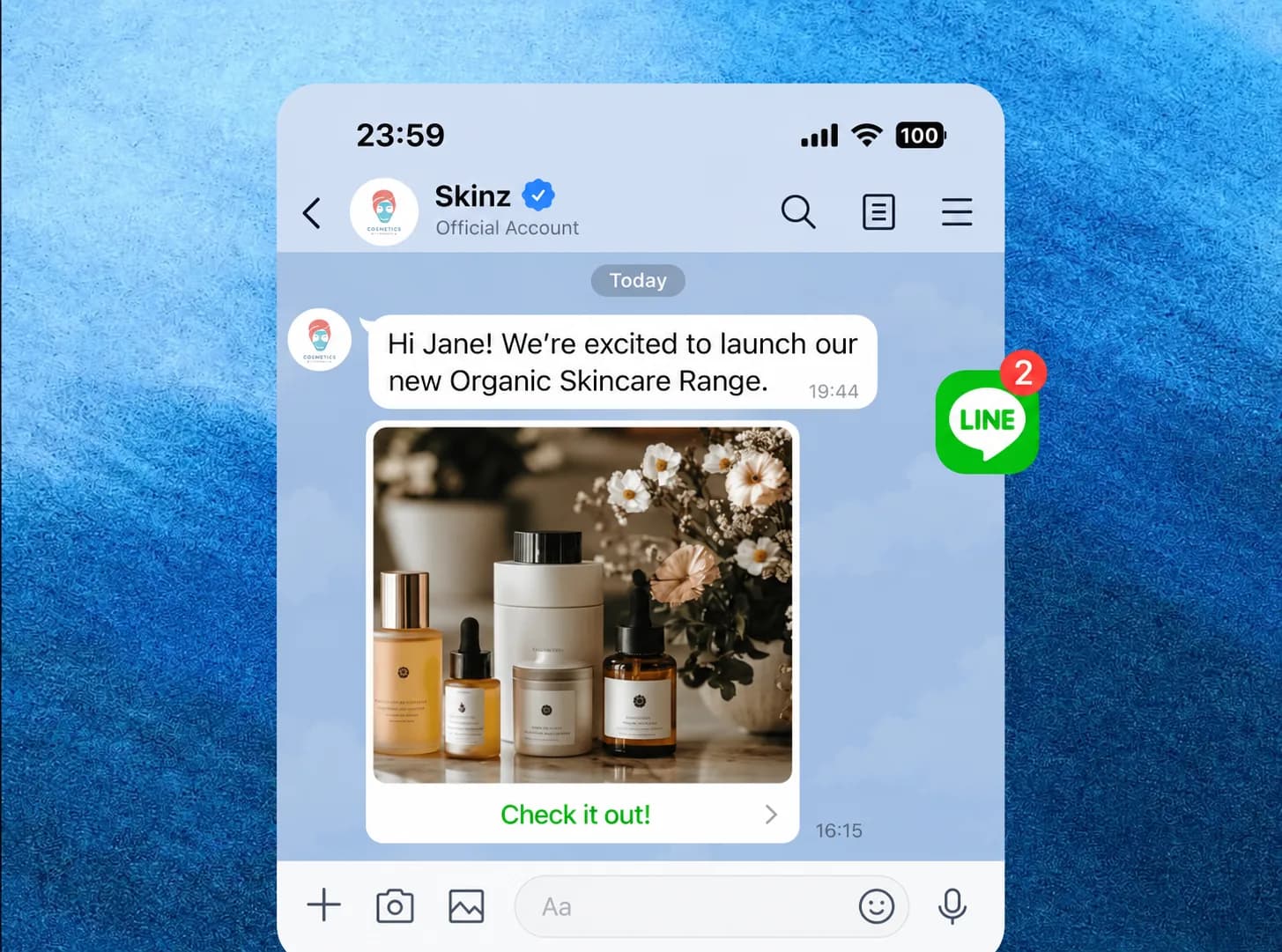
Marketing and engagement
Share a new product with a photo in LINE and a tap to open it, so launches and campaigns reach people in the chat they already use.
Automate LINE Customer Support with an AI Agent
Manual LINE support means slow replies, repeated answers, and after-hours queues. A YourGPT AI agent answers instantly around the clock, in your customer's language, and passes complex conversations to your team.
Manual LINE support
- Replying to every LINE message by hand
- Messages after hours wait until morning
- Japanese, Thai, and English chats need different staff
- The same product questions answered again and again
- LINE lives in its own silo, separate from your other channels
With YourGPT
- AI answers routine LINE messages instantly, 24/7
- One agent replies in your customer's language
- Repeat questions resolved from your knowledge base
- Complex conversations handed to your team with full context
- LINE, website, and WhatsApp conversations in one inbox
AI Capabilities for Your LINE Official Account
Built for how businesses use LINE: rich messaging, group chats, and automation that connects to your existing tools
Trained on Your Business Data
Upload documents, link your website, or sync your knowledge base. Your LINE chatbot answers from your real products, policies, and FAQs instead of guessing.
More than a text reply
Show a few products with a photo and a tap to shop, and send video or audio when that helps. LINE does not take form uploads or file attachments.
Works in Group Chats
Add the AI to LINE group conversations. Choose how it responds: only when @mentioned, to every message, or when specific keywords appear.
100+ Languages, Auto-Detected
The AI detects each customer's language and replies in it: Japanese, Thai, Traditional Chinese, Bahasa Indonesia, English, and 100+ more. No translation setup needed.
Human Handoff, Built In
Define when a conversation should reach your team, like when a customer asks for a human or the AI can't resolve it, and route it to the right agent with full context.
Connected to Your Systems
Use AI Studio to call your APIs mid-conversation: check orders, book appointments, update your CRM, or run workflows, directly from a LINE chat.
Get live on LINE in 4 steps
Create your agent, train it on your content, connect LINE, and send a test.
Create your AI agent
Sign up and create your agent in the dashboard.
Train it on your content
Add your website or FAQs so it answers from your business.
Connect your LINE account
Link your LINE Official Account from the YourGPT dashboard.
Send a test message
Open LINE, message your account, and see the agent reply.
Ready in Minutes
Everything you need to get started
Step-by-step guide included in the dashboard
An AI agent does more than LINE auto-reply
LINE auto-reply sends a saved reply when a keyword matches. YourGPT reads the message, answers from your content, and can look up an order or take a booking.
| Capability | Auto-replyLINE auto-reply | YourGPTYourGPT AI agent |
|---|---|---|
| Answers keyword-matched questions | ||
| Understands free-text questions | ||
| Answers from your business content | ||
| Replies in the customer's language (100+) | ||
| Show products the customer can tap | Basic | |
| Hands off to a human agent with context | ||
| Takes actions via your APIs (orders, bookings) | ||
| Works in group chats with response modes |
How Businesses Use AI on LINE
LINE is the everyday messaging app across Japan, Thailand, and Taiwan. Here is how different industries put an AI agent to work on it
Restaurants & Food Delivery
Take reservations, answer menu questions, and handle order inquiries automatically. Customers message you on LINE the way they already talk to friends.
Beauty & Wellness
Let clients book, reschedule, and ask about services over LINE. Automated replies handle routine questions while your staff focuses on customers in the salon.
Enterprise-grade security
Ask Agent
Your security is our top priority. We understand the importance of security and compliance to you, and we're fully committed to provide a safe and secure platform.
SOC 2 Type II

GDPR

ISO 27001
No training on user data
Data Isolation
SSO Support
Model providers configured with privacy-first settings, including zero‑day retention.
Frequently Asked Questions
Check out the most common questions and answers below
What is a LINE AI chatbot and how does it work with YourGPT?
What do I need to connect YourGPT to LINE?
Do I need to code against the LINE Messaging API to build a bot?
How long does setup take, and do I need coding skills?
Which message types can the LINE AI chatbot send and receive?
Can the AI chatbot join LINE group chats?
Don't see the answer you're looking for ?
Put Your LINE Official Account on Autopilot
Go beyond canned auto-replies. An AI agent trained on your business answers every LINE message instantly, in your customer's language.