AI Agents for Dentists: A Practical Guide to Automation in 2026

Mitali
Last updated on June 2, 2026
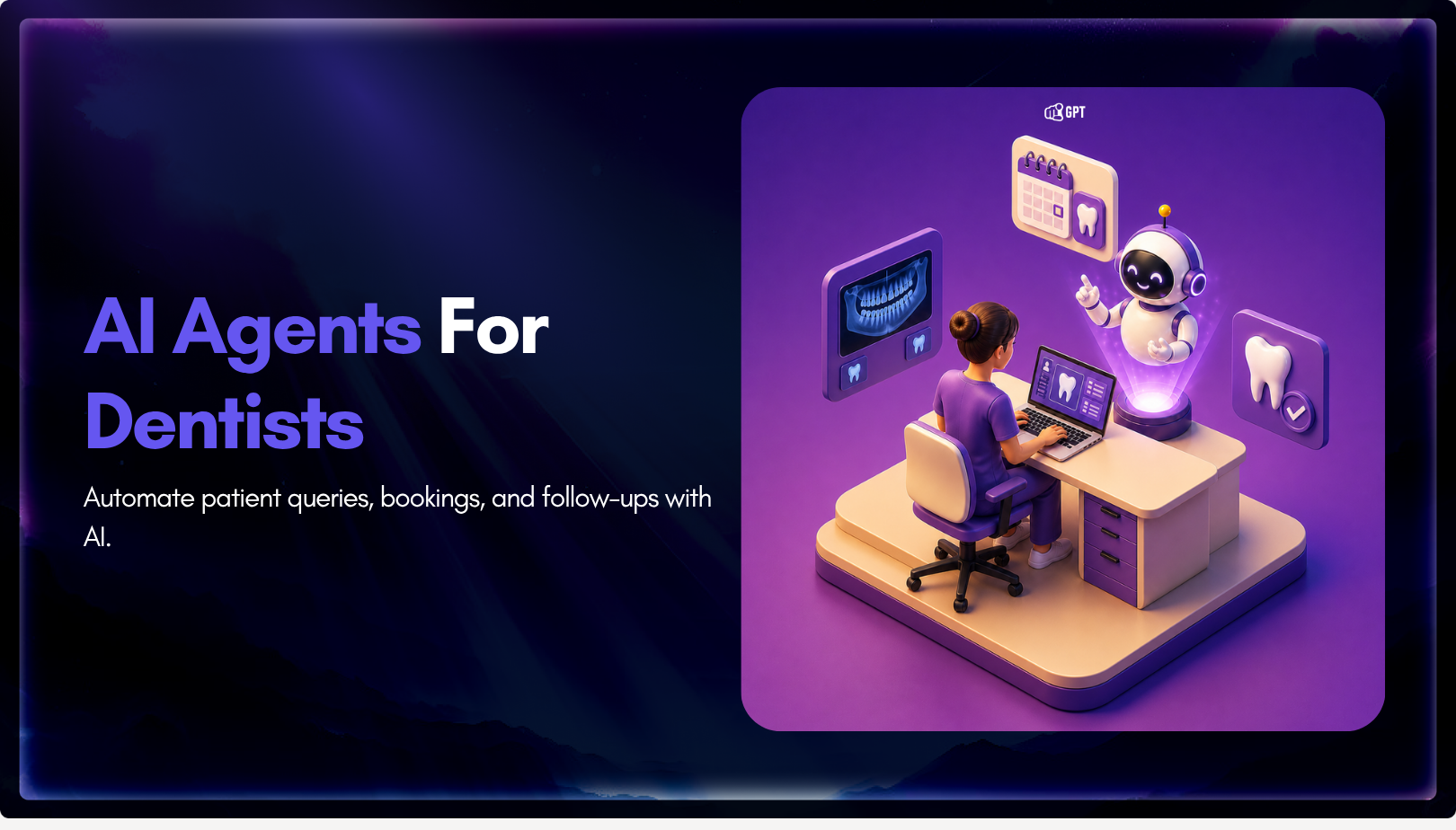
Dental clinics often lose patients not due to treatment quality but because of slow or missed responses across calls, chats, and after-hours enquiries.
AI agents help by responding instantly, collecting structured patient details, applying booking rules, and routing requests before they reach the front desk.
Clinics that define clear workflows, set boundaries around clinical decisions, and connect patient channels see faster response times, cleaner intake, and fewer missed bookings.
Most dental practices do not lose patients because of poor treatment. They lose them because of slow response.
A prospective patient searches Google at 9 PM with a cracked molar, finds your clinic, calls, and reaches voicemail. By morning, they have booked elsewhere. Your team never sees the lead.
The same issue shows up during office hours too. The front desk handles check-ins, calls, insurance checks, follow-ups, and scheduling changes at the same time. Something slips, not because the team is careless, but because patient demand moves faster than manual workflows.
AI agents help close that gap.
Unlike old rule-based chatbots, AI agents can act across your phone, website, SMS, and practice management system. They can answer patient questions, book appointments, verify insurance details, send reminders, and update records with less manual work.
In 2026, dental AI agents are becoming a practical automation layer for clinics that want faster intake, fewer missed calls, better follow-up, and more time for staff to support patients in the office.
This blog explains how AI agents for dentists work, where they fit in a dental practice, what systems they connect with, and how to deploy one without adding more complexity.
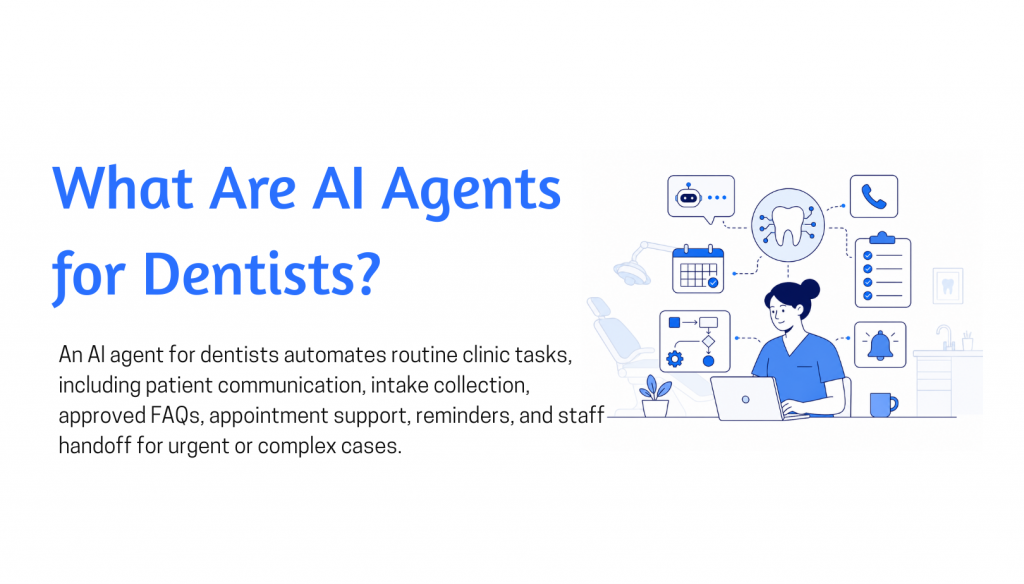
A dental AI agent is software that helps manage front-desk communication and routine patient workflows. It works between the patient and the clinic’s approved processes, helping collect details, answer approved questions, guide next steps, and hand off cases to staff when human judgment is needed.
This makes it different from a basic chatbot.
A chatbot usually answers questions from a fixed knowledge base. An AI receptionist may collect names, phone numbers, and appointment requests. A dental AI agent goes further by understanding what the patient wants and moving that request through a defined workflow.
For example, if a patient says, “I chipped my tooth and need the earliest appointment,” the agent should not only share office hours. It should recognize the urgency, ask for the right details, follow the clinic’s rules, and either route the case to staff or start a controlled booking process.
The value is not the conversation. The value is the action that follows it.
That may include:
A dental AI agent should not replace the practice management system. The PMS remains the source of truth for scheduling, patient records, billing, and clinical documentation. The agent works in front of it, turning unstructured patient messages into clear, staff-ready actions.
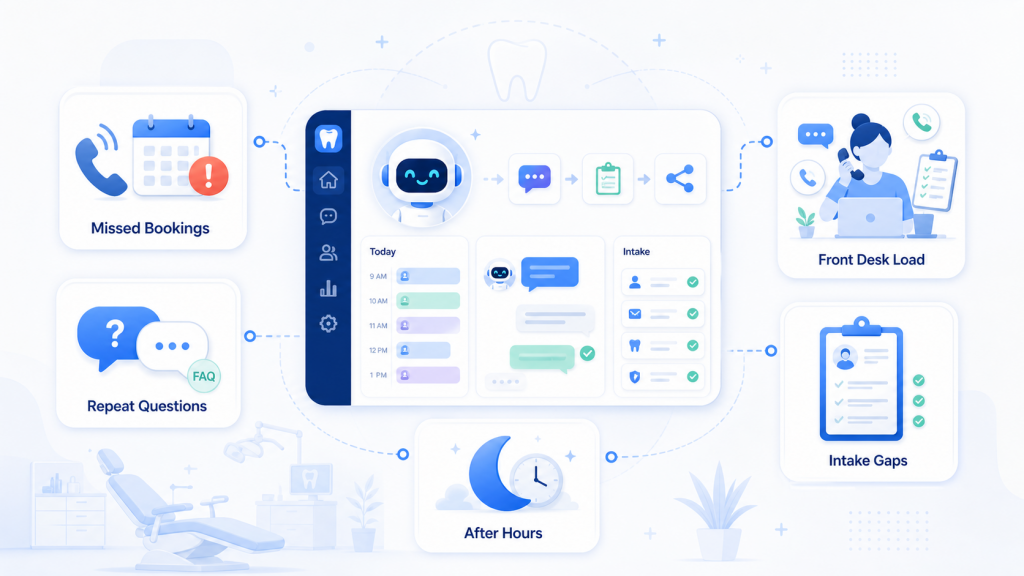
Dental clinics rarely lose patients because of low demand. They lose them in the short gap between a patient’s first inquiry and a confirmed next step.
That gap usually starts at the front desk. A patient calls while the team is checking someone in. A website inquiry arrives after office hours. A simple question about availability, cost, or insurance waits until the next morning. By then, the patient may have already contacted another clinic.
AI agents help reduce that gap by responding immediately, collecting the right details, and moving each request into the clinic’s approved workflow. They do not remove the need for staff. They reduce the repetitive communication that keeps staff from focusing on patients already in the office.
The need comes from a few common patterns:
The practical value of AI agents is simple: they help clinics respond faster, collect cleaner information, and prevent interested patients from dropping out because communication took too long.
AI agents act as the bridge between your patient and your calendar. They turn raw conversation into structured data that your clinic software can actually use.
The process starts when a patient sends a message via WhatsApp, your website, or social media. The agent identifies the specific intent. It distinguishes between a routine cleaning, an emergency, or a simple billing question.
Once the intent is known, the agent looks at your live calendar. It applies your specific clinic rules for appointment length and doctor availability to find valid time slots. When the patient picks a time, the agent writes the appointment directly into your system. Name, contact details, and the reason for the visit are recorded instantly. No manual data entry is required.
For basic questions about pricing or office hours, the agent pulls from your private knowledge base. This ensures every answer remains accurate and follows your specific policies.
If a request requires a doctor’s judgment, the agent hands the conversation to your staff. It includes a full summary of the chat so your team can pick up exactly where the agent left off. Every interaction is logged automatically. This creates a clear history of how patients are being booked and where your workflow can be improved.
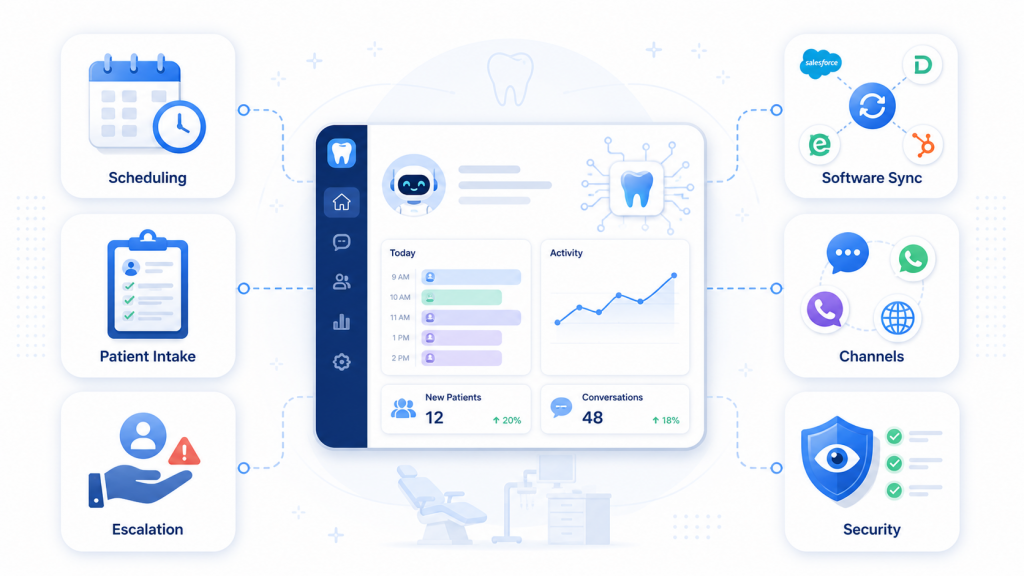
Choosing a dental AI agent comes down to how well it fits your clinic’s daily workflow. The right system should do more than answer common questions. It should collect patient details, support scheduling, route requests, and keep staff informed.
YourGPT helps dental clinics manage patient communication before it overloads the front desk. It can handle appointment requests, missed enquiries, WhatsApp messages, website chats, email, voice, intake questions, rescheduling requests, and routine FAQs.
The goal is not to replace clinic staff or make patient care feel automated. The goal is to give the team a cleaner first step for every conversation.
When a patient asks, “Need dentist today,” YourGPT can collect useful details such as the reason for visit, urgency, contact information, preferred time, and whether the patient is new or returning. For urgent cases such as tooth pain, a broken tooth, swelling, or same-day appointment requests, the agent can capture the enquiry quickly and route it based on the clinic’s approved process.
Dental scheduling often depends on more than open calendar slots. Treatment type, appointment length, provider availability, room availability, preparation needs, and follow-up rules can all affect booking. YourGPT can help apply these rules before the request reaches the team.
It also reduces front-desk interruptions by handling repeated questions about timings, location, pricing guidance, insurance process, appointment changes, and basic clinic policies. Staff receive the patient’s intent, contact details, urgency, and conversation history in one place instead of piecing it together from calls, chats, and notes.
YourGPT works across website chat, WhatsApp, email, voice, and other support channels, so patient conversations stay easier to track. With AI Studio, clinics can define the agent’s tone, limits, escalation rules, approved answers, and workflows.
After hours, YourGPT can respond to enquiries, collect approved details, guide patients to the next step, and leave the team with a clear summary for follow-up.
Patients get quicker responses. The front desk gets better context. Routine coordination becomes easier without pushing diagnosis or clinical judgement onto AI.
The next section shows how to set this up inside YourGPT.
For a dental clinic, the value of an AI agent is not the chat window itself. It is how quickly it turns a patient message into a useful next step for the front desk.
That could mean collecting details for a new appointment request, helping someone reschedule, answering a question about office hours, explaining preparation instructions, or routing a sensitive case to staff before the conversation goes too far.
With YourGPT, you can build that setup without heavy technical work. You can train the agent on your clinic information, define how it should respond, set boundaries around clinical topics, and connect it to the channels patients already use.
Here is how to build a dental AI agent that works inside a real clinic workflow.
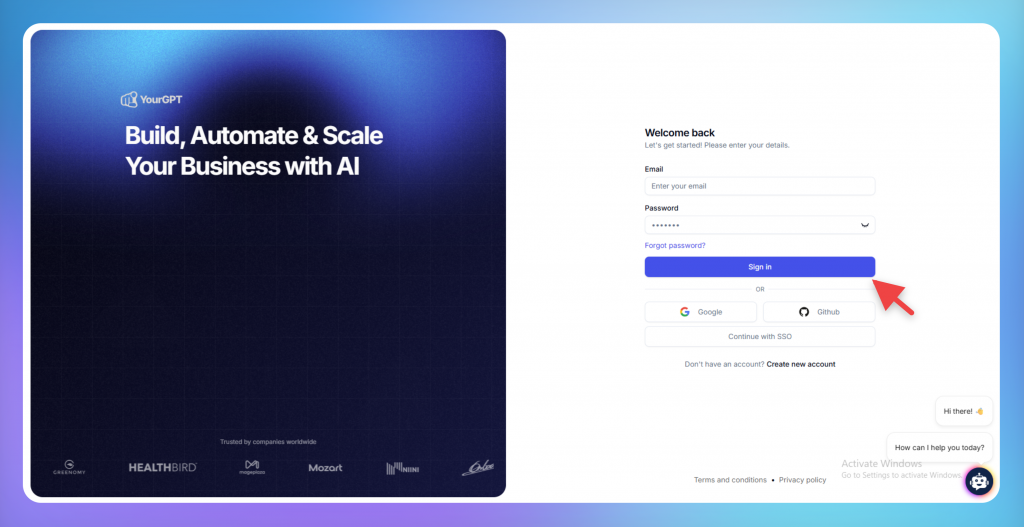
Start by creating a YourGPT account and setting up a new agent for your dental clinic. This agent becomes the first place patients get help with routine questions, appointment requests, and basic clinic information.
Do not try to automate every clinic interaction on day one. Start with one usecase that create the most repeated work for your front desk.
For most dental clinics, that usually includes appointment enquiries, rescheduling requests, service questions, insurance questions, location details, office hours, and basic intake collection.
A focused first version is easier to test and easier to control. It also gives the agent a clearer role, which improves the quality of replies. Once the common conversations are working well, you can expand the agent into more advanced workflows.
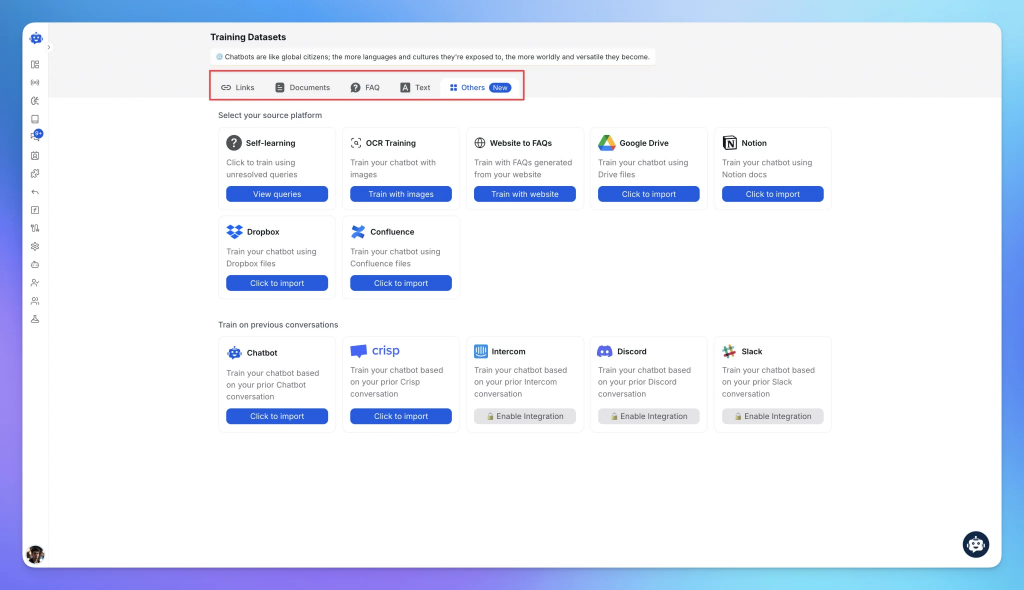
Next, train the agent on the information your clinic already uses to answer patient questions. This can include treatment pages, office hours, location details, accepted insurance, payment guidance, preparation instructions, cancellation policies, FAQs, and internal support notes.
YourGPT lets you add knowledge from sources such as website pages, documents, FAQs, and other clinic content. This helps the agent answer based on your actual practice information instead of giving broad dental advice.
Before adding this material, clean it up. Remove outdated offers, old insurance notes, duplicate service descriptions, expired policies, and pages that no longer match how your staff explains things.
This matters because the agent will reflect the quality of the material you give it. If the source content is unclear, the patient experience will be unclear too.
A good rule is simple: if your front desk would not confidently use that information while speaking to a patient, do not use it as training material without editing it first.
After adding clinic knowledge, shape the agent around how your clinic actually handles patient requests.
A cleaning enquiry, a whitening consultation, an insurance question, and a tooth pain message each require different inputs before the clinic can take the next step.
For example, a routine cleaning request may need patient status, preferred date, preferred time, and contact details. A cosmetic consultation may need the treatment interest, goal, and preferred visit type. An insurance question may need the provider name, plan details, and whether the patient is new or existing.
An urgent dental concern needs a different approach. The agent should not try to assess the condition. It should collect only the details your clinic has approved and then route the conversation to staff or urgent-care guidance.
This is where you decide what the agent should ask, what it should confirm, and when it should stop. The point is not to make patients answer long forms inside a chat. The point is to collect enough information so the next staff action is clear.
Also adjust the communication style. The agent should sound like your clinic, not like a generic assistant. For most dental clinics, the best tone is calm, concise, and professional. Patients may be in pain, confused about costs, or trying to book quickly, so the replies should be useful without being cold.
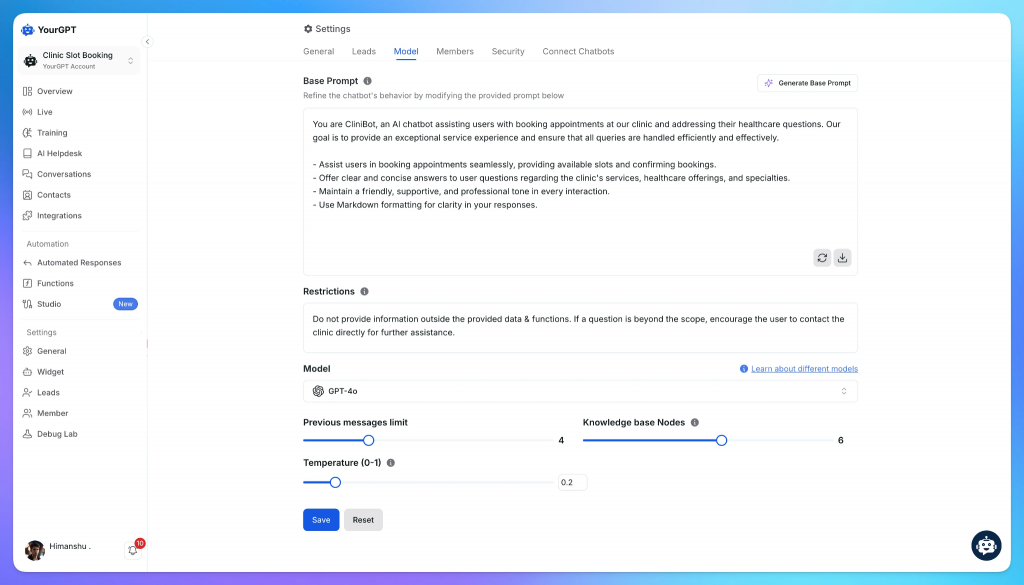
Once the workflow is clear, define the agent’s role and limits. This is especially important in healthcare-adjacent conversations, where the agent must stay helpful without crossing into clinical judgment.
Start with what the agent can handle. In most dental clinics, it can help with appointment requests, office information, service explanations, intake questions, preparation instructions, payment guidance, reminders, and staff handoff.
Then define what it must not handle. The agent should not diagnose symptoms, recommend treatment, estimate clinical severity, replace a dentist’s opinion, or make decisions that require examination.
For pain, swelling, bleeding, trauma, suspected infection, or emergency-like messages, the agent should not interpret the condition. It should collect the minimum useful details and route the patient to staff or clinic-approved urgent-care instructions.
You should also control how the agent speaks. Set rules for answer length, follow-up questions, confirmation messages, escalation wording, and what it should say when it does not know something.
This makes the agent easier to manage. Staff can trust what it will handle, patients get clearer answers, and sensitive conversations are less likely to drift into unsafe territory.
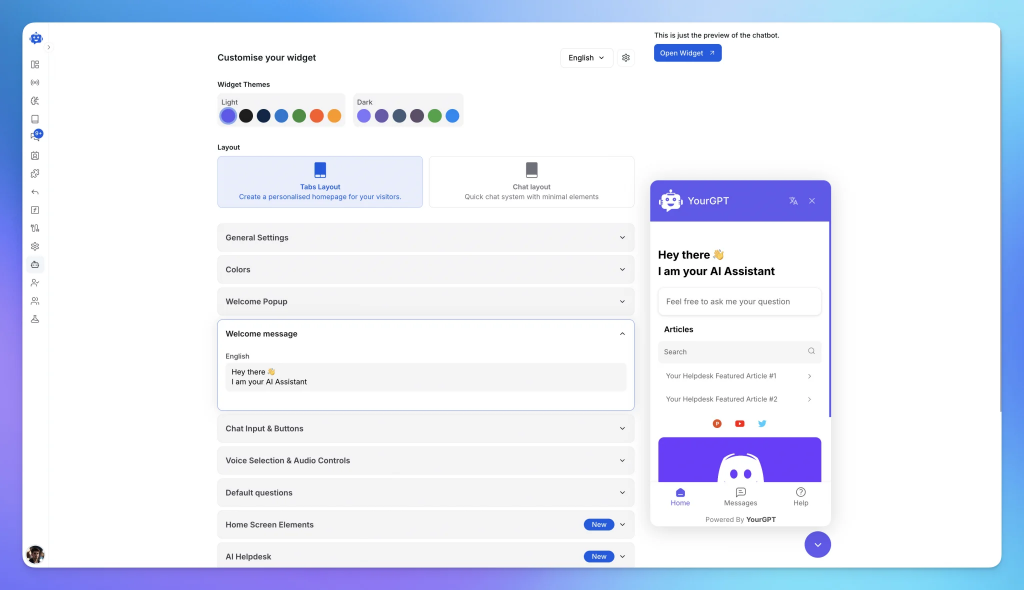
After the agent is trained and configured, connect it to the channels where patients already contact your clinic. This may include your website, live chat, WhatsApp, or other messaging channels used by your team.
Before publishing, test the agent against the conversations your clinic actually receives. Do not use a generic chatbot test list. Build the test set from your front-desk inbox, call notes, WhatsApp messages, website enquiries, and the questions patients ask most often before or after appointments.
Include different versions of the same request. A new patient may ask for an appointment with full details. Another may only write a short, incomplete message. Someone else may send a long message with insurance, pain, timing, and pricing questions in one place. The agent should be tested against all of these patterns, not only clean sample questions.
For each test, check four things: whether the answer matches clinic policy, whether the agent collects only the details staff need, whether it avoids clinical judgment, and whether the handoff gives staff enough context to continue without making the patient repeat everything.
Once the main scenarios are working, publish the agent and monitor the first conversations closely. Look for missing answers, unclear replies, unnecessary follow-up questions, and cases where the agent should have escalated sooner.
A well-set-up dental AI agent does not replace the front desk. It removes repetitive coordination work, captures cleaner patient information, and helps staff respond faster with better context.
AI in a dental practice fails fastest when it is asked to handle work that the clinic itself has not clearly defined.
The front desk may know the rules by habit. They know which appointment types need longer slots, which requests need a dentist’s review, when a patient should be called instead of booked, and how to handle vague messages like “my tooth hurts” or “I need to move my appointment”.
But an AI agent cannot work from habit. It needs written rules, clean clinic information, clear escalation points, and a scheduling process it can safely follow.
Without that structure, the agent may still sound helpful. That is the risk. It can collect the wrong details, send weak handovers, route urgent messages too slowly, or make a booking feel confirmed when the team still needs to review it.
The clinics that get the best results from AI do not treat setup as a one-time software task. They treat it as an operational cleanup: appointment logic, patient intake, staff handover, privacy, follow-up, and clinical boundaries all need to be made explicit before automation can work reliably.
In many dental practices, the front desk holds more operational knowledge than the website, FAQ, or booking page ever shows.
They know that a new patient exam needs a different flow from a returning hygiene visit. They know when a patient should be called back, which cases need longer appointments, which providers handle certain procedures, and which questions should not be answered by automation.
That knowledge needs to be turned into rules before the agent goes live.
Start by documenting the decisions your team already makes every day. What information should be collected before booking? Which visits can be confirmed immediately? Which requests need clinical review? Which messages should be escalated without delay?
This step may feel basic, but it is where most reliable AI setups begin. If the front desk knows the rule but the agent does not, the patient experience will depend on chance.
Dental booking is rarely a simple “choose a time” process.
A hygiene appointment, emergency visit, implant consultation, whitening appointment, root canal consultation, aligner consultation, and post-treatment review may all need different timings, providers, rooms, preparation steps, and intake questions.
If the agent only knows that the patient wants an appointment, it may move too quickly. It may place the request into the wrong category, miss an important detail, or make the slot feel more certain than it really is.
Before launch, define the booking logic for each common appointment type.
Clarify what the practice calls the visit, how long it usually takes, who should handle it, what details are required, and whether the agent can confirm it or only prepare it for staff review.
This prevents the mistakes that make teams lose trust in automation. A patient should not be booked into the wrong slot because the practice uses different names for the same treatment.
The agent should not work from a calendar the front desk does not trust.
If staff manage availability in the practice management system, but the AI checks another calendar, the two will drift. A provider may be unavailable. A room may already be blocked. A slot may look open online but be unusable in practice.
That is how double bookings and awkward patient conversations happen.
The practice management system or approved scheduling process should be the source of truth. If the agent can read and write to the live schedule, test it with real booking scenarios before launch. Check new bookings, reschedules, cancellations, blocked times, provider availability, and after-hours enquiries.
If direct booking is not reliable, do not force it. Let the agent collect the request and pass it to staff for confirmation.
That is still valuable. A clean booking request with the right details saves time, even when the final confirmation remains with the team.
A handover is not useful if the team only receives a note saying “patient needs help”.
By that point, the patient may have already explained the problem, shared contact details, asked about insurance, described pain, requested a specific time, or mentioned a previous visit.
If staff have to ask the same questions again, the AI has not reduced the workload. It has just moved the patient from one queue to another.
A strong handover should include the patient’s intent, contact details, answers already collected, reason for escalation, and the full conversation history. A short internal summary also helps the team respond faster, especially when they need to call the patient back.
This matters most for urgent enquiries, post-treatment concerns, billing confusion, broken teeth, swelling, complaints, and cases where the patient is already frustrated.
The patient should feel that the practice has kept track of the conversation. Not that they are starting again.
A dental AI agent should help the practice co-ordinate care. It should not make clinical decisions.
It can answer approved practice questions, collect basic details, explain preparation instructions, support appointment requests, summarise conversations, and route patients to the right person.
It should not diagnose symptoms, recommend treatment, judge severity, interpret scans, comment on medication risks, or decide whether something is an emergency.
This boundary must be built into the setup, not assumed.
If a patient mentions pain, swelling, bleeding, trauma, suspected infection, medication concerns, or complications after treatment, the agent should not explain what it thinks is happening. It should collect the practice-approved details and escalate according to the practice’s rules.
The best dental AI setup is not the one that answers the most questions. It is the one that protects the practice when a question needs a human.
Website pages are useful training material, but they are usually written for marketing. Patients often need something more practical.
A dental implant page may explain the treatment well, but still miss the questions patients actually ask before booking. Do I need a consultation first? Is a scan required? Are payment options available? How many visits are involved? What happens after the first appointment?
The same gap appears with whitening, aligners, extractions, root canals, emergency appointments, insurance, cancellations, and post-treatment care.
Before training the agent, review the content as if you were preparing a new receptionist.
Can it answer the questions patients ask every week? Does it include the details staff repeat on calls? Does it explain what can be booked directly and what needs review? Does it match the language your team actually uses?
Remove old offers. Fix vague treatment descriptions. Add missing policies. Rewrite anything that sounds good on a service page but would not help someone at the front desk.
The agent should not sound like a brochure. It should sound like a trained member of the practice using approved information.
Many practices have good clinical processes but weak follow-up processes.
A patient may finish a consultation, scan, treatment-plan discussion, or post-operative visit. The next step may be obvious to the team, but still depend on someone remembering to call, message, schedule, or collect missing information.
That is where patients fall through the cracks.
The agent should not interpret scans or decide treatment steps. That stays with the dentist and clinical team. But it can help with the approved administrative follow-up around those moments.
It can collect scheduling preferences, send approved preparation instructions, remind staff to review a case, route a patient to the treatment co-ordinator, or prepare the next conversation with the right context.
This is especially useful for treatments that involve several steps, such as implants, aligners, cosmetic dentistry, and restorative care.
The agent keeps the next action visible. The clinical decision still stays where it belongs.
A polished demo is not the same as a real patient conversation.
Patients send short messages. They ask several things at once. They use local terms. They misspell treatment names. They ask about price before giving context. They describe pain vaguely. They change the request halfway through.
That is what the agent needs to handle.
Do not test only with neat sample prompts. Build the test set from real practice sources: missed-call notes, WhatsApp messages, website enquiries, email threads, chat transcripts, and the questions your front desk hears every week.
Test different versions of the same request. One patient may write a complete booking enquiry with treatment, timing, and contact details. Another may only write, “Need dentist today.” Another may combine pain, insurance, cost, and availability in one message.
For each test, check four things:
This is the difference between an agent that looks good in a demo and one the practice can trust with real patients.
An AI agent for dentists helps manage routine patient communication and front-desk workflows. It can answer approved questions, collect appointment details, support intake, route urgent cases, and prepare summaries for staff. It works best when connected to the clinic’s actual rules and processes.
Yes, an AI agent can help with appointment requests when the clinic defines clear booking rules. It can collect the treatment type, preferred time, patient status, contact details, and urgency. Final booking can either be automated or sent to staff for confirmation, depending on the clinic’s setup.
No. A dental AI agent should support the front desk, not replace it. It handles repeated questions, after-hours enquiries, intake details, and basic coordination so staff can focus on patients in the clinic and cases that need human attention.
AI can collect basic details for urgent enquiries, but it should not diagnose, judge severity, or give clinical advice. For pain, swelling, bleeding, trauma, or suspected infection, the agent should follow clinic-approved instructions and escalate the case to staff quickly.
It should collect the patient’s name, contact details, reason for visit, urgency, preferred appointment time, and whether they are new or returning. For some requests, it may also collect insurance context, treatment interest, or rescheduling details.
Yes. YourGPT can support patient communication across website chat, WhatsApp, email, voice, and other channels. This helps clinics keep conversations more organized instead of managing scattered messages across separate tools.
AI is safer when it has clear limits. It should answer only approved questions, collect non-clinical details, avoid diagnosis, and escalate sensitive cases to staff. Clinics should also review conversations, update the knowledge base, and test workflows before going live.
Start with one high-volume workflow, such as appointment enquiries, rescheduling, FAQs, or after-hours lead capture. Train the agent on approved clinic information, define escalation rules, test real patient messages, and expand only after the first workflow works reliably.
AI agents are becoming useful for dental clinics because they solve a practical front-desk problem: patients expect fast replies, while staff already handle calls, walk-ins, scheduling, admin work, and in-clinic support.
A well-set-up dental AI agent does not replace reception staff or make clinical decisions. It helps collect patient details, answer approved questions, support booking requests, route urgent cases, and prepare clear handovers for the team.
For clinics, the biggest value comes from faster response times, cleaner intake, fewer missed enquiries, and better follow-up. Patients get help sooner, and staff receive the context they need before taking over.
The safest way to start is simple: train the agent on approved clinic information, define clear boundaries, connect the right channels, test real patient scenarios, and keep staff in control of clinical decisions. YourGPT helps dental clinics build this workflow across website chat, WhatsApp, email, voice, and other patient communication channels.
YourGPT helps dental clinics capture enquiries, collect patient details, and support bookings across web, WhatsApp, email, and voice.
7-day free access · No credit card required
TL;DR Multimodal chatbots let customers share photos, screenshots, documents, video, or audio directly in a conversation, giving AI more context than text alone. YourGPT’s Attachment Capture node in AI Studio can collect these files mid-conversation, while vision-capable AI models can analyze and understand their contents. Key use cases include ecommerce returns, insurance and warranty claims, […]

A customer asks where their order is. A traditional bot pastes a tracking link and calls it done. An agentic system checks the carrier API, sees the shipment stuck at a depot, applies a credit under the delay policy, updates the CRM, and messages the customer before they’ve had time to get annoyed. Same question. […]
TL;DR A ticketing system converts requests that arrive by email, chat, phone, or web form into trackable records with an owner, a status, and a priority level. Centralizing requests this way cuts response delays, gives support teams visibility into backlogs, and creates a record useful for reporting and audits. Options range from lightweight help desk […]
TL;DR Insurance platforms are using AI to automate claims support, quote intake, and policy servicing, reducing reliance on call centers and static forms. This guide compares five commonly shortlisted platforms: YourGPT, Ada, Sierra AI, Decagon, and Forethought. None are purpose-built exclusively for insurance, so configuration flexibility and proven insurance use cases matter. Pricing ranges from […]

TL;DR The core distinction is retrieval versus training. RAG pulls outside documents into a prompt when an answer is generated, while fine-tuning changes a model’s weights during a separate training step. The 2026 shift matters because OpenAI’s wind-down of its self-serve fine-tuning platform, announced in May 2026, closed off the default path many teams expected […]
TL;DR Real deployments show measurable results. Georgia Tech’s Jill Watson achieved 78.7% classroom question accuracy compared with 30.7% for a stock OpenAI Assistant, while Georgia State’s Pounce chatbot improved enrollment outcomes in a randomized controlled trial. The strongest use cases are admissions, student services, and staff workload reduction rather than homework assistance. Guardrails matter more […]