HR Chatbot: Automate Employee Q&A, Onboarding & Leave Requests

Shreya
November 2, 2026
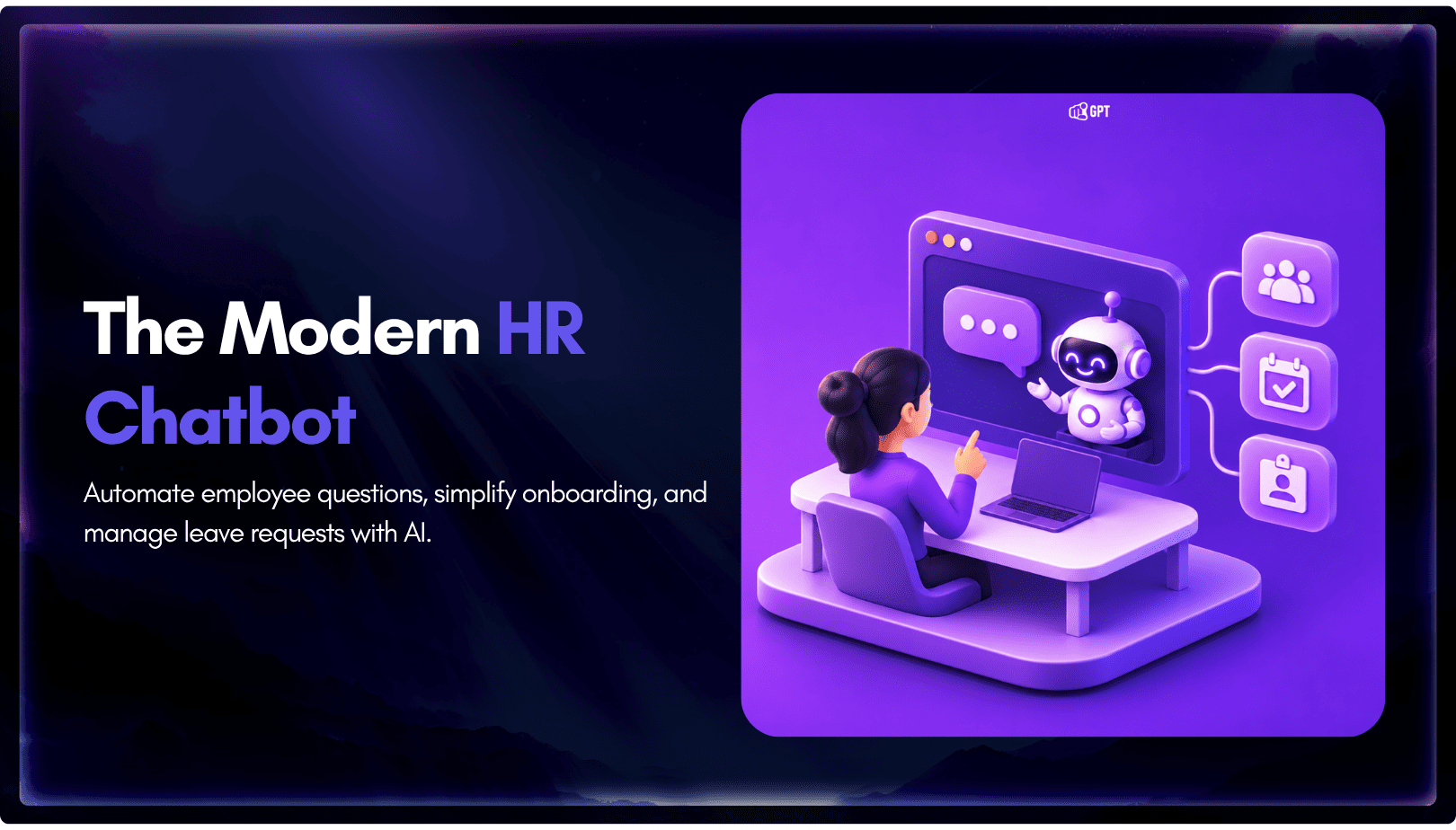
The shift. Current HR agents read a live leave balance from the HRIS, check it against policy, submit the request and route it to a manager inside one conversation.
The gap. Most HR self-service stops at the answer. Employees are told the policy, then open a portal to act on it, and that is where many give up and message a colleague.
The hard part. Identity and permissions. An HR agent can reach salary bands, medical leave and disciplinary notes, and what it sees is decided by the credentials behind it. Whoever configures the integration makes that decision.
The result. Teams that ground answers in one live version of each policy, act as the individual employee, and keep a manager on every approval get a support layer people trust. Teams that skip those three get a fast way to give confident, wrong answers about someone’s parental leave.
Every HR team answers the same questions over and over. How much leave is left. When payroll runs. How to claim an expense. What the parental leave policy actually says. The answers already exist, sitting in an HR system most employees never open or a policy document nobody has updated in two years. So people guess, ask a colleague, or email HR and wait two days for something that takes ninety seconds to look up.
An HR chatbot helps when it does two jobs instead of one. It answers the question from approved company policy, and then acts on it, by booking the leave or updating the record in the HR system. Most tools stop after the first job.
This blog covers what an HR chatbot handles across employee questions, onboarding, and leave requests, what it takes to connect one to an HR system, and where the employee-data risk sits.
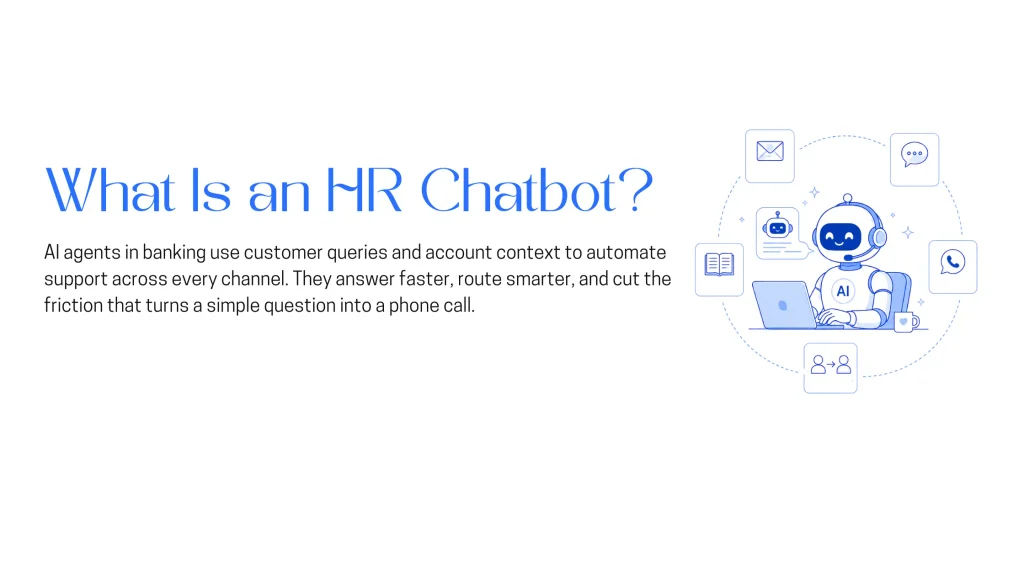
An HR chatbot is an AI assistant that answers employee questions from approved company sources and, once connected to the HR system of record, completes routine requests on the employee’s behalf. The second half of that definition is what separates current products from the keyword bots of a few years ago, which matched phrases against scripted replies.
A current HR agent does four things the older bots could not:
Policy answers hold up only when the documentation is sound. Five conditions matter:
Some topics should never get a model-written answer: harassment, grievances, accommodation requests, disciplinary matters and mental-health disclosures. They go to a named person from the first message, with context preserved. YourGPT’s human-in-the-loop guide covers the handoff pattern, and the security section covers how to test the routing.
Workflows are where a chatbot reduces work or just relocates it. An agent that cannot write to the HRIS sends employees to a portal and leaves HR with the same volume.
Leave is the workflow that separates a working deployment from an expensive FAQ page. The agent looks up the balance, reads the request back for confirmation, submits it and routes it to the right manager. Five things must be true first:
Third-party documentation also describes a path where a privileged BambooHR caller can submit a request as already approved, recording it without notifying the manager (summary). Verify it with the vendor, but design as if it exists and keep it off. Workday and SAP SuccessFactors differ in authentication and scoping, but the five conditions are the same.
The safest design lets the agent act with the verified employee’s own permissions, so the HRIS enforces scope instead of the agent’s code. Most of the security advice in this guide depends on this choice.
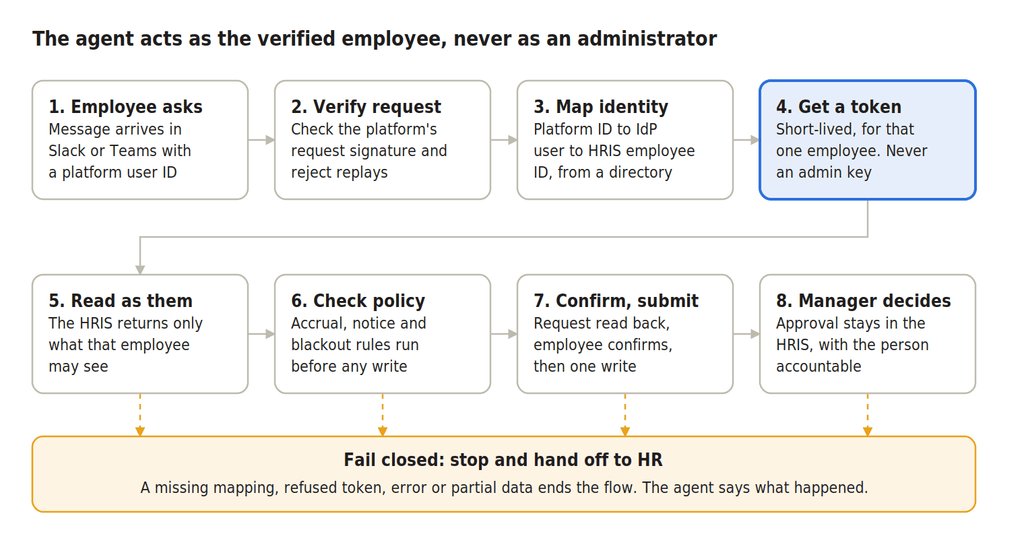
Steps 1 to 4 prove who is asking and obtain permissions limited to that person. Any failure stops the flow.
There are three ways to give an agent credentials. A shared service account is simplest but leaves scope to the agent’s own code, so one bug or injection exposes everything the account can read. Per-employee authorization has each employee approve the agent once through the HRIS’s OAuth or OpenID Connect login, so the HRIS applies that person’s permissions. Token exchange has your integration obtain a short-lived token for an already-verified employee, but its signing key is as sensitive as an admin credential. Which options exist depends on the HRIS: third-party documentation describes BambooHR as supporting per-user API keys and OAuth 2.0, each inheriting its user’s permissions (summary), and SuccessFactors’ OAuth SAML-bearer flow runs each call as the user named in the assertion (connector documentation). On the chat side, Slack signs every request, and the payload carries a stable user ID (Slack).
Four rules make the mapping trustworthy:
Revoke tokens and mappings when the HRIS record closes.
One credential set can reach salary, medical leave, home address, disciplinary history and immigration status, so risk sits in the integration around the model as much as in the model.
In 2025 researchers reached the back end of McDonald’s McHire hiring platform, built by Paradox.ai, by logging in to a test admin account with the password “123456”, then found sequential applicant IDs that let them estimate up to 64 million records were reachable (SC Media). Paradox.ai said the account, unused since 2019, was accessed by no one else. McHire screens applicants, not employees, but the failure class is the same, and neither flaw involved the model.
Beyond classic hygiene (no default or legacy accounts, multi-factor authentication on every admin login, authorization on every record lookup, retention and deletion paths for grievance and medical conversations, an audit log of every write), four risks are specific to agents with tools. The OWASP Top 10 for LLM Applications (2025) ranks prompt injection first and lists excessive agency separately.
Certifications such as SOC 2 and ISO 27001 describe a vendor’s controls, not your scoping, retention or approvals. Ask for the current report and read its scope, but keep those decisions with your organization.
An agent that answers questions and submits requests for a manager’s decision triggers fewer obligations than one that decides, but not none. This is general information, not legal advice. Confirm each country with counsel.
| Rule | What It Asks | Triggered by an Answer-and-Submit Agent? |
|---|---|---|
| EU AI Act, Article 50 | Inform people when they are interacting with AI unless it is obvious. Applies from 2 August 2026. (Source) | Yes. Disclose that the employee is interacting with AI in the first message. |
| EU AI Act, Article 4 | Take measures to support AI literacy among staff operating AI. Following the July 2026 rewrite, no specific level is guaranteed. (Source) | Yes. Train HR staff and approving managers, and document the measures taken. |
| GDPR Article 22 and UK GDPR Articles 22A–22D | EU GDPR restricts certain solely automated decisions with legal or similarly significant effects. Under UK rules effective from 5 February 2026, such decisions may be permitted with safeguards. Meaningful human involvement is important. (Source) | Depends. Genuine manager review can mean the decision is not solely automated. Leave records may include sensitive health information, requiring additional safeguards. |
| EU AI Act, Annex III, Point 4 | Certain AI systems used for employment decisions, work allocation, promotion, termination, or worker monitoring are classified as high-risk. The cited reporting places relevant obligations from 2 December 2027. (Employment AI source, Timeline source) | Depends on intended use. An informational assistant may fall outside these categories. Employment decisions, employee scoring, or performance monitoring can change the classification. |
| Works Councils | In countries such as Germany, employee representatives may have co-determination rights over technology capable of monitoring worker behavior or performance. (Source) | Possibly. Chatbot logs can reveal employee behavior. Consult relevant employee representatives before implementation. |
| Other Jurisdictions |
US: Illinois HB 3773 applies from 1 January 2026,
while Colorado’s employment AI requirements have a separate timeline.
(US source)
Singapore: PDPA employment-related consent exceptions and PDPC advisory guidelines may be relevant. (PDPA source, PDPC guidelines) |
Varies. Many employment AI rules focus on hiring, promotion, and disciplinary decisions. Confirm applicable requirements for each country or state. |
Everywhere, expect to need a lawful basis, transparency notices, retention limits and a data protection impact assessment, since the agent handles employee data at scale.
Keeping approval with a manager is right, but the law looks at substance. In the SCHUFA case the EU’s Court of Justice held that an automated score can itself be an automated decision when a third party draws strongly on it (EDPL), and it left open how much human involvement is enough (CMS). That case concerned credit, so ask counsel whether it reaches HR. The lesson is plain: a manager who approves everything the agent recommends is not a safeguard. Show the full request and the policy check, and track how often decisions differ from the recommendation.
Guard against drift too. Keep analytics aggregated, state that logs are not used to assess people, and revisit the decision whenever someone proposes a new use of the data. For disclosure, one plain sentence is enough, for example: I’m an AI assistant for HR questions and leave requests. A person makes every approval decision, and you can ask for a human at any time.
Every benefit holds only when something specific is true, which is how to tell a benefit from a vendor claim.
A falling ticket count means little without a rising resolution rate, because employees who give up on a bad chatbot stop filing tickets too.
Start with what your HRIS already offers, because identity and permissions are easiest to solve inside the system of record. Names and pricing change fast, so treat these as a shortlist, not a ranking.
Whichever you choose, ask the vendor in writing how the agent authenticates to the HRIS (per employee or one shared credential), where conversation data goes and whether it trains models, whether approvals can be locked to a human, whether every write is logged with the verified employee ID, how sensitive-topic routing is tested, and whether you can export your logs and configuration.
Many HR teams face the same issue: too many repetitive questions, too little time.
An AI assistant helps by answering those questions instantly, around the clock. It reduces the load on your HR team while improving the employee experience.
With YourGPT, you can set up and train an AI HR assistant—without writing a single line of code.
Here’s how to do it in 6 simple steps.
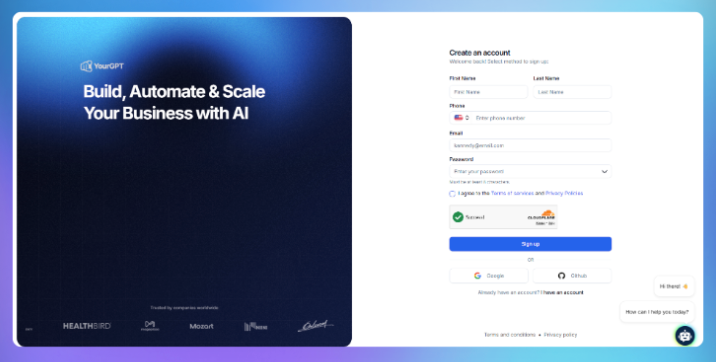
Everything is no-code and beginner-friendly.
Train the assistant using:
YourGPT ingests the
Make sure the assistant feels like part of your team by adjusting its look and voice.
Visual Customization:
Use the visual builder to modify:
Persona and Tone:
Configure the chatbot’s persona to reflect your brand’s tone:
You are an HR Assistant for internal employees. You provide accurate, professional, and friendly responses to questions about company policies, onboarding, and benefits. Use only the information you’ve been trained on.Some queries need more than one response. That’s where guided flows help.
Examples:
Each step should be clear, short, and require minimal effort from the user.aller steps. This helps ensure employees don’t get stuck or confused.

Test the AI before launching to production:
Tweak your training data or tone settings as needed.
Once it’s ready, you can embed the chatbot on your HR portal, add it to Slack, or share it using a QR code for onboarding handbooks.
Here’s how to embed it on your website:
<script>
  window.YGC_WIDGET_ID = "Your_widget_ID";
  (function () {
    var script = document.createElement('script');
    script.src = "https://widget.yourgpt.ai/script.js";
    script.id = 'yourgpt-chatbot';
    document.body.appendChild(script);
  })();
</script>
The chatbot will appear automatically based on your widget settings.
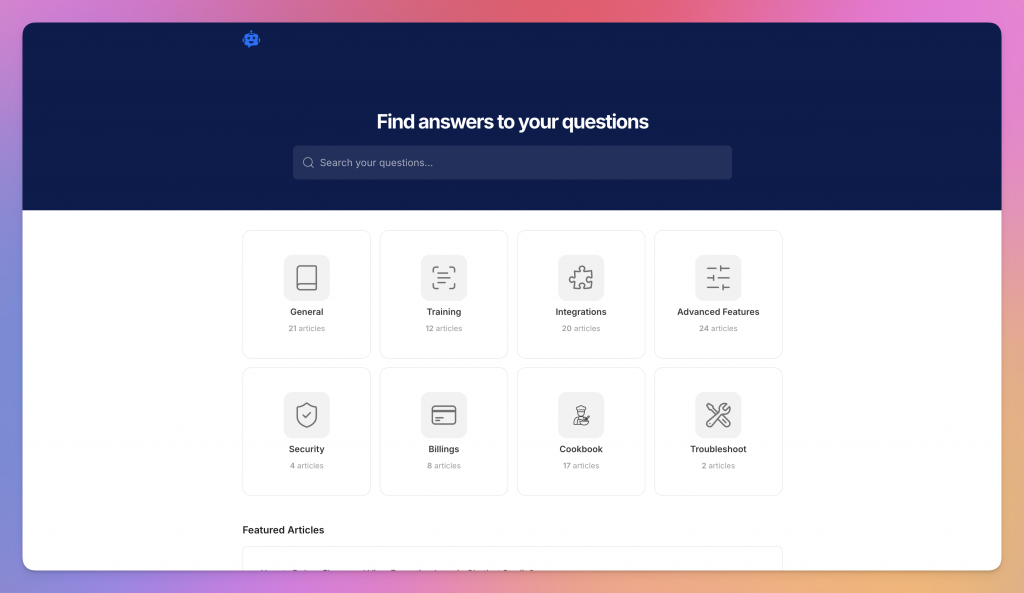
Once your assistant is live, you can take things further by creating a dedicated HR helpdesk. This gives your team a place to find structured content like policies, guides, and other process in one place.
1. Create a Workspace
Name it something clear like “HR Helpdesk” or “Employee Policies” to keep things organized by department.
2. Choose a Layout
Pick a helpdesk template that fits how you want people to search or browse the content.
3. Add Articles and Resources
Upload PDFs, write content manually, or let AI generate it for you. You can include text, links, images, and audio.
4. Share It Anywhere
Send a public link or embed the helpdesk directly into your chatbot, internal site, or HR portal.
Whether it’s for onboarding, compliance, or employee FAQs, this makes answers easy to find—and even easier to maintain.
No more digging through folders. No more repeat questions. Just fast, reliable help, whenever your team needs it.
An HR chatbot’s success depends on how accurately it answers questions and completes employee requests. Before launch, record your existing HR support performance so you can measure improvements.
| Metric | What to Measure |
|---|---|
| Task completion rate | Percentage of leave, document, and employee record requests successfully completed without additional manual steps. |
| Escalation rate | Number of requests transferred to HR, categorized by issue type to identify gaps in policies or workflows. |
| Repeat-question rate | How often employees return with the same question within seven days, indicating an unclear or unresolved response. |
| Time to resolution | Average time taken to resolve employee requests compared with pre-launch performance. |
Alongside performance metrics, monitor three additional measures:
According to Applaud’s 2026 State of HR Service Report, 36% of surveyed UK employees at organizations with 2,000 or more staff wait at least one full day for HR assistance.
This vendor-commissioned research provides useful context, but businesses should measure improvements against their own HR support data rather than using external figures as benchmarks.
Instead of automating every HR process immediately, introduce capabilities gradually:
Before expanding each phase, HR and IT teams should review the results together.
Gate A: Confirm that policy answers are accurate, current, and supported by approved documentation before enabling actions.
Gate B: Verify employee identity, access permissions, manager approvals, and error handling before extending automated workflows to more employees.
The goal isn’t simply fewer HR tickets. It’s more employee requests resolved accurately, securely, and with less manual work.
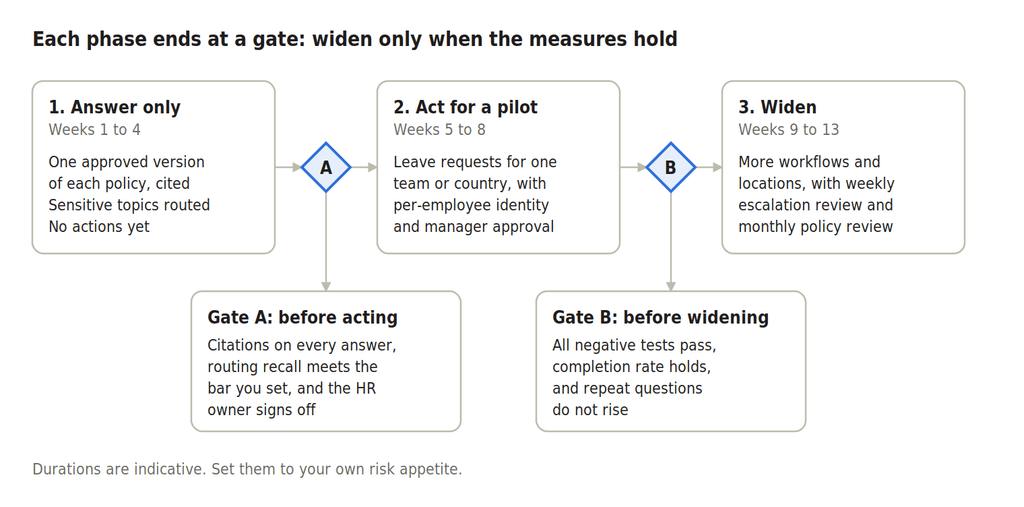
Documentation readiness decides this more than software does. Policy answers can go live as soon as one approved version of each policy exists, which is usually the slow part. Actions take longer because they need HRIS credentials, a verified identity path and testing. The rollout above allots about four weeks to answers only and four more to a pilot with actions, as an indicative plan. With YourGPT, the knowledge side is covered in its HR operations article and AI in HR guide, and the leave workflow is built in Studio as described in the worked example.
It can, and it should not. A manager should decide, and the review has to be genuine (see the legal section).
Only to act. Policy answers can come from documents alone, but live balances, requests and record changes need an authenticated connection, scoped as described in the identity section.
Grievances, harassment reports, accommodation requests, disciplinary matters and anything involving health information. They go to a named person from the first message, and the agent only acknowledges and routes. The security section covers how to test that routing.
Usually not, if it answers and submits for human approval. Deciding leave, scoring people or using its logs to evaluate them can change that. Annex III obligations now apply from 2 December 2027, so confirm with counsel.
Where employees already work, usually Slack. YourGPT supports Slack (setup docs, blog guide) alongside channels such as WhatsApp, Telegram, Discord and email. Microsoft Teams had no documentation page as of 2 November 2026, so confirm directly if Teams is your main surface. Slack-specific limits are in the worked example.
Test each language separately, including sensitive-topic routing. For adoption, launch with a narrow scope that works, say what it can do in the first message, meet employees in Slack or Teams, and fix early escalation themes quickly.
The model is the easy part of an HR chatbot. What decides whether it helps or harms is the groundwork done before launch, so that is where to start. If you do one thing this week, audit your policy documents: list each policy, its owner, its latest version and any conflicts between documents. It costs nothing, it is the slowest part of every deployment, and the result is useful even if you never launch a chatbot.
Then pick one workflow, leave requests, and put one question to your HRIS vendor and your chatbot vendor in writing: how will the agent act as each employee, not as an administrator? If the answers are clear, start the answers-only pilot from the rollout plan. If they are not, you have found the real project, and it is worth solving before any employee talks to the agent.
Real estate growth starts with meaningful conversations. Every buyer, renter, or investor who visits your website is looking for quick answers about properties, pricing, availability, locations, viewing options, or the next step in their journey. YourGPT helps real estate teams turn those moments of interest into qualified leads. With an AI chatbot trained on your […]

TL;DR Instagram buyers who ask “price?” in a comment expect an answer within minutes. Manual replies usually arrive too late to make the sale. YourGPT AI can connect to your professional account in minutes, reply publicly to selected comments, send detailed answers by DM, and handle follow-up questions using your knowledge base. Meta allows one […]
Connect your website AI agent to a CRM with YourGPT. Capture lead details, map contact fields and verify the record your sales team will use.
Use YourGPT to help Black Friday shoppers choose products, check orders and understand returns. Prepare your answers and team before the sale.
Add in-app chat support to your SaaS or mobile app. Place it on the screens where users stall, pass who they are, and hand hard cases to your team.
Group new-account tickets by onboarding stage, train an AI agent on your docs, and place it in the product where new users get stuck.