What is a Vector Database & How it Works?

Rajni
Last updated on September 4, 2026

A vector database stores data as embeddings, numerical representations designed to capture meaning rather than exact wording.
Instead of relying on keyword matches, it retrieves results based on semantic similarity, so a search for “affordable laptop” can also surface results such as “budget-friendly computer.”
Vector databases power the retrieval layer behind RAG chatbots, recommendation engines, and modern AI systems using platforms such as Pinecone, Weaviate, and Milvus.
If you’ve ever wondered how YouTube plays the exact video or music you want to watch-listen, or how a chatbot instantly finds the right answer it’s because of something called a vector database.
You’ve probably heard terms like “embeddings,” “semantic search,” or “vector stores” in the recent years. They can sound technical, but the basic idea is simple. And if you’re working with AI in any form, this is something worth understanding.
In this blog, we’ll explain what a vector database is, how it works, and and why it matters for real-world use cases.
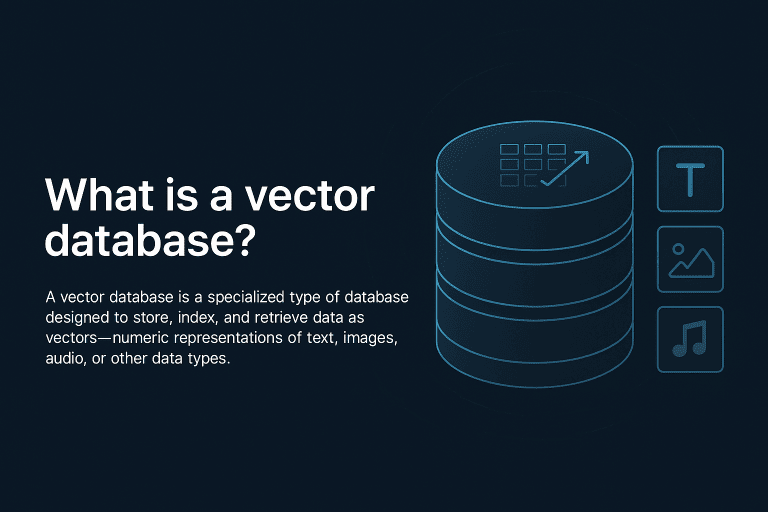
A vector database is built to store and search data using vectors numerical representations of things like text, images, or audio.
Think of a vector as a way to capture the meaning of data in numbers. Instead of matching exact words, a vector database finds results based on context and similarity.
Here’s the difference:
The key idea: vector databases don’t just match words—they match concepts.
To understand how a vector database works, you first need to understand vectors and embeddings.
Everything starts with embeddings numerical vectors generated using embedding models trained to capture semantic meaning.
These models take raw inputs like text or images and turn them into vectors (lists of numbers) that represent the core idea behind the data.
For example:
| Original Data | Vector Representation |
|---|---|
| “Affordable Laptop” | [0.23, 0.91, 0.34, …] |
| “Budget-friendly Computer” | [0.24, 0.89, 0.33, …] |
| “Expensive Sports Car” | [-0.77, -0.21, 0.12, …] |
The first two vectors are nearly identical because their meanings are similar.
The third one is completely different it represents a different concept.
Once the data is converted into embeddings, the vector database stores and indexes them for fast retrieval. It uses advanced indexing methods like:
These methods make it possible to search millions of vectors quickly and accurately.
When a user sends a query, it’s also converted into an embedding. The database then compares this query vector to the stored ones and returns results based on similarity not keyword match.
For example, if someone searches “How to reset my password?”, the system might return:
Even though the words are different, the intent is the same. This is called semantic search retrieving information based on meaning rather than exact phrasing.
Vector search works by turning data into numerical representations and finding similarities between them. Understanding a few core ideas makes it much easier to use effectively.
Embedding models convert raw data text, images, or other formats into vectors that capture semantic meaning. These vectors are called embeddings, and they’re what vector databases store and search.
Some commonly used embedding models:
Semantic search returns results based on meaning, not just keywords. Instead of looking for exact phrases, it understands the intent behind a query and retrieves the most relevant results even if the wording is different.
For example:
Query: “How do I recover my login?”
Result: “Forgot password” → matched because the meaning is aligned.
This leads to more accurate, helpful search experiences—especially in AI-driven applications like chatbots, help centres, and recommendation systems.
ANN algorithms are what make vector search fast and scalable. They help identify the most similar embeddings from millions of records without scanning every item.
Popular ANN algorithms include:
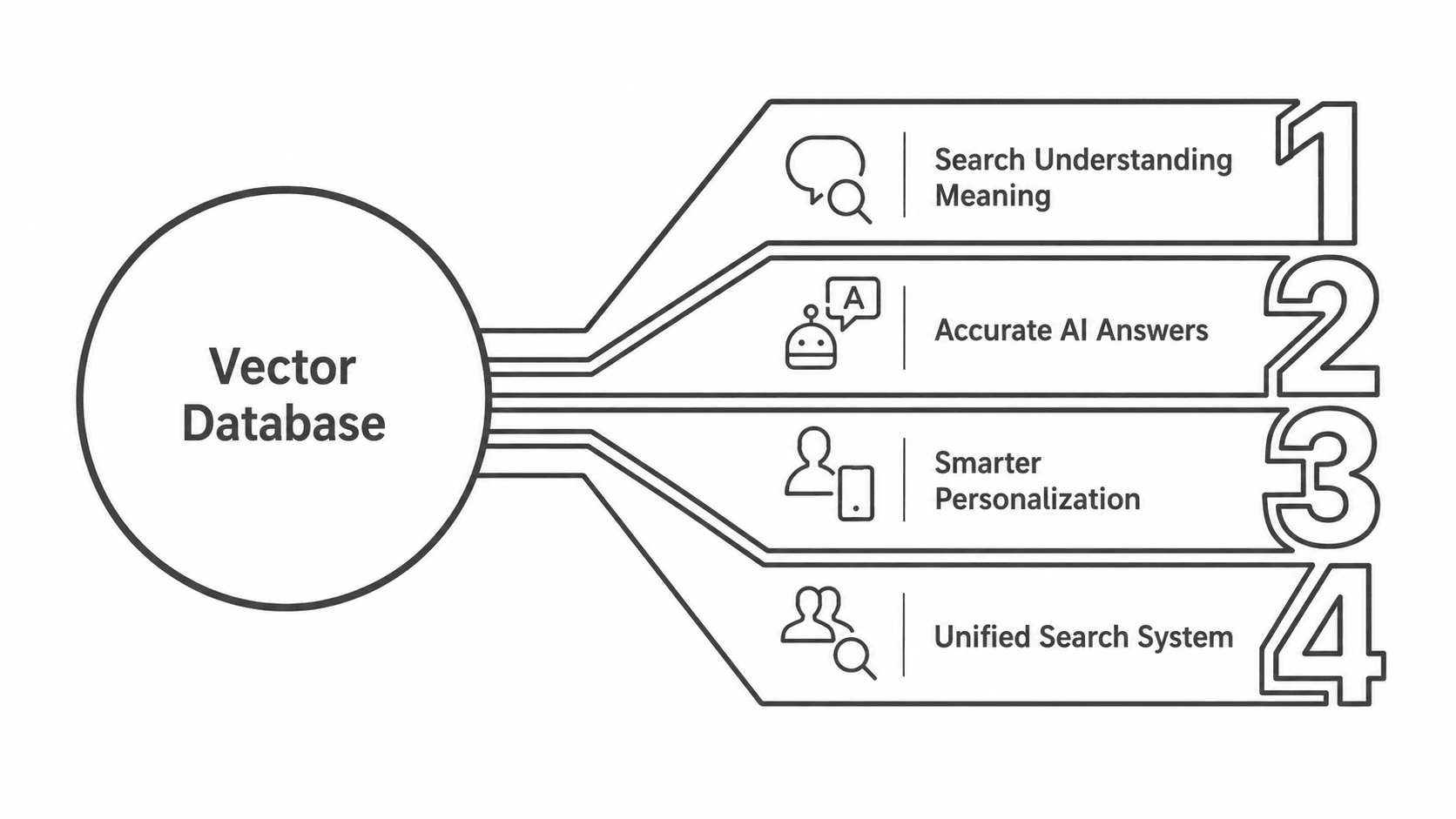
Most businesses today deal with unstructured data text, images, videos, customer queries. But traditional databases aren’t built for that.
That’s where vector databases come in. Here’s how they actually help your business:
People often make typos or don’t know the exact keywords.
Vector databases understand the meaning behind a search, not just the words. So even if someone types it wrong or uses a related term, they still get the right result.
Example: Typing “goldeen retrever” will still show “golden retriever” results.
AI systems often make things up when they don’t have real data to back their answers.
Vector databases help by letting the AI search through your actual documents, knowledge base, or product data so the answers are based on facts, not guesses.
Results:
Most recommendation engines use simple filters. Vector databases look at user behaviour in more detail what they’ve viewed, liked, or bought and find other similar items, even if they aren’t from the same category.
Example: A user who watches sports documentaries may get recommendations for motivational content or behind-the-scenes interviews things others with similar interests liked.
Users now search using photos, voice, or by typing. Vector databases support all of these in one system.
Example: A user can describe a product (“red sofa with wooden legs”) and get matching images even if the product titles don’t exactly match the words.
| Industry | Use Case | Real-World Impact |
|---|---|---|
| 🛒 E-commerce | Personalised product ranking based on vector similarity with past behavior | Users get what they’re likely to buy — fewer clicks, more revenue |
| 💬 Customer Support | RAG-based chatbot retrieves answers from large knowledge bases | Good system drops human escalations by 80% |
| 🎬 Media & Streaming | Suggest similar songs, videos, or news articles using vector matching | Boosts engagement and time-on-app without manual tagging |
| 💼 HR & IT | Semantic document search across resumes, policies, and tickets | Reduces time to resolution and improves internal knowledge access |
| 🏦 Finance | Compare live transactions against known fraud patterns via vector search | Flags risks in real time, reducing chargebacks and losses |
| ⚖️ LegalTech | Semantic case law search based on vectorized legal text | Find similar precedents instantly — without keyword guesswork |
| 🎓 EdTech | Match students with relevant learning content using embedding search | Improves comprehension and retention via personalised material |
| 🚛 Logistics | Detect similar routes or shipment exceptions using time-series vectors | Reduces delays and improves predictive accuracy of delivery ETAs |
| 🎮 Gaming | Recommend levels or challenges similar to user behavior | Keeps players engaged longer by offering relevant content |
| 🛡️ Security | Detect insider threats by comparing user behavior vectors | Identifies abnormal activity early — before damage is done |
It’s a database that finds things by meaning instead of exact words. A normal database can only find “blue shirt” if you type “blue shirt.” A vector database can find “blue shirt” even if you search “navy top,” because it’s comparing meaning, not spelling.
If you’re building keyword search over a small, static dataset, a normal database is fine. You need a vector database once you’re dealing with things a regular query can’t catch: user questions phrased differently than your FAQ, “find similar” recommendations, or an AI chatbot that has to answer from your documents instead of guessing. If any of that applies, it’s not overkill, it’s the missing piece.
Not necessarily. If you’re building the retrieval layer yourself, you’ll set up and manage a vector database like Pinecone or Weaviate directly. If you’d rather skip that infrastructure work, platforms like YourGPT handle the vector search and embedding pipeline under the hood, so you upload your documents and get a working AI agent without touching the database layer yourself.
It comes down to how much infrastructure you want to manage. Pinecone is fully managed and fastest to get running if you don’t want to think about servers. Weaviate works well if you need hybrid search, combining keyword and vector search, out of the box. FAISS is the right call if you want to self-host and keep full control over your data. There isn’t a single “best” one, it depends on your ops budget.
No. Most teams run a vector database alongside their existing database rather than replacing it. Your relational or document database still handles structured data like user accounts and orders; the vector database sits next to it, handling semantic search or AI retrieval specifically. You’re adding a layer, not swapping your stack.
It works for anything you can turn into an embedding, which includes images and audio, not just text. A model like CLIP generates embeddings for both images and text, which is how “search by photo” or text-to-image matching works. The database itself doesn’t care what the original data was, it just compares vectors.
Managed options like Pinecone charge based on stored vectors and query volume, which scales with your data size rather than a flat fee. Self-hosted options like FAISS or Milvus are free to run but shift the cost to your own server and engineering time. For most small to mid-size projects, managed pricing starts cheap and only becomes a real line item once you’re indexing millions of vectors.
A vector database is built for one thing: finding results based on meaning, not just matching keywords. That’s a major advantage when you’re working with unstructured data text, images, audio where traditional search often falls short.
It works by storing vector representations of data generated by embedding models. When a query comes in, it’s converted into a vector too, and the system finds the closest matches based on similarity not exact phrasing. This allows AI systems to return more relevant results, even when the user’s input is imprecise or phrased differently.
In practical terms, this means fewer irrelevant search results, better response accuracy in chatbots, and more personalised recommendations. It doesn’t replace keyword search entirely, but it fills the gaps where traditional methods can’t deliver.
As AI tools become more context-aware, vector databases are becoming essential not because they’re new, but because they work better for the way people actually search and interact today.
Run WordPress customer service alone. Train a YourGPT agent on your help pages, test it on real tickets, install the plugin, and get only the exceptions.

Learn how to judge Shopify AI resolution rates with clear formulas, a worked example, ticket-level checks and practical ways to improve support quality.
TL;DR B2B customer service means supporting multiple people within the same account, including end users, admins, finance or procurement contacts, and executive sponsors, each with a different definition of a resolved ticket. Traditional support bots handle one conversation at a time and often lose account context when requests move between contacts, channels, or teams, forcing […]

TL;DR A vector embedding is a list of numbers that represents meaning, placing similar concepts closer together in a mathematical space. AI chatbots use embeddings to match questions by meaning rather than exact wording, which is a core part of retrieval-augmented generation (RAG). Anthropic recommends Voyage AI for embeddings, while OpenAI, Google, and Cohere provide […]

TL;DR An FAQ chatbot answers repetitive questions by matching user queries with a knowledge base and returning grounded responses using rules, AI retrieval, or both. Modern FAQ chatbots use confidence checks to deliver instant answers for strong matches and fall back to broader retrieval or human handoff when confidence is low. Rule-based bots work well […]
TL;DR Multimodal chatbots let customers share photos, screenshots, documents, video, or audio directly in a conversation, giving AI more context than text alone. YourGPT’s Attachment Capture node in AI Studio can collect these files mid-conversation, while vision-capable AI models can analyze and understand their contents. Key use cases include ecommerce returns, insurance and warranty claims, […]