Ask AI Trigger: Make Your Website More Interactive

Rajni
Last updated on August 4, 2026
Visitors can highlight or hover over a term, price, specification, or line of text to see relevant information at that exact point.
YourGPT’s Ask AI Trigger uses existing website content to respond, so visitors do not need to open a chat widget or move to another page.
Each trigger is configured inside the YourGPT dashboard and can be applied to one page or across the entire website.
You invest time writing your website copy. You explain features, pricing, and how everything works. The information is there.
Still, some visitors leave without clarity, and small gaps in understanding often stop them from moving forward.
This happens because a static page cannot adjust to what they want at that moment. They skim a section, pause on a detail, and a question forms. They might open a chat widget or browse your FAQ, but that shift pulls them away from the exact point where the question started.
A part of their intent drops in that transition.
Now imagine if the page could respond right where the question appears, giving the answer on the section they are reading. Ask AI triggers makes this possible and helps visitors move through the page with more confidence.
Here’s what usually happens on product pages. Someone arrives because they are interested. They start reading through your features and a question comes up. It could be about pricing, setup, or how a feature works with their current tools.
From there, they have a few possible paths. They can continue scrolling and hope the answer appears. They can open your chat widget and ask directly. Or they step away and look elsewhere.
Each path has a small hurdle. Scrolling depends on whether they notice the right section. Asking through the widget means switching from reading to typing. Leaving ends the visit altogether.
The odd part is that the answer is often already on the page. It is just not immediate at the moment the question forms. Pages tend to follow a fixed reading order, while visitors jump around based on what catches their attention.
This gap affects conversions. When people cannot confirm something quickly, they tend to pause, lose momentum, and move on.
Ask AI is part of YourGPT 2.0 launch and it works on a simple principle. When someone is navigating your webpage, Your AI agent automatically highlight relevant sections based on their browsing behavior, signaling what might interest them. Instead of making them work to learn more, your AI agent also responds immediately with relevant information.
The interaction feels natural because it happens within their reading flow. They’re already engaged with your content, and Ask AI extends that engagement without interrupting it. No new windows, no chat boxes appearing out of nowhere.
You can think about how you read articles online. You highlight quotes you want to remember. You select text to look up unfamiliar terms. These micro-interactions reveal what you’re actually interested in, not just what you’re passively scanning.
Ask AI works in those same moments. When someone hovers over a feature name, a technical term, or a pricing detail, the AI agent reads the context, highlights the relevant part, and provides information connected to what they are checking.
It turns a static page into a guided experience. Visitors get answers as soon as the question forms, and every visitor receives the same level of support at any time.
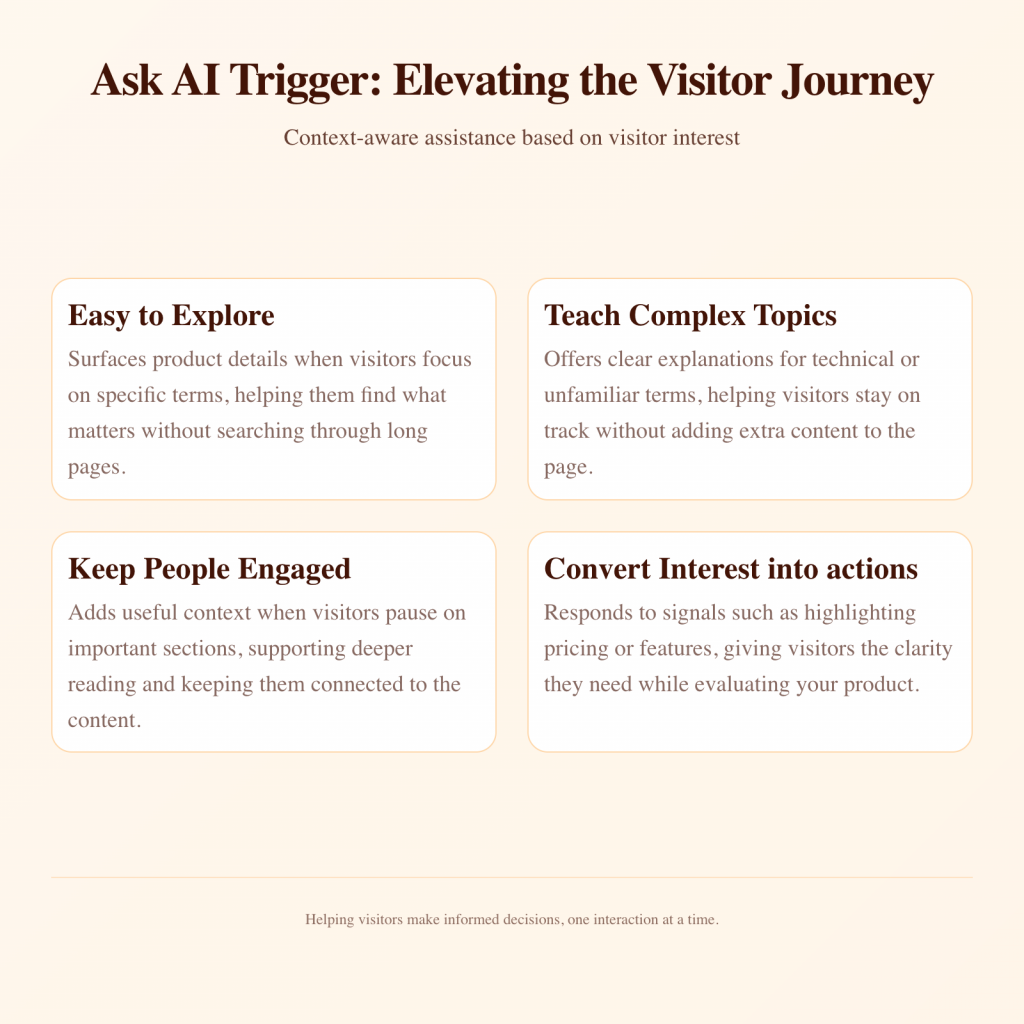
Ask AI improves the experience in several practical ways. Each use case supports a different type of visitor behavior, and together they show how the feature strengthens decision-making across many types of content.
Product pages are dense with information. You’ve got features, specifications, use cases, and integrations all competing for attention. Most visitors won’t read everything, but they will pause on things that matter to their specific needs.
When someone highlights “API rate limits” on your SaaS product page, they’re not just casually reading. They’re evaluating whether your product fits their technical requirements. Ask AI can immediately provide details about rate limits, upgrade options, and how your service handles high-volume requests.
This works particularly well for technical products where buyers need specific details before making decisions. Instead of forcing them to dig through documentation or contact sales for basic questions, you give them information when they’re most receptive to it.
The same applies to e-commerce. Someone highlighting “material composition” on a product page wants to know exactly what they’re buying. Responding with detailed material information, care instructions, and durability data right there keeps them in buying mode instead of research mode.
Educational content faces a particular challenge. Explain too much upfront and you overwhelm readers. Explain too little and you lose them to confusion. Ask AI solves this by letting people choose their own depth of learning.
Medical websites deal with this constantly. A page explaining a treatment procedure needs to balance accessibility for patients with accuracy for medical professionals. When someone highlights a medical term they don’t understand, Ask AI can provide a clear explanation without cluttering the main content with definitions.
The same principle applies to any complex subject. Financial services explaining investment strategies, legal sites discussing regulations, or technical documentation covering implementation details. Let readers control what they need to understand better.
This approach respects that people come to your content with different knowledge levels. Some need the basics. Others want deep technical detail. Ask AI adapts to what each visitor demonstrates they care about through their highlighting behavior.
Most website visitors make snap judgments. They scroll quickly, looking for reasons to stay or leave. Traditional content can’t react to this behavior, so you lose people who might have been interested if you’d caught them at the right moment.
Ask AI triggers shifts this pattern. When someone moves through your page and pauses on a section, the AI highlights it automatically. That moment signals genuine interest, and it becomes a natural place to offer extra context, related details, or useful examples.
Blog posts benefit from this significantly. Someone reading an article about AI automation might highlight a specific workflow example. Ask AI can explain that workflow in more detail, suggest similar approaches, or link to related resources without disrupting their reading experience.
The result is higher time on page and more meaningful engagement. You’re not just hoping people read everything. You’re responding to demonstrated interest with relevant information.
The most valuable moment in any buyer journey is when curiosity peaks. That split second when someone thinks “I wonder if this works for my specific situation” is when conversions happen or die.
Ask AI captures these moments. When a visitor highlights pricing information, they’re mentally calculating whether your product fits their budget. When they highlight a feature description, they’re evaluating fit for their use case. These micro-signals show purchase intent.
Traditional analytics tell you someone visited your pricing page. Ask AI tells you exactly what pricing elements they questioned. That’s the difference between knowing someone was interested and understanding what specific concerns you need to address.
For B2B businesses with longer sales cycles, these insights are particularly valuable. Someone highlighting “enterprise security features” is likely an IT decision-maker evaluating compliance requirements. Ask AI can provide detailed security information that addresses common enterprise concerns without requiring a sales call for basic questions.
Before setting up Ask AI trigger, ensure you have the YourGPT chat widget installed on your website. If you haven’t integrated the widget yet, complete that installation first.
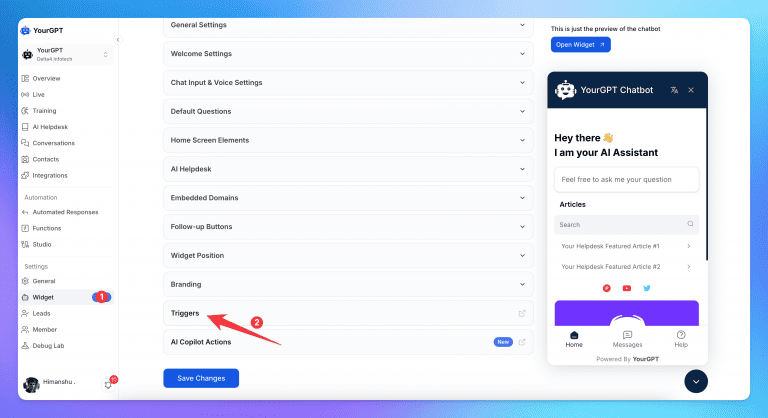
This trigger controls where Ask AI should watch for reader interactions on your site.
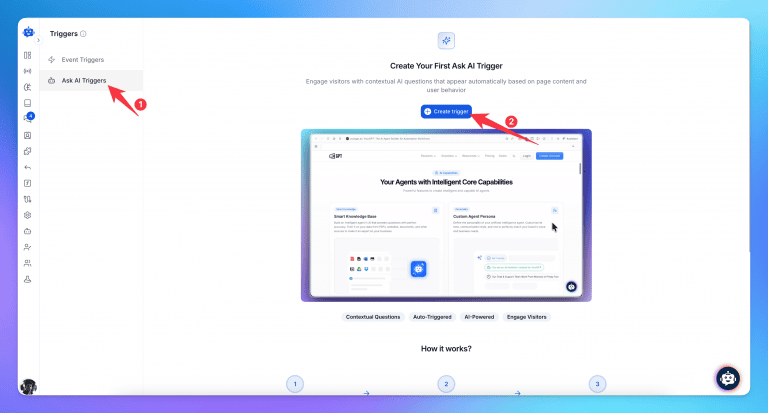
Decide which pages should enable Ask AI:
If you choose Specific Page, enter the page path (such as /pricing or /products) and select how it should match:
Click Save to activate the Ask AI trigger
Once you save and test the setup, your Ask AI trigger becomes active. It will detect what visitors focus on, respond with information drawn from your content, and support them at the moment their questions appear.
Ask AI trigger works best when you know visitors have questions but can’t predict exactly what they’ll ask. Here are some common scenarios:
This applies across industries. People have questions while reading your content. Businesses need to turn visitors into leads and address their doubts to convert them more easily. Ask AI trigger helps visitors find answers in the moment, reducing friction in the buying process.
Websites have changed a lot over the years, but most still work like digital brochures. They lay out information and hope visitors read through everything in order. That’s not really how people browse anymore. People are used to things responding when they interact with them. Social media feeds change based on what you click. Apps remember your preferences. When a website just sits there, it feels a bit stale.
Ask AI trigger is part of a bigger shift in how web content works. Instead of only displaying information, it can respond when someone shows interest by highlighting text. The idea is to provide answers right when someone’s curious about something. This matters because people have limited time and plenty of other options.
The easier you make it to understand your product and decide if it’s right for them, the better your chances of converting them. When questions go unanswered, people often just leave and look somewhere else.
Think about your most important pages like your pricing or product features. You probably know visitors have questions, but it’s hard to track what they are. Ask AI trigger shows you what people actually care about based on what they highlight, which might be different from what you expected.
Try it on one important page first and see how people interact with it. Notice which parts of your content get the most highlights.
These patterns can tell you a lot, not just about making the interactive part better, but about your content in general. You might find out which topics need more explanation or which features matter most to visitors. Your content is already written. Ask AI trigger just helps it be more useful by answering questions right when people have them, rather than making them search around for answers.
Learn how to judge Shopify AI resolution rates with clear formulas, a worked example, ticket-level checks and practical ways to improve support quality.
TL;DR B2B customer service means supporting multiple people within the same account, including end users, admins, finance or procurement contacts, and executive sponsors, each with a different definition of a resolved ticket. Traditional support bots handle one conversation at a time and often lose account context when requests move between contacts, channels, or teams, forcing […]
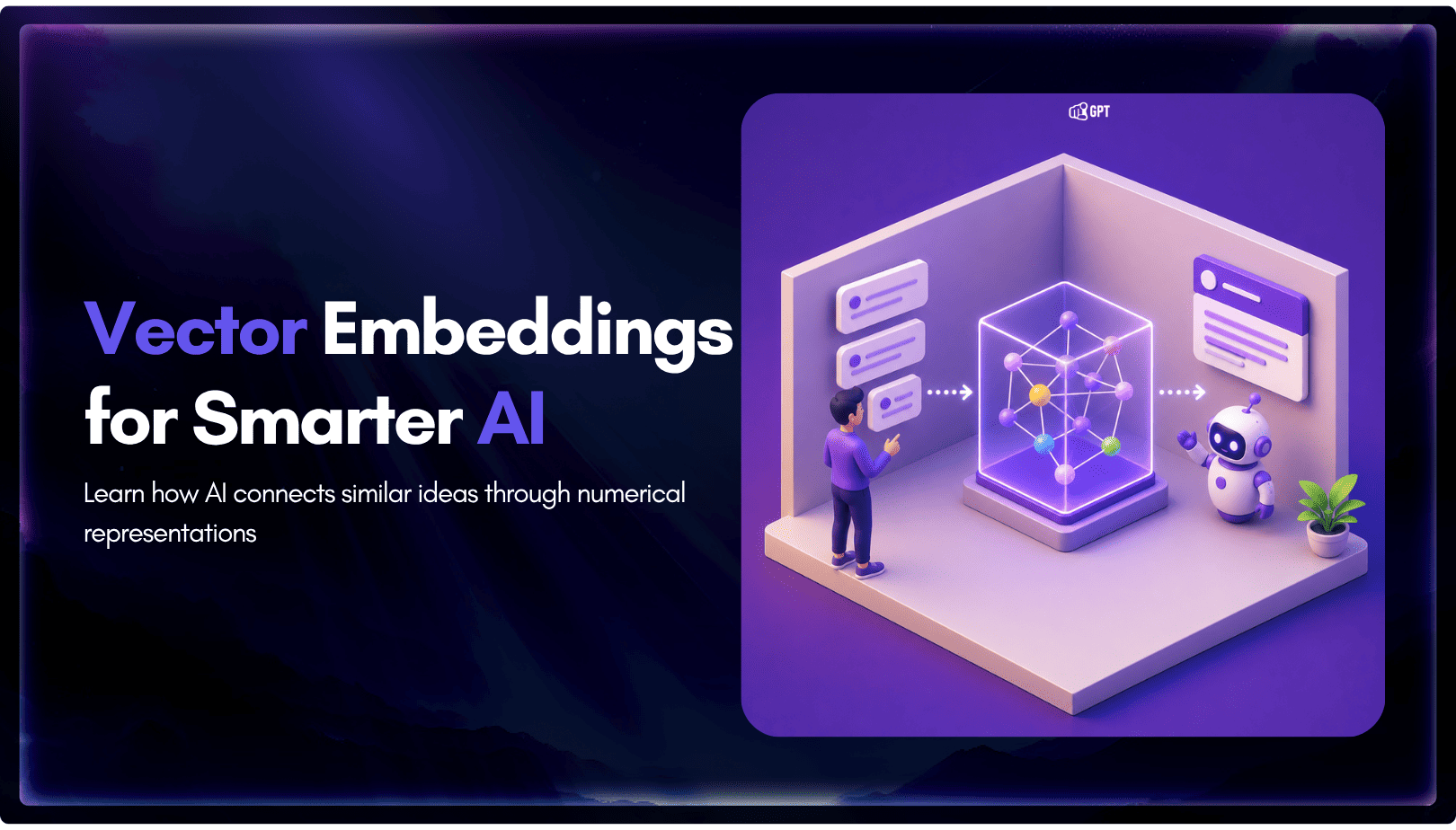
TL;DR A vector embedding is a list of numbers that represents meaning, placing similar concepts closer together in a mathematical space. AI chatbots use embeddings to match questions by meaning rather than exact wording, which is a core part of retrieval-augmented generation (RAG). Anthropic recommends Voyage AI for embeddings, while OpenAI, Google, and Cohere provide […]

TL;DR An FAQ chatbot answers repetitive questions by matching user queries with a knowledge base and returning grounded responses using rules, AI retrieval, or both. Modern FAQ chatbots use confidence checks to deliver instant answers for strong matches and fall back to broader retrieval or human handoff when confidence is low. Rule-based bots work well […]
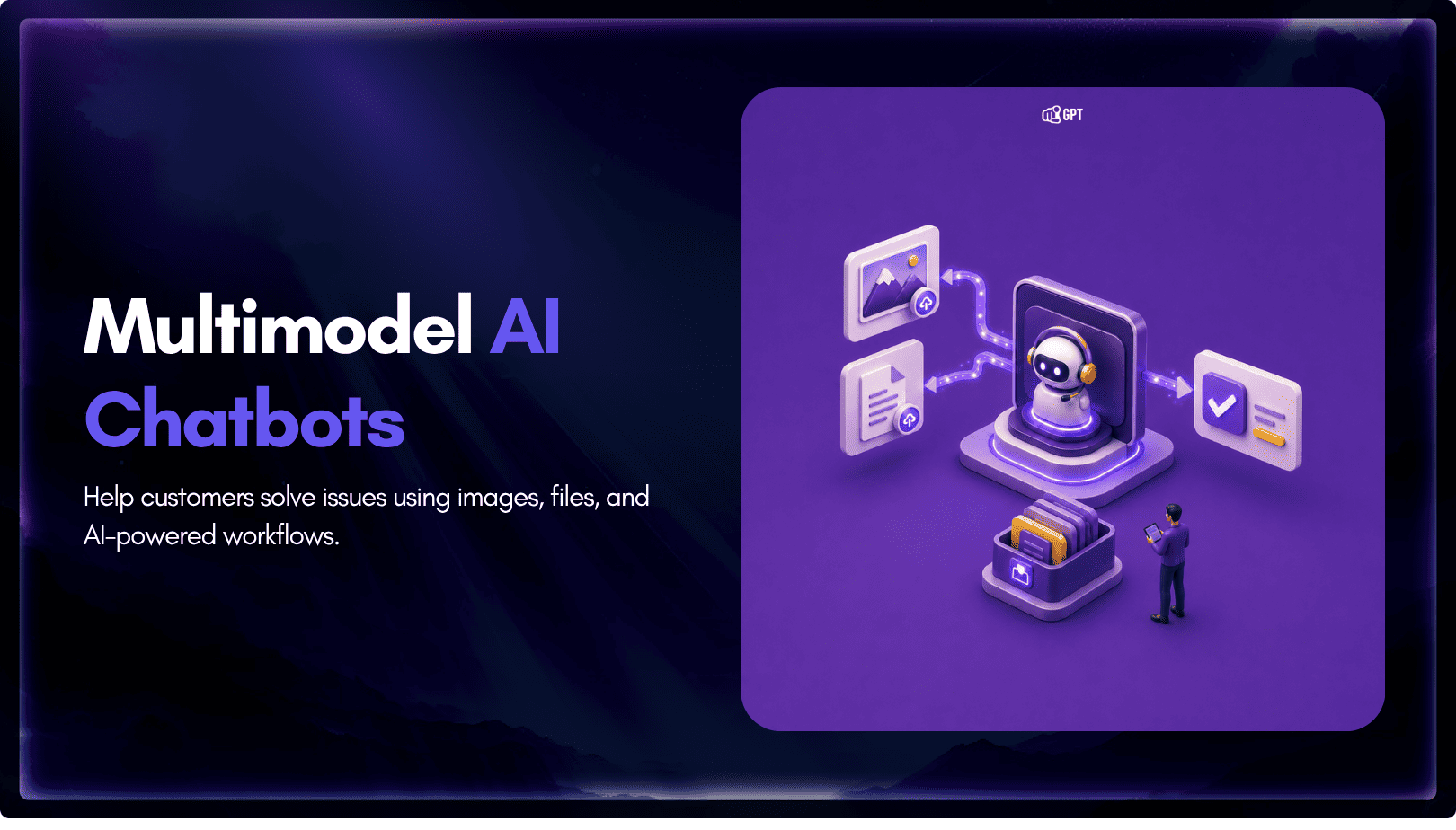
TL;DR Multimodal chatbots let customers share photos, screenshots, documents, video, or audio directly in a conversation, giving AI more context than text alone. YourGPT’s Attachment Capture node in AI Studio can collect these files mid-conversation, while vision-capable AI models can analyze and understand their contents. Key use cases include ecommerce returns, insurance and warranty claims, […]
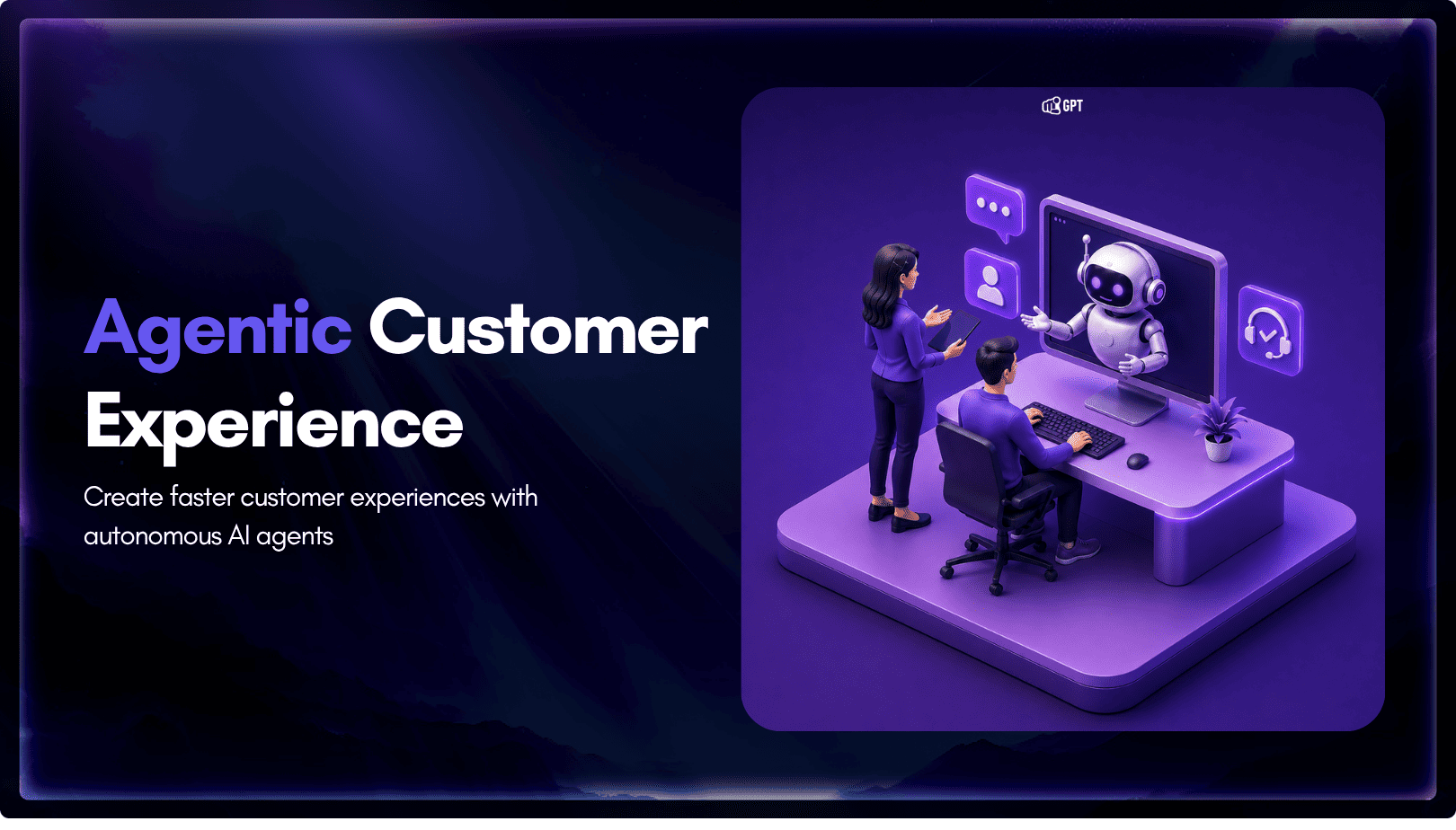
A customer asks where their order is. A traditional bot pastes a tracking link and calls it done. An agentic system checks the carrier API, sees the shipment stuck at a depot, applies a credit under the delay policy, updates the CRM, and messages the customer before they’ve had time to get annoyed. Same question. […]