5 MCP Servers Growth-Focused Businesses Use to Automate Work in 2026

Rajni
Last updated on August 22, 2026
MCP servers let AI agents work directly inside the tools your team already uses, helping them pull data, run queries, and complete actions instead of only suggesting next steps.
This guide covers five MCP servers: YourGPT MCP for internal knowledge, MCP360 for connecting 100+ tools, MongoDB MCP for database access, Stripe MCP for payments, and Vercel MCP for deployment and log data.
Delta4 builds YourGPT and MCP360, while the list also includes third-party options. Choose the MCP server that solves your team’s biggest workflow bottleneck rather than the one with the longest feature list.
Growth-focused teams move faster when their tools work together instead of competing for attention.
Modern development depends on multiple systems to ship code, review changes, monitor services, and access data. Each system serves a purpose, but routine work often means moving between dashboards, scripts, and internal tools. These small transitions shape how consistently a team executes and how quickly decisions get made.
MCP (Model Context Protocol) servers bring these workflows closer together by letting AI agents operate directly inside the tools teams already use. Tasks such as reviewing pull requests, summarizing build issues, or fetching database results can run automatically, without changing how teams work or giving up control. The result is predictable workflows with less manual effort.
The MCP ecosystem now includes servers designed for different parts of the development lifecycle, from code review to infrastructure and data access. This blog breaks down five MCP servers growth-focused businesses use in 2026 to automate routine work, reduce operational overhead, and keep teams focused on building and improving products.
As teams scale, they end up using more tools, systems, and processes. That growth often brings slower execution, added overhead, and harder coordination. MCP servers offer a clear way for systems to work together through defined interfaces.
They reduce manual effort, support automation, and make everyday workflows easier to run at scale. The points below outline how they solve common workflow problems.
MCP servers solve practical workflow problems. They reduce friction across tools, cut repetitive work, speed up issue resolution, and make automation easier to scale. For teams focused on growth, they help work move faster with fewer handoffs and less overhead.
MCP servers play a crucial role in development workflows. These servers enable AI to interact seamlessly with your development systems, automate repetitive tasks, and streamline processes. The following list presents the top 5 MCP servers that can help you save time, reduce manual effort, and keep your projects running smoothly.
YourGPT MCP lets the information, documents, and processes set up in the YourGPT platform be shared in an organized way that other MCP-compatible tools can use. Unlike generic MCP servers that mainly connect to external services, YourGPT MCP is built around the internal training and context you define within YourGPT.
MCP-enabled agents or tools can be accessed through a consistent interface. For development workflows, this makes trained knowledge reusable across different environments. Instead of keeping chatbot logic confined to a single interface, developers can integrate that context into broader workflows, reducing repeated setup and speeding up day-to-day development tasks.
The pricing includes three plans, when billed yearly: Essential at $39 per month, Professional at $79 per month, and Advanced at $349 per month.
When you’re debugging or reviewing a project, gathering context from multiple systems can be slow and repetitive. Your code repository, internal docs, and monitoring tools often hold important information. Switching between these platforms breaks your focus.
With YourGPT MCP, your chatbot acts as a single point of access. You can ask it to pull the latest API changes. Or check deployment logs. Or summarize updates from multiple sources. The MCP server connects the chatbot to all relevant systems and provides a unified view of the information you need.
This reduces manual lookups and helps you act on data faster. Instead of juggling multiple tools, you get instant, actionable context. It keeps your workflow smooth and lets you focus on coding and problem-solving efficiently.
MCP360 is a unified MCP (Model Context Protocol) gateway that connects AI agents to external tools and services through a single integration point. Instead of building and maintaining separate API connections for every tool, development teams can add one configuration block and immediately access a growing library of over 100 pre‑configured tools and services.
This setup simplifies integration and reduces technical debt. It also lets AI perform real‑world tasks without custom integration work every time. These tasks include retrieving data, executing searches, auditing content, and gathering insights.
MCP360 pricing plans include Free at $0 per month, Starter at $19 per month, Professional at $99 per month, and Advanced at $399 per month.
MCP360 fits well into workflows where teams need fast answers from scattered systems without manual effort. Common use cases include keyword research and market analysis, where an AI agent pulls data from SEO tools, competitor sources, and internal datasets through a Custom MCP and summarizes opportunities or gaps in one view. It is also useful for product and feature reviews, combining usage data, logs, and internal metrics to surface performance issues quickly.
Another use case is engineering and operational checks, where build logs, database results, and system signals are gathered and summarized into clear status updates. By centralizing integrations through Custom MCPs, teams spend less time collecting information and more time acting on it.
MongoDB MCP (Model Context Protocol) is a server that allows AI agents to access MongoDB databases and perform operations through a standardized interface. It connects AI workflows directly to MongoDB, making it easier for developers to query, update, and manage data without writing custom scripts or API integrations for every tool.
With MongoDB MCP, AI agents gain direct access to your databases, so you don’t have to manually query or update data. They can retrieve records, run aggregations, and monitor changes automatically. This cuts down repetitive work and allows you to focus on building features and improving your applications.
MongoDB pricing includes a Free Tier at $0 per month, Shared Clusters ranging from $8 to $30 per month, and Dedicated Clusters starting at $57 per month.
If you are working on developing features that need multiple collections, like user profiles, orders, and analytics logs, it often requires switching between tools, writing queries, and testing results. This slows the development and interrupts focus.
By using MongoDB MCP, your AI agent can access the database directly. You can ask it to inspect a collection’s schema, generate aggregation queries, or summarize relevant data. For example: “Find all high-value orders from last month and provide the aggregation pipeline.” MCP delivers a ready-to-use query, saving time and reducing errors.
The AI agent can also handle administrative tasks, such as checking cluster status or managing users, without leaving your development environment. This streamlines repetitive database work, keeps workflows smooth, and lets you focus on coding and building features efficiently.
Stripe MCP allows AI agents and tools to interact with Stripe functionality using a standardized protocol. Instead of building separate API connectors for each integration, developers can expose payment, customer, subscription, and invoice operations as protocol-based actions.
AI agents can handle Stripe tasks through a single MCP interface. This includes triggering payments, managing subscriptions, or creating customer records. Using MCP in this way simplifies the integration of payment workflows into AI-driven tools and automated processes.
Suppose you are building an AI-powered dashboard for a SaaS platform that handles subscription billing. Normally, creating customers, generating payment links, or updating subscriptions would require writing multiple API integrations, which is time-consuming and error-prone.
With Stripe MCP, your AI agent can perform these tasks directly through the MCP interface. It can automatically create a new customer when a user signs up, generate a payment link, and update subscription details. The MCP protocol manages authentication and communication, eliminating the need to manually handle API keys or endpoints.
This setup integrates Stripe functionality seamlessly into your development workflow. It reduces manual coding, speeds up repetitive tasks, and allows you to focus on building platform features rather than maintaining multiple API connections.
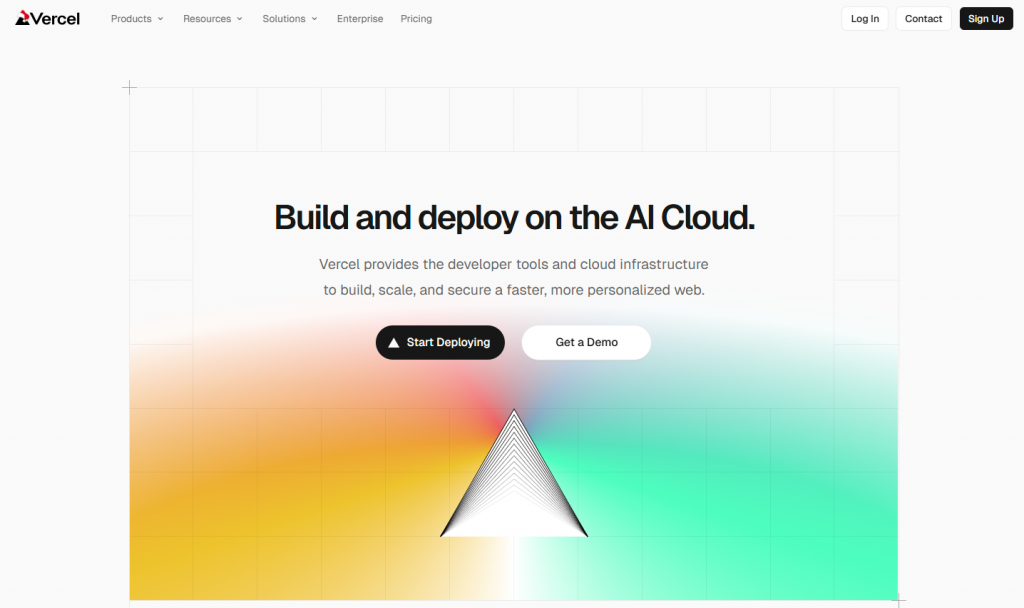
Vercel MCP allows AI agents and tools to interact with your Vercel projects through a standardized protocol instead of building custom integrations. The MCP server exposes project metadata, deployment details, logs, and documentation search as actions that AI clients can access directly.
With Vercel MCP, AI assistants can connect securely to your projects using MCP-compatible clients. This lets them fetch structured information about deployments, project configurations, and logs. By using a protocol-based interface, developers can integrate Vercel tasks into AI-driven workflows without manually writing an API code for each project.
Imagine you are managing several frontend projects on Vercel. Normally, checking deployment status, reviewing logs for errors, or inspecting project configurations requires switching between the dashboard and other tools. This can slow down development and debugging.
Through Vercel MCP, your AI agent can access all this information through a single, standardized interface. It can list deployment statuses, fetch error logs, and retrieve project metadata directly within your workflow. There’s no need to manually navigate dashboards or write separate API integrations.
It lets you monitor and manage multiple projects in real time. You can quickly spot issues, respond to errors, and incorporate project insights into other AI-driven workflows. The result is a more efficient development process with fewer interruptions.
Choosing the right MCP server can make a real difference in your development workflow. Here’s what to focus on:
By focusing on these aspects, you can select an MCP server that genuinely accelerates development, reduces repetitive work, and makes workflows more reliable.
The agent is the brain. It decides what needs to happen based on a request. The MCP server is the hands. It executes the work by giving the agent a defined tool to run against a real system. An agent might decide, “I need last month’s failed transactions.” The MCP server is what actually queries the database and returns the result.
No, that’s the point of the protocol. Instead of building a one-off API integration for every tool an agent needs to touch, you connect once through an MCP server and the agent gets a defined set of actions it can call. YourGPT MCP works this way for internal knowledge specifically. Connect it once, and any MCP-compatible agent can pull from your documentation and past conversations without a developer wiring a new integration each time.
Yes, if the server is scoped correctly. A well-built MCP server exposes only the specific actions you define, not blanket account access. You can set a database connection to read-only, require approval before a write action runs, or limit an agent to a single collection instead of the whole system. The agent never holds your credentials. It calls a tool, and the server decides whether that call is allowed.
Not one server, but the model does replace the pattern of building separate integrations for each tool. A single MCP server usually covers one domain, such as database access, payments, or deployment logs. What changes is that each of those servers speaks the same protocol, so an agent can call all of them through one consistent interface instead of learning five different APIs.
Whatever workflow depends on that server pauses until it’s back. This is the real tradeoff of centralizing access through MCP: it removes repetitive integration work, but it also means uptime for that server matters more than it would for a script only your team touches occasionally. It’s worth checking a server’s reliability track record before routing a critical workflow through it.
Separate ones, split by domain. Run one for infrastructure, one for internal knowledge, and one for customer data rather than a single server handling everything. If one server has an issue or gets compromised, the others stay isolated. It also keeps permissions easier to reason about, since a server built for one domain doesn’t need broad access to another.
No, and that’s a large part of why teams adopt it. Because the protocol is standardized, the same MCP server works with Claude, ChatGPT, Cursor, or any other MCP-compatible client. Switch the underlying AI model later and the integrations don’t need to be rebuilt. That portability is a bigger reason to adopt MCP than any single feature, since it protects the integration work from becoming obsolete if your team changes AI tools.
MCP servers are changing how teams move from ideas to execution. Instead of using AI only to suggest next steps, MCPs let AI take action inside real workflows. That reduces manual work, preserves context, and shortens the path from decision to outcome.
The value becomes clear across different use cases. YourGPT MCP turns internal knowledge into reusable context, MCP360 gives teams a single access layer across tools, and MongoDB MCP lets agents work with live data instead of static snapshots. The shared benefit is simpler execution with fewer handoffs and less back and forth.
For teams adopting MCP in 2026, the best approach is to start small. Pick one repetitive workflow, define clear permissions, and add an MCP where it can remove real friction. The advantage will come less from adopting MCP early and more from fitting it naturally into how your team already works.
Use YourGPT to help Black Friday shoppers choose products, check orders and understand returns. Prepare your answers and team before the sale.

Add in-app chat support to your SaaS or mobile app. Place it on the screens where users stall, pass who they are, and hand hard cases to your team.
Group new-account tickets by onboarding stage, train an AI agent on your docs, and place it in the product where new users get stuck.

AI agents can now find and buy products for shoppers. See what agentic commerce changes for a Shopify store and which support jobs stay yours.
Build a Halloween shopping assistant for Shopify with YourGPT. Set up product recommendations, stock checks, cart actions and human support before launch.

See what a good customer effort score looks like, how to word and calculate CES on each scale, and which support habits raise customer effort.