How to Build a Halloween Shopping Assistant for Your Shopify Store

Mitali
Last updated on October 18, 2026
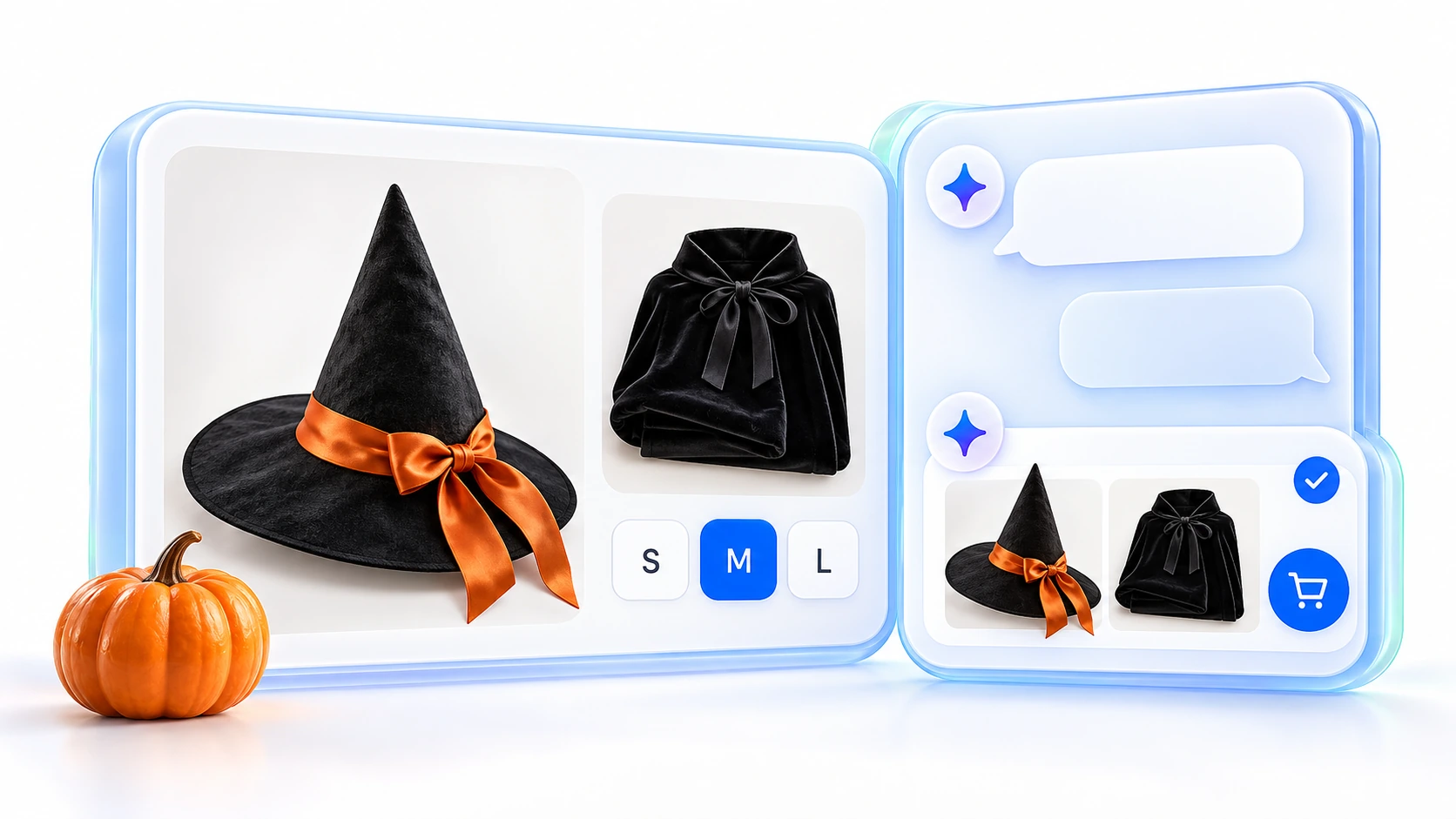
Build a Halloween shopping assistant by training YourGPT on your collection and policies, installing its widget, syncing product changes and enabling Shopify shopping actions. Before promoting it, verify the requested variant, actual cart, delivery answer and human handoff against your store.
Halloween shoppers need more than a seasonal collection page. They need to know which size to choose, whether the accessories in a photo are included and whether an order can arrive before their event. Those questions determine what your shopping assistant needs to answer.
This guide uses YourGPT to build a customer-facing assistant on your Shopify storefront. You will prepare the product information, connect the store and test the path from a buying question to the correct item in the shopper’s cart. Start with one collection so you can inspect that path before expanding it.
Choose an existing Halloween collection and review the pre-purchase questions your team has received about its products. Select a product with sizes, colors or pack quantities so you can check a specific variant. Record the source that answers each question before asking the agent to handle it.
You need a YourGPT account, permission to edit your Shopify theme and notification settings, public product and policy URLs, and a named person responsible for escalation. If you already have an agent on the storefront, plan these changes in that setup rather than adding a competing chat launcher.
Complete this worksheet with your store’s current information:
| Buying decision | Information the assistant needs |
|---|---|
| Will it fit? | The specific product's size chart, measurements and units. Keep charts for different costume ranges separate. |
| What comes with it? | Included components and accessories sold separately. A photo alone does not establish the contents. |
| Is it suitable? | Published material, care, age or indoor/outdoor guidance. Do not infer safety or allergy claims from an image. |
| Can I buy this option? | The requested variant, SKU, current price and availability. Stock for another size does not answer this question. |
| Can it arrive for my event? | Event date, destination, service, processing time, order cutoff, timezone and exclusions. The event may be before October 31. |
| Can I return it? | Current return conditions and any published seasonal or product-specific exclusions. |
Fix missing details on the product page or in an approved answer your team maintains. Do not ask the assistant to resolve contradictions between an old promotion and your current policy. The next step gives it the sources you have checked.
Create your agent in YourGPT, or open the existing agent you will update. Start with the collection, product pages, relevant size charts and current shipping and returns policies.
Add product and policy URLs as website training sources. Open each product URL while signed out to confirm the content is publicly readable. A successful crawl establishes that content was processed; it does not establish that a quoted price or stock level is still current.
In General Settings → Agent Settings, add the persona and shopping guidance to Agent Prompt (Bot Persona). Add the limits to the separate Restrictions field. Merge the text below with your existing store instructions, then select Save Changes.
Agent Prompt (Bot Persona)
You are our store’s AI shopping assistant for the Halloween collection. Help shoppers choose products and understand our delivery and return policies. Use a clear, helpful tone and concise answers.
Restrictions
These instructions guide responses; they do not create a shipping calculator or a catalog filter. Test their behavior with your actual products. After changing a written policy, refresh its training source and check an answer against the updated page, even if product synchronization is working.
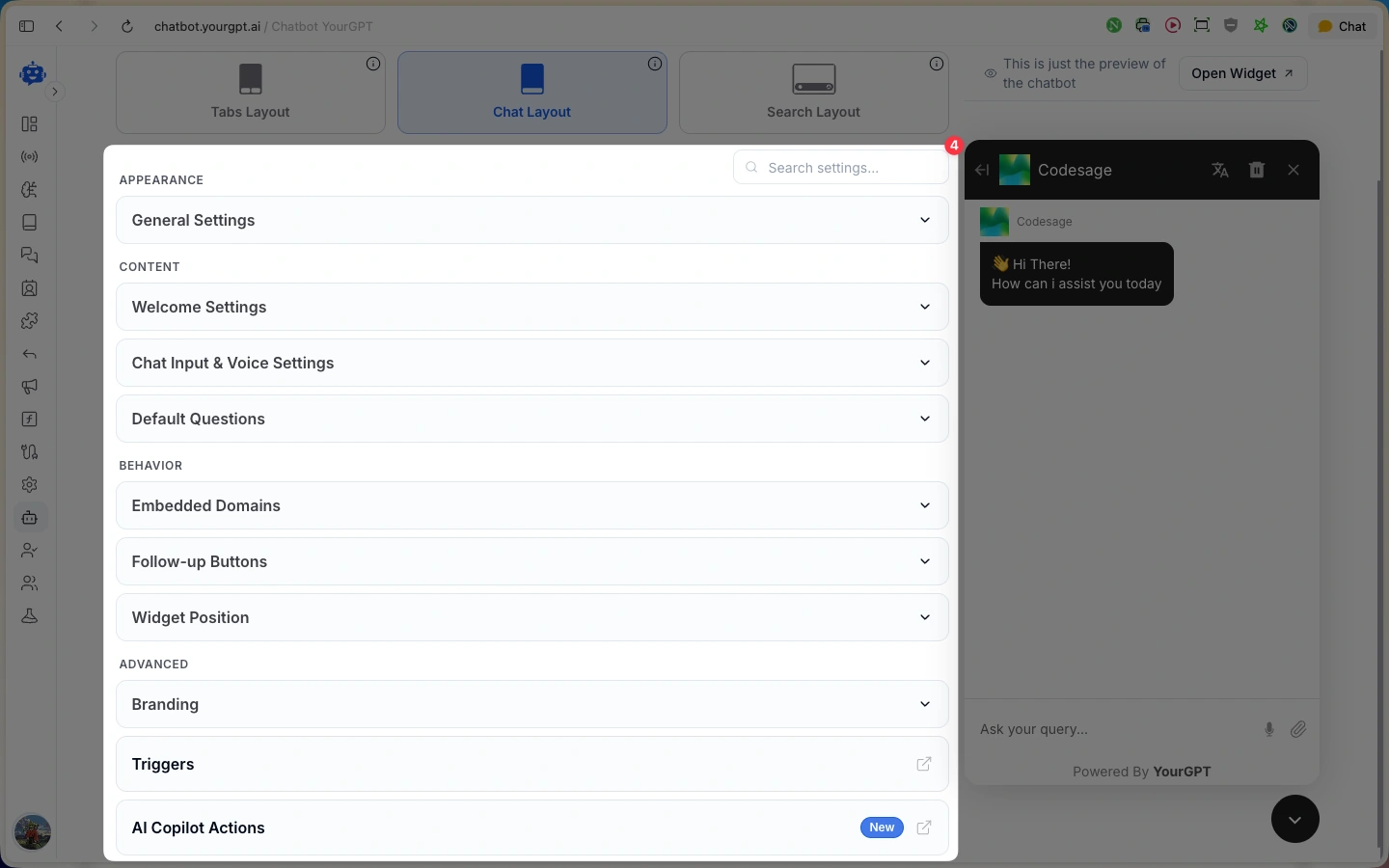
Open Settings → Widget and configure Welcome Settings, Default Questions and Follow-up Buttons. A useful welcome tells shoppers what they can ask without promising an immediate human response.
Welcome message: “Need help choosing for your Halloween event? Ask about products, sizes or delivery.”
For Default Questions, use recurring questions from your own customer conversations. Choose questions with approved answer sources, rather than adding a delivery promise your store cannot support. Check the live preview and save your changes using the widget customization controls.
Guide the conversation around a decision. Reuse the occasion, budget or dimensions the shopper has already supplied. Ask for a size only when it changes the recommendation, then show a manageable set of matching options with the relevant differences.
In Widget Settings, open Follow-up Actions and enable Request Human. Configure notifications for the team destination that will receive escalations. Follow the human handoff setup, then press the button yourself and confirm the request reaches that destination.
Publish response expectations that match your staffed hours. During testing, check that a teammate can continue with the conversation context and that automated replies do not compete with their response. Assigning a teammate alone does not establish that AI responses have paused.
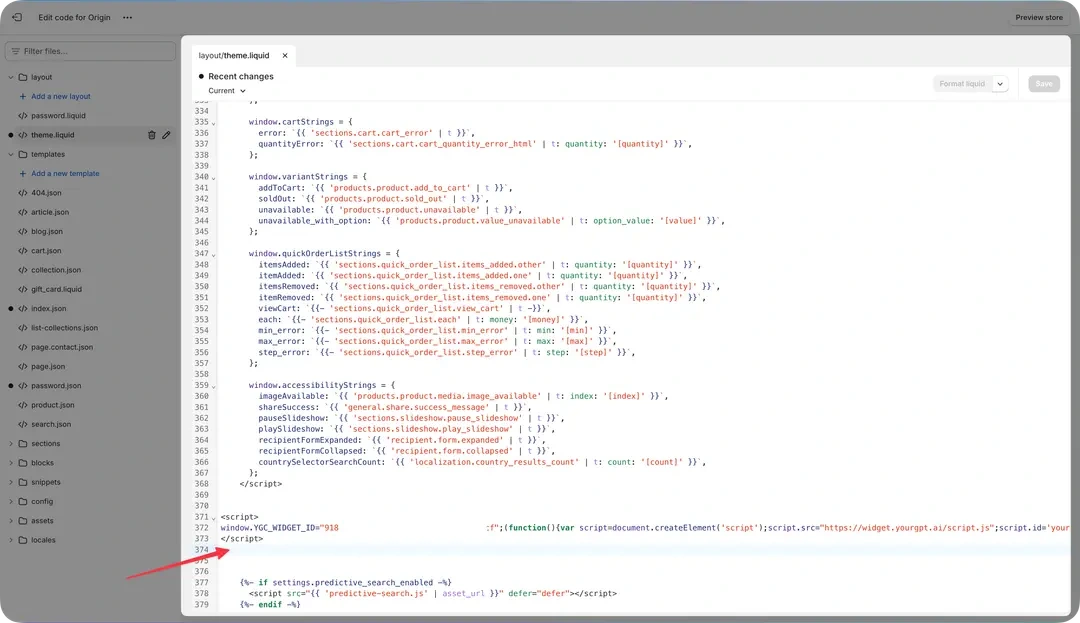
Use a duplicate, unpublished theme for the initial installation. This lets you inspect the widget before changing the theme shoppers currently use.
For Custom Liquid or a headless storefront, choose the matching installation path in our Shopify setup guide.
</body> tag and save the file. Use one installation location so the widget loads once.After you install the widget on Shopify, check it on desktop and mobile. Confirm that the correct agent appears and the launcher does not cover variant selectors, add-to-cart buttons or cookie controls.
If it does not load, check the theme you edited, the widget identifier and the store URL first. Look for a duplicate installation and inspect browser errors if those checks do not explain the problem. Your product training URLs must remain public even while you preview an unpublished theme.
A script in theme.liquid does not install the widget on Shopify checkout. The shopping actions below can take customers to your store’s checkout; that is a separate destination from the storefront widget.
Product synchronization keeps the agent’s trained catalog aligned with store changes. Set it up before sending campaign traffic to products whose prices or availability may change.
Keep the endpoint private. In your product synchronization settings, also review the Remove out of stock products from training option.
That option checks whether any variant still has stock. A costume can remain in the catalog because its large size is available while medium is sold out. The requested variant still needs checking during the buying action.
Use a development store or merchant-owned test product to verify the connection. Change a title, price or variant availability, then compare the updated Shopify record with the agent’s answer and product view. Allow the update to process and investigate discrepancies before promoting the collection. Do not assume a successful webhook setup proves every later change has arrived.
Product webhooks and written policy sources have different jobs. Keep shipping-policy refreshes in your content maintenance process. Customer synchronization is optional for this pre-purchase setup and does not provide order history.
Once the widget and catalog connection work, open Settings → Mode near the bottom of the settings page and select Agent Mode. Then open Functions → AI Copilot Actions → Shopify. All five actions turn on together when YourGPT detects a Shopify storefront. You cannot turn individual actions off.
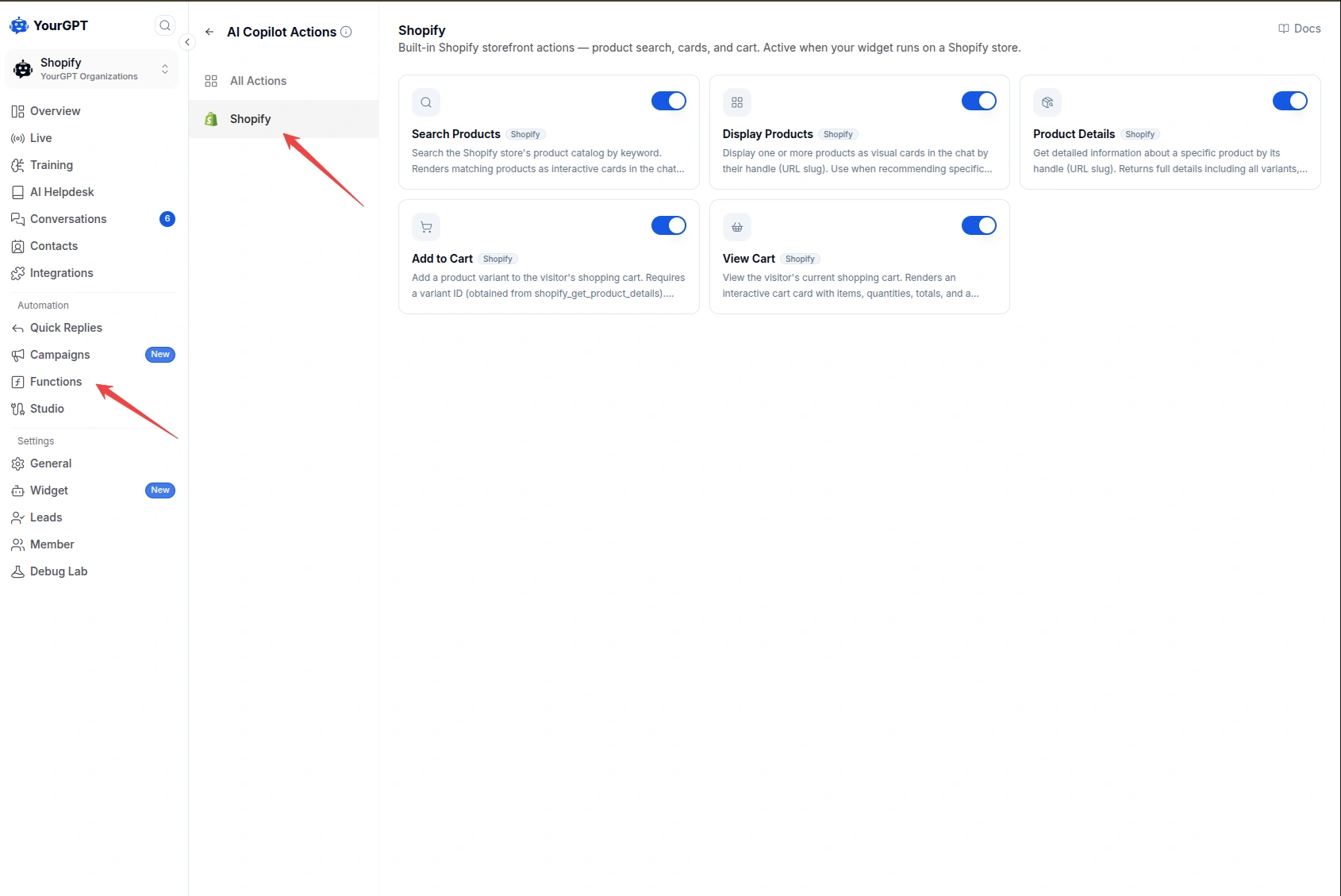
Use the Shopify shopping actions for this buying journey:
A typed request to add an item requires confirmation. Clicking Add on a product card adds it directly. Out-of-stock items cannot be added. These controls run on the Shopify storefront; they do not automatically work in email or WhatsApp conversations.
Choose an actual product from your collection and select a particular size or color. Test both the typed request and the card button, checking their different confirmation behavior. Compare the resulting variant and quantity with the request.
Repeat with an item already in the storefront cart. Confirm it remains there, the new item appears in the same cart and the Checkout button opens the correct store checkout. If a response says the item was added but the actual cart is unchanged, investigate the action before launch.
Keep discounts in Shopify’s configured pricing rules. Suggesting a cape and hat together does not create a discounted bundle or change the checkout price.
Run these acceptance checks using your own products, recent customer questions and current policy pages. Record the answer, source or cart state, date checked and person responsible for a fix.
| Check to run | What must be true before launch |
|---|---|
| Ask a real fit or contents question | The reply agrees with that product's size chart and included-item list. Missing details are acknowledged. |
| Request a sold-out size while another size is available | The unavailable size is not offered as purchasable. Any alternative is clearly identified and available. |
| Add a selected variant to an existing cart | Confirmation behavior matches the action used. The correct variant and quantity appear alongside existing items. |
| Ask about arrival without supplying a destination | The agent asks for the missing information before applying a cutoff. The answer respects the event date, processing time, service and timezone. |
| Ask about a published return exclusion | The answer reflects the applicable product and seasonal terms, rather than a general return window. |
| Request a human and test an unavailable lookup | The handoff reaches the configured destination. The failed lookup does not produce invented stock, price or delivery information. |
Resolve a failed check at its source. Correct product content for an answer gap, repair the connection for a failed action and fix notification routing for a missed handoff. Retest that buying path in the prepared theme. After making the theme live, verify that the widget loads and repeat the cart and handoff tests on the public storefront before promoting the collection.
Assign one person to review campaign conversations and update delivery cutoffs. At each cutoff, update the relevant storefront message and policy, refresh the agent’s knowledge and remove expired offers or Default Questions. Offer pickup or digital alternatives only when your store genuinely provides them in time. If no supported option meets the shopper’s date, say so clearly.
Track incorrect answers, failed shopping actions and missed handoffs alongside completed orders where you can reliably connect them. Orders associated with an assistant conversation help you inspect the journey; they do not by themselves prove that the assistant caused additional sales. For support outcomes, track resolution and handoff rates separately from orders associated with a conversation.
Use your existing storefront agent when you can add the seasonal sources and instructions without conflicting with other products. Keep the collection's offer terms and expiry clear so they are not applied to unrelated items. A separate test agent can help isolate changes before you switch the live widget. Check the widget identifier during that switch, and keep one intended launcher on the storefront.
You can guide shoppers toward a set of existing products and explain the quantity and role of each component. Check the selected variants independently so one unavailable accessory does not undermine the set. If you advertise a bundle price or saving, configure and enforce that offer in Shopify, then verify the checkout total. Recommendations alone do not create a discounted bundle.
Order questions need a separately connected, authorized Shopify order lookup. Customer synchronization covers name, email and phone, not order history or addresses.
Verify the requester's access before returning order information, and test against an authorized order record. A trained shipping policy cannot retrieve a customer's order.
A script added to one theme does not automatically appear in a replacement theme. Inspect the new theme for the correct installation, add the script if it is missing and avoid duplicating an existing installation. Preview the collection, product and cart pages on desktop and mobile before switching. Repeat the cart and human-handoff checks because a visible launcher alone does not confirm the full buying journey works.
Launch only after product answers, cart actions and human handoff pass your checks. If product answers are accurate but variant selection fails, repair the action before sending campaign traffic. If the cart works but your delivery rules cannot support the shopper’s event date, change the offer or fulfillment options before promoting that purchase.
For the first collection, keep a record of the product checked, the cart result, the current delivery rule and the person who owns the next cutoff update. That record gives your team a specific place to investigate when a shopper cannot complete the purchase.
Create your agent, train it on the collection and policies, then connect your Shopify storefront.
AI agents can now find and buy products for shoppers. See what agentic commerce changes for a Shopify store and which support jobs stay yours.

See what a good customer effort score looks like, how to word and calculate CES on each scale, and which support habits raise customer effort.

Tier 1 support handles first contact. See how Tiers 0 to 3 differ and what changes when an AI agent becomes your first line.
The 12 customer service metrics to track when an AI agent resolves tickets, with a formula for each and a baseline built from your own last month.
Calculate cost per ticket with one formula and a free calculator, then compare it with the cost of a conversation an AI agent resolves.

Omnichannel support means every channel answers from the same knowledge. Train one AI agent, pick your first channel, and test that answers match.