What Is Tier 1 Support and How an AI Agent Handles It

Rajni
October 14, 2026
Tier 1 support is the first line of assisted support. It resolves requests that already have a documented answer, such as password resets, billing questions and plan limits, and escalates the rest to Tier 2 with details attached. When an AI agent becomes Tier 1, it answers from your docs and acts through connected systems. It hands off on signals your team defines: bug reports, account data it cannot reach, frustrated or repeat contacts, and security requests.
Every support team runs on tiers, whether or not anyone drew the chart. Somebody reads the request first, somebody else gets the hard ones, and a few problems end up with the engineers who wrote the code. The tier model gives those roles names so that specialist time goes to specialist problems.
The part that decides whether the model works is the line between Tier 1 and Tier 2, and even human teams struggle to hold it. SQM Group’s benchmark puts average first contact resolution at roughly 70% across call centers, and at about 64% for tech support. More than a third of technical contacts need a second touch.
A Tier 1 that escalates too early fills the specialist queue with questions the help center already answers. One that holds on too long leaves customers explaining a bug to someone who cannot fix it. A human team draws that line with judgment built up over hundreds of tickets. An AI agent needs it written down. The sections below define Tier 1, place it among the other tiers, and then set out the escalation rules, handoff routes and metrics that hold the line once an agent takes the seat.
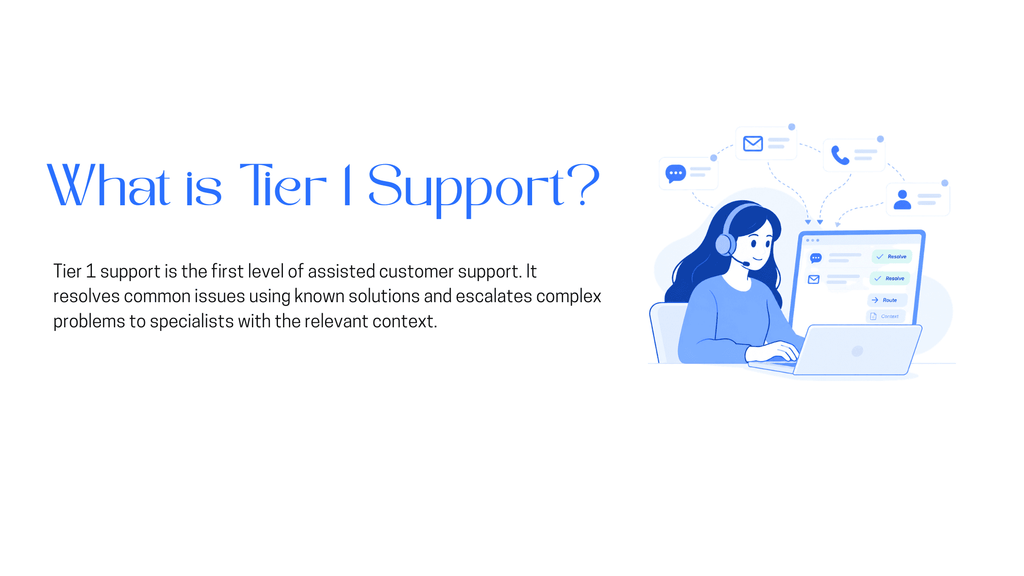
Tier 1 support is the first assisted line of customer support. It receives each request, resolves the ones with a known answer, and routes the rest to a specialist with enough context to continue. “Assisted” separates it from Tier 0, where customers help themselves from a help center or in-app guide. Tier 1 is the first point where someone answers back.
The work has four parts. Tier 1 identifies what the customer needs and checks it against documented answers. It resolves what it can and logs the outcome in your ticketing system, so nothing is lost between shifts or tiers. Everything else it escalates, and the escalation is only as good as what Tier 1 collected before passing it on.
In a SaaS product, Tier 1 requests look like this:
Each request on that list has an answer that already exists somewhere: a help article, a pricing page, a settings screen or a billing record. Tier 1 finds that answer and delivers it, or performs a documented action such as resending a verification email.
What Tier 1 does not own matters just as much. It does not diagnose why a feature misbehaves, approve exceptions to the refund policy, or change account ownership. Those requests carry risk or need investigation, and they belong higher up. With the scope of Tier 1 settled, the tiers above and below it are easier to place.
The four-tier model is the common version. Some teams add a Tier 4 for problems that go to an outside vendor, such as a payment provider or hosting partner. The table compares Tiers 0 to 3 on the points that decide where a request belongs.
| Tier | Who handles it | Typical requests | Skills needed | Escalates when |
|---|---|---|---|---|
| Tier 0 | The customer, using a help center, knowledge base or in-app guide | Setup steps, feature explanations, published policies | Clear, searchable documentation | The customer cannot find the answer or the answer does not fit their case |
| Tier 1 | Frontline support agents, human or AI | Password resets, billing questions, how-to questions, plan limits | Product knowledge, clear writing, triage | The answer is not documented, the account needs investigation, or the request carries risk |
| Tier 2 | Technical support or product specialists | Reproducible bugs, configuration problems, failed integrations, data discrepancies | Deep product knowledge, log reading, reproducing issues | The cause is a defect or infrastructure fault that needs a code or system change |
| Tier 3 | Engineering or the product team | Confirmed bugs, outages, fixes that need a release | Code, architecture, infrastructure access | Rarely escalates further; the fix returns to Tier 2 to confirm with the customer |
The escalation column is the one to argue about, because it decides how much work each tier receives. Tier 1 answers questions that already have an answer. Tier 2 investigates why something behaves differently from the answer. Tier 3 changes the product so the answer becomes true again.
The same complaint can land at any tier, depending on its cause. Take “I can’t log in” in a SaaS product:
Each step up requires more access and more investigation, and each one costs more time per ticket. A tier model works when each request stops at the lowest tier that can close it, and that principle holds when the first line is software.
The tiers stay the same when an agent takes the first line. What changes is who staffs Tier 1, how it gets its answers, and how precisely the escalation line has to be written. An AI agent answers from its training sources, acts through the systems it is connected to, and follows the handoff rules you give it.
| Tier 1 question | Human first line | Agent as the first line |
|---|---|---|
| Where answers come from | Help articles, macros and what each person remembers | The training sources you add, such as your help center, docs, PDFs and FAQs |
| How lookups happen | A person opens the admin or billing tool | The agent calls a connected system through Functions, REST APIs, webhooks, MCP servers or AI Studio |
| When to escalate | Judgment plus a written policy | Rules and signals your team defines in advance |
| How it improves | Coaching and quality reviews | Your team reviews unanswered questions and trains approved answers |
| What it cannot do | Cover every channel at once | Make judgment calls or run a full ticket lifecycle on its own |
A human Tier 1 rep can fill a gap in the help center from memory. An agent cannot, so every missing or outdated article turns into a question it cannot answer. You train YourGPT on the same knowledge sources your team already maintains: your website and help center, PDFs, Notion, Google Drive, FAQs and past interactions.
That ties Tier 0 and Tier 1 together. The help center that customers search on their own is also what the agent answers from, so fixing one article improves both. It also explains why AI agents give wrong answers: usually the source was stale or missing, and the agent repeated it faithfully.
Many Tier 1 requests need one fact from a system of record, such as which plan an account is on or whether the last payment went through. A human rep opens an admin tool to check. An agent needs a connection to that system, and without one it can explain your billing policy but cannot see the customer’s invoice.
With a connection in place, the agent reads the record and replies with the specific answer. This is the difference between answering and resolving: a policy explanation answers the question, while the account’s actual renewal date resolves it. An agent can only resolve the requests it can reach, so list the systems each Tier 1 request depends on before you decide what the agent owns.
When set up correctly and maintained, YourGPT agents resolve up to 90% of repeated queries autonomously. Tier 1 is where repeated queries concentrate, but your own figure depends on what your sources cover, which actions you connect, and which requests you route to people.
A human Tier 1 team often splits by topic, with billing questions going to one group and technical how-tos to another. AI Studio supports the same split for teams that want full control. Specialized agents can handle support, billing or technical requests and pass context between them. A customer who starts with a login question and moves on to an invoice keeps the thread.
Agent-led Tier 1 still needs people, and their work shifts. Someone reviews the questions the agent could not answer, decides which ones become trained answers, and fixes the help articles behind them. YourGPT keeps a person in that step: a team member reviews each answer before it trains, which is human-in-the-loop design applied to the first line. The rest of the old Tier 1 time goes to the escalations themselves, which only arrive cleanly when the rules are written first.
A human rep senses when a conversation is going wrong. An agent follows rules, so the rules have to exist before the first customer arrives. Each one below is an example your team adapts, and the thresholds are yours to choose.
A rule is only complete when it names the signal, the destination and what the agent collects first. “Escalate bug reports” is a wish. “Send bug reports to the Tier 2 queue with the steps, error text and app version” is a rule both the agent and the specialist can use.
Rules 1 and 7 are mechanical, while rules 2, 4 and 5 depend on reading what the customer means. That difference points each rule toward a different human escalation route.
You can set up human handoff in three ways, and each fits a different kind of rule. Most teams will use more than one.
The Request Human button is a follow-up action in the widget settings. It gives customers a visible way to reach a person at any point, which covers rule 1 without the agent having to detect anything. You can add a webhook so your team gets an alert in Slack or Discord when someone presses it.
Quick Replies match exact phrases or wildcard patterns, such as talk to human, and reply with a fixed message. Turn on escalation for a Quick Reply and a matching message goes to a person. They fit rules built on predictable wording, and they do not consume AI credits.
AI Studio covers the rules that depend on meaning instead of exact wording. Intents catch the many ways customers describe a bug or a security worry, including typos and other languages. The Unable to Answer event fires when the agent has no answer, which covers rule 7. From either trigger, the Escalate to Human action hands the conversation to your team, and other Studio actions can send an email or create a support ticket with the customer’s details.
Use Escalate to Human when the agent should stop replying. Assign Member routes the conversation to a specific teammate but does not pause the agent, so the customer could get replies from both. If your Tier 2 works from a separate queue, creating a ticket on escalation puts each handoff where the specialists already look.
| Escalation rule | Route that fits | Reason |
|---|---|---|
| Customer asks for a person | Request Human button, plus a Quick Reply for typed requests | Always visible, and typed requests match fixed wording |
| Bug report | AI Studio intent with Escalate to Human | Customers describe bugs in many different ways |
| Account data out of reach | AI Studio with Escalate to Human | The workflow knows which records the agent can reach |
| Frustration or repeat contact | AI Studio, using intent or sentiment | Tone does not fit a keyword list |
| Security request | AI Studio intent, plus a Quick Reply for fixed phrases | Catches both precise and loosely worded requests |
| Needs an approval | AI Studio with a ticket or Assign Member | Routes the request to the person with authority |
| Agent cannot answer | AI Studio Unable to Answer event | Fires on the gap itself |
Once each rule has a route, the remaining work is checking that the line sits where you drew it.
Review a month of conversations against the rules. Count handoffs by reason, then read a sample from each group. Handoffs on questions your docs already cover point to an outdated source or a rule that fires too early. Complaints that reached Tier 2 without the steps and error text mean the agent is not collecting enough before it hands off.
Then look at what never reached a person. Conversations the agent closed feed your deflection rate. A closed conversation followed by a second contact on the same issue got a reply that did not settle it. Pair that repeat-contact count with CSAT on agent-handled conversations to see whether customers agree with the agent’s view of what was solved.
The unanswered questions go back into review, where your team trains the ones with a written answer and routes the rest. Tier 1 keeps improving the same way it always has: someone reads what went wrong and fixes the source.
It depends on what the agent does. An agent that only searches and quotes your help center behaves like Tier 0 with a chat window. Once it can read account records, take actions through connected systems and hand off on defined signals, it is doing Tier 1 work. Label it by the requests it closes, and put that label in your reports so the tier counts stay comparable over time.
No. Send them to Tier 2 first. A specialist reproduces the problem, rules out configuration and account causes, and passes on only confirmed defects, which keeps engineering focused on real bugs. The exception is a known incident. Once an outage is confirmed and published, the agent can answer from your status update instead of escalating each new report.
Plan the fallback before launch. In AI Studio, an escalation workflow can send an email or create a support ticket with the customer’s details. The request then waits in a queue instead of an empty chat. The Transfer to Bot action can also return a conversation to the agent when a customer has waited for a person longer than a period you set. Tell the customer when to expect a reply, and state your staffed hours on the help center.
Yes. Tiers describe kinds of work, and one person can cover several. In a small team, one person may handle Tier 1 in the morning and investigate a Tier 2 bug in the afternoon. The escalation rules still matter, since they decide which requests the agent closes and which ones reach the three of you. Small teams often gain the most from writing them down, because each person’s time is scarce.
Keep any request with people when a wrong answer is costly and cannot be undone. Account ownership changes, two-factor resets and data deletion requests are Tier 1 by difficulty but need identity checks a person should own. The same goes for goodwill credits and cancellation saves, where the right answer depends on the customer’s history. Let the agent collect the details, then hand the decision to your team.
Tier 1 is still the first line and still resolves the requests with known answers. With an agent in that seat, those answers come from the docs you maintain and the systems you connect. The escalation line moves out of each rep’s judgment and into rules your team writes down.
The work that used to fill a human first line becomes reviewing what the agent could not answer and taking the escalations it sends up. Tier 2 receives bug reports with the steps attached, and security and approval requests reach a person every time.
Train an agent on your help docs, write your escalation rules, then turn on a handoff route.
The 12 customer service metrics to track when an AI agent resolves tickets, with a formula for each and a baseline built from your own last month.

Calculate cost per ticket with one formula and a free calculator, then compare it with the cost of a conversation an AI agent resolves.
Omnichannel support means every channel answers from the same knowledge. Train one AI agent, pick your first channel, and test that answers match.
Self-learning AI agents log the questions they miss. Learn how human review turns those gaps into trained answers and how to run the weekly loop.
Train an AI agent on your return policy, connect the Shopify template in AI Studio to check real orders, and route exceptions to your team.
WISMO means Where Is My Order. Measure your WISMO share from last month’s tickets, fix the tracking gaps, and let an agent answer order status.