9 Best AI Receptionist for Small Business in 2026 (Compared)

Shreya
August 3, 2026
An AI receptionist answers calls, qualifies leads, and books appointments without a live agent, helping businesses reduce missed calls and cover after-hours demand.
Pricing can be based on calls, minutes, monthly plans, or human staffing, and lower-priced plans may exclude essential features such as appointment booking and call transfers.
This guide compares pricing, features, and tradeoffs based on call volume, industry requirements, and the level of human judgment each business needs.
Small businesses have more AI receptionist options than ever, but comparing them by starting price alone can be misleading. Some tools charge by the minute, others bill per call, and a few use flat monthly pricing. The features included also vary widely, especially for appointment booking, call transfers, lead qualification, and after-hours coverage.
This blog compares nine AI receptionist tools by pricing, billing model, core features, limitations, and best-fit use case. It also estimates the real monthly cost at different call volumes, helping you see how each platform scales before you commit.
The comparison highlights important differences that pricing pages often hide. NextPhone uses a flat monthly model, Ruby provides fully human-staffed reception at a premium price, and YourGPT works as a broader AI agent platform that can support reception, customer service, sales, and business workflows from one system.
By the end, you will be able to identify which tool fits your call volume, industry requirements, and automation needs, without choosing a plan that looks affordable but becomes expensive or restrictive in daily use.
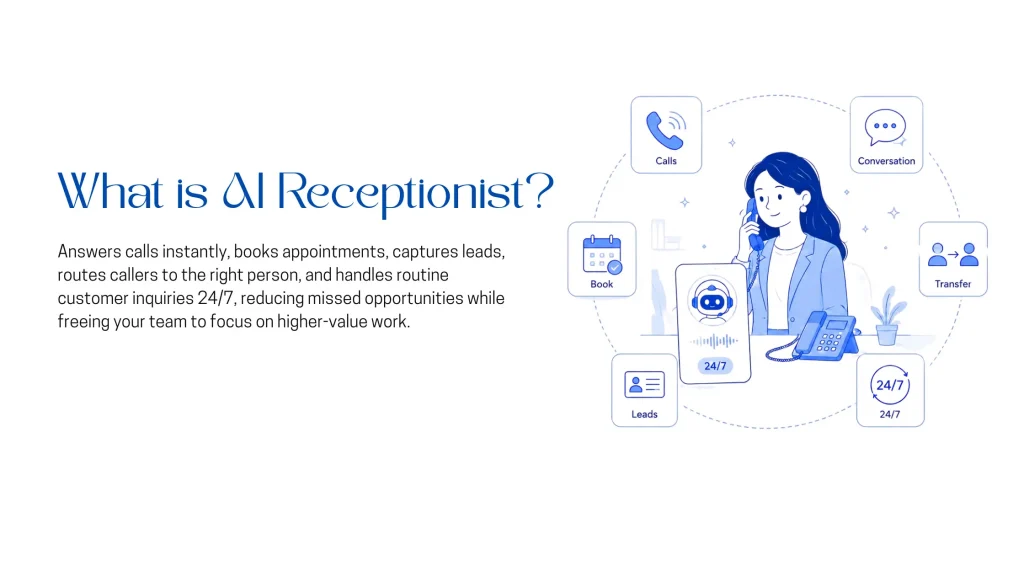
An AI receptionist is a virtual receptionist powered by an AI model rather than a human operator, answering the business phone line directly instead of routing every call to a person.
Most AI receptionists on the market, including the nine covered in this comparison, handle a consistent set of core tasks:
Not every tool handles each of these equally well, and the gap between the marketing page and what a specific plan tier delivers is most of what the rest of this guide covers.
Adoption reasons tend to repeat across industries, and most map to a specific business outcome rather than general interest in AI.
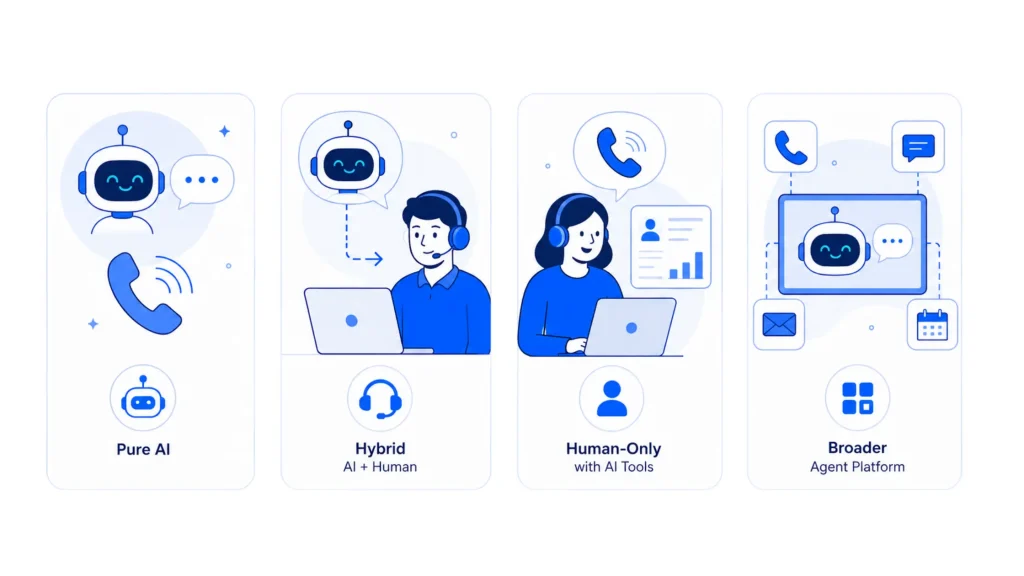
The category is messier than the marketing suggests. Under the same search term, buyers find four genuinely different products.
| Platform | Best For |
|---|---|
| YourGPT | No-code AI agents across phone, chat, WhatsApp, and customer support |
| Rosie | AI reception for plumbers, electricians, and home service businesses |
| Trillet | Agencies and enterprises deploying AI receptionists at scale |
| NextPhone | Businesses that want unlimited calls at a flat monthly rate |
| Goodcall | Businesses with frequent repeat callers and customer relationships |
| Smith.ai | Teams choosing between AI-first and human-first receptionist services |
| Ruby | Businesses that prefer premium human-staffed call answering |
| Upfirst | Small businesses that want simple per-call pricing without minute tracking |
| Frontdesk | Businesses that want voice, chat, SMS, and CRM in one plan |
Each entry below follows the same format, covering what the tool does, where it falls short, what it actually costs, and who it fits best. Pricing reflects the lowest published tier unless noted otherwise, and every gotcha found during research gets called out directly instead of left for a business to discover after signing up.
YourGPT is a no-code AI agent platform built for support, sales, and operations across chat, WhatsApp, and phone, with PhoneAI handling the voice side of that same system rather than running as a separate, single-purpose tool. One analytics dashboard tracks sentiment, resolution rate, and CSAT across every channel rather than just the phone. A human-in-the-loop handoff preserves full context when a call needs to reach a person rather than starting the conversation over.
Best for. A business that already runs chat and support on one platform and wants the phone line on that same system instead of a separate tool.
Rosie targets home services businesses specifically, with a setup flow that scans the business website to build its own knowledge base. It answers 24/7 and handles multiple calls at once, so a second caller never hits a busy signal. A 7-day free trial is available before committing to a paid plan. Native iOS and Android apps let a business monitor calls from a phone instead of only a browser dashboard, and setup includes picking a dedicated area code and one of 10+ agent voices.
Best for. Trades businesses that specifically want the Scale tier’s booking and transfer features rather than just the $49 headline price.
Trillet has repositioned since this comparison was first researched. The company now markets itself primarily as “the voice operating layer” for agencies and enterprise deployments, with a single-business AI receptionist plan still available but pushed to a secondary page rather than the main pricing page. The plan includes a 28-day money-back guarantee, longer than the trial window most competitors offer.
/agent page rather than the pricing page most visitors land on firstBest for. A solo business or trades operator that finds the direct signup page, since the core product still works the way it always did.
NextPhone’s pitch is unlimited-call pricing on every tier, aimed at contractors and trades businesses with unpredictable seasonal call spikes. It’s tiered by feature depth rather than by call volume, all three plans include unlimited calls. 26+ AI voices are available to match a business’s brand, and complex calls route to a team member immediately through instant transfer rather than looping the caller through AI first.
Best for. A contractor or trades business with high or spiky call volume, though CRM sync means budgeting for Growth at $299 instead of the $199 headline.
Goodcall bills by unique caller rather than by call count or minutes, which changes the math in a way worth understanding before signing up. A 14-day free trial is available before committing to a paid plan. There’s no limit on how many separate agents a business can build, useful for a multi-location operation that wants a distinct agent per site.
Best for. A business with a stable base of repeat callers, since the unique-caller model rewards loyalty over new-lead volume.
Smith.ai now runs two separate product tracks with their own full pricing ladders, AI-first and Human-first, plus a third “Hybrid” option. This is a bigger structural change than a price update, the AI-first track now includes a genuine free tier with real call volume rather than a time-limited trial. Human-first agents are based in North America rather than an overseas call center, a detail some competitors don’t make as clear.
AI-first:
Human-first:
Best for. A law firm or medical practice that wants a live human safety net on the Human-first or Hybrid track, budgeted for the real per-call cost.
Ruby shows up in nearly every “AI receptionist” search result despite being a human-staffed answering service at its core. The “AI enhancements” in its marketing are add-ons layered onto that human staff. They don’t replace it. Ruby also sells live chat as a separate product, plus a bundled plan combining chat and phone answering under one bill. The company advertises 5,000+ integrations, though most businesses will only ever connect the handful relevant to their own CRM and calendar.
Best for. A business that wants a live human voice on every call and has the budget to match.
Upfirst runs a straightforward per-call billing model, backed by a 14-day trial and no minute tracking to manage. No credit card is required to start the trial, and most customers are live within 15 minutes of signing up. There’s no contract, so canceling anytime doesn’t require a notice period. The same setup connects directly to whatever CRM and calendar the business already runs, so switching tools isn’t required to get started.
Best for. A solo operator who wants simple per-call pricing and a short trial before committing.
Frontdesk, formerly known as My AI Front Desk, bundles voice, web chat, SMS, and an AI-native CRM into one plan built for small businesses that want more than just a phone answered. The company positions the platform as a replacement for the separate tools many small businesses already pay for, HubSpot for CRM, Intercom for chat, Calendly for booking, combined into one AI-run system instead. Outbound calling for reminders and follow-ups is capped rather than unlimited, worth checking against actual call volume before assuming it covers every use case.
Best for. A small, low-call-volume business that wants voice, chat, SMS, and CRM bundled into one plan instead of paying separately for each.
| Tool | Best For | Starting Price | Billing Model |
|---|---|---|---|
| YourGPT | Businesses already managing chat, customer support, and phone conversations on one platform | $39/month, billed annually | Flat platform plan |
| Rosie | Trades businesses that need the Scale tier’s appointment booking and call transfers | $49/month | Per minute |
| Frontdesk | Low-volume businesses that want CRM, SMS, chat, and voice bundled together | $20/month for Basic with no voice minutes, or $99/month for Business with 200 voice minutes | Bundled plan with minute overages |
| Trillet | Solo businesses or trades operators using the direct signup plan | $49/month | Per minute |
| NextPhone | Contractors and service businesses with high or unpredictable call volume | $199/month, with tiers up to $599 for CRM and custom routing | Flat rate per tier |
| Goodcall | Businesses with a stable customer base and frequent repeat callers | $79/month per agent | Per unique caller |
| Smith.ai | Law firms, medical practices, and businesses choosing between AI-first and human-first reception | $0/month for the AI-first free tier to $300/month for the Human-first Starter plan | Per call across two separate product tracks |
| Ruby | Businesses that want a live human receptionist answering every call | $250/month | Tiered per-minute pricing |
| Upfirst | Solo operators and small businesses that prefer straightforward per-call pricing | $24.95/month | Per call |
Dental offices deal with a specific pattern. Call volume runs high during business hours, a wave of after-hours calls comes in from patients booking around their own work schedules, and callers often need an actual appointment slot checked against a practice management system rather than just a message taken. Rosie’s Scale tier covers the basic case, and several other tools in this list offer similar calendar integration at their higher tiers. For a deeper look at automating the appointment side specifically rather than just call answering, see this guide to AI appointment booking for dental clinics. Practices considering a broader automation layer beyond the phone line, including patient intake forms and follow-up messaging, can also look at this guide to AI agents for dental practices.
Legal intake calls carry more weight per call than most other verticals. A missed call from a prospective client with a real case can mean a lost client, which carries more weight than an ordinary lost sale. This is part of why Smith.ai’s hybrid model, with a live human backup for complex intake, shows up so often in legal-specific recommendations, and why several of Smith.ai’s CRM integrations (Clio, MyCase) are built specifically for legal practice management rather than left generic. Ruby makes the same pitch from the fully-human side. Firms evaluating a broader AI deployment across intake, document review, and client communication, beyond just the phone line, can see this guide to AI agents for law firms.
Medical practices have the narrowest margin for error here, largely because of HIPAA. Notably, almost none of the pure-AI tools in this comparison make an explicit, plan-wide HIPAA claim. Ruby states it offers HIPAA-compliant handling for medical practices specifically, and several dedicated healthcare-focused AI receptionist vendors exist outside this list (Arini is one frequently cited as a dental-specific benchmark, for example) that were built around compliance requirements from the start instead of adding them on later. Any practice evaluating a general-purpose AI receptionist for patient-facing calls should get a direct, written answer on HIPAA and a signed Business Associate Agreement before forwarding a patient line. A marketing page’s general security language isn’t a substitute.
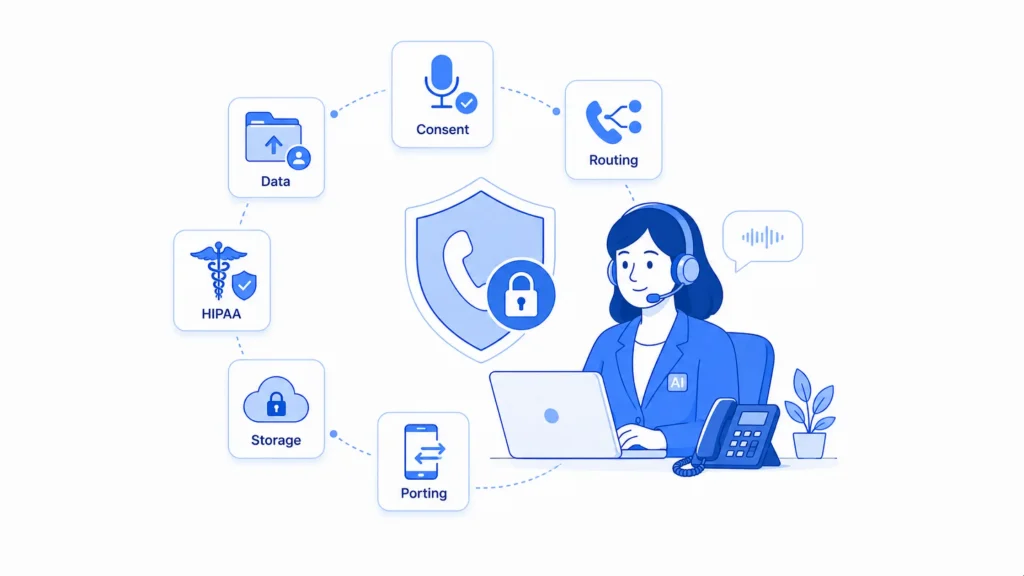
Forwarding a business phone line to a third party means that party is recording, transcribing, and in most cases storing every conversation, including whatever a caller says about their health, their legal situation, or their payment details. A few things are worth checking directly with any provider before signing up, regardless of which one gets chosen.
Pricing across the market ranges from about $25 per month for a low-volume, per-call plan to several hundred dollars per month for a human-staffed service such as Ruby or Smith.ai’s Virtual Receptionist tier. Most dedicated AI-only tools cost between $25 and $200 per month, depending on call volume and included features.
Not really. Ruby is a human-staffed answering service with optional AI features layered on top, rather than an AI-first tool like Rosie or Upfirst. It frequently appears in AI receptionist comparisons, but businesses should understand that its core service relies on live human receptionists.
Some can, but appointment booking may not be included in the entry-level plan. Rosie’s lowest-priced plan sends callers a booking link by text instead of completing the booking during the call. Live calendar booking becomes available on a higher tier, so businesses should check the exact plan before choosing a provider.
Most AI receptionist services work through call forwarding rather than a complete number transfer. Goodcall, for example, provides its own phone number and uses conditional forwarding from the business’s existing line. Confirm the setup process with the vendor before assuming an existing number can be transferred automatically.
Not automatically. Most AI-only tools in this comparison do not make a plan-wide HIPAA compliance claim. Ruby states that it offers HIPAA-compliant handling for medical practices. Any healthcare business should confirm the vendor’s compliance terms and obtain a signed Business Associate Agreement before forwarding patient calls.
A dedicated AI receptionist such as Rosie or NextPhone focuses primarily on answering phone calls. YourGPT is a broader no-code AI agent platform for chat, WhatsApp, customer support, and business workflows, with PhoneAI available as one connected channel. The right choice depends on whether a business only needs phone coverage or wants one system across multiple customer-facing channels.
MCP360 is YourGPT’s companion tool marketplace. It allows an AI agent to connect with more than 100 external tools through one configuration instead of requiring a separate custom integration for each tool. It matters most for businesses building broader workflows inside YourGPT. A dedicated receptionist setup may only require calendar and CRM integrations.
Not without checking what the plan includes. A low starting price may exclude appointment booking, call transfers, CRM access, or enough usage for the business’s monthly call volume. Rosie, for example, reserves live appointment booking and call transfers for a higher tier. Compare the features included at the exact price being paid, not only the headline price.
None of the nine tools compared here is a universal right answer. The right pick comes down to call volume, what a specific plan tier actually includes over its headline price, and how much judgment a typical call requires. That might mean NextPhone’s flat rate for a contractor with spiky call volume, or Ruby and Smith.ai’s human backup for sensitive legal or medical intake.
Or it might mean Upfirst for a solo operator who just wants to stop missing calls, or YourGPT for a business that already runs its chat and support on one platform and wants the phone line on that same system. Whatever gets picked, read the plan at the price actually being paid instead of the plan on the marketing page, and check it against real call volume before committing.
TL;DR The best business productivity tools help teams reduce repetitive work, improve collaboration, and save time. This guide compares 10 tools for 2026, including YourGPT, Proton Pass, Notion, Semrush, CoAnimator, Loom, Canva, Cal.com, Jira, and Airtable. Each tool serves a different purpose, from AI automation and project management to content creation and scheduling. Rather than […]

TL;DR Salesforce offers powerful CRM capabilities, but implementation and ongoing management can increase costs for smaller teams. Pipedrive and Nutshell simplify pipeline management, while HubSpot and Zoho CRM offer broader automation. Freshsales, monday CRM and Copper suit specific workflows. For customer support and lead qualification, YourGPT Chatbot works alongside your CRM, starting at $39/month billed […]
TL;DR Yellow.ai has spent a decade building an enterprise conversational AI platform out of Bangalore, and in 2026 it is asking Wall Street to value it at half a billion dollars while cutting a third of its staff and rebuilding its core product around a new “agentic interface” called Nexus. Both moves showed up in […]
Prepare a replacement support agent, test real requests and human handoff, then switch the storefront while keeping ownership of unfinished conversations.
The reader can shortlist one or two platforms by primary job, existing stack, action depth, handoff, governance, and billing unit.

A practical breakdown of Gorgias Helpdesk and AI Agent pricing, including what counts toward each allowance, how to compare plans and how to budget with your own volumes.