How AI Chatbots Can Resolve Common WooCommerce Challenges

Neha
Last updated on October 16, 2026
AI chatbots help WooCommerce stores answer customer questions and handle routine work across shopping, orders, delivery, returns, and account support. YourGPT agents use store knowledge and connected data to guide customers, carry out enabled actions, or pass a request to your team. Tasks such as changing an order or managing a subscription need a workflow connected to the relevant system.
A customer needs to correct a delivery address before dispatch. Another has received only part of an order. Someone else cannot find a subscription renewal or access a download they paid for. Each conversation needs more than a product recommendation.
For a WooCommerce store owner or support manager, the challenge is getting the right information and next step to the customer without making the team investigate every routine request. That information may sit in WooCommerce, a shipping service, an extension, or your store policies.
The nine challenges below cover that customer-facing work. AI can help answer questions and coordinate actions, but warehouse capacity, stock purchasing, broken plugins, and payment-gateway faults still need the people and systems responsible for them.
AI for WooCommerce can support both sales and customer service, but each task calls for different information. This overview shows how the customer experience can change.
| WooCommerce challenge | How AI helps | What improves for the customer |
|---|---|---|
| Shoppers cannot choose a product | Matches requirements to product details and available options | A suitable recommendation with a clear reason |
| Order questions fill the inbox | Retrieves order and tracking details after verifying access | An understandable update without a manual lookup |
| A delivery is missing or damaged | Identifies the affected items and collects details for investigation | A delivery case the team can act on |
| An order needs changing | Checks eligibility and runs an enabled change or approval workflow | Confirmation of the change or a clear follow-up |
| Checkout raises questions | Explains delivery and offer rules using current store information | A clearer route to completing the purchase |
| A purchase needs returning or exchanging | Explains the policy and collects the request details | Fewer messages to arrange the next step |
| Account or renewal tasks are confusing | Guides self-service or uses a configured extension connection | Help with the task without sharing credentials in chat |
| Help differs across channels | Answers from shared training sources | Consistent guidance across connected channels |
| Routine work overwhelms the team | Handles repeatable requests and passes exceptions with context | More team attention for cases needing judgment |
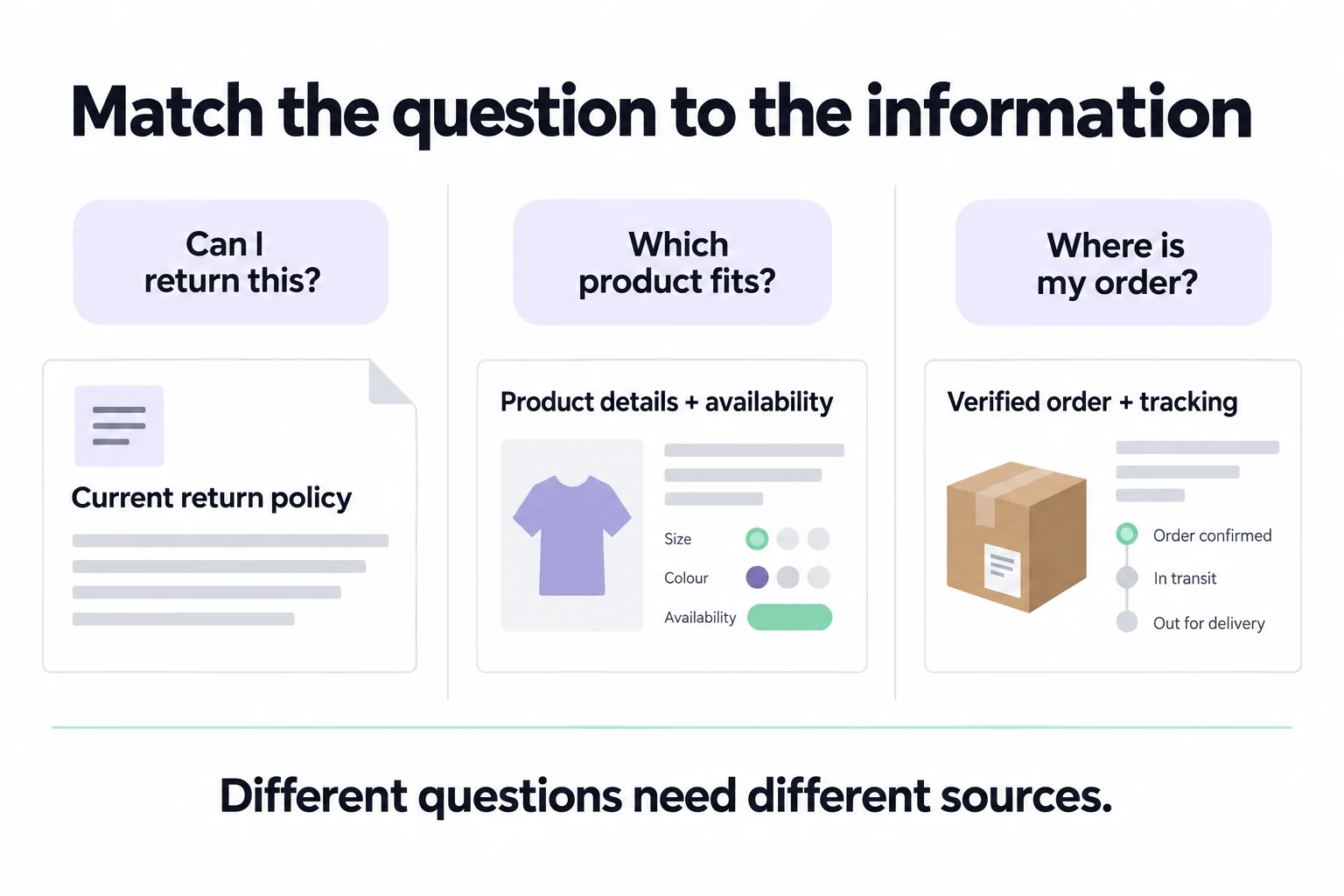
Illustration of the information behind common questions. Return eligibility may also need purchase details; shipment updates depend on available tracking data.
A large catalog can leave shoppers with plenty of options and no clear choice. An AI agent can ask what they need the product to do, compare the relevant specifications, and suggest suitable items. The customer gets help choosing, rather than another set of search results to work through.
Product descriptions need enough detail to support that conversation. For example, consider a shopper choosing storage for a 40 cm-wide shelf. In this illustrative scenario, the catalog lists a box at 36 cm wide. A helpful answer explains the fit and checks depth and height before recommending it, rather than relying on a description such as “compact storage.”
A recommendation is useful only if the suggested product meets the shopper’s requirements. Check the exact option the customer wants. WooCommerce supports stock settings for individual variations, so a product can appear in stock while a particular size or configuration is unavailable.
Use recommendations to answer the buying question first. Offer a related accessory when it serves an expressed need, rather than inserting an upsell into every conversation.
With WooCommerce Copilot Actions enabled in Agent Mode, YourGPT can show matching products, let shoppers choose an available variation, and add it to their real store cart. These actions run on the storefront; messaging channels need a separate workflow. You choose which actions to enable.
Every order-status message can send a teammate back into WooCommerce to find an update. With a configured order lookup, a YourGPT agent can retrieve the customer’s order and explain the information returned. Customers get the available information sooner, and your team can focus on orders that need investigation.
Be precise about what that status means. In WooCommerce’s order statuses, “Processing” generally means the store has received payment and the order awaits fulfilment. “Completed” means the store has marked the order fulfilled; it is not, by itself, proof of carrier delivery.
A shipment update needs tracking data, such as the carrier and tracking number. Expected arrival dates should come from the carrier or your store’s delivery service. If those details are unavailable, the useful response is to explain the available order status and offer follow-up, rather than guess an arrival date.
Confirm that the person asking has permission to view the order before sharing its details. Build that check into the lookup workflow.
For a verified order still awaiting fulfilment, an illustrative answer would be: “Your payment is confirmed and your order is awaiting fulfilment. There is no tracking number yet. I can pass this to the team if you need an update on dispatch.” That gives the customer an explanation and a next step without inventing a delivery date.
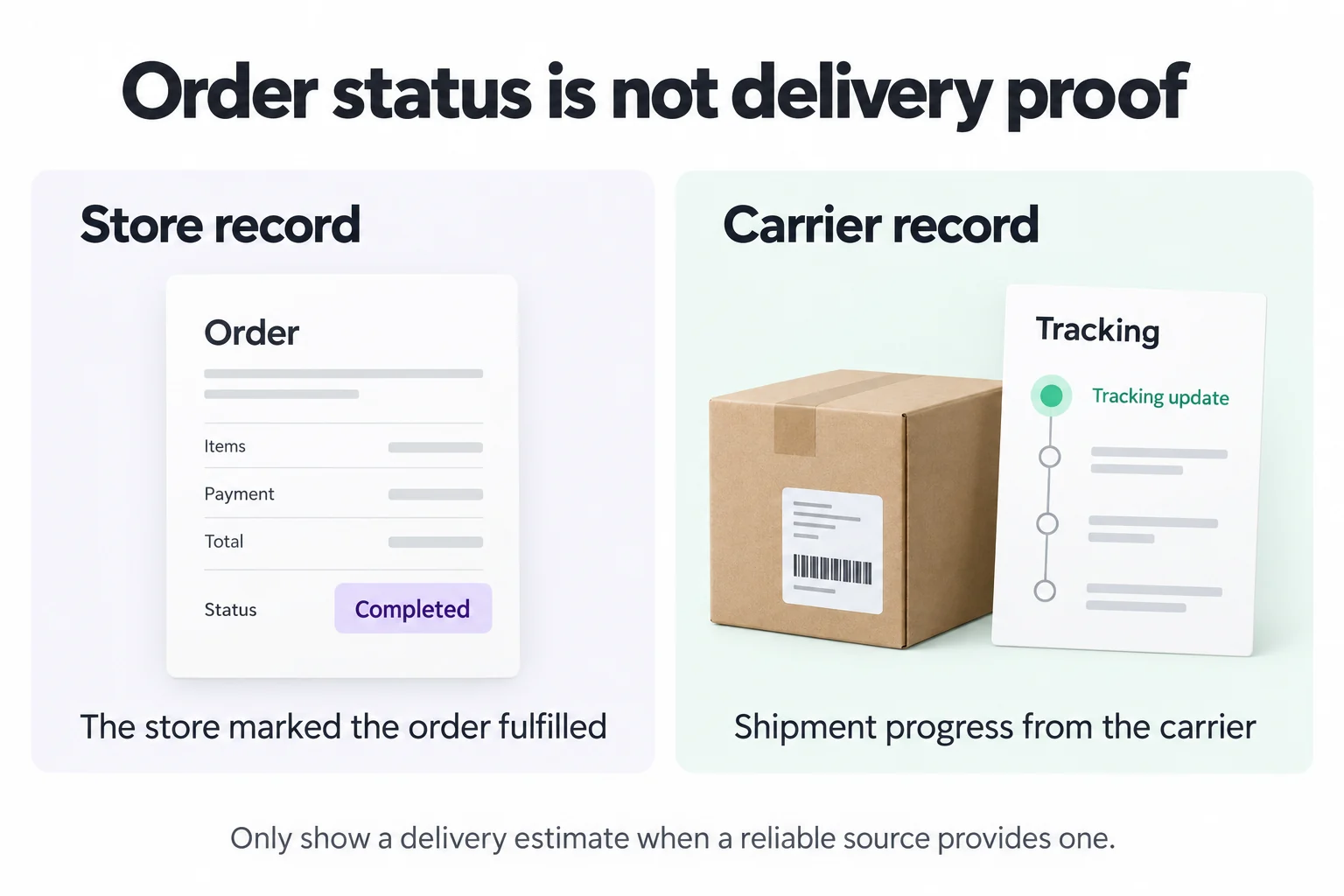
Conceptual illustration, not a product screenshot. A completed store order and a carrier tracking update describe different things.
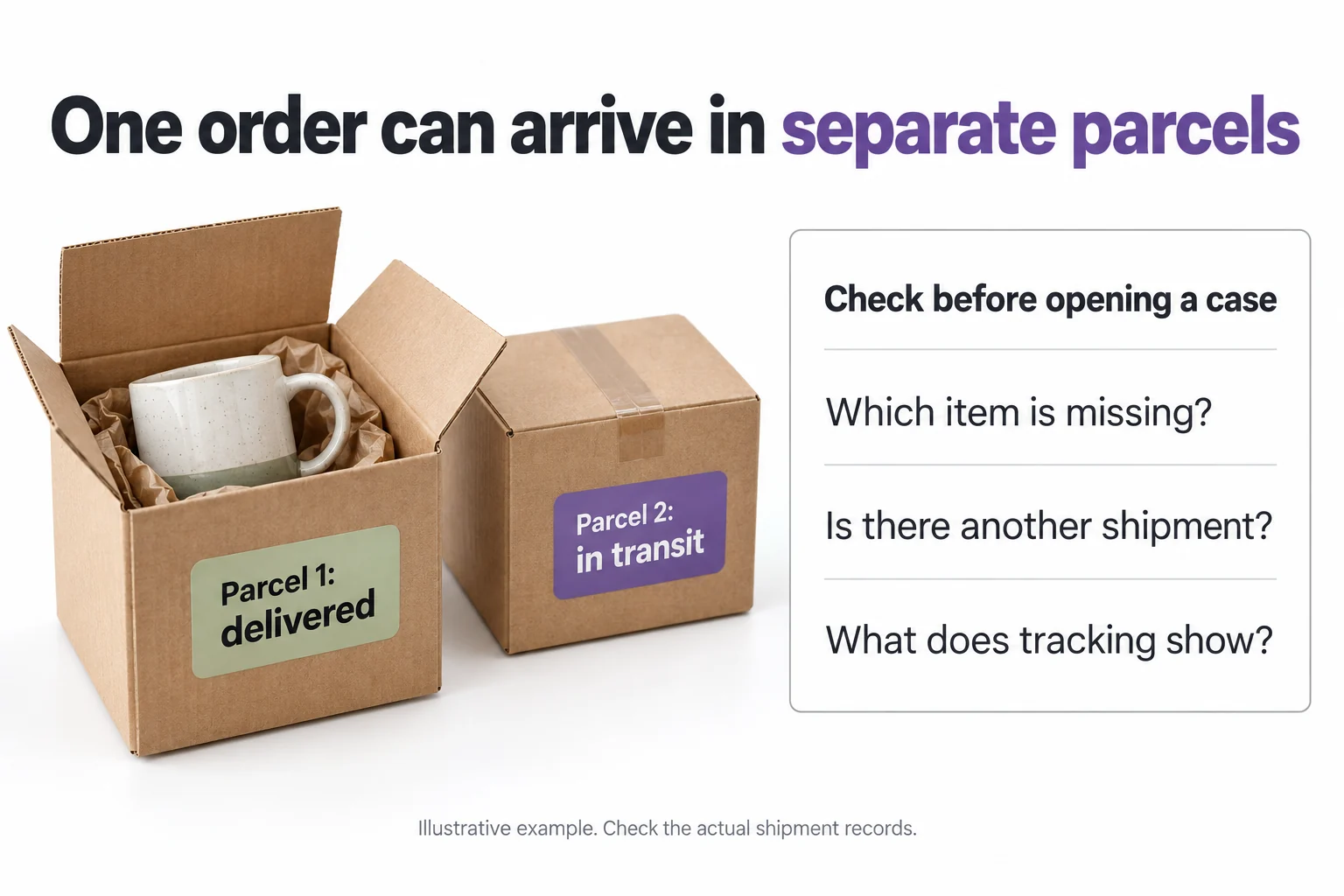
A tracking link does not resolve a missing parcel, a damaged item, or an order that arrived in separate packages. The customer needs to know what happens next, and your team needs enough detail to investigate.
Train YourGPT on your delivery procedures so the agent can ask the relevant follow-up questions and explain the next step. For a missing item, that means identifying which item is absent and checking any available shipment records before treating the whole order as lost. For damage, it means collecting the details your team requires for a claim.
If your shipping service makes shipment details available through an integration, connect it so the agent can check those details alongside the order. Otherwise, pass the report to your team with the order, affected items, and problem together so they can start investigating. Replacement stock, carrier claims, and compensation still follow your store’s process.
Address corrections and cancellation requests are time-sensitive. A customer may ask while an order is waiting to be packed, but your team might read the message after dispatch. AI can collect the request promptly and check whether the connected records show that the change is still possible.
YourGPT’s AI Studio can connect to external systems through APIs and run a workflow you configure. For order changes, design that workflow to:
This is a custom workflow, not an automatic consequence of installing the agent. If a warehouse or fulfilment partner already has the order, changing the WooCommerce record may not change the parcel. The customer should hear whether the change succeeded or still needs attention, rather than receiving an unsupported promise.
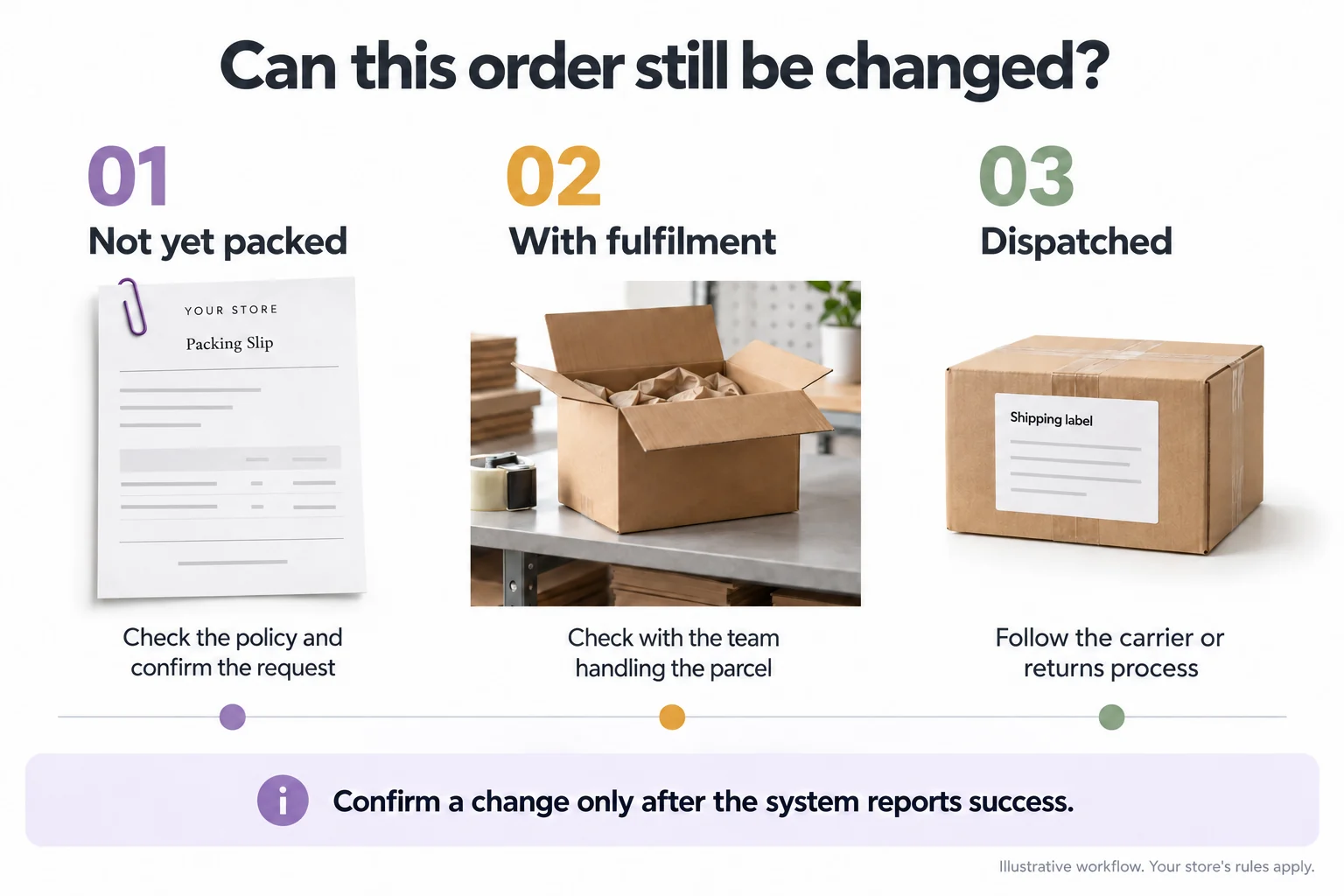
Unexpected shipping costs, an unavailable delivery method, or a rejected discount can stop a purchase. Train YourGPT on your delivery areas, payment guidance, and promotion terms so the agent can explain the options that apply. For an address-specific shipping charge or tax total, it needs the current checkout result; a general policy cannot establish the final amount.
For a rejected offer, the answer should come from the actual coupon rules: expiry, minimum spend, eligible products, sale-item exclusions, and usage limits. Without access to the customer’s cart and the checkout result, the agent can explain those rules but should not claim to know the exact reason a code failed.
Explaining a promotion and applying a discount are separate tasks. Any action that changes the cart or creates a discount needs an enabled workflow and the permissions you intend to give it. WooCommerce should remain responsible for enforcing the offer at checkout.
Payment failures need a different response. The agent can collect the visible error and relevant order details for your team, but it cannot fix a payment gateway simply by continuing the conversation. Never ask a shopper to send their full card details in chat.
Returns become frustrating when customers have to ask separately about eligibility, shipping, and the next step. A YourGPT agent trained on your returns policy can explain the process in one conversation and collect the details needed to move the request forward. Your team receives a clearer request, and the customer knows what to expect.
That answer needs to cover deadlines, excluded products, item condition, and return shipping costs. If rules differ for sale items or regions, explain the relevant exception. For an exchange, check the requested replacement and its availability before promising it; explaining the exchange policy does not reserve stock.
A request to return an item is not an approved refund. Decide whether your agent should explain the process, submit a request, or carry out an authorised action. Approval exceptions and disputed deliveries should reach a person with the conversation and relevant details attached.
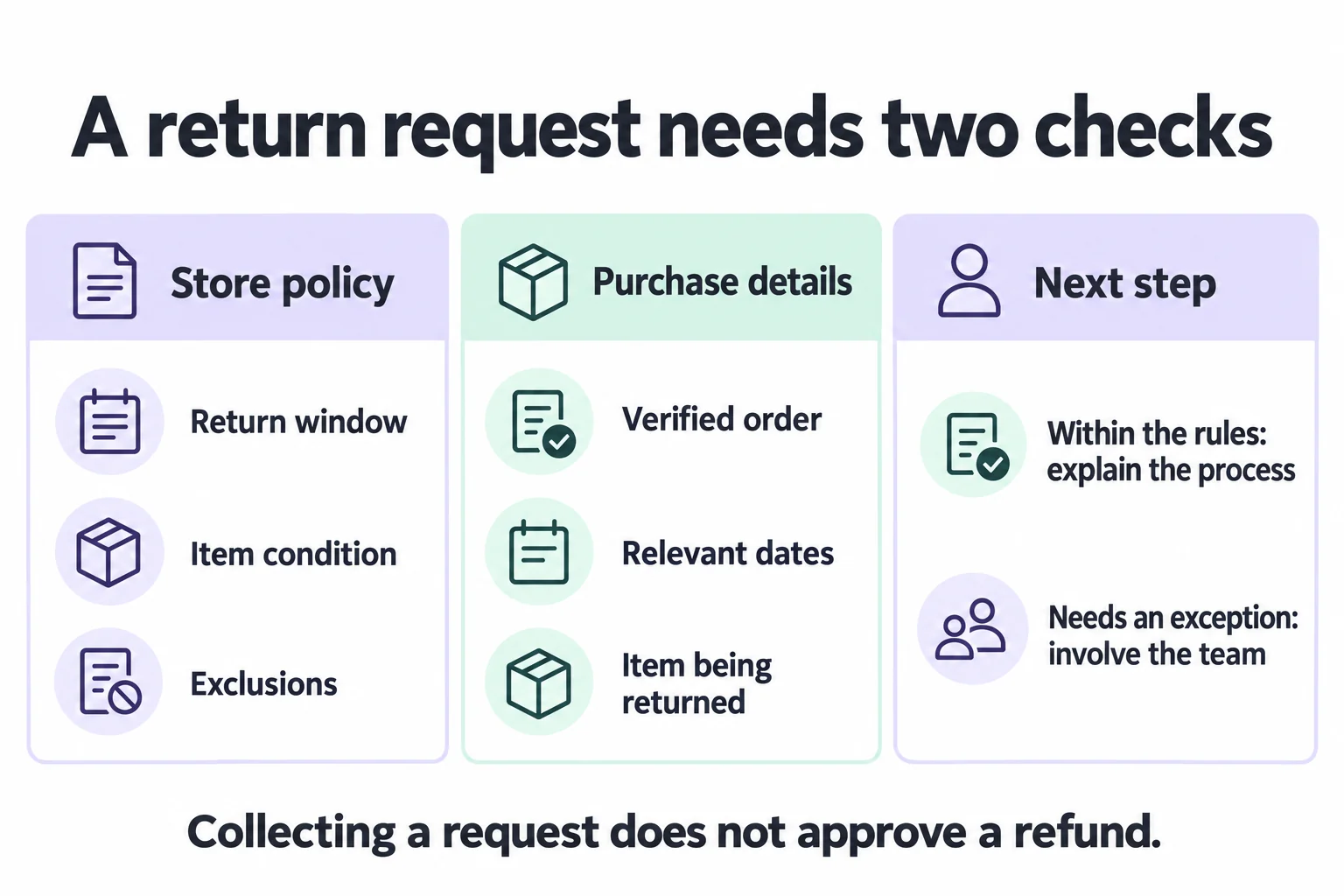
Illustration of a return-support decision. Refund actions depend on the workflow and permissions you enable.
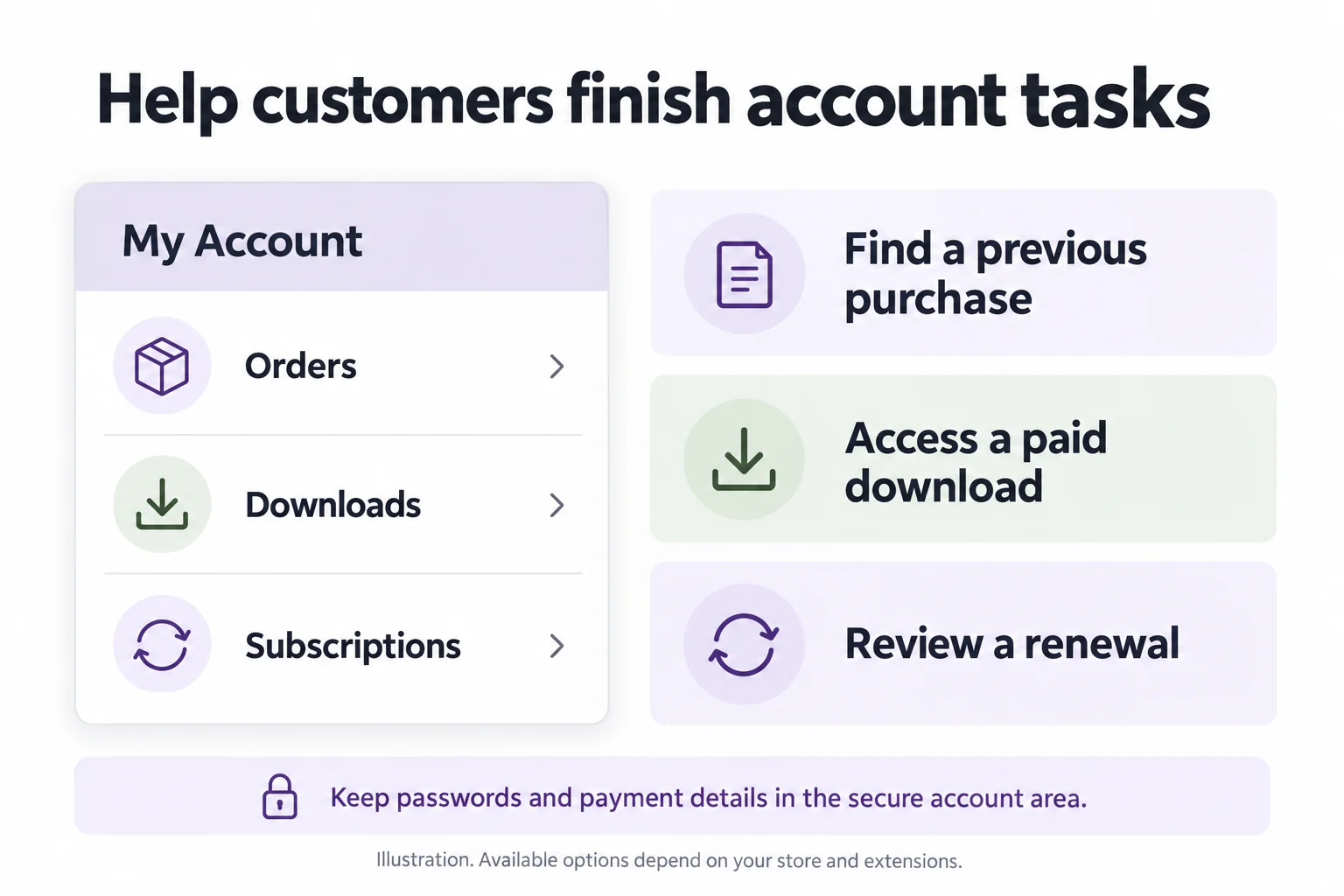
Customers may need a paid download, a password reset, or help finding a renewal. WooCommerce’s My Account page provides access to orders, eligible downloads, addresses, and account details. A YourGPT agent trained on your store’s help pages can direct the customer to the right place and explain what to do if the expected option is missing.
If you use WooCommerce Subscriptions, customers can view subscription details and use the management options available in your store. The agent can guide them through that process. Looking up their next payment or changing a subscription inside chat requires access to the extension’s records and an enabled action; a standard order lookup is not enough.
Keep password resets and payment-method changes in the store’s secure account process. When a renewal fails, guide the customer to the relevant payment page or pass the issue to your team. The benefit is getting an account task completed without asking customers to share passwords or card details in chat.
A customer who moves from website chat to a messaging channel should not receive a different returns policy. Someone shopping outside your team’s hours still needs an answer before buying. You can connect the same trained YourGPT agent to your website and WhatsApp, so both answer from the same training sources. Each channel needs its own connection, and supported actions can differ between channels.
Shared information makes consistency easier to maintain. If the delivery window changes, the website agent and connected messaging channels should use the updated policy. Translating an outdated answer only spreads the problem.
Review conversations in the languages your customers actually use. Check that refund conditions, product names, measurements, and exclusions retain their meaning. When a request needs a person, give the customer a realistic response expectation rather than implying that a human team is always online.
Support volume becomes harder to manage when routine lookups and difficult cases share the same queue. Automating the repeatable part can leave your team more time for damaged deliveries, complaints, unusual purchases, and requests outside your policy.
Configure YourGPT’s human handoff so customers can request a person and your team can take over when judgment is needed. Pass along the question, relevant order details, and what the agent has already tried. Your teammate can then continue the conversation without asking the customer to start again.
Use recurring unresolved questions to improve the store, too. If customers repeatedly ask whether a product includes a necessary accessory, add that detail to the product page. Better product information helps both shoppers who use chat and those who never open it.
The YourGPT WooCommerce integration gives your agent access to store information for product guidance and order support. Connect the information needed for the task you want it to handle, and decide which actions it can perform.
Choose your first task from recent customer conversations. Repeated order enquiries are a reason to begin with verified order lookups. Detailed buying questions call for product guidance, while address changes need a process that reaches the fulfilment team in time. Start where customers are waiting and your team keeps doing the same work.
Our WooCommerce AI agent setup guide covers installation and store connection.
A fast response is only useful if the customer can do something with it. Gartner’s customer-effort research considers the work customers must do to get help. Apply that idea by checking whether shoppers had to repeat details, switch channels, or contact you again about the same issue.
Start with a representative set of recent tickets, removing unnecessary personal information. Include straightforward requests, exceptions, and cases where information was missing. Use the actual products and policies involved rather than inventing easy questions for the agent.
| Review this case | What a useful result looks like |
|---|---|
| A product option is unavailable | The agent does not promise availability and suggests an appropriate alternative only when supported by the catalog. |
| An order has no tracking number | The answer separates the order status from missing shipment information and offers a next step. |
| A request falls outside the returns policy | The agent explains the relevant rule and routes an exception without promising approval. |
| A requester cannot verify an order | Private details stay undisclosed and the customer receives an appropriate verification route. |
| An address change reaches an order already dispatched | The agent follows the fulfilment process and does not claim that editing an address redirects the parcel. |
| A subscription action is unavailable | The agent explains the available account options or routes the request instead of claiming a cancellation succeeded. |
| The store connection is unavailable | The agent acknowledges that it cannot retrieve the current record and offers human follow-up. |
Keep a record of the answer, supporting information, outcome, and correction needed. Use the failures to decide what to fix before taking on another type of question.
To judge value after launch, compare these customer service metrics over similar periods:
For an illustrative time calculation, 120 recurring questions taking four minutes each represent eight hours of work. If automation removes those eight hours but adds two hours of review and follow-up, the team regains six hours. Use your own observed figures, including time spent handling exceptions.
Compare the value of that time with subscription, usage, and setup costs. For sales, an order following a chat shows an association, not proof that the agent caused the purchase. Expand when the first use case gives customers reliable help and reduces work for your team.
Compatibility depends on the extension and the data it makes available. AI chatbot platforms like YourGPT can connect with WooCommerce to support product inquiries, order-related questions, and configured customer support workflows. However, extensions for subscriptions, bookings, bundles, or custom order statuses may require additional integrations. Test your specific extensions with real customer scenarios before enabling automated actions.
Guest order lookup needs a verification process that works without a customer account. Configure an approved way to confirm access before showing private order information; an order number alone should not be treated as sufficient proof. If the customer cannot complete verification, route them to your support team rather than revealing details or repeatedly asking the same question.
The agent needs to receive the updated information. Product synchronization can keep connected catalog information current, while edited policy pages need the relevant training source refreshed. After changing prices, availability, delivery rules, or return conditions, check an affected answer against the new source. Do not assume that updating one source updates every document containing the old information.
An agent can answer stock questions from connected data and collect information about a checkout error. Reordering stock, correcting inventory records, repairing plugins, or resolving payment-gateway faults are separate operational tasks. Any stock-changing action needs a deliberately configured connection and permission. Route technical faults to the team responsible, with the affected order or page and the error the customer saw.
Resolve the conflict before asking an agent to answer from those sources. Choose the current rule, correct the affected pages and documents, then refresh the agent’s knowledge. For example, if a promotion page and the general returns page give different conditions, explain which purchases the exception covers. The agent should not decide your policy for you.
It should explain what it cannot confirm and offer a useful route to your team. The handoff should reach the right person with the question and any relevant details already collected. Outside staffed hours, collect the details needed for follow-up and state the response expectation your team can meet. Review those unresolved conversations for missing information or workflow gaps.
Choose your first automation by how reliably it can finish the job, not just how often the question appears. A frequent request with a clear policy and accessible records is a useful starting point. When a request depends on warehouse judgment or an unresolved policy, clarify that process first. Otherwise, the agent can leave your team with the same work and another conversation to review.
You can still automate part of a complex request. For a return, YourGPT might explain the rules and collect the required details while your team decides on an exception. For an address change, it might verify the order and send the request to fulfilment before you enable direct changes. Treat answering, checking records, and changing an order as separate decisions about what the agent is allowed to do.
Give someone on your team responsibility for the information and process behind each automation. When a delivery rule changes or an extension behaves differently, that person should update the relevant source and check the affected answers. Start with a task you can support this way, then expand as the results justify it. That is how automation becomes dependable day-to-day help for both customers and your team.
Connect WooCommerce to help customers with orders, returns, and product questions.
Group new-account tickets by onboarding stage, train an AI agent on your docs, and place it in the product where new users get stuck.

AI agents can now find and buy products for shoppers. See what agentic commerce changes for a Shopify store and which support jobs stay yours.

Build a Halloween shopping assistant for Shopify with YourGPT. Set up product recommendations, stock checks, cart actions and human support before launch.

See what a good customer effort score looks like, how to word and calculate CES on each scale, and which support habits raise customer effort.
Tier 1 support handles first contact. See how Tiers 0 to 3 differ and what changes when an AI agent becomes your first line.
The 12 customer service metrics to track when an AI agent resolves tickets, with a formula for each and a baseline built from your own last month.