What Is a Ticketing System? Definition, Benefits & Selection Tips for 2026

Rajni
August 17, 2026
A ticketing system converts requests that arrive by email, chat, phone, or web form into trackable records with an owner, a status, and a priority level.
Centralizing requests this way cuts response delays, gives support teams visibility into backlogs, and creates a record useful for reporting and audits.
Options range from lightweight help desk tools built for small teams to full IT service management platforms used by enterprise IT departments.
Selecting the right option comes down to matching required features, automation depth, and pricing structure against actual ticket volume and workflows instead of a vendor’s full feature list.
A ticketing system turns chaos into a queue. Every request, whether it lands by email, chat, phone, or a web form, becomes one record with an owner, a status, and a clear next step. Nothing gets lost. Nothing gets worked twice.
The category covers a wide range of tools, from lightweight systems built for small support teams to full IT service management platforms used by large IT departments. The real differences between them, in automation, integrations, and reporting, matter more than what a vendor’s website promises.
This guide covers what a ticketing system actually does, how a ticket moves from creation to close, the main types worth knowing, the real benefits, and a simple way to choose the right one in 2026.
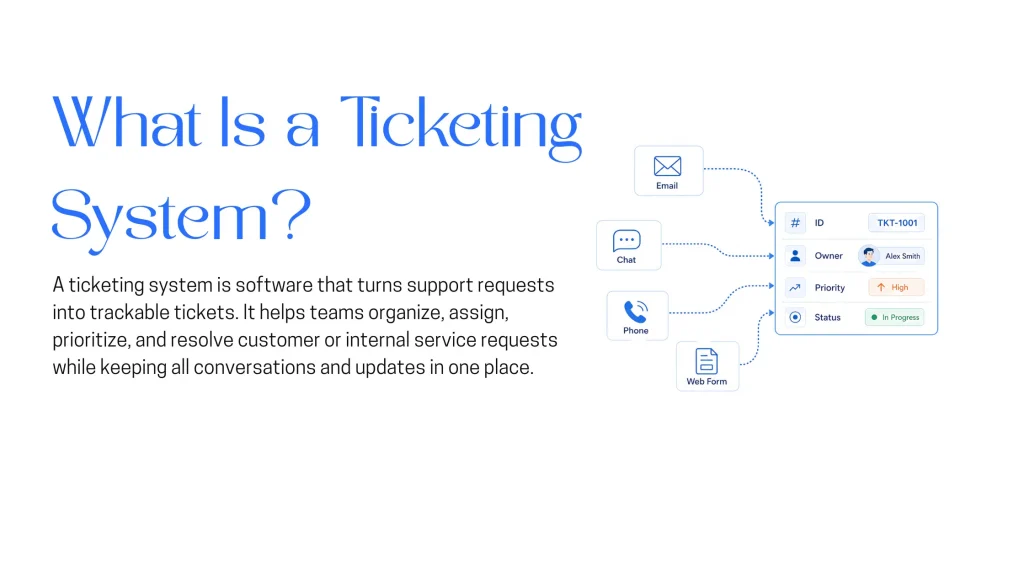
A ticketing system is software that converts support or service requests into individual tickets, each with a unique ID, an assigned owner, a priority level, and a status that updates as the request moves toward resolution. Instead of requests living in a shared inbox or a group chat, every request becomes a discrete, trackable unit of work.
At a minimum, a ticketing system does the following:
The term applies across contexts. Customer support teams use it for external requests. IT departments use it for internal incidents and service requests. HR, legal, and facilities teams increasingly run their internal requests through the same underlying software.
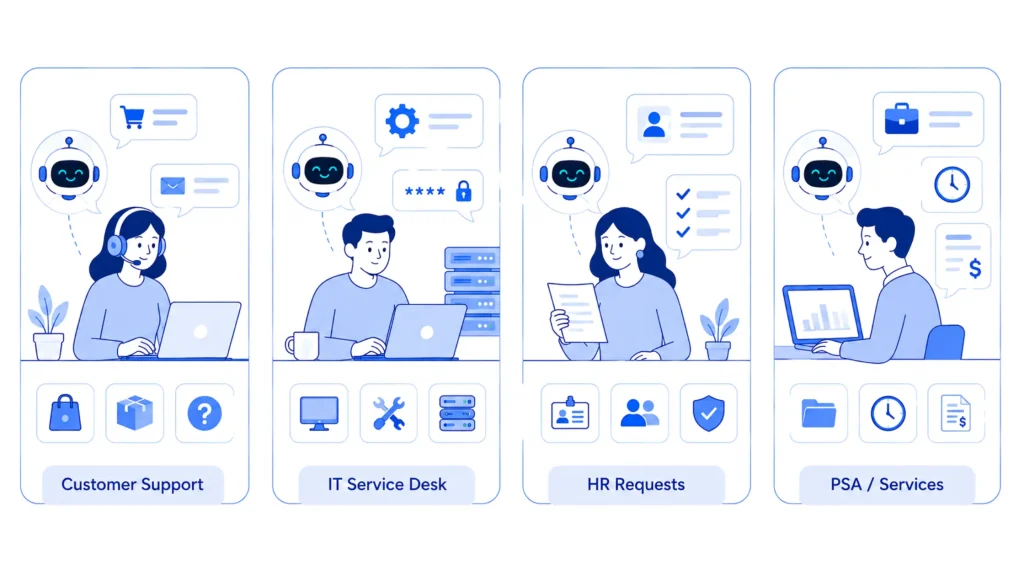
Different teams need different depth. Four categories cover most use cases.
Most vendors now blur these categories. A platform sold as a help desk often includes ITSM-style features, and the reverse happens just as often. The category label matters less than whether the specific feature set matches the actual workflow it needs to support.
A ticket moves through a fairly consistent lifecycle regardless of vendor.
Automation now touches most of these steps. Rules-based systems route by keyword or form field. AI-assisted systems classify intent and sentiment before an agent opens the ticket, and some can draft a first response or resolve simple requests outright.
Ticketing system, help desk, and service desk describe how a request gets organized. Traditional versus AI-powered describes how much of that work still requires a human at every step, and that distinction now matters more for a 2026 buying decision.
| Capability | Traditional Ticketing System | AI-Powered Ticketing System |
|---|---|---|
| Routing and Categorization | An agent or a fixed rule manually sorts each ticket by topic and assigns it to a queue | Natural language processing reads the request and assigns category, priority, and queue automatically before an agent opens it |
| First Response | An agent drafts every reply from scratch or from a saved canned response | AI drafts a suggested reply or resolves simple requests outright, with an agent reviewing or stepping in when needed |
| Self-Service | A static knowledge base that a requester has to search through manually | An AI agent trained on the same documentation answers directly in conversation, deflecting simple tickets before they are ever created |
| Scalability | Ticket volume growth generally requires adding agents at a similar rate | AI absorbs a share of repetitive volume, so ticket volume can grow faster than headcount |
| Resolution Speed | Bound by agent availability and manual triage time | Routine tickets can resolve in minutes since triage and drafting happen instantly |
| Escalation | An agent decides when to hand a ticket off to a specialist or manager | AI escalates automatically on low confidence, passing full conversation context to the human agent |
A traditional system still works. It just requires a human for every categorization and routing call. By 2026, AI classification and drafting increasingly ship as a standard capability instead of a paid add-on, which is worth confirming directly during vendor evaluation.
For a closer look at how specific vendors stack up, see the current lineup of help desk software platforms.
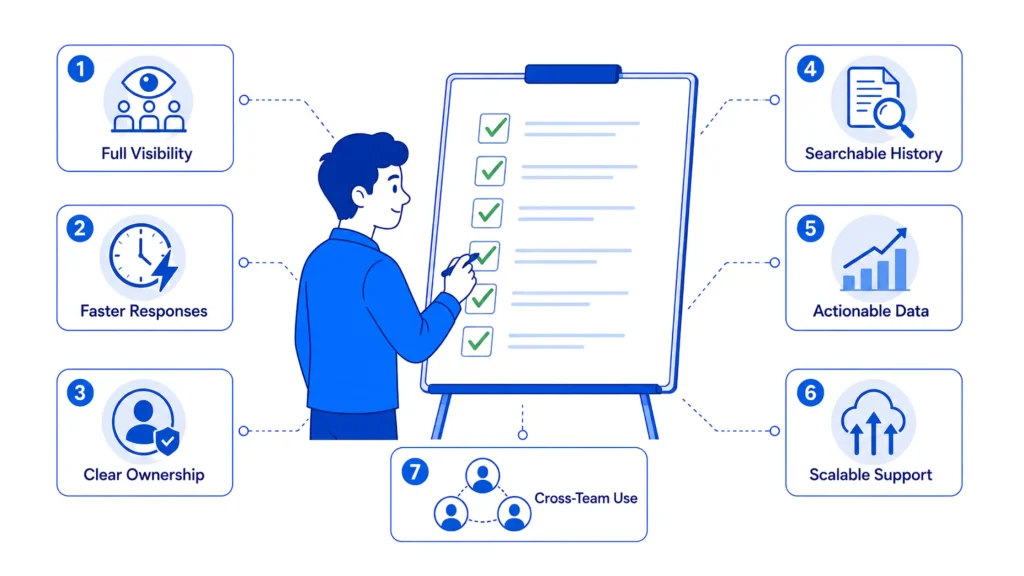
A ticketing system pays for itself before any AI feature enters the picture. The list below covers what actually changes once it is in place.
AI now shows up somewhere in almost every ticketing platform on the market. A few specific points are worth understanding before evaluating any vendor’s AI claims:
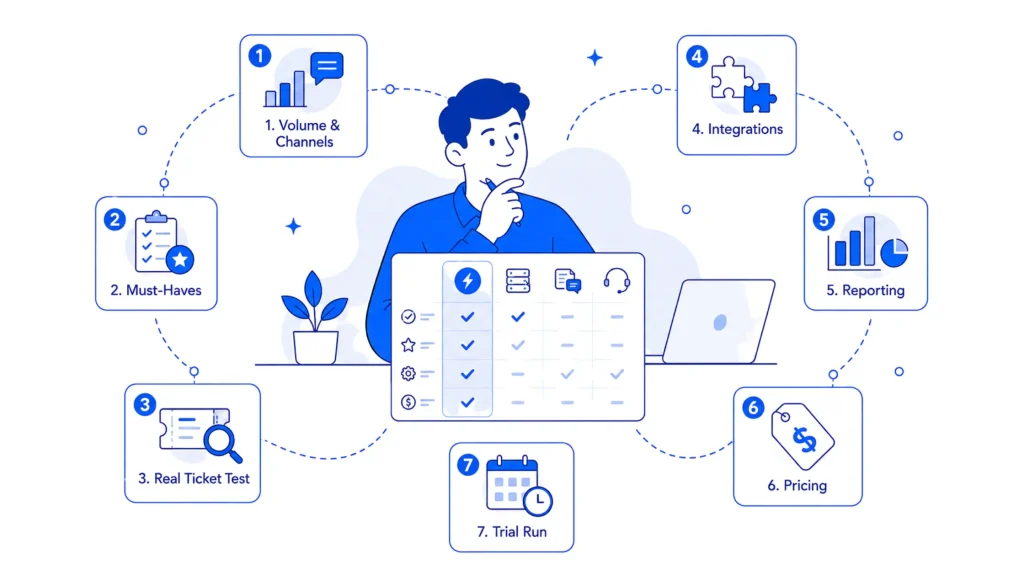
The steps below turn everything above into a practical shortlist:
A ticketing system is the underlying capability of capturing, tracking, and routing requests. A help desk builds on top of that with a self-service portal and CSAT tracking aimed at customer-facing or employee-facing support. The terms get used interchangeably in vendor marketing, but a help desk is really a ticketing system built around a specific use case. Some AI-powered options, like YourGPT’s AI Helpdesk, add a self-service and escalation layer on top of that same foundation.
No. A CRM tracks the full relationship with a customer, including sales history and marketing touches. A ticketing system tracks individual support or service requests. Some platforms bundle both, but the core job is different. One manages relationships. The other manages requests.
SLA stands for service level agreement. In a ticketing system, it sets a target for how quickly a ticket gets a first response and a resolution, based on factors like priority or customer tier. Most platforms track SLA countdown timers automatically and alert an agent before a deadline is missed.
It trains on a business’s own documentation and handles routine requests without a human touching them first. Multi-source training, self-learning from real conversations, and human handoff with context preserved work together to cut down how much volume reaches a live queue, while still keeping a person available for anything the AI cannot resolve with confidence.
Yes. Most vendors offer entry-level plans built for small teams, often covering a handful of agents with core features like email-to-ticket conversion and basic reporting included. The main task is matching the plan to actual ticket volume instead of paying for enterprise features that will go unused.
Both. The same underlying technology handles either case. IT teams use it for incidents and internal service requests, often with ITIL-aligned workflows. Customer support teams use it for external requests, typically with a self-service portal and CSAT tracking layered on top. HR and legal teams increasingly run their own internal requests through the same infrastructure.
Yes. YourGPT’s AI Helpdesk sits in front of the ticket queue, handling self-service and first-line requests before anything reaches a human. When a request needs more than automated help, it escalates to a human agent with full conversation context preserved, which keeps the ticketing system focused on the requests that actually need a person. Most teams run the two together instead of picking one over the other.
It depends on complexity. A small support team can often get basic email-to-ticket conversion and routing running within a day using pre-built templates. Full ITSM implementations with asset management, change management, and custom workflows can take weeks, particularly when integrating with existing IT infrastructure.
A ticketing system will not fix a support process that has no defined ownership or no agreed priorities. What it does is make the existing process visible, measurable, and harder to quietly ignore. That visibility, more than any single automation feature, is what actually changes how a team performs day to day.
The choice between a lightweight help desk tool and a full ITSM platform comes down to two honest questions: how many channels and how much volume actually need to be handled, and how much of the ticket lifecycle needs to tie into broader IT processes like asset management or change management. Answering these before comparing feature lists narrows most shortlists down to two or three real options.
Once you’re at that shortlist stage, test any AI claims against your own messy tickets, not a vendor’s clean demo data, and confirm the escalation path clearly: what happens the moment the system can’t resolve something on its own. A platform that hands off cleanly to a human agent will serve your team better long-term than one that tries to resolve everything and occasionally gets it wrong.
AI agents can now find and buy products for shoppers. See what agentic commerce changes for a Shopify store and which support jobs stay yours.

Build a Halloween shopping assistant for Shopify with YourGPT. Set up product recommendations, stock checks, cart actions and human support before launch.

See what a good customer effort score looks like, how to word and calculate CES on each scale, and which support habits raise customer effort.

Tier 1 support handles first contact. See how Tiers 0 to 3 differ and what changes when an AI agent becomes your first line.
The 12 customer service metrics to track when an AI agent resolves tickets, with a formula for each and a baseline built from your own last month.
Calculate cost per ticket with one formula and a free calculator, then compare it with the cost of a conversation an AI agent resolves.