AI Web Scraping: How Agents Extract & Structure Web Data (2026)

Rajni
July 22, 2026
AI web scraping replaces hardcoded selectors with an agent that reads a page, decides what matters, and returns structured output, even after the layout changes.
Script-based scraping is being layered with agent-based extraction. Scripts still fetch the page. The model decides what to keep.
A fetch layer renders the page, a conversion step strips it to clean text, and a reasoning layer maps what remains onto a defined schema.
Every page an agent reads is untrusted input. Prompt injection through scraped content is the risk teams are underpricing in 2026.
Access is shifting from assumed to negotiated, with CDNs, licensing marketplaces, and new AI-specific opt-out signals reshaping what agents can legally reach.
A support team wants to build a knowledge base from a client’s help center. A growth team wants daily competitor pricing. A research analyst wants structured company data from a hundred websites that all look different. Two years ago, each of those jobs meant a developer writing CSS selectors that broke the next time the target site shipped a redesign.
That pattern is breaking down. Agents that read a page the way a person does, rather than hunting for a specific div.price-current, are now doing a meaningful share of this work. Dedicated fetch APIs, MCP scraping servers, and browser-automation tools have shown up specifically to feed pages to a reasoning layer instead of a rule-based one. The vendors building them aren’t treating this as a side bet.
This blog walks through what actually changed under the hood, how an agent decides what to extract, what happens to that data afterward, and the risk that gets far less attention than broken selectors ever did.
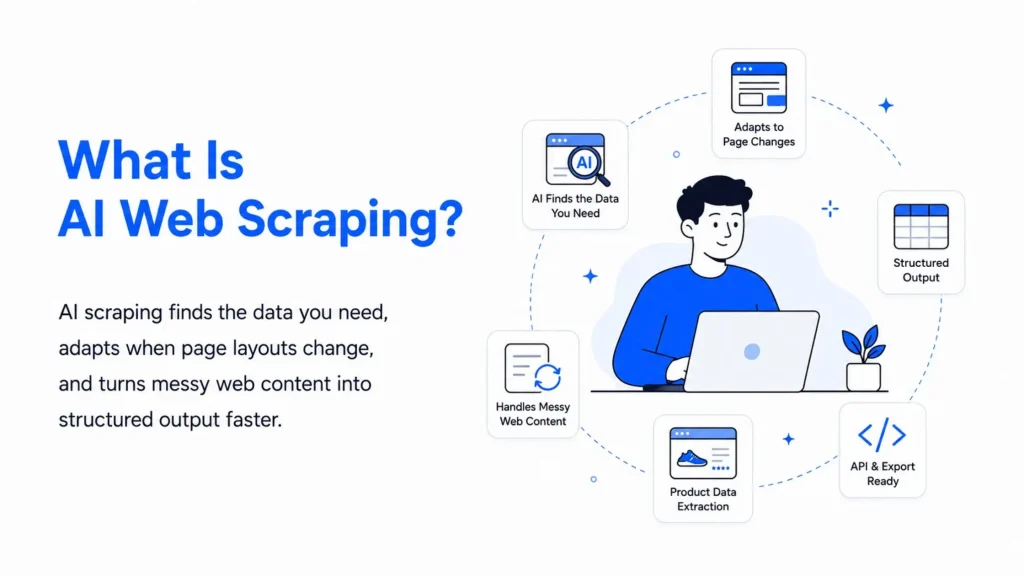
AI web scraping uses language models, computer vision, or other machine-learning techniques to identify and extract information from webpages. Instead of relying only on fixed CSS selectors or XPath rules, the scraper can be given a plain-language instruction or a target schema, such as “extract the product name, price, rating, and availability.”
Traditional scrapers depend heavily on page structure. A developer may define one selector for the product title and another for the price. When the website changes its layout, those rules can stop working or begin collecting the wrong content.
AI-assisted scraping focuses more on meaning than location. If a price moves to a different section of the page, the system may still recognize it as the price based on the surrounding text and page context. This can make extraction more resilient, although it does not remove the need for testing and validation.
In most production systems, AI does not handle the entire scraping process. A standard HTTP client, browser automation tool, or headless browser still loads the page and handles JavaScript rendering. The AI layer then interprets the retrieved content, selects the relevant information, and converts it into a structured format such as JSON.
AI web scraping agents reduce manual extraction work, adapt more easily to changing page layouts, and turn unstructured web content into usable data. They also help teams collect information at scale without maintaining a separate rule-based scraper for every website.
Financial firms, ecommerce teams, and market research groups have been the fastest adopters of this pattern, for the same reasons covered in the use cases further down: real-time insight, competitive monitoring, and reporting that doesn’t wait on someone running a manual export.
The practical shift in 2026 isn’t “AI replaced scraping.” It’s that scraping split into two layers that used to be one job.
The fetch layer still does what scrapers have always done: request the page, render JavaScript if needed, handle pagination, get past a login when authorized to be there. This part hasn’t gotten smarter so much as it’s gotten more specialized, with dedicated APIs (Firecrawl, Bright Data, ZenRows, Scrapfly) and browser-automation servers (Playwright, Browserbase) handling it so nobody has to babysit a headless Chrome instance.
The reasoning layer is new. Once the page is fetched, an LLM reads it and maps what it finds onto whatever schema has been defined for the task. This is the part that survives a redesign, because the model works from meaning instead of a memorized selector path.
Splitting the job this way is also why cost has become a real conversation. Feeding a model raw HTML is expensive and mostly wasted. One vendor benchmark found that converting a page to clean markdown before it reaches the model cuts input tokens by roughly 94 percent, taking a median page from around 38,000 tokens to under 3,000. It’s a vendor’s own number, worth treating as directional rather than universal, but the underlying point holds across tools. How a page gets prepared before the model sees it matters as much as which model gets picked.
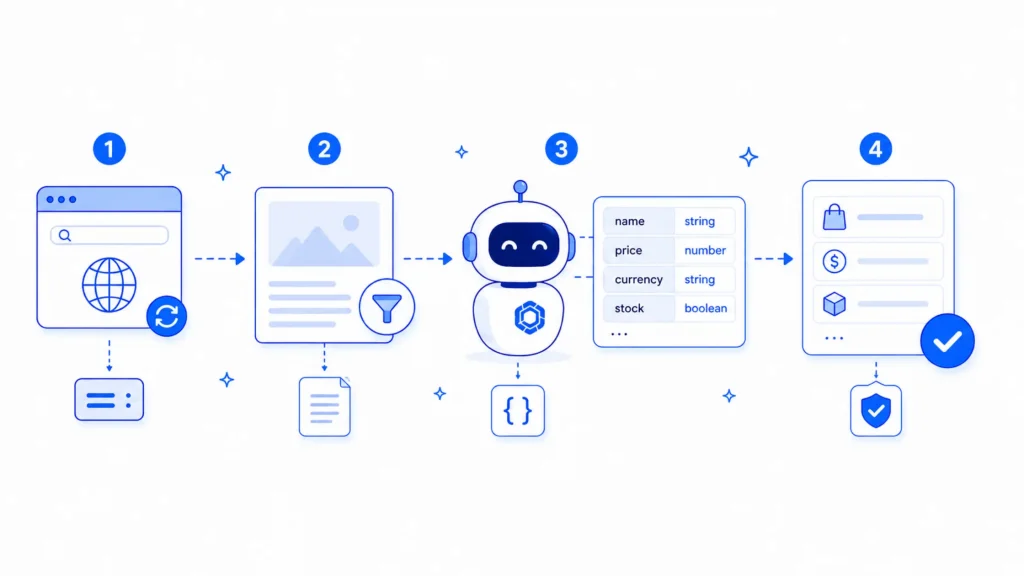
A working extraction pipeline usually has four steps, whether it’s built from scratch or bought as a service.
The fetch layer and the reasoning layer increasingly don’t talk to each other through custom glue code. They talk through the Model Context Protocol (MCP), the open standard that lets an AI agent discover and call external tools without a developer writing a bespoke integration for each one.
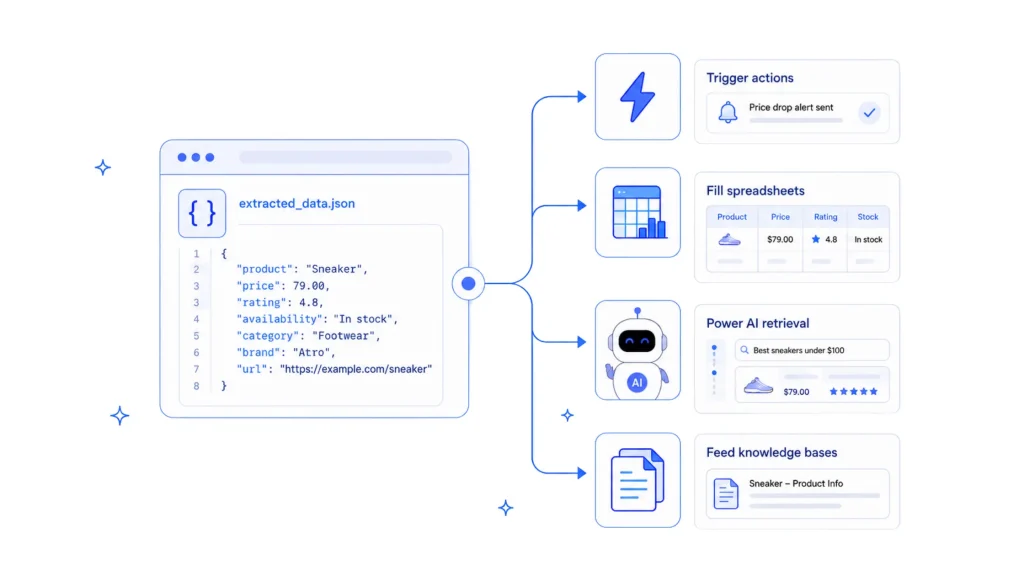
Getting clean JSON out of a page is the middle of the pipeline rather than the end of it. What happens next depends on what the data is for.
AI scraping tools are usually compared by speed, accuracy, and price, but the larger risks involve security, permissions, and legal use.
The practical rule is simple: treat every page as untrusted, give agents the minimum access required, and review legal and privacy obligations before using scraped data.
The two approaches aren’t interchangeable across every job: a stable, well-known page is still often cheaper and more precise with a plain selector, and a messy or unfamiliar one is where an agent earns its cost. Here’s how they compare across the situations that actually come up in production.
| Dimension | Traditional Scraping (Selector-Based) | AI Agents (Reasoning-Based) |
|---|---|---|
| Maintenance | Breaks when a redesign changes the underlying markup. Selectors must be updated manually each time the page structure changes. | Can continue working through layout changes because it identifies information by meaning rather than a fixed selector path. |
| Accuracy | Near-perfect on a stable, known page. It may fail silently or capture the wrong field when the structure changes. | Strong on unfamiliar pages, but it may generate a plausible value when a field is missing or ambiguous. Validation is still required. |
| Dynamic pages | Works after a headless browser renders the page, but selectors still depend on fixed DOM positions. | Also requires a rendering step. The advantage appears after rendering, when extraction can survive DOM changes that would break fixed selectors. |
| JavaScript | Handled by the fetch layer using tools such as Puppeteer or Playwright. The process is mechanical and does not involve reasoning. | Cannot execute scripts by itself. It depends on the same browser or rendering layer and reasons only over the content that has already loaded. |
| PDFs | Often needs a dedicated parser designed for a particular layout and may struggle when document formatting varies. | Can map PDF content into a target schema even when the structure differs across documents. |
| Forms | Handles only the forms it was explicitly scripted for. Conditional or multi-step flows require custom logic for each variation. | Computer-use agents can navigate multi-step forms in a human-like way, including flows where information appears only after several actions. |
| Tables | Extracts reliably when the table markup matches the expected structure. Merged cells and irregular formatting can cause failures. | Can interpret irregular tables by reasoning about what the values represent, although the output should still be checked. |
| CAPTCHA handling | Stops when it reaches a CAPTCHA. The safer approach is to use an official API, data partnership, or manual review instead of attempting a bypass. | Faces the same restriction. Reputable agents should route the task to an approved data source or flag it for human review. |
| Scalability | Cheap per page once selectors are stable, but redesigns can create substantial maintenance work across every affected site. | Cost grows with token usage. Converting pages into clean markdown before extraction can reduce that cost, while MCP-based scraping tools remain cheaper than full computer-use workflows. |
| Adaptability | Has no built-in adaptability. Each new website structure usually requires a fresh set of selectors. | Generalizes across similar page types without requiring separate extraction rules for every site. |
The decision usually comes down to how unpredictable the targets are and how much engineering time is available to maintain a pipeline.
| Approach | Best For | Trade-Off |
|---|---|---|
|
Managed extraction API Firecrawl, Bright Data, ZenRows, Apify |
Stable, known websites at scale, with schema-based extraction already built in | Ongoing per-page or credit-based costs, with some dependence on the provider |
|
Browser automation framework Playwright, Puppeteer, Skyvern |
Full control over browser actions, clicks, forms, authentication, and multi-step workflows | Requires more engineering time and may process pages more slowly than a managed extraction API |
|
Computer-use or browser agent Claude for Chrome and similar tools |
Unfamiliar websites that require flexible, human-like interaction and navigation | Usually the most expensive option per page and still developing stronger defenses against prompt injection |
Most managed APIs in this category offer a free tier generous enough to size a pilot before committing budget. Firecrawl’s, for example, is currently listed at no cost with no card required. Exact credit allotments have shifted more than once in 2026, so it’s worth a quick check of the live pricing page rather than budgeting against a remembered number.
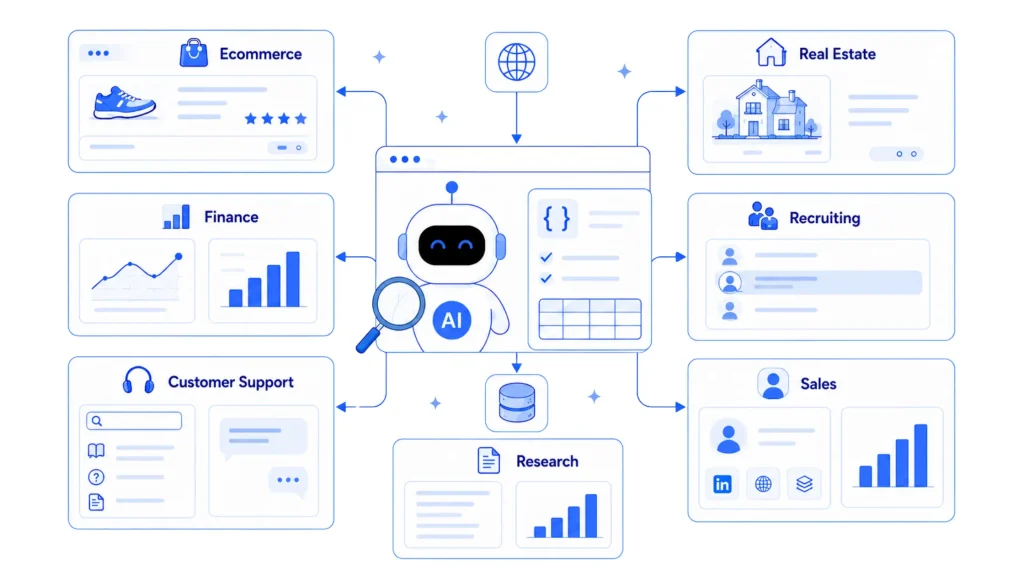
The schema-and-validate pattern covered above isn’t theoretical. It’s already running in production across a handful of industries where the data lives on someone else’s website and changes too often for a one-time export to stay useful.
The pipeline described in this piece, fetch, reduce, extract, validate, is where most production setups sit today. The next wave is less about a new step in that pipeline and more about who or what is driving it.
AI web scraping uses a language model to decide what information to extract from a webpage and how to structure it, instead of relying only on fixed CSS selectors or XPath rules. A fetch layer still retrieves and renders the page, while the model maps the available content to a defined schema. This can make extraction more resilient when a website changes its layout.
It depends on what is being collected, how it is accessed, and how the data is used. A robots.txt file is generally a voluntary technical signal rather than a law by itself, although ignoring it may be relevant in a dispute. In the United States, bypassing authentication or access controls creates greater legal risk than accessing publicly available pages. Privacy laws such as the GDPR may also apply when personal data is collected, regardless of whether the information is publicly visible.
Traditional scraping uses fixed rules that specify where each field appears, such as a CSS class for a price or an HTML tag for a title. AI scraping identifies information based on meaning and context. This can help it continue working when fields move to different parts of a page, although important outputs should still be validated.
MCP, or the Model Context Protocol, is an open standard that allows AI agents to discover and call external tools through a common interface. Scraping platforms such as Firecrawl, ZenRows, Bright Data, and Apify can expose their capabilities through MCP servers. Gateways such as MCP360 can manage the connection, routing, and authentication layer for teams that do not want to configure every server separately.
Yes, but the language model does not normally execute the JavaScript itself. A headless browser or rendering service loads the page first. The AI layer then extracts information from the rendered content. Its advantage appears after rendering, when it can identify fields by meaning even if the DOM structure changes.
AI scraping agents face the same CAPTCHA restrictions as traditional scrapers. Reputable systems should stop rather than attempt to bypass the protection. The safer approach is to use an official API, licensed data provider, data partnership, or human review process.
Every webpage an AI agent reads should be treated as untrusted input. A page may contain visible or hidden instructions designed to manipulate the agent into performing an unintended action. Scraping agents should therefore use restricted permissions, isolated execution environments, allowlisted tools, and human approval before accessing credentials or performing sensitive actions.
AI web scraping is generally more expensive per page because it adds model inference to the extraction process. Costs can be reduced by removing unnecessary HTML, converting pages to clean markdown, limiting the extraction schema, and using smaller models. For stable websites with predictable layouts, a selector-based scraper may still be the cheaper option.
AI web scraping in 2026 is not replacing the fetch layer. Browsers, crawlers, and APIs still retrieve and render pages. The real change comes afterward, where reasoning models interpret content, map it to a schema, and validate the output. Stable pages still favor selectors, while changing or unfamiliar layouts are where agents justify the added cost.
The next step is continuous extraction rather than one-time scraping. Through MCP, agentic RAG, and scheduled syncing, teams can keep research data, product information, and support knowledge current as sources change. YourGPT already applies this pattern to help centers, helping support agents answer from updated documentation instead of stale snapshots.
TL;DR B2B customer service means supporting multiple people within the same account, including end users, admins, finance or procurement contacts, and executive sponsors, each with a different definition of a resolved ticket. Traditional support bots handle one conversation at a time and often lose account context when requests move between contacts, channels, or teams, forcing […]

TL;DR A vector embedding is a list of numbers that represents meaning, placing similar concepts closer together in a mathematical space. AI chatbots use embeddings to match questions by meaning rather than exact wording, which is a core part of retrieval-augmented generation (RAG). Anthropic recommends Voyage AI for embeddings, while OpenAI, Google, and Cohere provide […]


TL;DR An FAQ chatbot answers repetitive questions by matching user queries with a knowledge base and returning grounded responses using rules, AI retrieval, or both. Modern FAQ chatbots use confidence checks to deliver instant answers for strong matches and fall back to broader retrieval or human handoff when confidence is low. Rule-based bots work well […]
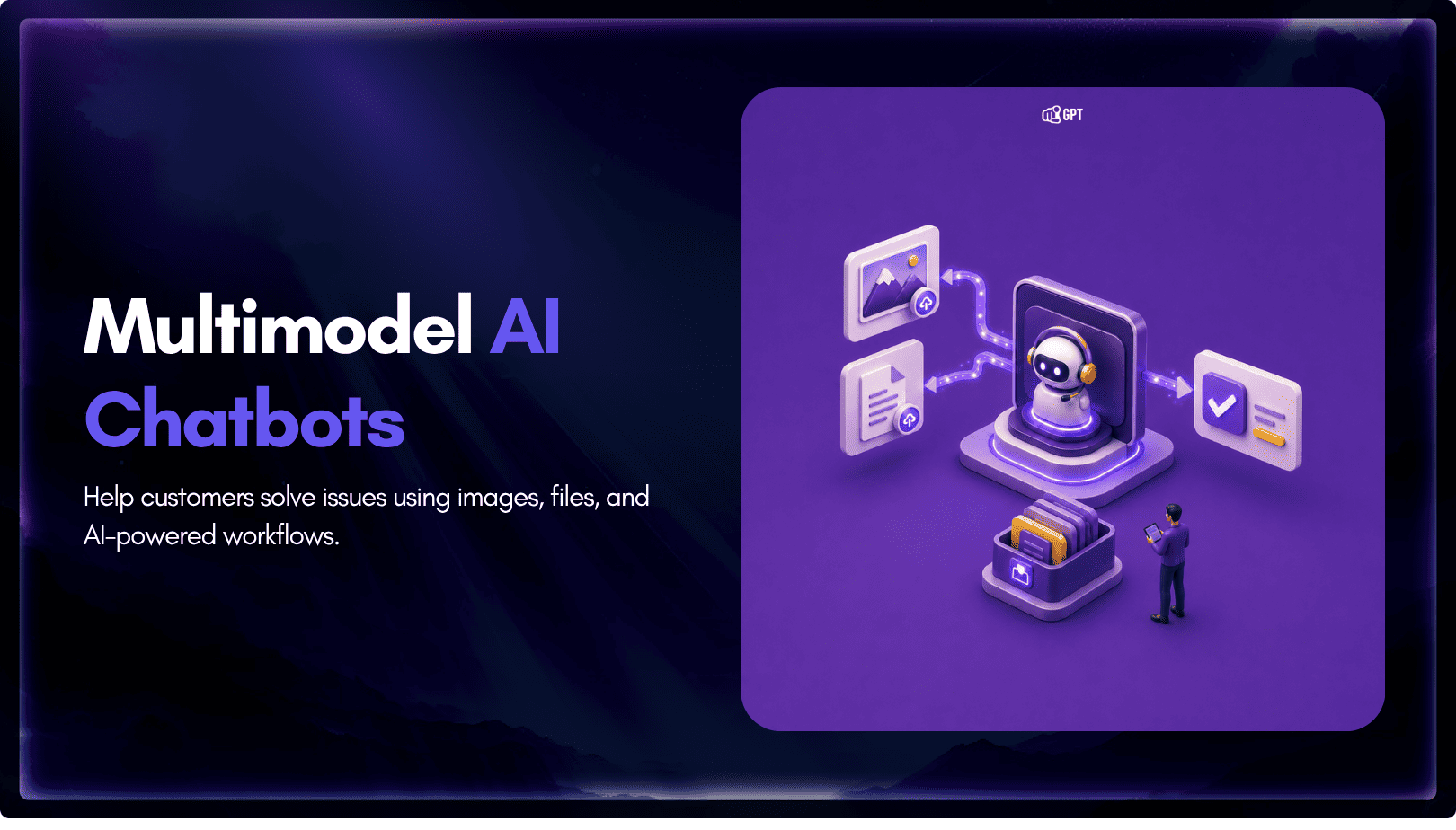
TL;DR Multimodal chatbots let customers share photos, screenshots, documents, video, or audio directly in a conversation, giving AI more context than text alone. YourGPT’s Attachment Capture node in AI Studio can collect these files mid-conversation, while vision-capable AI models can analyze and understand their contents. Key use cases include ecommerce returns, insurance and warranty claims, […]

A customer asks where their order is. A traditional bot pastes a tracking link and calls it done. An agentic system checks the carrier API, sees the shipment stuck at a depot, applies a credit under the delay policy, updates the CRM, and messages the customer before they’ve had time to get annoyed. Same question. […]
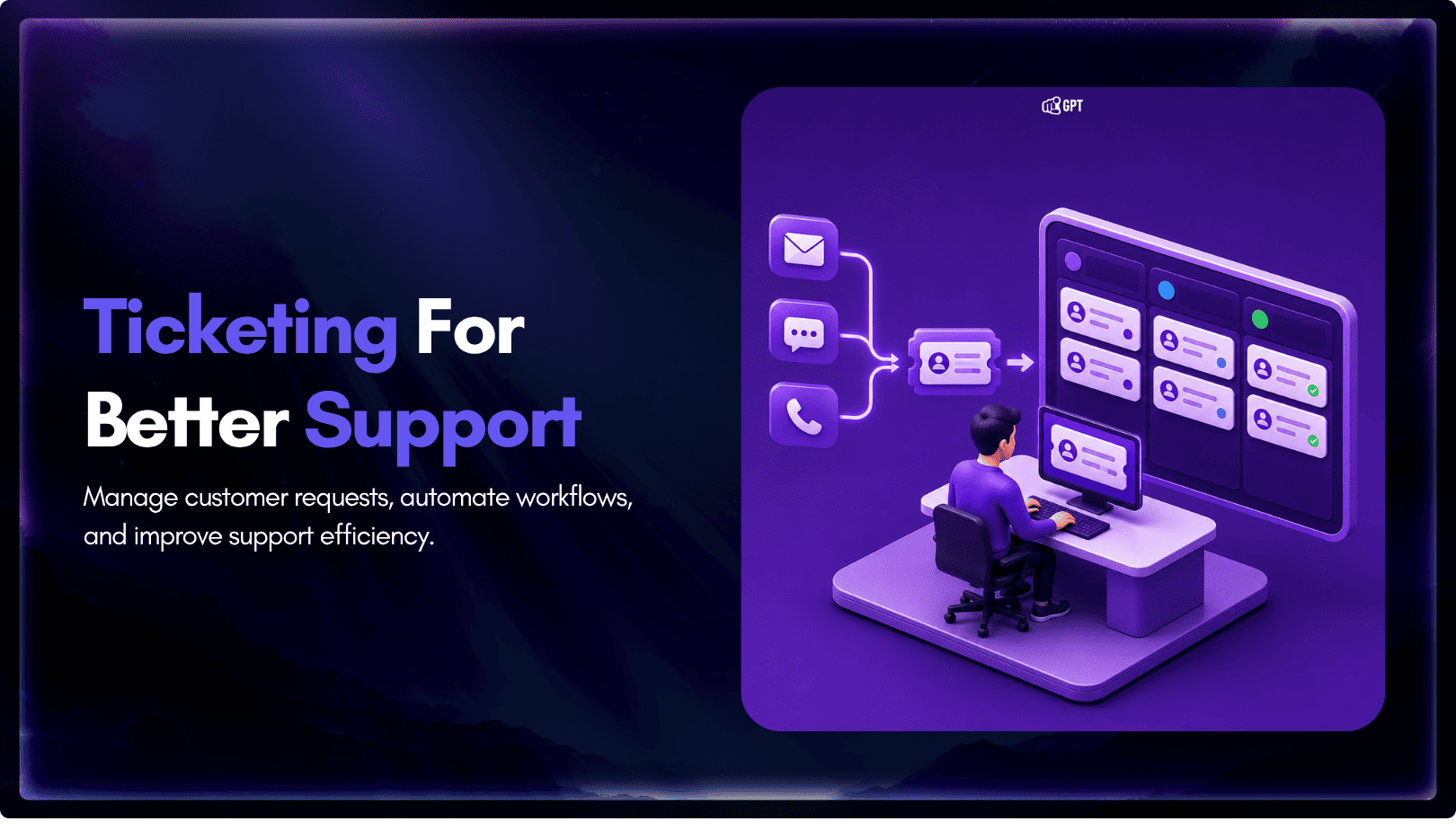
TL;DR A ticketing system converts requests that arrive by email, chat, phone, or web form into trackable records with an owner, a status, and a priority level. Centralizing requests this way cuts response delays, gives support teams visibility into backlogs, and creates a record useful for reporting and audits. Options range from lightweight help desk […]