Business Process Automation with AI Agents: A Practical Guide

Shreya Sharma
July 24, 2026
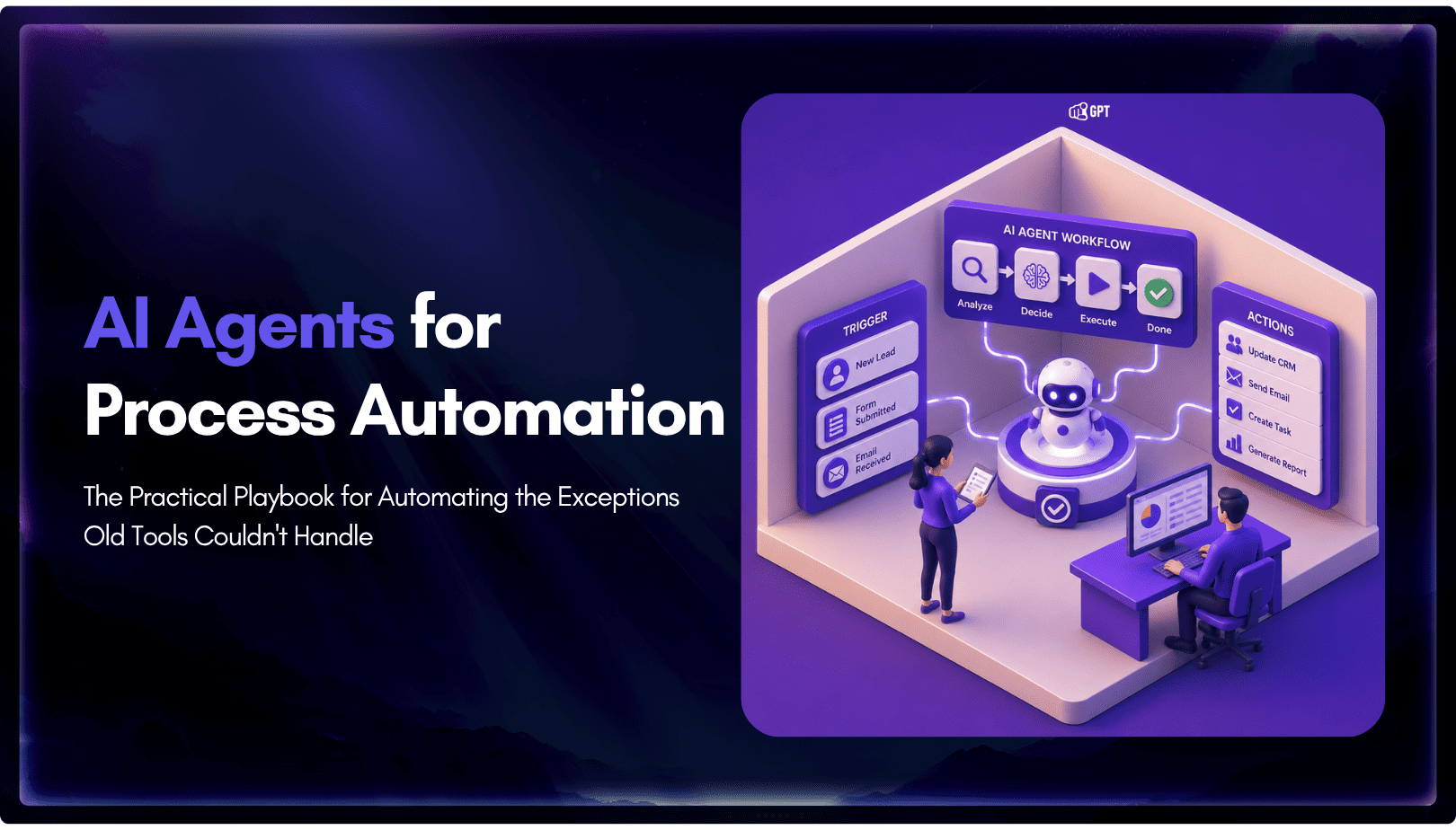
Business process automation with AI agents lets software plan multi-step work, call tools, and handle exceptions instead of following fixed scripts like traditional RPA.
AI agents can adapt when a process changes, but that flexibility also requires clear permission boundaries, reliable data, and human oversight for consequential actions.
Start with one repetitive process, document the rules a human currently follows, restrict the systems the agent can access, and expand only after the workflow performs reliably.
Business process automation has run on fixed scripts for decades. Robotic process automation (RPA) tools repeat the same keystrokes a person used to make, and that holds up right until the input changes shape: a refund formatted differently, a ticket that needs a judgment call, an invoice in an unexpected layout. The bot stalls, and the exception lands back on someone’s desk anyway. AI agents close that gap. Built on language models instead of scripts, they read the input, apply the rules a person defines, and decide what to do next instead of stopping cold.
The processes worth automating first are rarely the ones with zero exceptions. They’re the ones that are mostly routine with a real, recurring share of exceptions: procurement approvals, compliance checks, HR onboarding, invoice handling. Those stayed manual under the old model precisely because scripting every exception in advance was never realistic, and that’s exactly where an agent earns its keep.
This blog is built around the decisions that actually determine whether a first agent project survives past the pilot stage: which process to pick, how to scope what the agent can touch, where a human checkpoint still belongs, and the handful of mistakes that account for most agentic projects getting shelved.
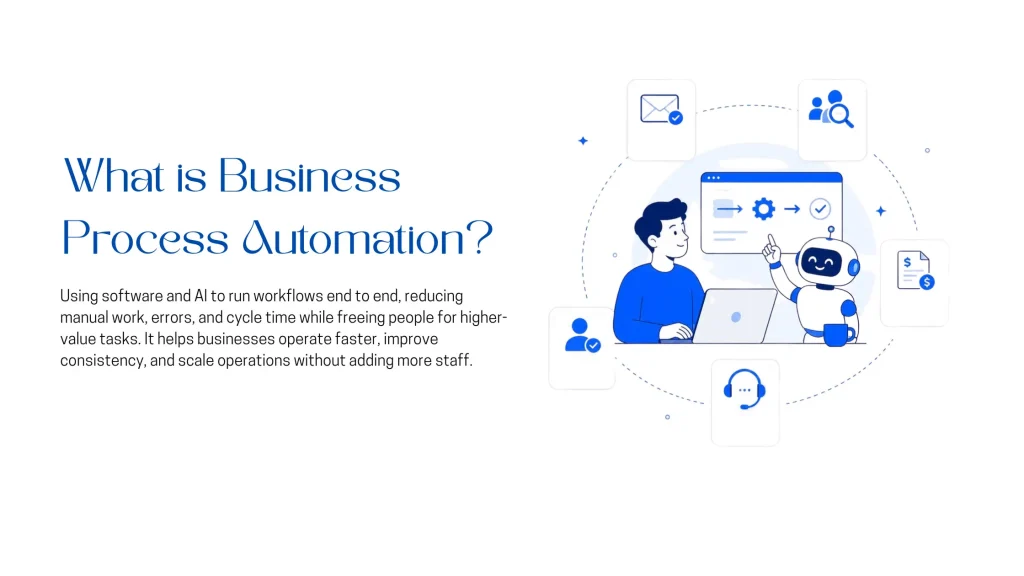
Business process automation, or BPA, is the use of technology to coordinate and execute repeatable business workflows with less manual effort. It can automate an entire process or only the steps that are predictable enough to handle safely.
BPA is broader than any single technology. It may combine workflow software, APIs, robotic process automation, document processing, business rules, AI models, and human approvals. The goal is not simply to remove people from a process. It is to make the process faster, more consistent, easier to measure, and less dependent on repetitive manual work.
For example, an automated invoice workflow might:
Some steps can follow fixed rules. Others may require interpreting documents, evaluating context, or asking a person for approval. Modern BPA systems combine these approaches rather than forcing every task into one type of automation.
Traditional workflow automation follows predefined rules such as triggers, conditions, and approval paths. It works best when the process is stable and the required decisions can be written down clearly.
Robotic process automation, or RPA, uses software bots to perform repetitive computer tasks such as entering data, moving files, extracting information, and completing forms. RPA is especially useful when older systems do not provide suitable APIs. It can support branching and exception handling, but large numbers of unexpected inputs often require additional rules or human intervention.
AI agents add a reasoning and tool-use layer. Given a defined goal, an agent can interpret less structured input, choose from approved actions, call connected systems, evaluate the result, and decide what should happen next. This makes agents useful for processes where the overall policy is known but every case does not follow an identical path.
That flexibility does not mean an agent should receive unlimited autonomy. High-impact actions still need deterministic controls such as permission limits, policy checks, approval thresholds, audit logs, and human review.
Businesses usually introduce BPA to:
The strongest candidates are usually high-volume workflows with repeatable goals, known rules, measurable outcomes, and a manageable set of exceptions.
Interest in AI-powered business process automation is growing quickly, but adoption alone does not guarantee results. The strongest outcomes tend to come from teams that redesign the workflow around AI rather than simply adding an agent to an existing process.
McKinsey reports that 88% of organizations now use AI in at least one business function. Around 23% are actively scaling an agentic AI system, while another 39% are experimenting with agents. The same research found that high-performing organizations are far more likely to redesign workflows around AI instead of using it as an extra layer on top of inefficient processes.
That distinction matters. An agent added to a poorly defined process may automate delays, inconsistent rules, and unnecessary handoffs rather than remove them. Teams that get better results usually simplify the process first, document the decisions people currently make, and define where automation should stop.
The growth also comes with a warning. Gartner predicts that more than 40% of agentic AI projects will be canceled by the end of 2027 because of rising costs, unclear business value, and weak risk controls. Gartner has also warned about “agent washing,” where conventional chatbots or rule-based systems are marketed as fully agentic even though they cannot plan or act beyond narrow predefined workflows.
At the same time, Gartner expects agentic AI to take on a larger role in daily business operations. Its forecasts suggest that by 2028, 15% of routine work decisions may be made autonomously by agents and one-third of enterprise software may include agentic capabilities.
The takeaway is not that every process should be automated immediately. It is that AI agents are becoming a serious part of business operations, and the advantage will go to teams that start with a clear process, measurable outcomes, controlled permissions, and a defined human escalation path.
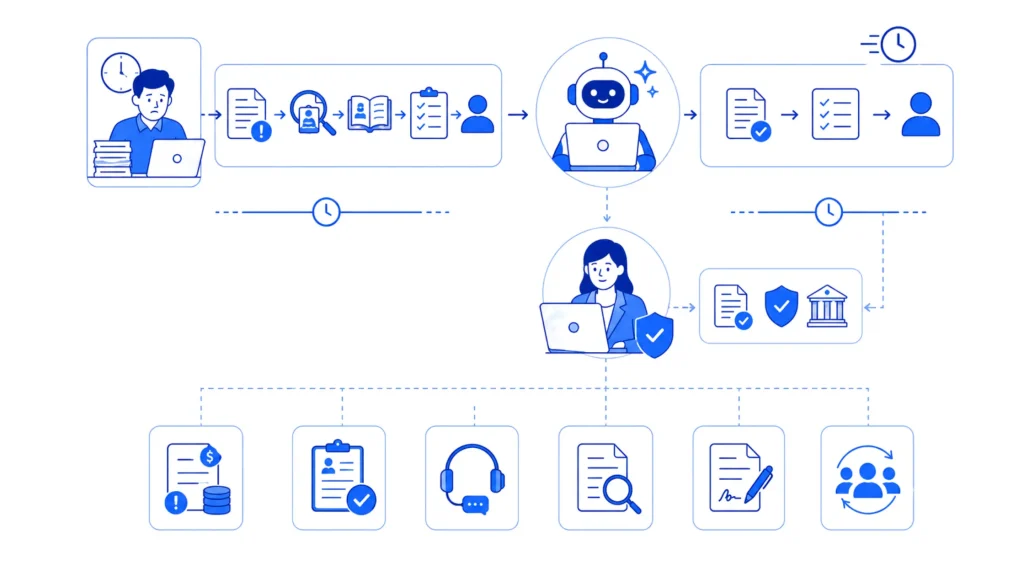
AI agents are most useful when a process involves unstructured information, repeated judgment, or exceptions that fixed workflows struggle to handle. They can read a request, gather context from connected systems, choose an approved action, and continue until the task is completed or needs human review.
A compliance workflow shows the pattern clearly. When a transaction matches a sanctions or watchlist record, an analyst must review account details, compare identifiers, and decide whether the alert is genuine. An agent can collect the relevant information, organize the evidence, and prepare a recommended disposition before the case reaches a person.
At Valley National Bank, automation handled 61% of sanction-hit reviews across roughly 14,000 monthly alerts. Human analysts still reviewed uncertain cases and retained responsibility for final decisions, while the system preserved an audit trail.
The same approach works across other functions:
The right level of autonomy depends on the impact of a mistake. Low-risk actions such as classification or data retrieval can often run automatically. Payments, refunds, compliance decisions, and contract changes should pass through stricter rules or human approval.
AI agents are gaining the most traction in functions where work is high-volume, repetitive, and supported by clear escalation rules. McKinsey’s research points to IT, knowledge management, and customer operations as leading areas of adoption, with technology, media, telecommunications, and healthcare reporting particularly strong use of agents.
The most practical use cases fall into four groups:
1. Customer Support and Sales Operations : Agents can handle order-status requests, lead qualification, appointment booking, refund checks, and routine customer questions. These workflows usually have clear policies, defined systems, and an obvious handoff point when the request becomes unusual.
2. Internal IT and HR Services : Common tasks include password resets, access requests, onboarding steps, policy questions, and employee support. These processes are often repetitive and involve a limited set of internal tools, making them suitable for controlled automation.
3. Finance and Compliance : Agents can extract invoice data, compare records, review alerts, and prepare cases for approval. Because errors may have financial or regulatory consequences, human review should remain in place for uncertain or high-impact decisions.
4. Procurement and Vendor Management : Vendor onboarding, purchase-order matching, document checks, and contract comparison are strong candidates because they combine repeatable rules with unstructured documents and recurring exceptions.
Not every process should be automated to the same degree. Work involving regulated data, irreversible actions, large payments, or legal commitments needs tighter controls and clearer approval steps. The goal is to match the agent’s level of autonomy to the risk of the process, rather than applying the same model everywhere.
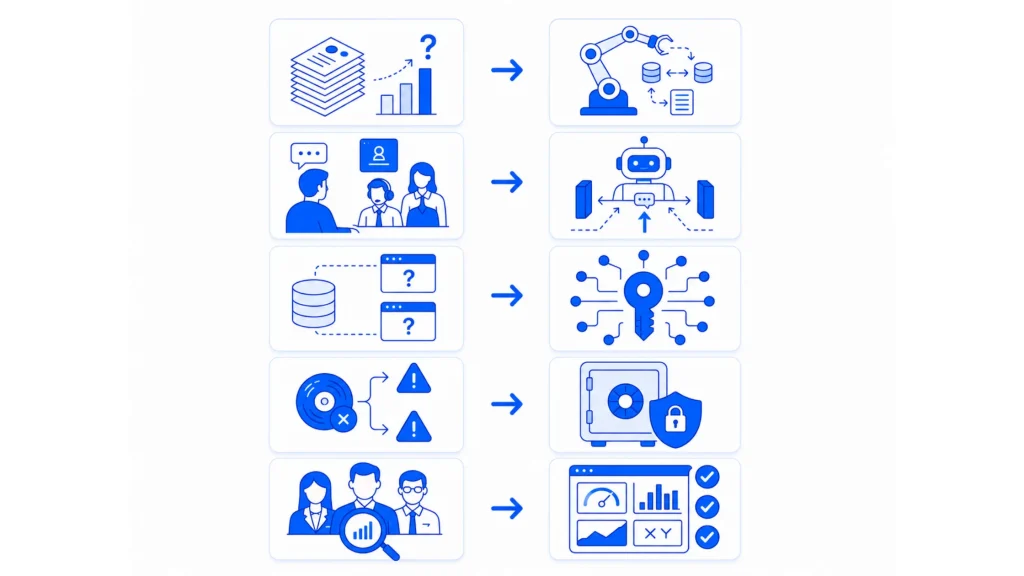
The success of an AI automation project depends more on choosing the right process than choosing the right platform. Before building anything, screen each candidate workflow against five practical questions.
A strong first candidate is frequent, rules-based, measurable, and low enough in risk to test safely. Processes with unclear ownership, inconsistent decisions, or severe consequences should be redesigned before automation begins.
This is the part of business process automation with AI agents that gets skipped most often, and it’s the part that turns a good pilot into a bad headline.
The moment an agent can act, not just answer, it becomes a new kind of identity in your systems, something with standing access to a CRM, a payment system, a document store, or an internal API, making decisions on its own about when to use that access. That’s a meaningfully different risk profile than a chatbot that can only generate text, and it deserves its own review, not a bullet point buried in a rollout checklist.
A few practical controls matter more than any single vendor’s marketing claims:
For a deeper technical breakdown of agent-specific threats like prompt injection and permission scoping, YourGPT’s own guide to securing autonomous AI agents covers the architecture side in more depth than fits here. For anyone automating a business process, the short version is to assume the agent will occasionally be wrong, manipulated, or simply confused by messy real-world input, and to design the surrounding system so failure stays contained and visible.
A first agent doesn’t need an enterprise-wide rollout to prove its value. Start narrow, prove it works, then expand.
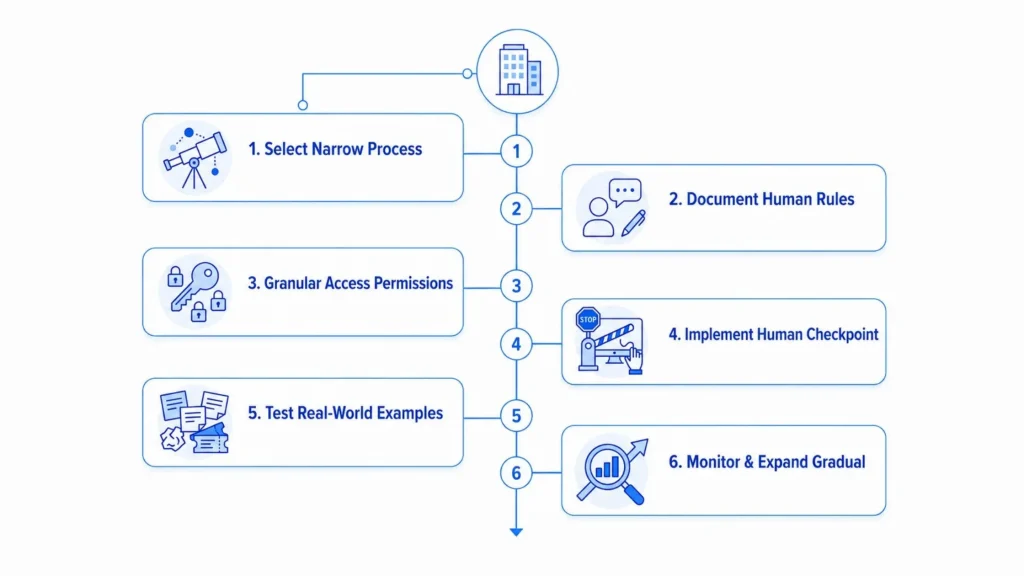
Given how often Gartner’s 40% cancellation figure gets cited without the reasoning behind it, here’s what actually causes it, roughly in order of how often it shows up:
Each of these traces back to a step covered earlier in this guide: redesign the workflow before automating it, verify a vendor’s agentic claims before buying, and scope access deliberately rather than broadly.
Business process automation uses software to coordinate and complete repeatable workflows with less manual effort. It can combine workflow tools, APIs, RPA, AI agents, business rules, and human approvals.
RPA follows predefined steps to complete repetitive tasks. AI agents can interpret unstructured input, choose among approved actions, use connected tools, and handle more variable cases within defined rules and permissions.
Strong candidates are high-volume, repeatable, measurable processes with clear rules and a defined escalation path. Common examples include customer support, lead qualification, IT service requests, HR onboarding, invoice review, compliance checks, and vendor management.
Projects often fail because teams automate a poorly designed process, set unclear success metrics, grant excessive permissions, underestimate implementation costs, or buy tools that cannot deliver the promised level of autonomy.
Agent washing is the practice of marketing a conventional chatbot or rule-based workflow as an AI agent even though it cannot independently plan, use tools, or adapt beyond narrow predefined cases.
The main risks include excessive permissions, unsafe tool execution, prompt injection, exposure of sensitive data, weak audit trails, and incorrect high-impact actions. Access should be narrowly scoped, and consequential actions should require validation or human approval.
Start with a process that runs frequently, follows mostly known rules, uses a limited number of systems, has recoverable errors, and can be measured through time saved, resolution speed, error rate, or completed volume.
YourGPT is strongest for conversational and customer-facing workflows such as support, sales, lead capture, appointment scheduling, and human handoff. Its AI Studio can also call APIs, run custom code, and automate business actions, while pure high-volume data pipelines may be better suited to specialized automation or integration platforms.
Successful AI automation starts with a process that is frequent, measurable, and understood well enough to automate safely. Choose one workflow, document the decisions people make, define the agent’s permissions, and keep approval gates around actions that carry financial, legal, or customer risk.
The first rollout should answer a practical question: does the agent improve the process in a way the business can measure? Track completion time, accuracy, escalation rates, operating cost, and the quality of the final outcome. These results reveal whether the workflow is ready for more autonomy or still needs better data, rules, or integrations.
Once the process performs reliably, expand in stages rather than adding several agents at once. Reuse the proven controls, review exceptions regularly, and widen access only when the evidence supports it. The strongest automation programs are not the ones with the most agents, but the ones that turn each successful workflow into a repeatable operating model.
Learn how to judge Shopify AI resolution rates with clear formulas, a worked example, ticket-level checks and practical ways to improve support quality.

TL;DR B2B customer service means supporting multiple people within the same account, including end users, admins, finance or procurement contacts, and executive sponsors, each with a different definition of a resolved ticket. Traditional support bots handle one conversation at a time and often lose account context when requests move between contacts, channels, or teams, forcing […]
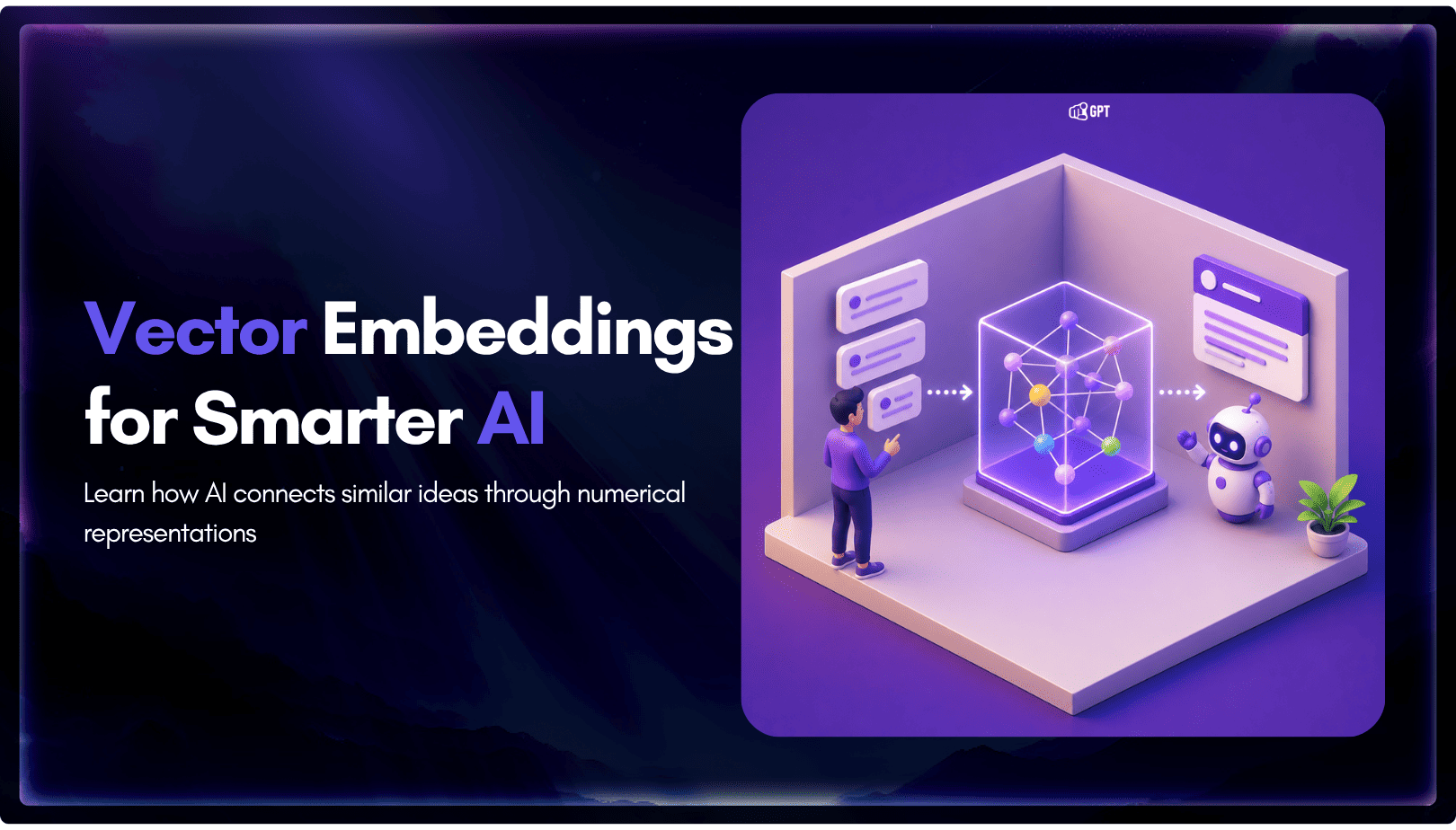
TL;DR A vector embedding is a list of numbers that represents meaning, placing similar concepts closer together in a mathematical space. AI chatbots use embeddings to match questions by meaning rather than exact wording, which is a core part of retrieval-augmented generation (RAG). Anthropic recommends Voyage AI for embeddings, while OpenAI, Google, and Cohere provide […]
TL;DR An FAQ chatbot answers repetitive questions by matching user queries with a knowledge base and returning grounded responses using rules, AI retrieval, or both. Modern FAQ chatbots use confidence checks to deliver instant answers for strong matches and fall back to broader retrieval or human handoff when confidence is low. Rule-based bots work well […]
TL;DR Multimodal chatbots let customers share photos, screenshots, documents, video, or audio directly in a conversation, giving AI more context than text alone. YourGPT’s Attachment Capture node in AI Studio can collect these files mid-conversation, while vision-capable AI models can analyze and understand their contents. Key use cases include ecommerce returns, insurance and warranty claims, […]
A customer asks where their order is. A traditional bot pastes a tracking link and calls it done. An agentic system checks the carrier API, sees the shipment stuck at a depot, applies a credit under the delay policy, updates the CRM, and messages the customer before they’ve had time to get annoyed. Same question. […]