10 Powerful Examples of AI in SaaS You Need to Know

Rajni
July 1, 2026
AI has become part of how modern SaaS products operate in everyday use. It appears in small but meaningful moments, such as when a support request is resolved without delay, when onboarding adapts to how a user actually works, or when routine account changes happen without manual intervention. These experiences shape how teams and customers interact with software on a daily basis.
What makes AI in SaaS compelling today is the way it is woven into core product workflows. Instead of living behind a single button or feature, AI supports multiple parts of the product, including customer support, onboarding, internal operations, and account management. In well-designed platforms, it works closely with real product data and established processes, which makes its impact both reliable and measurable.
This blog explores ten concrete examples of how AI is used inside SaaS platforms right now. Each example highlights a pattern that teams are actively using in production to reduce manual work, improve consistency, and scale operations as usage grows.
Whether you are building a SaaS product, choosing tools for your organization, or planning how to introduce AI into an existing system, these examples are intended to help you understand where AI delivers practical value and how it fits into real-world SaaS environments.
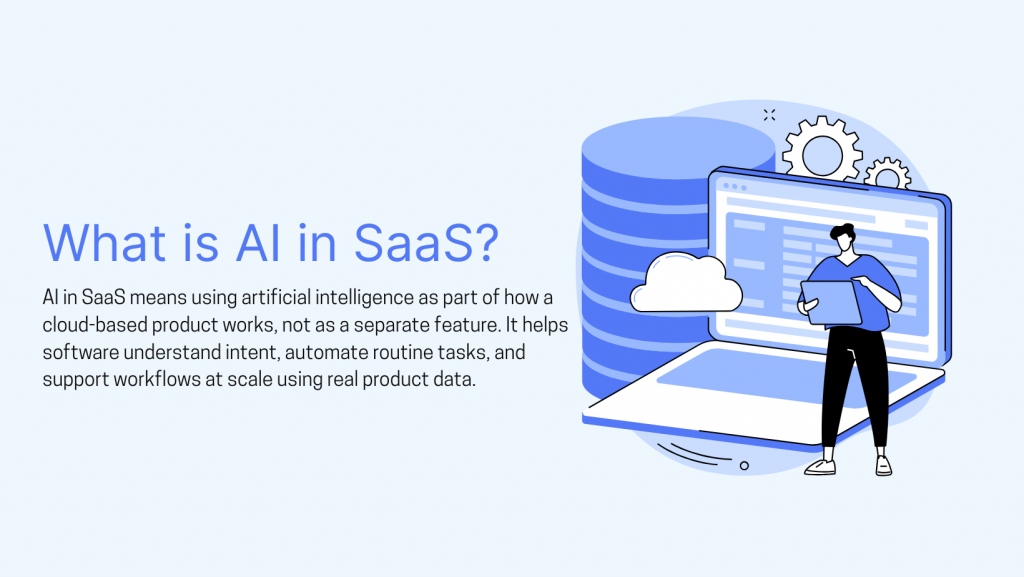
AI in SaaS refers to artificial intelligence built directly into cloud-based software to assist with real tasks: understanding user input, executing routine actions, and adapting product behavior based on actual usage patterns. Rather than operating as a bolt-on system, AI becomes part of how the product responds and improves over time.
Because SaaS products are delivered through the cloud and updated continuously, teams benefit from model and logic improvements without managing infrastructure themselves. This shifts the focus from building AI systems to applying them where they solve specific problems.
In most mature SaaS platforms, AI handles defined functions rather than acting as a general-purpose layer. It might power a conversational interface, guide users through setup, maintain a knowledge base, or automate parts of an internal workflow. As these systems process more usage data, their responses become more reliable and their actions more consistent.
The practical result is software that handles repetitive work, adjusts to real usage patterns, and supports better decisions without adding operational overhead. When applied to the right problems, AI simplifies how teams interact with software rather than introducing new complexity.
AI delivers meaningful value in SaaS when it is applied to repetitive work, decision points that require context, and workflows that benefit from consistency at scale. The strongest use cases are not experimental features. They are deeply integrated into how the product operates every day.
Below are ten AI use cases that consistently appear in mature SaaS products and continue to deliver value as those products scale.
This is the most mature AI use case in SaaS, and the one with the clearest real-world evidence. Intercom’s Fin AI agent handles tier-1 support across thousands of SaaS customers by interpreting user intent, pulling from connected knowledge sources, and resolving issues without handing off to a human agent. Lightspeed, a commerce platform, deployed Fin alongside AI Copilot for their human agents and saw both resolution rates and agent throughput improve together. The two tools worked in combination, not in competition.
What breaks in practice is almost always documentation quality. Fin’s own guidance makes this explicit: knowledge accuracy is the primary variable in how well the system performs. Teams that maintain clean, specific help content get consistent results. Teams that treat AI as a shortcut to avoiding documentation work see it escalate unnecessarily or produce answers that erode user trust over time.
Stateless support AI is a solved problem that many teams are still deploying. When a user returns after two days and has to re-explain their issue from the beginning, the experience is worse than a basic ticket queue.
HubSpot’s Breeze AI introduced persistent conversation memory so the system retains context across sessions rather than starting cold every time. This is now a baseline expectation in mature platforms, not a premium feature.
The harder challenge is not the memory architecture itself. It is defining what context means when a user has interacted across three different channels. A chat thread, a follow-up email, and a phone call three days later produce three separate records. AI that cannot bridge those touchpoints creates the exact frustration it is supposed to eliminate. Teams need to decide, before deployment, which system holds the authoritative account state and design around that decision.
The shift from “here is how you do it” to “I will do it for you” is where AI starts removing real friction rather than just presenting it differently.
Notion’s AI Agents, launched with Notion 3.0 in September 2025, can run multi-step workflows autonomously without user intervention, pulling context from connected tools like Slack, Google Drive, and GitHub while respecting existing permission structures. A practical example: a developer working in Cursor can ask it to pull the latest technical specification from Notion, update the codebase based on it, and mark the task complete, all without switching applications.
The guardrail problem deserves more attention than most teams give it. AI that can write to your systems also needs explicit rules about what it cannot change, under what conditions it must ask for confirmation, and how failures are logged. Teams that skip this step often discover the gaps only after an unintended change has already gone through.
Static onboarding flows assume a user who follows instructions in sequence, does not get distracted, and immediately grasps the product’s mental model. Almost no real user behaves this way.
The pattern that works is detecting hesitation rather than predicting intent. When a user has been on a configuration screen for several minutes without completing a required field, that is a signal. When they have clicked the same menu option repeatedly without taking action, that is a signal. Platforms like Appcues and Pendo have built behavioral trigger systems that respond to these moments rather than firing on arbitrary time delays. The result is guidance that arrives when a user actually needs it, not on a schedule built around the ideal user journey.
The risk most teams underestimate is intrusive guidance. AI that interrupts a user who is moving confidently through a flow trains them to dismiss prompts entirely, which makes the prompts useless precisely when the user does eventually stall.
SaaS products accumulate features as they grow. The consequence is that interfaces built for experienced users become hostile to new ones, and new users who leave early never become experienced ones.
Salesforce handles this through role-based interface configuration in its Einstein layer, surfacing the actions most relevant to a user’s function and suppressing advanced options until usage patterns suggest readiness. The interface narrows initially and expands as the user demonstrates familiarity.
The failure mode most teams encounter is over-suppression. When AI hides features based on early usage, users who would have discovered and adopted those features organically never see them. Progressive exposure should add options as users show readiness, not permanently remove options based on predicted irrelevance. The difference between the two approaches is significant for long-term product adoption.
Documentation decays from the moment it is published. Every release, pricing change, and workflow update creates a new gap between what the help center says and what the product actually does.
Intercom’s Fin 3 addresses this directly. It surfaces AI-generated suggestions for specific changes to existing help content, flags contradictions and duplications in the knowledge base, and adjusts future suggestions based on which previous ones were accepted or rejected. The loop between support conversations and documentation is largely automated, but human review remains the gate before anything is published.
That review step is not optional. Teams that treat AI suggestions as automatic approvals and publish without validation introduce inaccuracies at scale. One wrong answer in a high-traffic article generates significant support volume and damages confidence in self-service resources, which defeats the purpose of maintaining them in the first place.
High page-view counts and email open rates create noise. A prospect who opens every email but never responds to a call is not showing buying intent. AI-driven prioritization works by looking at the quality and progression of engagement rather than the raw volume of it.
Salesforce Einstein Lead Scoring ranks prospects by analyzing CRM history, firmographic data, product engagement signals, and web behavior together. The score updates continuously as new data arrives, so a lead that goes cold after initial interest drops in priority automatically. HubSpot’s Breeze AI takes this further with a Prospecting Agent that feeds qualified leads directly to a Customer Agent, with campaigns running alongside both. The agents coordinate rather than operate in sequence.
The practical constraint is data completeness. Lead scoring reflects what has been captured, not what has happened. Teams that do not consistently log meeting outcomes, product usage events, and email replies produce scores that measure data gaps more accurately than actual intent.
Abuse in SaaS rarely announces itself. It develops gradually through small behavioral shifts: unusual usage spikes, repeated edge-case actions, activity that deviates from normal patterns without triggering hard rules. Static rule-based monitoring misses most of it.
Oracle’s cloud security layer uses behavioral analysis to detect anomalies in real time, comparing current activity against established usage patterns and flagging deviations for human review rather than triggering automatic enforcement. Cloudflare applies a similar approach to its SaaS infrastructure products, using traffic pattern analysis to surface abuse signals before they affect other customers on shared infrastructure.
The design principle that separates effective implementations from noisy ones is signal quality over signal volume. Systems that generate too many low-confidence alerts train teams to ignore them. The goal is a small number of high-confidence signals that reliably indicate patterns worth investigating, with clear ownership of what happens next when one fires.
The coordination overhead in a growing SaaS company is largely invisible until it compounds. Status updates, recurring reports, approval routing, and internal handoffs consume time that accumulates quietly across every team.
ClickUp AI handles a version of this by generating project summaries, suggesting task assignments based on workload and historical patterns, and surfacing blockers before they delay delivery. Productive, a resource management platform, uses AI to flag resourcing conflicts before they affect project timelines rather than after a deadline has slipped.
The governance problem that teams consistently underestimate is silent failure. An automated workflow that fails without alerting anyone is more dangerous than no automation at all, because it creates the appearance of things running smoothly while the actual work is not happening. Every automated process needs a named owner and a monitoring setup that surfaces failures before they compound into something larger.
Billing questions are disproportionately expensive to handle through human support. They are time-sensitive, often emotionally charged when something has gone wrong, and almost always involve account data that a well-integrated AI can surface and act on immediately.
Intercom’s Fin now integrates directly with Stripe, Shopify, Salesforce, and Jira, allowing it to retrieve live account data and take defined actions rather than simply pulling answers from a static knowledge base. A user asking why their bill increased can receive an explanation tied to their actual usage data, not a generic article about pricing tiers. A user requesting a plan change can have it processed with a confirmation step, without opening a ticket.
The trust constraint is non-negotiable here. Billing errors are one of the fastest ways to lose a customer permanently. AI operating in this area needs confirmation steps for any change, complete audit logs of every action taken, and clear reversibility for anything that can be undone. This use case carries the highest consequence for errors and therefore requires the strictest implementation discipline of all ten.
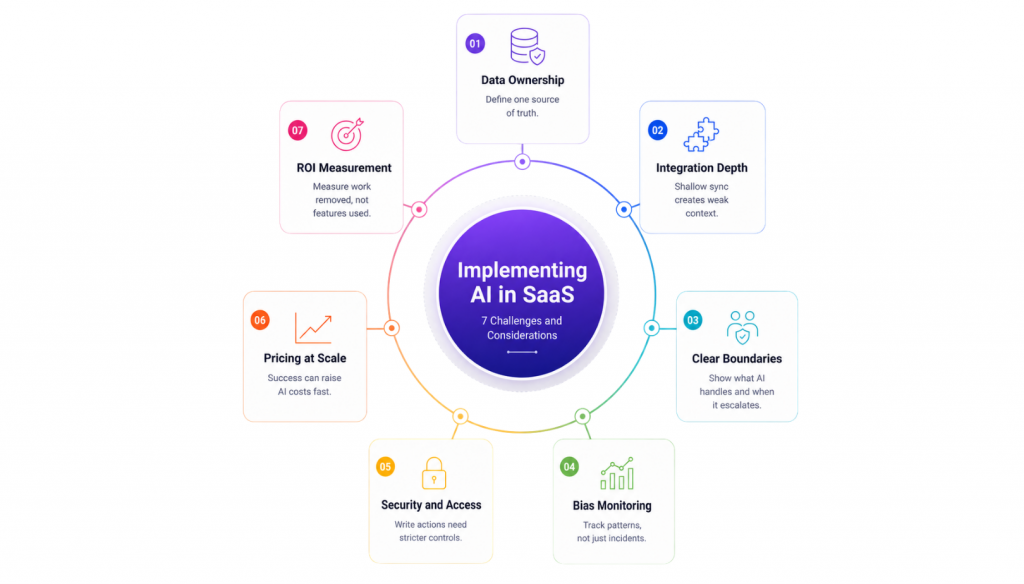
Most implementation advice focuses on what to do before AI goes live. The harder problems show up after, once the system is handling real volume and the assumptions underneath it start to crack.
AI does not tolerate ambiguous sources of truth the way human teams do. A support agent can intuit which CRM record is correct when two records conflict. An AI model will pick one based on pattern, do so consistently, and do so at scale. By the time the problem is visible, it has already shaped hundreds of interactions.
The root cause is almost never missing data. It is unclear ownership. Two systems both claim to hold the authoritative account state. A field means different things in different parts of the product. Historical records were never cleaned because humans worked around them. AI removes the workaround and exposes what was always there.
Teams that resolve data ownership before deployment move faster afterward. Teams that defer it discover the problem through customer complaints.
Most platforms connect quickly. The real test is what happens at the edges: when a record is incomplete, when a third-party API is slow, when a workflow spans two systems with different data models. These conditions are rare in demos and constant in production.
Shallow integrations produce partial context. AI reads some data but not all of it, acts without full awareness of account state, and produces responses that are technically correct but practically wrong. The failure is not obvious. It looks like inconsistency rather than a clear error, which makes it harder to diagnose and easier to dismiss as acceptable variance.
Teams that treat integration as system design rather than configuration work catch these gaps before they reach customers. Teams that plan to clean it up later usually do not.
AI adoption rarely fails because the system cannot do enough. It fails because users do not know what the system is supposed to do, so the first time it declines a request or produces an unexpected response, trust drops sharply.
Users who understand what AI handles and where it will stop or escalate develop confidence quickly, even when the AI declines to act. Users who have no mental model of the system’s boundaries interpret every failure as a product defect rather than a design decision.
The fix is explicit communication, not better AI. Show users what the system handles reliably. Tell them what will trigger a handoff to a human. Make the boundaries visible before users discover them by accident.
A single biased response is a bug. Biased patterns across thousands of interactions are a system design problem, and they are much harder to see.
Certain request types get resolved faster. Certain account segments receive more proactive outreach. Certain languages consistently produce lower-quality responses. Individually, none of these moments look significant. At scale, they form patterns that affect real users in real ways.
The only way to manage this is through ongoing inspection. Decision logs, outcome reviews by segment, and the ability to intervene when patterns emerge matter more than any configuration made at launch. Treating bias as a one-time setup problem is how teams miss it entirely.
Read access and write access carry fundamentally different risk profiles. An AI that answers questions operates within a contained boundary. An AI that modifies records, triggers workflows, or processes account changes operates within the same boundary as your most privileged internal tools.
Permissions that were acceptable for human agents may not be appropriate for automated systems that act at volume without fatigue or hesitation. Audit trails that were optional become essential. Data retention policies that seemed theoretical now have direct operational consequences.
Teams that involve security review early design AI systems with appropriate constraints from the beginning. Teams that defer security review typically redesign significant parts of their implementation after launch, which is more expensive and more disruptive than getting it right the first time.
This is the challenge most teams do not model until the invoice arrives. AI tools priced per resolution, per action, or per outcome become significantly more expensive as automation performs well and volume increases. A tool that costs a predictable amount during a pilot can become a budget problem at production scale precisely because it is working.
The question to ask before committing is what the cost looks like when the AI is resolving twice the current volume. If the answer makes the economics difficult to defend, that is a vendor conversation to have before signing, not after.
The clearest signal that AI is delivering value is effort that disappears. Fewer tickets reaching human agents. Shorter resolution times. Fewer manual steps in an approval workflow. Lower error rates in processed records.
Teams that track feature usage as their primary metric often conclude that AI is working when it is not, or miss that it has stopped working when it has. Adoption tells you whether people are engaging with the system. It does not tell you whether the workload has actually changed.
Start with one workflow, define what removal of effort looks like for that workflow specifically, and measure that. Expand only after the signal is clear.
Choosing an AI SaaS platform is not a technology decision. It is an operational one. The tools that succeed are not the most advanced on paper, but the ones that fit how work actually gets done inside your organization.
Teams that regret AI purchases usually make one of two mistakes: they optimize for capability instead of fit, or they underestimate the cost of mismatch. The guidance below reflects how experienced teams approach selection once early enthusiasm gives way to production reality.
Strong AI decisions start with restraint. Before evaluating platforms, define one concrete problem that is already costing time, money, or consistency. High ticket volume, slow onboarding, manual approvals, lead leakage, or fragmented internal handoffs are all valid starting points. Vague goals like “improve efficiency” are not.
The clearer the problem, the easier it becomes to reject tools that are impressive but irrelevant. AI should earn its place by removing friction that already exists, not by introducing new possibilities that require justification.
AI only works when it has reliable access to the systems that matter. Most platforms advertise long integration lists. What matters is whether those integrations support your workflows cleanly and predictably. Can the AI read the correct source of truth? Can it act without brittle workarounds? What happens when data is missing, delayed, or conflicting?
Teams with experience treat integrations as part of system architecture, not configuration. If an AI platform feels awkward to connect during evaluation, it will become fragile at scale.
Early pricing rarely reflects long-term cost. AI SaaS tools often appear affordable during pilots and become expensive once volume increases. Per-user, per-interaction, or usage-based pricing can all work, but only if they align with how your usage will grow.
Experienced teams model pricing using realistic scenarios, not current usage. They ask what happens when automation succeeds and volume increases. Platforms that punish success create future replacement risk.
Once AI moves beyond answering questions and begins triggering actions, security assumptions change.
Certifications matter, but architecture matters more. Teams need clarity on data access, retention, auditability, and permission boundaries. What AI can read is as important as what it can change.
Organizations that delay security review often redesign workflows later. Teams that involve security early design AI systems that can scale without constant exception handling.
AI platforms evolve quickly. Vendor quality shows up after onboarding, not during demos.
Clear documentation, realistic onboarding guidance, responsive support, and transparent communication matter more than feature velocity. Vendors who understand production constraints help teams avoid common mistakes instead of pushing complexity downstream.
Experienced buyers look for signs that the vendor has supported real deployments, not just shipped features.
Broad rollouts hide problems. Focused pilots reveal them. Start with one team, one workflow, and one success metric. This exposes integration gaps, data quality issues, and adoption friction early, when fixes are cheaper and less disruptive.
The purpose of a pilot is not validation theatre. It is learning how AI behaves inside your systems under real conditions.
Adoption does not equal impact. The clearest signal of AI value is effort that disappears. Fewer manual steps. Shorter resolution times. Reduced handoffs. Lower error rates. These outcomes indicate structural improvement.
Teams that expand AI based on measurable effort reduction build momentum. Teams that expand based on feature usage accumulate complexity.
The right AI SaaS solution fits into existing operations, respects constraints, and removes friction without creating new dependencies. It earns trust by behaving predictably, scaling sensibly, and delivering outcomes that can be measured without interpretation.
AI decisions that last are rarely driven by novelty. They are driven by operational alignment.
AI helps SaaS products handle repetitive tasks, maintain context across interactions, and automate structured workflows, often working in the background without requiring user attention or training.
AI enhances SaaS customer support by understanding user intent, retrieving accurate answers from documentation, and guiding users to resolution, while also validating whether the issue has been effectively solved.
No, AI in SaaS products reduces manual work but does not replace human teams, who remain essential for handling edge cases, complex decisions, and nuanced customer interactions.
The most impactful AI use cases in SaaS involve repetitive, scalable tasks like tier-1 support, user onboarding, automated account changes, internal approvals, and prioritizing accounts by behavioral signals.
AI preserves context in SaaS by tracking user state, conversation history, and workflow progress, enabling seamless multi-channel experiences without needing users to repeat themselves.
AI can modify SaaS products within controlled boundaries, such as updating settings or triggering workflows, provided it has proper permissions, confirmation steps, and audit logs in place.
AI-driven onboarding adapts in real time to user behavior, offering help when users stall and staying silent when they progress confidently, unlike traditional tutorials that assume a fixed path.
AI helps SaaS teams focus on high-quality leads by analyzing engagement depth, usage trends, and behavioral progression rather than relying on surface-level metrics.
Most AI risks in SaaS stem from design flaws—unclear data, weak integrations, undefined permissions, and poor oversight can result in unreliable or untrustworthy behavior.
A SaaS company should begin implementing AI in areas with high repetition and friction, such as customer support, onboarding, and account workflows—starting small and expanding after proving value.
AI has quietly become part of how effective SaaS products operate. The examples in this blog show its real value comes from removing repetitive work, maintaining context, and supporting workflows that would otherwise require growing teams.
Impact depends less on the sophistication of the model and more on where it is applied. Teams see consistent results when AI is used in high-volume, structured areas such as customer support, onboarding, account management, and internal operations. In these environments, small efficiency gains accumulate quickly.
No-code platforms have lowered the barrier, allowing non-technical teams to adapt AI workflows as products and processes change. This flexibility matters as much as the AI itself.
As AI becomes expected in SaaS, the practical question is where it can reduce friction today. The strongest implementations start narrowly, focus on measurable outcomes, and expand only after results are proven.
That approach turns AI from an experiment into a reliable part of daily operations.
TL;DR Insurance platforms are using AI to automate claims support, quote intake, and policy servicing, reducing reliance on call centers and static forms. This guide compares five commonly shortlisted platforms: YourGPT, Ada, Sierra AI, Decagon, and Forethought. None are purpose-built exclusively for insurance, so configuration flexibility and proven insurance use cases matter. Pricing ranges from […]

TL;DR The core distinction is retrieval versus training. RAG pulls outside documents into a prompt when an answer is generated, while fine-tuning changes a model’s weights during a separate training step. The 2026 shift matters because OpenAI’s wind-down of its self-serve fine-tuning platform, announced in May 2026, closed off the default path many teams expected […]
TL;DR Real deployments show measurable results. Georgia Tech’s Jill Watson achieved 78.7% classroom question accuracy compared with 30.7% for a stock OpenAI Assistant, while Georgia State’s Pounce chatbot improved enrollment outcomes in a randomized controlled trial. The strongest use cases are admissions, student services, and staff workload reduction rather than homework assistance. Guardrails matter more […]
TL;DR AI is now part of most SEO workflows, but the real advantage comes from using it within a disciplined process rather than simply producing content faster. As Google AI Overviews and tools like ChatGPT answer more queries directly, content must be structured to earn both traditional search rankings and citations from AI assistants. AI […]
TL;DR Restaurant AI agents help reduce staffing pressure by handling reservations, food orders, and customer inquiries around the clock without increasing headcount. Unlike basic chatbots, they integrate with booking systems, POS platforms, and messaging channels to automate reservations, order processing, and routine customer support. The biggest benefits include automated reservation management, order intake across phone, […]
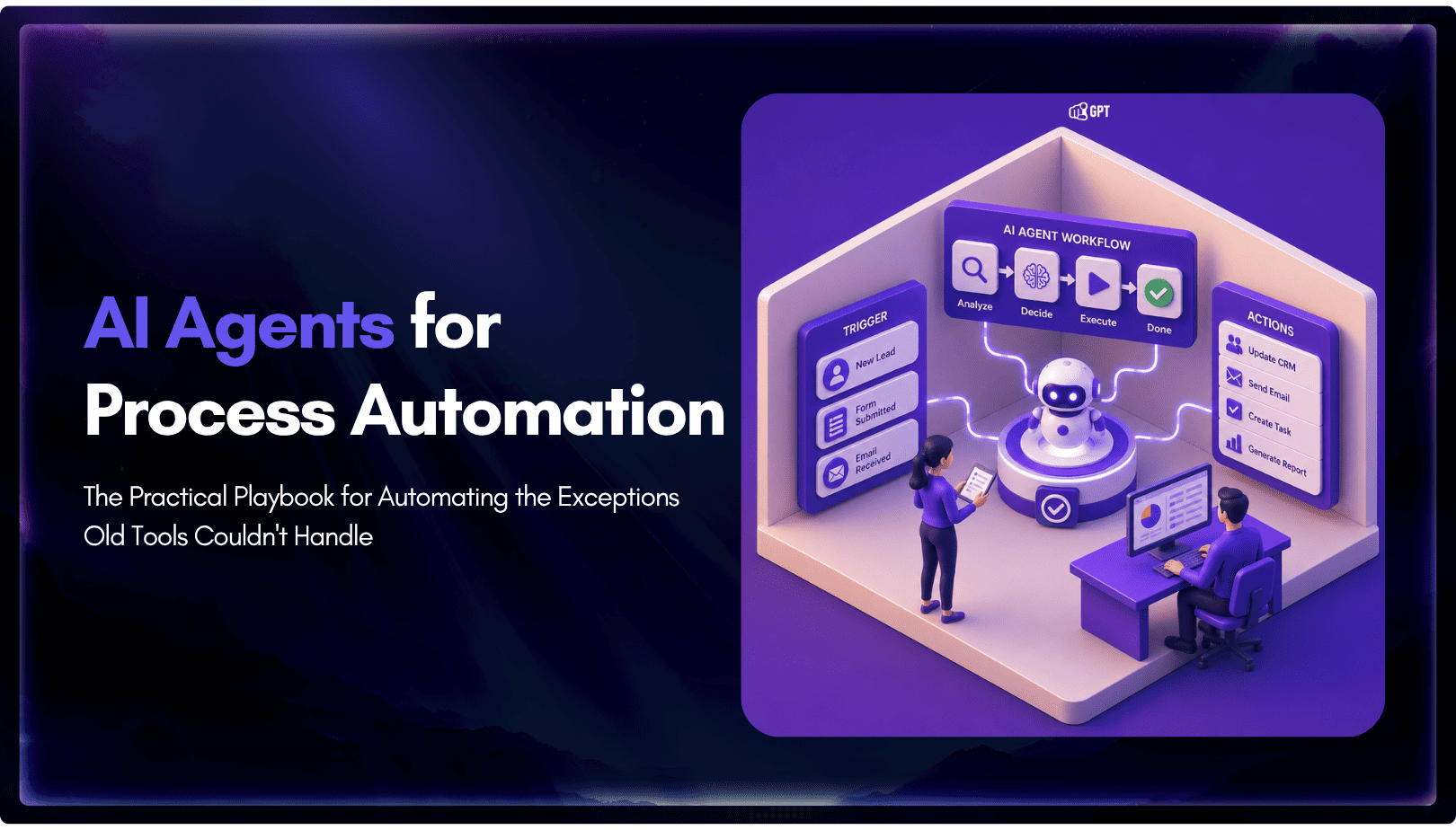
TL;DR Business process automation with AI agents lets software plan multi-step work, call tools, and handle exceptions instead of following fixed scripts like traditional RPA. AI agents can adapt when a process changes, but that flexibility also requires clear permission boundaries, reliable data, and human oversight for consequential actions. Start with one repetitive process, document […]