01
Automating without a knowledge base
The AI will confidently give customers wrong answers. This is one of the fastest ways to lose trust in the project, both internally and externally.

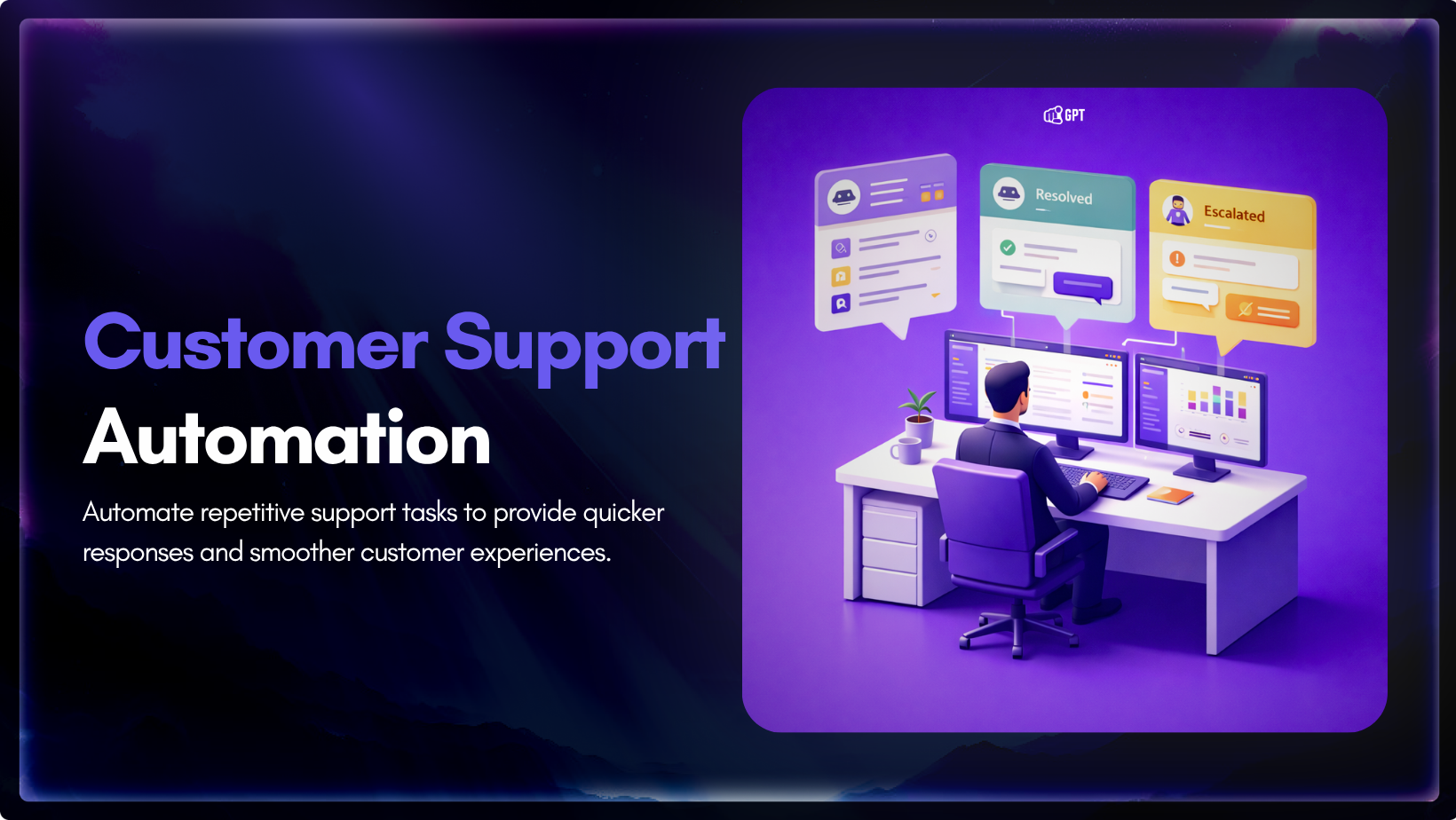
TL;DR
Customer support automation is not one thing. It usually works in layers, from simple rules to conversational AI to agentic systems that can take action.
The right starting point is not the most advanced tool. It is the support task your team handles often, with a clear and repeatable path.
Teams get better results when they automate low-risk, high-volume requests first and keep sensitive or judgment-based cases with human agents.
Strong automation depends on clean knowledge, clear guardrails, smooth handoff, and measuring whether speed, resolution, and customer satisfaction actually improve.
Customer support automation is often talked about like it is one decision.
It is not.
For most support teams, automation comes in layers. One tool routes tickets, another handles common questions, and a third guides agents during live chats. In advanced setups, AI can even take action directly within the tools your team already uses.
Those are very different jobs. They require different levels of logic, knowledge quality, and system access. That is why two companies can both say they are investing in support automation and end up with completely different results.
This guide breaks down customer support automation. It shows what each layer does and where it works best. It also helps you choose the right place to start for your team.
Customer support automation is the operational layer inside a support function that handles tasks, routes requests, and resolves issues without a human agent doing them manually.
The term gets used loosely. Vendors apply it to everything from a basic auto-reply to an AI agent closing tickets inside a CRM. That range matters because the capabilities are not comparable and neither are the outcomes.
It covers more ground than most teams expect. Routing, self-service, live agent assistance, and in mature setups, direct execution of tasks inside connected systems like a CRM or billing platform. Each one solves a different problem at a different point in the support journey.
Most teams are running the first two. Fewer have built the third. The fourth is where the gap between answered and resolved finally closes.
The failure in most implementations is not the technology. Teams deploy tools before mapping which parts of their operation are actually repeatable enough to hand off. That is what the next section breaks down.
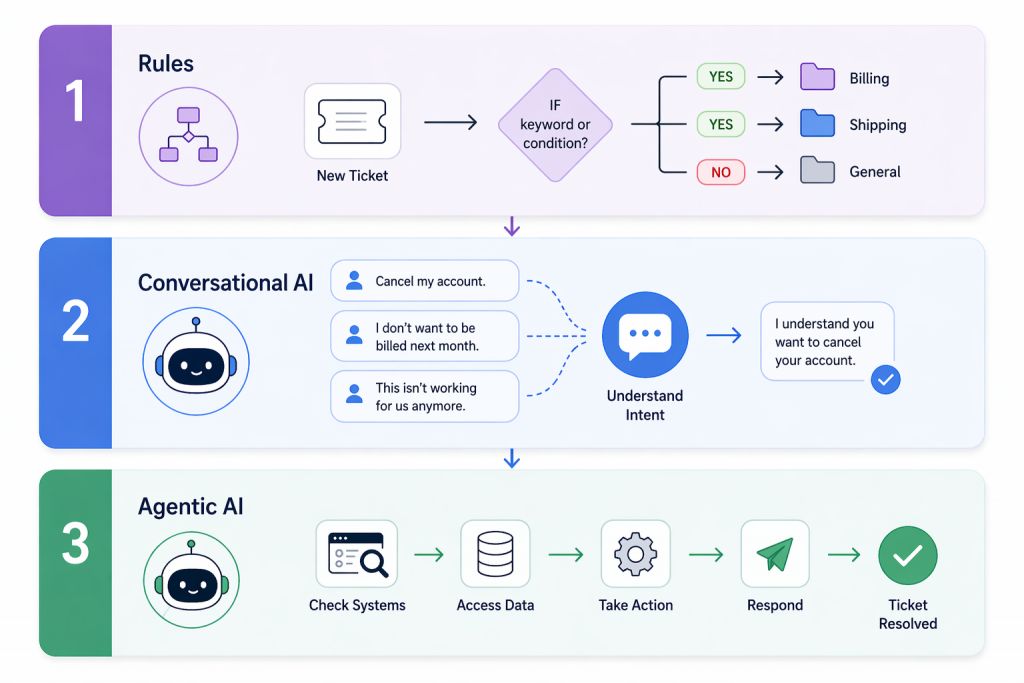
Every tool in this space gets called “AI-powered automation.” That label covers a range so wide it’s almost meaningless. Here’s how to actually categorize what you’re looking at.
Before any AI, there were rules. A ticket arrives with the word refund in the subject and it goes to billing. A customer submits a form and gets a confirmation. Business hours end and an auto-reply goes out.
Nobody talks about rules-based automation at conferences. It is not exciting. It also quietly handles a significant chunk of what hits a support inbox without breaking a sweat, which is more than most AI pilots manage in their first quarter.
The failure is boring and consistent. A customer writes that they were charged but nothing showed up. Billing or shipping? The rule does not know. It guesses, or dumps the ticket somewhere general, or fires the wrong response. Rules do not interpret. They match a pattern, and when the pattern is missing they stop working.
Get this layer right before touching anything else. Teams that skip it end up using expensive AI to do work a simple condition could handle for a fraction of the cost.
Here is the actual problem conversational AI solves. People do not write support tickets in a consistent format.
Cancel my account. I don’t want to be billed next month. This isn’t working for us anymore. Three ways of saying the same thing. A rule catches one. A large language model catches all three because it reads what someone means, not what phrase they used.
This is the layer that stops customers feeling like they are navigating a phone tree. It holds context across a back and forth conversation. It can explain a billing policy without a human writing out the same paragraph for the hundredth time. It handles the variation that breaks rules-based systems every time.
What it cannot do is touch anything. It can tell a customer their subscription renews on the 15th. It cannot move the date. It can walk through a refund policy step by step. It cannot issue the refund. Every action still requires a human on the other side, which is the ceiling teams hit faster than they expect.
This is the layer that closes tickets instead of just responding to them.
A customer asks where their order is. Agentic AI checks the fulfillment system, reads the tracking update, and sends the answer back. Ticket closed. No human opened it.
That gap between answering and resolving is where most support costs live. Agentic AI connects to the systems your team already runs and executes defined tasks. Order lookups, account updates, subscription changes, refunds within approved limits. The kind of work that takes a human agent two minutes but adds up to hundreds of hours across a month.
The part most vendors skip telling you is that the technology is not the hard part. Deciding what the AI is actually allowed to do is. A customer who has been overcharged three months running and is ready to cancel needs a person who can make a real judgment call. An agentic system given too much authority in that situation makes things worse, not better. The teams that get this layer right spend more time writing guardrails than they spend on the implementation itself.
Most teams pick the wrong tool because the demo was convincing and the budget meeting happened before anyone mapped the actual problem.
A conversational AI looks like it is resolving tickets until you check the data three months later and realize it has been explaining the refund policy without ever processing a refund.
Know what you are fixing before you buy anything.
| Capability | Tier 1: Rule-Based | Tier 2: Conversational AI | Tier 3: Agentic AI |
|---|---|---|---|
| Understands natural language | No | Yes | Yes |
| Learns from conversations | No | With retraining | Over time |
| Executes actions in external systems | No | No | Yes |
| Typical automation rate | 20 to 35% | 45 to 65% | 65 to 85% |
| Time to deploy | Months | Days | Weeks |
| Best for | Routing and triage | Answering and guidance | Resolution of defined tasks |
YourGPT fits Tier 2 and Tier 3 teams that need AI to do more than retrieve information.
The goal is not to automate as much as possible. It is to automate the right kinds of support work.
Start with requests that are frequent, clear, and easy to resolve with defined rules. These usually include order status, password resets, billing lookups, common product questions, scheduling changes, and simple subscription updates.
These are good candidates because customers usually want speed, not discussion. The answer is consistent, the path is clear, and the risk is low.
Keep human agents involved when the conversation depends on judgment, empathy, or exception handling. That includes billing disputes, frustrated cancellation requests, legally sensitive complaints, complex technical escalations, and any case where a wrong answer could damage trust.
Most bad automation does not fail because the technology is weak. It fails because teams automate the wrong conversations.
A simple rule helps: automate when the path is clear. Keep it human when the situation is personal, high-stakes, or uncertain.
Most teams go platform shopping before they know what they’re buying for. That’s why they end up with an expensive tool solving the wrong problem.
Run this audit before evaluating any software.
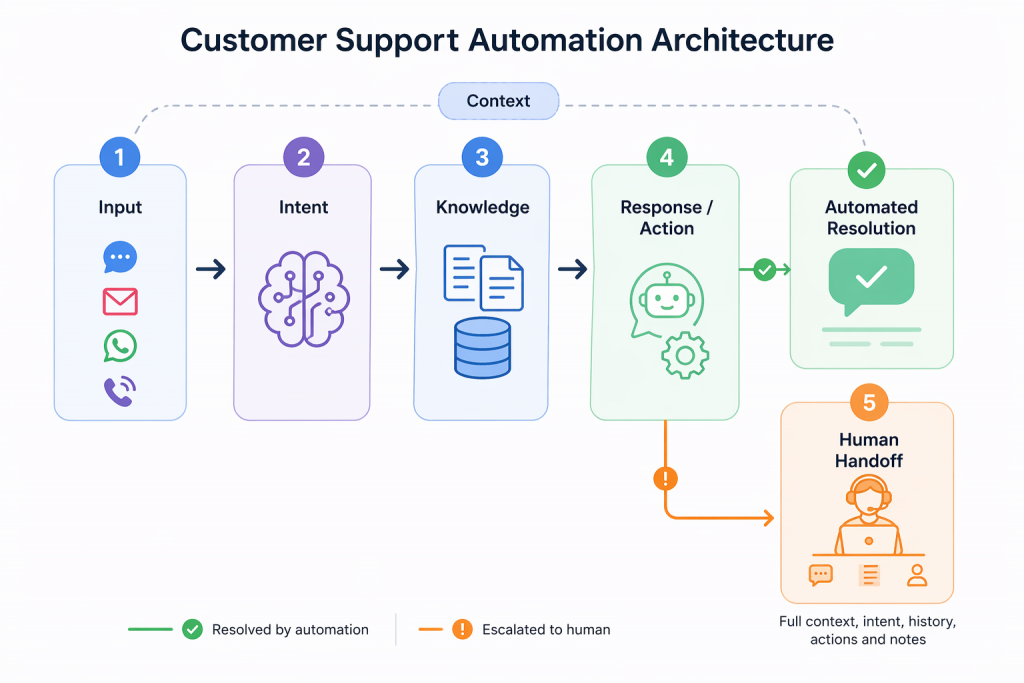
No two customer support automation platforms are built in exactly the same way. The stack, logic, and execution model can vary from one system to another.
Still, most strong implementations share a common set of layers. Understanding those layers makes it easier to evaluate tools, spot weak points, and design automation that works in practice.
1. Channel and context capture: The system first identifies where the request came from, whether that is chat, email, voice, WhatsApp, or another channel. It also pulls in whatever customer context is available, such as account details, recent activity, or past conversations.
2. Request interpretation: Then the system works out what the customer is actually trying to do. That is not just about reading words correctly. It is about understanding the purpose behind the message. A frustrated complaint should not be treated the same way as a simple product question.
3. Knowledge retrieval: Once the intent is clear, the system looks for the right information. That may come from your help center, internal documentation, policy content, product data, or connected business systems.
4. Response generation or action execution: At this stage, the system either responds or takes the next step. In some setups, that means generating a useful answer. In more advanced setups, it can also check an order, update a record, trigger a workflow, or complete another defined action.
5. Escalation routing with context pass-through: When the issue should not go further through automation, the system needs to pass it to a human cleanly. The agent should see the conversation, the detected intent, the information used, and any actions already taken.
This final layer matters more than most teams expect. Customers lose trust quickly when they have to repeat themselves after the handoff. Good automation does not just answer well. It also knows when to step aside and make the move to a human feel smooth.
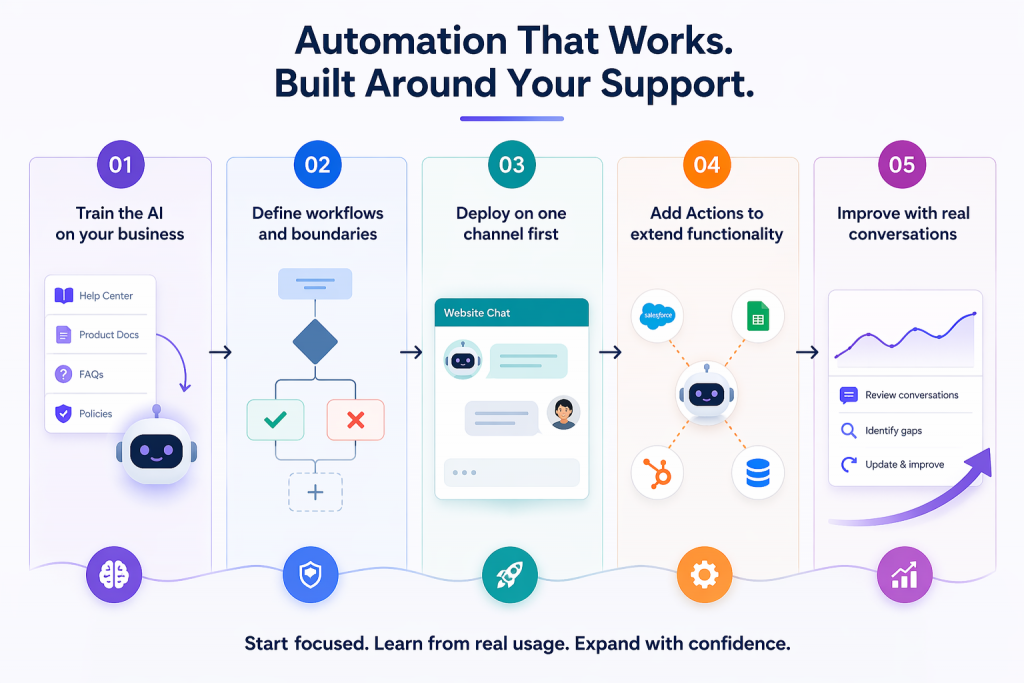
Automation works when it is built around your actual support system, not just turned on.
With YourGPT, the sequence is simple: train, define, deploy, improve.
Start by feeding your actual business data into the system.
Upload your help center, product docs, FAQs, and policies. YourGPT agents learn from this directly, which is what keeps responses accurate and consistent.
If the knowledge is unclear or outdated, the system will reflect that. This step defines how reliable your automation will be.
Once the knowledge is in place, decide what the AI should handle and where it should stop.
Use the builder to shape workflow, set rules, and connect workflows. This is where you define how the system responds, what actions it can take, and what should stay outside its scope.
Clear boundaries early on make the system easier to trust later.
Start small and make the first rollout easier to manage.
Instead of launching across every channel at once, begin with one channel such as website chat. That gives your team a simpler environment to test responses, review behavior, and improve the experience without too many moving parts.
Once it works well in one place, expanding becomes much easier.
After the AI is responding well, connect it to the systems behind your support workflow.
This is where YourGPT moves beyond answering questions. It can update records, trigger workflows, and handle defined tasks directly inside your connected tools.
That shift is what turns automation from conversation support into actual resolution.
The best improvements come after launch, not before it.
Review how the AI performs in live conversations. Look for weak answers, missed intent, and workflows that need refinement. Then update the knowledge, logic, and actions based on what customers are actually asking.
The teams that get the best results usually follow the same pattern: start focused, learn from real usage, and expand with confidence.
These examples come from real YourGPT customers. Each one had a different support environment, but the pattern was similar: start with the right use cases, train on real business knowledge, and expand only after the system proves itself.
St. Kitts-Nevis-Anguilla National Bank needed to improve access to support without compromising accuracy or customer trust.
That meant the system had to do more than answer common questions. It had to reflect the bank’s actual products, policies, and service processes in a way that customers could rely on.
SKNANB rolled out YourGPT in phases, starting with common queries and expanding as performance was validated. The result was an 85% query resolution rate, stronger support coverage across channels, and always-on availability without increasing headcount.
What stands out here is not just the result. It is the rollout discipline behind it.
Leya AI needed to handle a growing volume of customer conversations without letting support quality slip.
They used YourGPT to manage routine queries using their existing knowledge base and product information, while more complex cases continued through the support flow with the right context in place.
The result was a clear operational shift. More than 80% of customer queries were resolved by AI, reducing pressure on the team while keeping support consistent at scale.
What stands out is not just the resolution rate. It is that Leya AI was able to scale support without adding the same level of operational load.
Shockbyte operates in a support environment where demand can rise sharply around game launches, updates, and seasonal spikes.
They trained YourGPT on their technical documentation and support knowledge so the system could handle common player questions at scale, while human agents focused on more advanced and account-specific issues.
That gave them more stable response times during peak periods, better customer experience during high-pressure moments, and a support operation that could scale without reactive hiring.
This is what strong automation looks like under pressure. It does not just work in steady-state conditions. It holds up when volume changes fast.
Everything above is reactive automation. Customer sends a message, system responds. That’s the baseline.
Proactive automation works earlier. It starts the conversation before a support ticket is created, based on customer behavior, product signals, or lifecycle events. This is where support teams can prevent avoidable tickets instead of only reacting to them.
Examples include:
Each of these reduces support load before it reaches the queue. That helps the customer by addressing the issue earlier, and it helps the team by preventing tickets that never needed to be created.
YourGPT Campaigns is built for this kind of proactive support. It lets support and success teams launch AI-driven conversations based on customer behavior, lifecycle stage, or external signals, without needing engineering support for every new workflow.
The metrics that matter aren’t the ones that look good in a slide deck. They’re the ones that connect to real cost and real customer experience.
The simple ROI calculation:
Self-service automation costs roughly $1.84 per contact. Human-assisted support costs roughly $13.50 per contact (Fullview, 2025). For every 1,000 tickets per month you shift from human to automated: that’s $11,660 in monthly savings, or about $140,000 annually.
That math scales with your ticket volume. It also assumes you keep CSAT stable — which is why the quality floor matters.
The AI will confidently give customers wrong answers. This is one of the fastest ways to lose trust in the project, both internally and externally.
Customers who get stuck in bot loops do not wait patiently. They churn, leave negative reviews, and call your team more frustrated than if they had never interacted with the bot.
High-stakes, emotionally charged conversations handled through a rigid system can feel dismissive. That is a training and implementation problem, not a technology problem.
Knowledge bases need updates. Query patterns change. Products change. Any automation system that is not maintained will degrade over time. Maintenance needs a clear owner.
If you do not know your pre-automation CSAT and response times, you cannot prove the automation is working. Budget conversations get harder very quickly.
This is the Klarna lesson. Klarna built one of the most aggressive AI-only support systems in the world, handling 2.3 million conversations per month at one point. Then it pulled back toward a human-hybrid model because pure automation at scale reduced service quality on more complex cases.
The best platform is not the one with the most features. It is the one that fits your support workflow, your systems, and the level of automation you actually need.
| Buying factor | What to look for |
|---|---|
| System fit | Works with your helpdesk, CRM, and the tools where support tasks are completed. |
| Capability fit | Matches the job you want to automate, whether that is routing, answering, or taking action. |
| Knowledge management | Lets your team update content easily without relying on engineering for every change. |
| Escalation quality | Passes conversation context forward so the customer does not have to start over. |
| Cost at scale | Still makes financial sense as ticket volume and automation usage grow. |
A strong platform should not just answer well in a demo. It should fit the way your support operation actually runs.
Customer support automation is the use of AI, machine learning, and workflow software to handle customer service tasks without requiring human agent involvement in every interaction. It covers automated ticket routing, AI chatbots and voice agents, self-service knowledge bases, and proactive outreach triggered by customer behavior.
It depends on your ticket mix and knowledge base quality. Tier 1 rule-based automation typically deflects 20 to 35% of volume. LLM-powered conversational AI handles 45 to 65% in mature deployments. Agentic AI systems, where the AI can actually take action, reach 65 to 85% for the right ticket types. Start with your top five highest-volume, lowest-complexity categories and measure from there.
A chatbot follows scripts or keyword rules. An AI agent understands natural language, generates contextual responses, and can handle multi-turn conversations. An agentic AI system goes further: it can execute actions like processing refunds, updating account records, or triggering downstream workflows without human involvement.
Basic automation can go live in days. Agentic AI with deep system integrations takes weeks. The difference between fast and slow implementations is almost always knowledge base readiness, not the tool.
High-emotional-stakes conversations, such as billing disputes, cancellation requests from at-risk customers, and complaints involving safety or legal exposure, should not be automated. Also avoid automating anything where a wrong answer creates financial, legal, or reputational damage. Automation should handle high-volume, low-stakes interactions. Human agents should own everything where judgment and empathy are the actual product.
The core formula is: (tickets deflected per month) × (cost per human ticket − cost per automated ticket) = monthly savings. Self-service automation costs roughly $1.84 per contact. Human-assisted support averages $13.50 per contact. Every 1,000 tickets per month you shift to automation saves roughly $11,660 monthly. Track CSAT alongside cost. If satisfaction drops, you are automating the wrong things.
The teams that get automation right did not start with a platform. They started with a spreadsheet, three months of ticket data, and one honest question: what is our team doing every day that follows the exact same path every single time.
That question leads somewhere specific. For most ecommerce teams it is order status. For IT and SaaS teams it is password resets or billing lookups. The category does not matter. What matters is that they picked one thing, built it properly, watched real customers use it, and only expanded after it proved itself.
The teams that did this are not the ones you hear about in failed automation case studies. They are the quiet ones, still running the same setup they built two years ago, adding to it when the evidence says so, not when a new product launch makes the old approach feel outdated.
Start with the work your team does on autopilot. That is where automation earns its place.
Run WordPress customer service alone. Train a YourGPT agent on your help pages, test it on real tickets, install the plugin, and get only the exceptions.

Learn how to judge Shopify AI resolution rates with clear formulas, a worked example, ticket-level checks and practical ways to improve support quality.
TL;DR B2B customer service means supporting multiple people within the same account, including end users, admins, finance or procurement contacts, and executive sponsors, each with a different definition of a resolved ticket. Traditional support bots handle one conversation at a time and often lose account context when requests move between contacts, channels, or teams, forcing […]
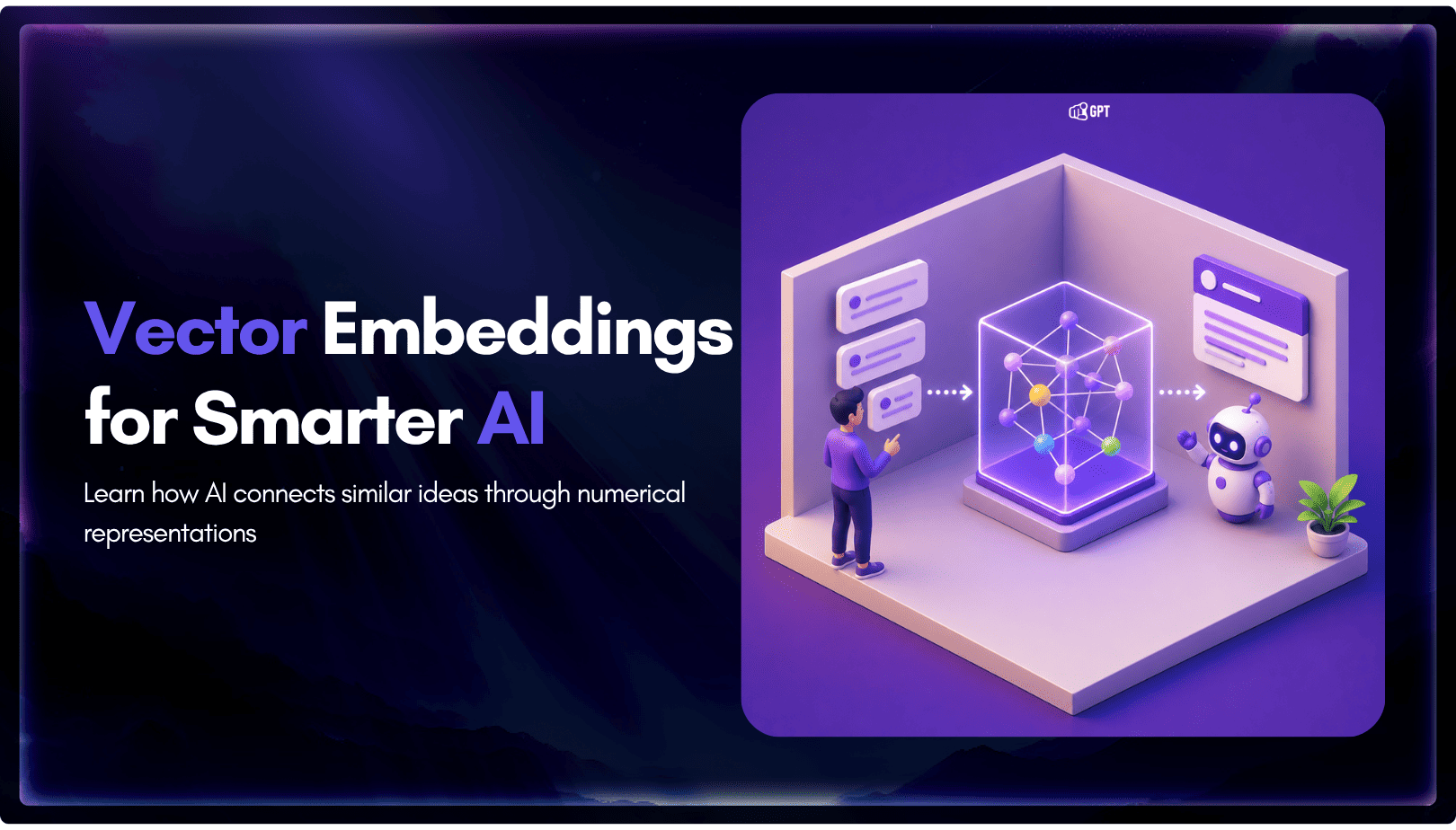
TL;DR A vector embedding is a list of numbers that represents meaning, placing similar concepts closer together in a mathematical space. AI chatbots use embeddings to match questions by meaning rather than exact wording, which is a core part of retrieval-augmented generation (RAG). Anthropic recommends Voyage AI for embeddings, while OpenAI, Google, and Cohere provide […]
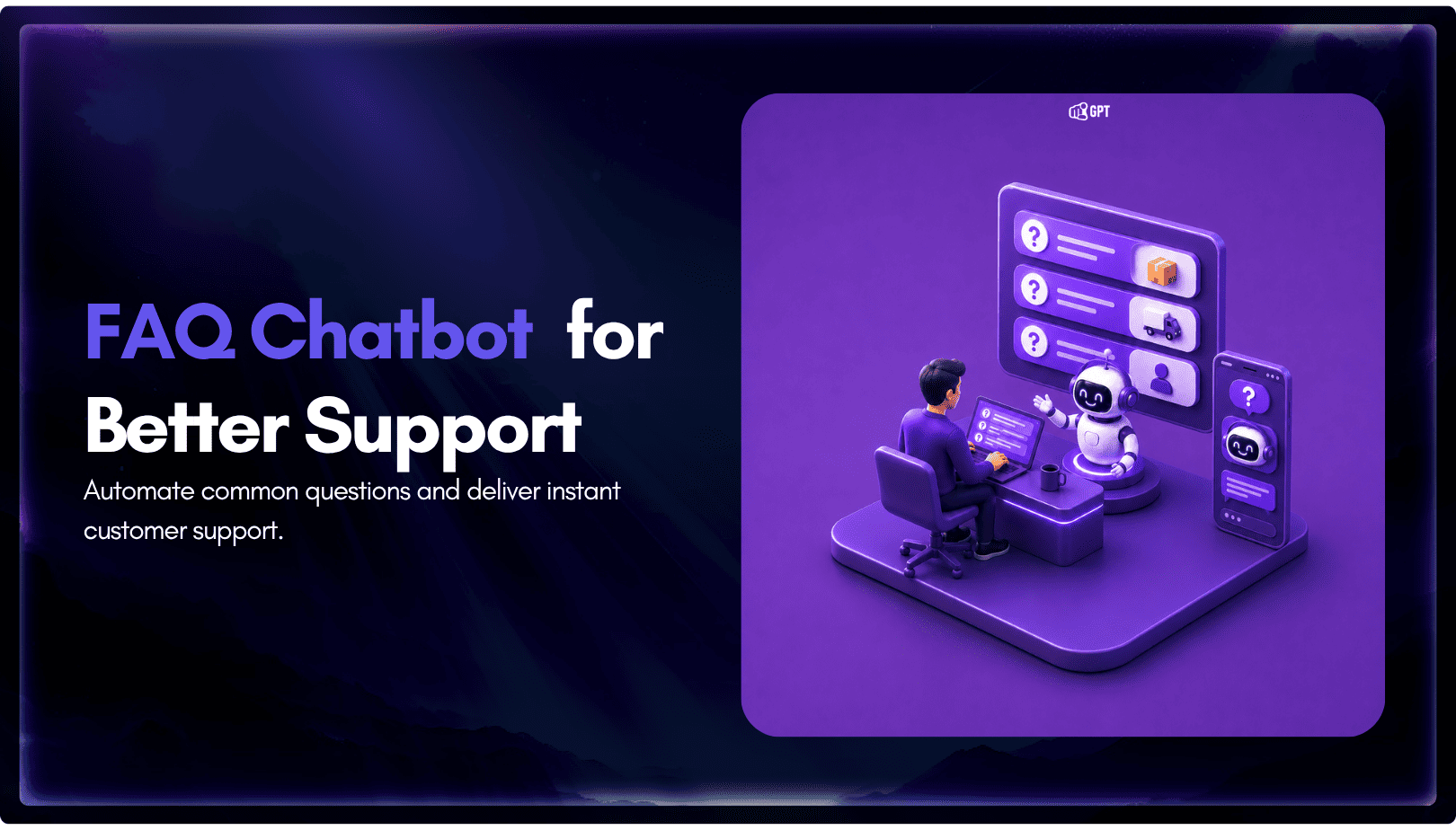
TL;DR An FAQ chatbot answers repetitive questions by matching user queries with a knowledge base and returning grounded responses using rules, AI retrieval, or both. Modern FAQ chatbots use confidence checks to deliver instant answers for strong matches and fall back to broader retrieval or human handoff when confidence is low. Rule-based bots work well […]
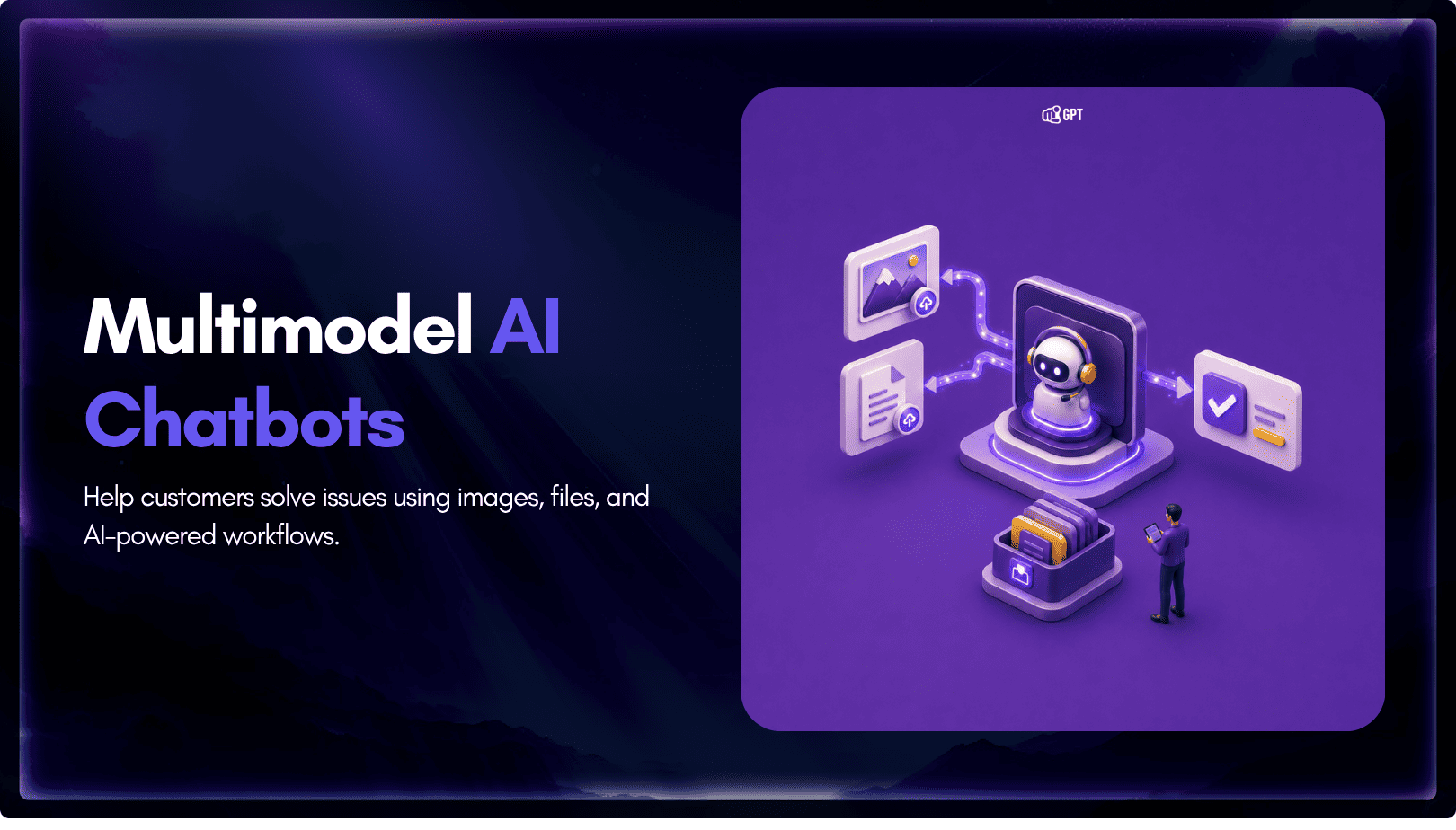
TL;DR Multimodal chatbots let customers share photos, screenshots, documents, video, or audio directly in a conversation, giving AI more context than text alone. YourGPT’s Attachment Capture node in AI Studio can collect these files mid-conversation, while vision-capable AI models can analyze and understand their contents. Key use cases include ecommerce returns, insurance and warranty claims, […]