SaaS support teams need chatbots that go beyond basic replies by understanding account context, routing issues correctly, and supporting real customer workflows.
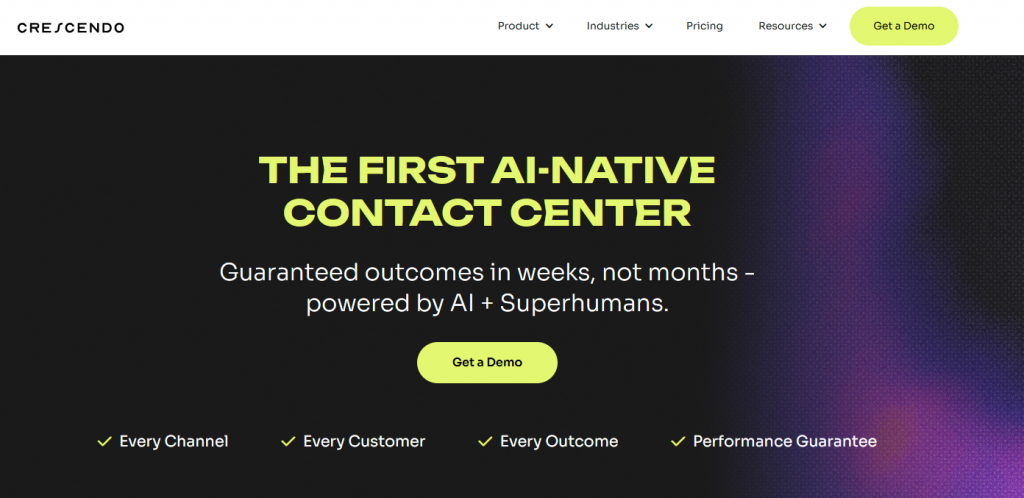
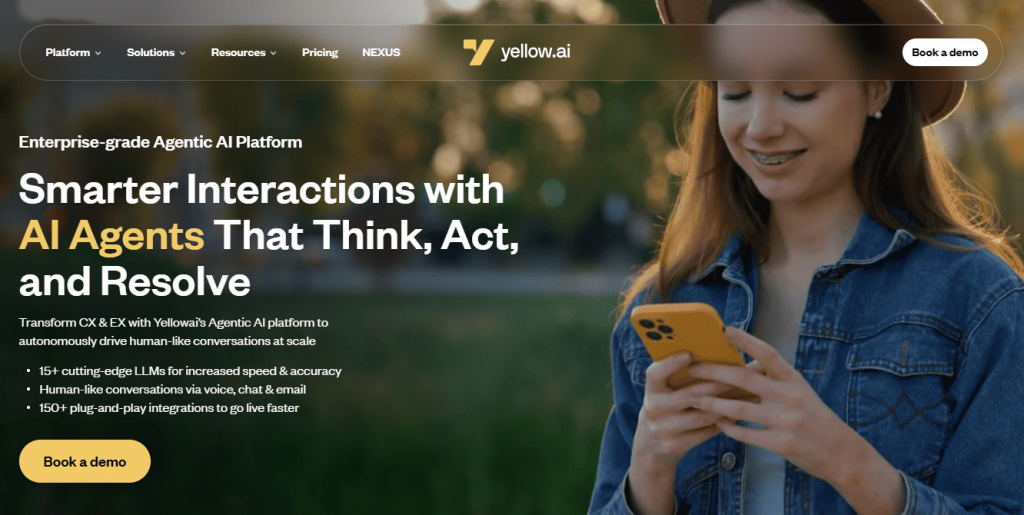
Platforms like Intercom, Zendesk, Ada, Fini, Forethought, Crescendo, and Yellow.ai solve different support needs, from ticket management and self-service to account-aware automation.
The best choice depends on whether your team wants faster ticket handling, better customer handoff, multilingual support, or AI agents that can resolve issues and take action across systems.
Customer support is one of the few systems in a SaaS business that touches every stage of the customer lifecycle. It affects first-time setup, feature adoption, billing confidence, renewals, and expansion. When support works well, users move forward. When it doesn’t, they stall or leave.
By 2026, SaaS support is all about context. Users expect help that reflects their account, plan limits, permissions, integrations, and past conversations. Most questions depend on how the product is set up and used, not on generic FAQs.
As products become more configurable, delivering this level of precision at scale takes coordination. Support teams handle repeat questions, agents gather the same details across conversations, and consistency matters most during high-volume periods. Context-aware support keeps interactions clear, focused, and efficient.
AI chatbots built for SaaS address this problem differently. They operate inside support workflows, stay aligned with live documentation, collect structured context, and hand off conversations with full history when human judgment is required. This blog evaluates eight AI chatbot platforms based on how well they support these real SaaS demands, not generic automation claims.
The Best SaaS AI Chatbots for Customer Support at a Glance
Platform
Best For
YourGPT
AI agents that resolve customer issues, qualify leads, and complete operational tasks across web, messaging, and voice channels
Intercom
In-app and product-led support focused on onboarding and contextual customer messaging
Zendesk
Ticket-first SaaS support teams operating within a structured helpdesk environment
Ada
Automating high-volume, repetitive SaaS support queries across multiple languages
Fini
Account-aware SaaS support automation for resolving billing, access, and product workflows end to end
Forethought
Improving ticket deflection, routing, and response speed within existing support workflows
Crescendo
Hybrid AI and human-led support for global or high-touch SaaS customer bases
Yellow.ai
Enterprise SaaS support across regions, languages, and multiple communication channels
How AI Chatbots Fit Into Real SaaS Support Workflows
AI chatbots work differently in SaaS than in eCommerce. SaaS support is not a single interaction but an ongoing relationship tied to each customer’s account, setup, feature usage, and subscription state. Questions often depend on what a user has already done and what the system already knows. A chatbot that treats every conversation as isolated misses this context and struggles to support real SaaS workflows.
The first requirement is account awareness. SaaS users ask questions that depend on their plan, permissions, usage, and workspace behavior. A chatbot needs to understand these details and carry context from earlier conversations to respond correctly. When that context is missing, the interaction slows down because the bot has to gather basic information before it can help.
The second requirement is keeping information up to date. SaaS products change often. Features are added, limits are adjusted, and documentation evolves. Chatbots that rely on fixed FAQs fall behind quickly. Systems built for SaaS stay connected to current product information so responses remain accurate as the product changes.
SaaS support involves process, not just answers. Many conversations follow clear steps, collecting the right details, validating inputs, guiding setup, or taking action inside internal systems. Requests around billing, access, or integrations are common examples. A chatbot that can only reply with text ends up handing the real work back to human agents.
Conversation continuity also matters. SaaS issues often unfold over multiple messages or even multiple sessions. When context is lost, users have to explain the same situation again, which slows progress. A well-designed chatbot keeps track of intent and history so the conversation can pick up where it left off.
Finally, integration and escalation quality determine long-term value. When automation reaches its limit, the handoff to a human agent should carry the full conversation and collected details, so the discussion continues instead of starting over.
YourGPT Chatbot integrates deeply with internal systems and helpdesks, allowing it to consistently outperform tools that operate only at the surface level.
The platforms included in this blog were selected based on these realities. Tools limited to scripted flows or campaign-style chat were excluded because they do not hold up in real SaaS support environments.
How SaaS Teams Use AI Chatbots in Support
AI chatbots are most effective in SaaS when used at specific points in the support journey. Instead of automating everything, high-performing teams apply them where speed, consistency, and context have the greatest impact, while reserving human effort for complex decisions.
High-volume support periods : During launches, incidents, or sudden traffic spikes, support volume increases quickly. Chatbots handle predictable questions at scale, helping teams maintain response quality and prevent backlogs without adding operational strain.
Onboarding and initial setup : Early interactions shape long-term adoption. Chatbots guide users through setup steps, permissions, and integrations in real time, helping them reach value faster and reducing onboarding-related tickets during the first few days.
Account and billing conversations : Billing and access questions are frequent and time-sensitive. Chatbots explain invoices, plan limits, upgrades, and downgrades clearly while collecting required details. This streamlines escalation and reduces unnecessary back-and-forth.
Recurring product questions : Support queues often include repeated questions about features, usage limits, integrations, and expected behavior. Chatbots provide consistent answers based on current documentation, freeing agents from repetitive work.
Pre-escalation context gathering : Before handing off to a human, chatbots can identify intent, confirm account details, and guide basic troubleshooting. This ensures agents receive complete context and can focus on resolution rather than discovery.
After-hours and global coverage : SaaS customers operate across time zones. Chatbots provide a reliable first layer of support outside business hours, capturing details and offering guidance until a human agent can follow up.
Top AI Chatbots for Scalable SaaS Customer Support
SaaS support requires more than fast replies. The tools below are built to handle recurring users, complex workflows, and human escalation as products and customer bases grow.
1. YourGPT
Best for: SaaS teams that want a single platform to manage support conversations, automation, and escalation without stitching together multiple tools.
YourGPT is an AI-first platform designed to run real SaaS workflows, not just reply to messages. It lets teams build and operate AI agents for customer support, sales, and operations from one system using a no-code agent builder for standard use cases and an AI Studio for advanced, multi-step workflows.
For support, YourGPT agents can answer using synced knowledge sources, follows workflows, collect and validate details, performs real time actions, and when needed escalate to a human agent with the full conversation context. You can deploy the same agent across web, messaging apps, email, and voice, and any updates apply everywhere. That’s why it works well for SaaS teams that need scalable, context-aware support without relying on developers for every change.
Features :
No-Code Setup and Customization : Build and launch AI agents using a visual, no-code interface. Design conversation flows, add conditions, forms, and routing, and adjust responses without technical effort. Teams can update agents quickly without long development cycles.
Multi-Channel Deployment : Deploy the same AI agent across WhatsApp, Instagram, Facebook Messenger, Telegram, web chat, web apps, email, and voice. Customers can reach out on their preferred channel while teams manage everything from one system.
Training from Multiple Knowledge Sources : Train agents using website URLs, sitemaps, files, Google Docs, Google Sheets, Notion, Confluence, YouTube, and past conversations. Auto reindexing keeps answers up to date as content changes.
Voice AI for Phone Support : Handle incoming and outbound calls using AI voice agents. Voice interactions follow the same logic as chat workflows and can transfer conversations to human agents when required.
AI Studio for Custom Workflows : Create advanced, logic-based workflows using AI Studio. Build multi-step flows with validations, data collection, API calls, and conditional logic to support structured support, sales, or operational processes.
Pros :
All-in-One Platform : Chatbots, AI helpdesk, workflow automation, multi-channel deployment, and analytics are managed from a single platform instead of multiple disconnected tools.
Strong Integration Coverage : Integrates with platforms such as Shopify, WordPress, Webflow, Framer, Wix, Squarespace, Stripe, Airtable, Zapier, Make, Pabbly, Crisp, and Intercom. Custom APIs, MCP, and code execution are supported through AI Studio.
Consistent Brand Experience Across Channels : Customize agent behavior and responses so customers receive a consistent experience whether they interact via web chat, messaging apps, or voice.
Smooth Human Handoff : When escalation is needed, conversations transfer to human agents with full context, including chat history, internal notes, and assigned ownership.
Unified Chat and Voice Support : Manage text-based conversations and voice interactions from the same system without separate tools or fragmented workflows.
Built-In Team Collaboration : Support teams can use internal notes, assigned chats, private replies, and conversation history to coordinate on complex cases.
Cons :
Limited Free Trial Coverage : Some advanced features are not available during the free trial period.
May Feel Feature-Heavy : Simpler use cases may find the platform more complex than necessary.
2. Intercom
Best for: SaaS teams focused on in-app support, onboarding, and product-led customer engagement, where conversations are primarily message-based rather than workflow-driven.
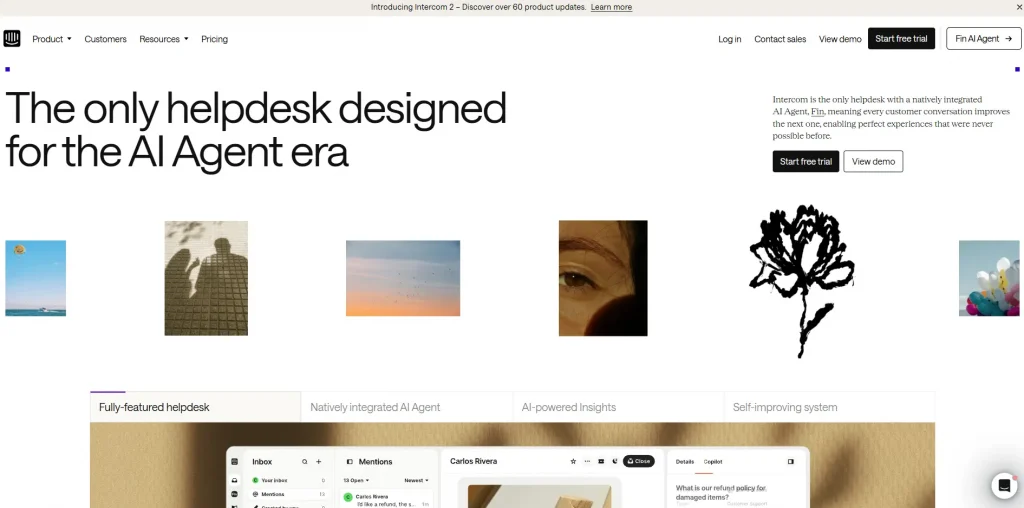
Intercom is a customer messaging platform built primarily for in-app and conversational support in SaaS products. It combines live chat, help articles, and AI-assisted responses to help teams manage customer conversations throughout the user lifecycle.
For SaaS support teams, Intercom works best in product-led environments where customer conversations happen inside the app. It allows teams to respond to product questions, guide users during onboarding, surface help content, and escalate issues to human agents when needed, all within a unified inbox.
Features:
In-App Messaging and Live Chat : Communicate with users directly inside the product through live chat and contextual messages tied to user actions and events.
AI-Assisted Support (Fin AI) : Use AI to suggest answers from help articles and knowledge bases, helping resolve common questions faster and reduce agent workload.
Shared Inbox for Support Teams : Manage conversations from email, in-app chat, and Messenger in a single workspace with visibility across the team.
Help Center and Articles : Create and publish support articles that customers can access through the help center or chat interface.
User and Event Context : View customer profiles, usage data, and events alongside conversations to provide more relevant responses.
Pros:
Strong In-App Support Experience : Well suited for SaaS products where support is closely tied to product usage and onboarding.
Unified Inbox for Conversations : Support teams can collaborate and manage customer conversations from one place.
Context-Rich Customer Profiles : Agents can see user attributes, events, and past conversations while responding.
Mature Ecosystem and Integrations : Integrates with many SaaS tools, CRMs, and support platforms.
Cons:
Limited Workflow Automation : More focused on messaging and support replies than running multi-step operational workflows.
Pricing Can Scale Quickly : Costs tend to increase as team size and usage grow.
3. Zendesk
Best for: SaaS companies with structured, ticket-driven customer support teams that prioritize process control, reporting, and scalability over conversational or action-based automation.
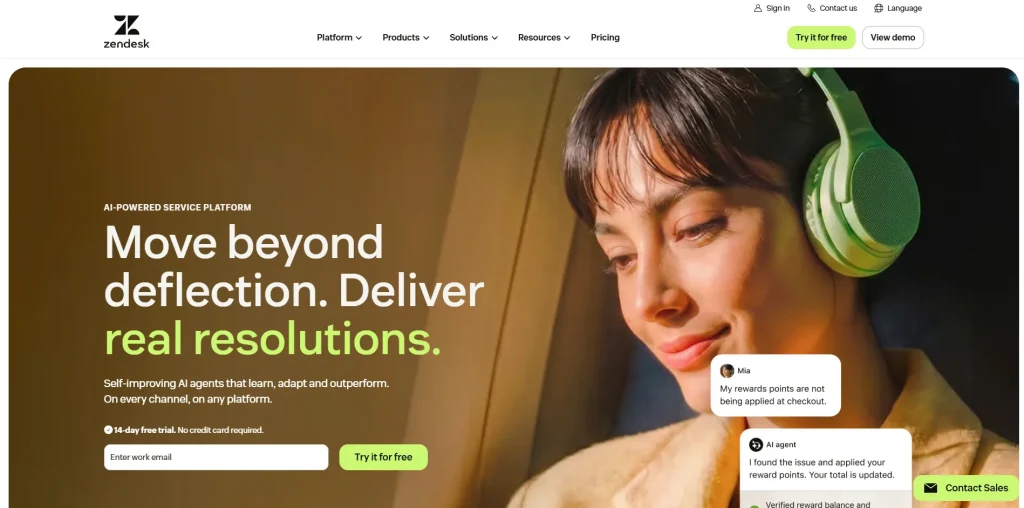
Zendesk is a customer service platform built around a ticket-first support model, widely used by SaaS companies with structured support operations. It helps teams manage customer issues across email, chat, messaging, and help centers through a centralized system.
For SaaS support teams, Zendesk works best when customer requests are handled as tickets with defined workflows, SLAs, and reporting. Its AI capabilities assist with ticket routing, response suggestions, and knowledge surfacing, helping teams handle large volumes of support requests in an organized way.
Features:
Ticket-Based Support System : Manage customer requests as tickets across email, web forms, chat, and messaging channels with clear ownership and status tracking.
AI-Powered Automation and Routing : Use AI to categorize tickets, suggest responses, and route issues to the right team or agent automatically.
Help Center and Knowledge Base : Create and publish support articles that customers can search or access through chat and self-service portals.
Omnichannel Support Inbox : Handle conversations from email, live chat, and messaging channels within a unified agent workspace.
Reporting and Analytics : Track support performance using dashboards for ticket volume, resolution time, and agent productivity.
Pros:
Strong Structure for High-Volume Support : Well suited for SaaS teams managing large numbers of tickets with defined processes and SLAs.
Mature Helpdesk Capabilities : Offers reliable tools for ticket tracking, escalation, and performance monitoring.
Wide Integration Ecosystem : Integrates with many SaaS tools, CRMs, and internal systems.
Scales with Team Size : Designed to support growing support teams with role-based access and workflow controls.
Cons:
Ticket-Centric Model : Less flexible for conversation-first or workflow-driven automation beyond ticket handling.
Advanced Automation Requires Setup : More complex workflows may require configuration effort or add-ons.
4. Ada
Best for: SaaS teams handling high volumes of repetitive support questions who want to reduce ticket load through AI-driven self-service while keeping human agents for complex issues.
Ada is an AI-powered customer support automation platform designed to help SaaS teams reduce repetitive tickets and deflect common support requests. It focuses on automating predictable customer questions at scale while maintaining consistent responses across channels.
For SaaS support teams, Ada works best when a large portion of incoming queries follow similar patterns, such as product usage questions, account basics, or common troubleshooting steps. It integrates with existing helpdesks to support human escalation when automation is not sufficient.
Features:
AI-Powered Automated Support : Automate responses to common customer questions using AI trained on help articles and support content.
Multilingual Support : Handle customer conversations across multiple languages, making it suitable for global SaaS user bases.
Helpdesk Integration : Connect with existing ticketing systems so unresolved conversations can be escalated to human agents smoothly.
Intent Recognition and Routing: Identify user intent and guide customers to relevant answers or next steps without manual triage.
Self-Service Focus : Encourage customers to resolve issues on their own through automated conversations and knowledge surfacing.
Pros:
Effective at Reducing Ticket Volume : Well suited for deflecting repetitive and high-frequency support queries.
Consistent Responses at Scale : Ensures customers receive the same answers regardless of channel or time zone.
Global Readiness : Strong multilingual capabilities for international SaaS products.
Works Alongside Existing Helpdesks : Designed to complement, not replace, established support systems.
Cons:
Limited Workflow Execution : Primarily focused on answering and routing rather than running multi-step operational workflows.
Less Control Over Custom Logic : Advanced, highly customized flows may be harder to implement compared to workflow-driven platforms.
5. Fini
Best for: SaaS support teams that need account-aware automation to resolve billing, access, and product workflows end to end, with clean human escalation when judgment is required.
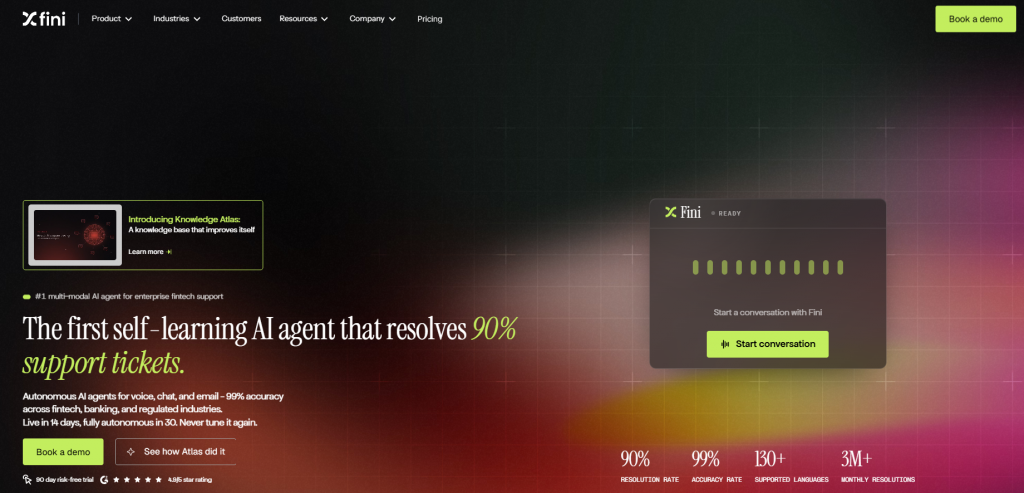
Fini is an autonomous AI support agent built for SaaS teams that need account-aware resolution, not scripted replies. It connects to your help desk, billing, and internal systems, then resolves account, billing, and product questions end to end across chat, email, and voice. Because it resolves real support work instead of just answering, It can take actions in-chat, such as refunds, plan changes, user verification, and subscription updates, instead of handing work back to agents.
It is built for high-volume SaaS support, carries account context across sessions, stays aligned with live documentation, and escalates to a human with full conversation context when needed. Fini can go live in 14 days, reach full autonomy around day 30, claims 99% accuracy on a retrieval-free architecture, and supports SOC 2 Type II, ISO 27001, GDPR, and HIPAA BAA-ready compliance.
Features:
Account-Aware Resolution : Resolve customer queries using each user’s plan, permissions, usage, and history instead of generic FAQ matching.
Workflow Execution : Process refunds, plan changes, user verification, and subscription updates by taking actions in billing and internal systems.
Self-Maintaining Knowledge : Ingest docs, tickets, and help content automatically while flagging stale or conflicting policies as the product changes.
Context-Preserving Escalation : Escalate to a human with the full conversation, collected details, and audit trail so the customer does not have to repeat themselves.
Multi-Channel and Multilingual Support : Handle support across chat, email, and voice in 130+ languages with consistent policies and tracking.
Pros:
Resolves Instead of Deflecting : Handles account, billing, and product issues end to end instead of routing them back to agents.
Accurate and Low-Maintenance : Claims 99% accuracy and stays aligned with live docs without constant manual tuning.
Fast Rollout : Goes live in 14 days and reaches full autonomy by day 30, without replacing your existing help desk.
Outcome-Based Pricing : Charges $0.69 per resolution, with no seat fees or platform fees, plus a 90-day risk-free trial.
Cons:
Built for Volume: Tuned for high-volume SaaS support, so it can be more than very small or low-ticket teams need.
Different Pricing Model: Per-resolution pricing is a shift for teams used to fixed per-seat plans and takes a short adjustment to forecast.
6. Forethought
Best for: SaaS teams that want to enhance ticket-based support with AI for triage, prioritization, and response assistance instead of replacing their helpdesk with conversational automation.
Forethought is an AI-driven support automation platform designed to help SaaS teams improve efficiency inside existing helpdesk workflows. Rather than replacing support systems, it focuses on reducing manual effort by assisting with ticket triage, routing, and response quality.
For SaaS support teams, Forethought works best as an intelligence layer on top of a traditional helpdesk. It helps teams prioritize incoming tickets, surface relevant knowledge, and respond faster, while human agents remain central to resolution.
Features:
AI-Powered Ticket Triage : Automatically classify and prioritize incoming support tickets based on intent, urgency, and historical patterns.
Response Suggestions : Surface relevant answers and help articles to agents during live conversations to speed up replies.
Case Deflection Support : Assist in resolving common questions earlier by recommending knowledge-based answers before escalation.
Helpdesk Integration : Designed to integrate with existing ticketing systems rather than replacing them.
Support Analytics : Provide insights into ticket trends, resolution time, and automation impact.
Pros:
Improves Agent Efficiency : Reduces time spent on triage and repetitive responses without changing core workflows.
Fits Existing Support Stacks : Works well for teams already invested in traditional helpdesk tools.
Low Disruption Adoption : Can be layered into current processes without restructuring the support model.
Focus on Support Intelligence : Helps teams make better decisions rather than fully automating conversations.
Cons:
Limited Customer-Facing Automation : Less suitable for teams looking to automate full support conversations end to end.
Dependent on Helpdesk Ecosystem : Value is tied closely to how well it integrates with existing ticketing tools.
7. Crescendo
Best for: SaaS teams that rely on high-touch, human-led support and want AI assistance for routing, context gathering, and efficiency rather than full conversational automation.
Crescendo is a customer support platform built around a hybrid AI and human support model. It combines automated assistance with human agents to help SaaS teams manage complex or high-touch support interactions without fully replacing people with automation.
For SaaS support teams, Crescendo works best when conversations require judgment, personalization, or careful handling. AI assists with first-line interactions and routing, while human agents step in to resolve nuanced issues with full context.
Features:
AI-Assisted Support Routing : Use AI to route incoming conversations and surface relevant context before a human agent takes over.
Hybrid AI and Human Model : Blend automation with live agents to balance efficiency and accuracy, especially for complex cases.
Multilingual Support : Support customers across regions with multilingual conversations managed through a unified system.
Centralized Conversation Management : Handle customer conversations from multiple channels within a single support workspace.
Context Preservation : Maintain conversation history and customer details when transitioning from AI to human agents.
Pros:
Strong for High-Touch Support : Well suited for SaaS products where customer issues require careful handling and human judgment.
Smooth AI-to-Human Transitions : Reduces friction by passing full context to agents instead of restarting conversations.
Global Support Readiness : Multilingual capabilities support international SaaS customer bases.
Balanced Automation Approach : Uses AI to assist, not replace, human support teams.
Cons:
Less Focus on Full Automation : Not designed for end-to-end workflow execution or action-based automation.
Human Dependency at Scale : Efficiency gains are tied to agent availability as support volume grows.
8. Yellow.ai
Best for: SaaS teams that rely on high-touch, human-led support and want AI assistance for routing, context gathering, and efficiency rather than full conversational automation.
Yellow.ai is an enterprise-focused conversational AI platform designed to support large-scale, multi-region customer support operations. It provides AI-driven automation across chat and voice channels, with a strong emphasis on coverage, language support, and scalability.
For SaaS teams, Yellow.ai works best when support spans multiple geographies, languages, and channels. It helps handle high volumes of customer interactions while maintaining consistent responses and routing conversations to the right teams when human involvement is required.
Features:
Conversational AI for Chat and Voice : Support customer interactions across chat and voice channels using AI-driven conversations.
Multilingual and Regional Support : Handle conversations in multiple languages, making it suitable for global SaaS products.
Omnichannel Deployment : Deploy AI across web, messaging platforms, and voice channels from a centralized system.
Intent Detection and Automation : Identify customer intent and guide conversations using predefined logic and AI models.
Enterprise-Grade Architecture : Built to support large volumes of interactions with governance and control features.
Pros:
Designed for Large-Scale Support : Handles high traffic and multi-region deployments effectively.
Strong Language Coverage : Well suited for SaaS companies with international user bases.
Chat and Voice in One Platform : Supports both messaging and voice interactions under one system.
Enterprise Focus : Includes controls and structures expected by larger organizations.
Cons:
Heavier Setup and Management : Implementation and configuration can require more planning compared to lighter tools.
Less Focus on No-Code Workflows : Advanced automation may require more structured setup than visual workflow builders.
How to Choose the Right AI Chatbot for Your SaaS
AI chatbots are now part of the core support stack for many SaaS teams. The difference between a useful chatbot
and a frustrating one comes down to fit. It must match how your product works, how users ask questions, and how
your support team actually operates.
1
Clarify Your Support Goals First
Before comparing tools, be clear on what you want to improve.
Reduce response time for common questions
Lower repetitive ticket volume
Improve onboarding and setup success
Handle billing and account-related queries
Maintain support quality during spikes or outages
Why it matters: Without clear goals, it’s hard to tell whether a chatbot is helping or adding noise.
2
Match the Chatbot to Real SaaS Use Cases
SaaS support is context-heavy. A chatbot should handle questions related to:
Plans, limits, and feature access
Workspace or account-specific behavior
Permissions and roles
Integrations and configuration issues
Billing changes and access requests
Watch for: If it can’t reflect account context, it will feel generic quickly.
3
Prioritize Workflow Handling Over Simple Replies
Good SaaS support involves process, not just answers.
Collect and validate account details
Guide users through setup or configuration
Trigger internal actions when needed
Pass structured context to human agents
Reality check: Text-only bots usually push work back to agents instead of reducing it.
4
Check Escalation and Handoff Quality
Every chatbot reaches a limit. What matters is what happens next.
Full conversation history should carry over
Agents should see collected details and intent
Escalation should continue the conversation, not restart it
Common failure: Poor handoff creates more frustration than no automation.
5
Think About Scale and Maintainability
Your product will change. Your chatbot must keep up.
Can support teams update flows without engineering help
Can knowledge stay aligned with product updates
Can it scale across channels without losing context
Bottom line: Short-term wins don’t matter if the system breaks under growth.
Summary
YourGPT is suited for SaaS teams that need context-aware support and structured workflows, not just FAQ deflection.
It supports multi-channel conversations, preserves context during escalation, and allows teams to adjust logic as support needs evolve.
AI Chatbot FAQ for SaaS Teams
We already have a helpdesk. Why would we add an AI chatbot on top of it?▼
Most SaaS teams add a chatbot because the helpdesk alone does not scale well. Tickets pile up, agents answer the same questions repeatedly, and users wait longer than they should. A chatbot handles the repetitive parts so your helpdesk can focus on real problems instead of volume.
Will customers get frustrated talking to a bot instead of a human?▼
They do when the bot is poorly designed. They do not when it solves their issue quickly. Users care about speed and clarity more than whether the answer comes from a human or a bot. The key is knowing when to step aside and bring in a human with full context.
Can a chatbot really understand SaaS products with complex logic?▼
Only some can. SaaS support involves plans, permissions, usage limits, configurations, and edge cases. A chatbot that relies on static FAQs will struggle. Platforms designed for SaaS stay connected to live documentation and workflows so answers stay accurate.
What kind of support questions should never be automated?▼
Anything that requires judgment, negotiation, or sensitive handling should stay with humans. Examples include account disputes, cancellations due to dissatisfaction, or unusual billing issues. A chatbot should prepare the case, not replace human decision-making.
How much work does it take to keep a chatbot accurate over time?▼
This depends on how the platform is built. Some tools require constant manual updates. Others sync directly with your documentation and data sources so updates happen automatically. Less maintenance usually means better long-term results.
Can an AI chatbot help with onboarding and setup, not just support?▼
Yes, and this is where many SaaS teams see the biggest impact. Chatbots can guide users through setup steps, explain features in context, and reduce early churn by helping users reach value faster.
What happens when users switch channels mid-conversation?▼
With basic tools, context is lost and users start over. With better platforms, the conversation carries across web, in-app chat, email, or messaging apps. This continuity is critical for SaaS users who often come back with follow-up questions.
How do I know if my SaaS is ready for an AI chatbot?▼
If your support team answers the same questions daily, if users wait for basic information, or if onboarding requires constant hand-holding, you are ready. The more repetitive your support patterns, the more value a chatbot can add.
What should I test before rolling a chatbot out fully?▼
Start with real conversations. Pick your top 10 repeated issues and see if the chatbot can handle them end to end. Measure whether users get answers faster and whether agents spend less time on repetitive tasks.
Which SaaS teams benefit most from platforms like YourGPT?▼
Teams that want more than ticket deflection benefit the most. This includes SaaS companies where support involves workflows, onboarding steps, internal actions, or coordination across support, sales, and operations instead of simple Q&A.
Conclusion
Customer support is now a key part of SaaS growth. It affects onboarding, product adoption, retention, and customer trust, especially as products become more complex.
The best AI support platform depends on what your team needs most. Some tools are better for reducing repetitive tickets, some improve ticket-based workflows, and others support deeper account-aware automation across billing, onboarding, integrations, and internal actions. If your support work goes beyond simple answers, YourGPT is better suited for teams that need AI agents to execute real workflows across support, sales, and operations.
Before choosing a platform, review your real support conversations. Identify where users repeat details, wait too long for answers, or get stuck between teams. These gaps show where automation can create the most value.
The goal is not to replace your support team. The right chatbot handles predictable work, keeps customer context intact, and helps human agents resolve complex issues faster. Choose the platform that reduces friction for customers while helping your team scale support without losing quality.
Build AI Support That Actually Fits Your SaaS
If repeat questions and onboarding issues fill your queue, AI agents can help. YourGPT automates real support work across chat and voice.
Build a Halloween shopping assistant for Shopify with YourGPT. Set up product recommendations, stock checks, cart actions and human support before launch.