What Is WISMO? How to Cut “Where Is My Order” Tickets

Rajni
October 5, 2026
WISMO stands for “Where Is My Order”, the ticket a customer sends when they cannot see where their purchase is. To cut them, measure their share of last month’s tickets and fix the tracking email and shipping page that trigger the questions. Then let an agent answer the rest from live order data, and send lost or damaged parcels to a person.
A WISMO ticket rarely needs judgment. The answer already sits in the order record: fulfilled or not, which carrier, and the last scan. The customer writes in because they cannot see that record, so someone on your team copies the order number into the store admin, reads the status, and pastes it back into the reply.
Because the answer is a lookup, WISMO sorts cleanly into three groups. Some of it disappears when the shipping email carries a tracking link that works. Some of it can go to an agent that reads the order directly. A small part, such as the parcel marked delivered that never arrived or the box that showed up crushed, needs a person who can approve a reship or a refund.
The rest of this page sorts your own tickets into those groups. You will pin down the definition, measure the share from last month’s ecommerce customer service tickets, fix the gaps you control, and then connect an agent for the order questions that remain. The definition comes first, because a loose tag produces a number you cannot trust.
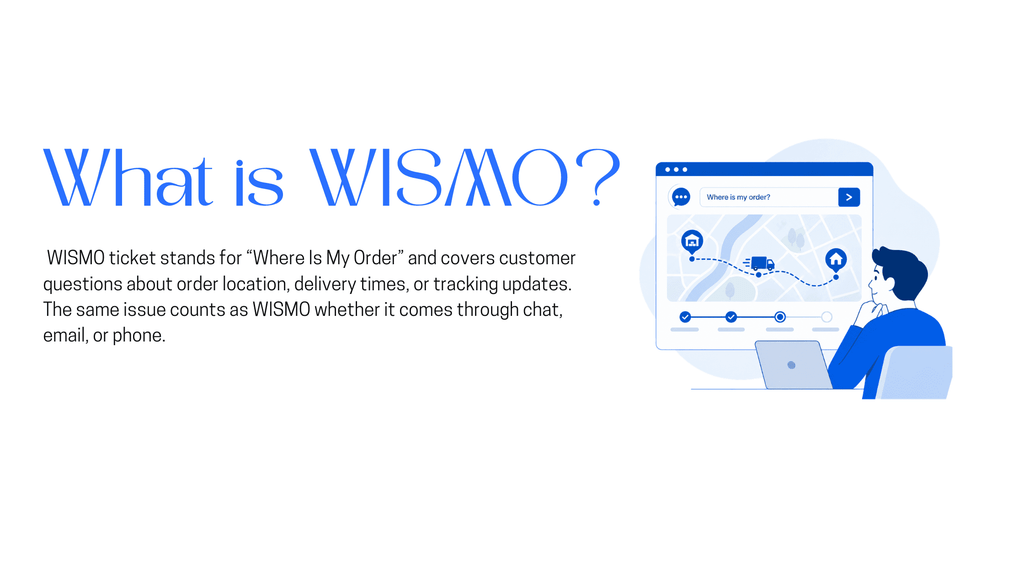
WISMO stands for “Where Is My Order”: any customer message asking where a purchase is, when it will arrive, or why its tracking has not moved. A WISMO call is the same question asked by phone, so it goes in the same count as chats and emails. Only the cost of answering changes with the channel.
WISMR, short for “Where Is My Refund”, is a separate ticket type. It looks similar because the customer is again asking about something they cannot see, but the answer lives in the refund or payment record rather than the shipment. Keep it under its own tag so a refund backlog never hides inside your shipping numbers.
| Tag | What the customer asks | Where the answer lives | Who fixes the cause |
|---|---|---|---|
| WISMO | Where is my parcel and when will it arrive | Fulfillment status and carrier tracking | Fulfillment and shipping |
| WISMO exception | It says delivered but I do not have it | Carrier claim and your reship policy | A support person |
| WISMR | When will my refund reach my account | Refund record and payment provider | Returns or finance |
An exception starts as WISMO but ends as a decision about money, which is why it gets its own tag. With those three tags written down, you can count them in last month’s export.
WISMO share = WISMO tickets ÷ all customer tickets in the same period × 100. Use a full calendar month so weekday and weekend patterns even out. A CSV export from your ticketing system and a spreadsheet are enough.
Step 4 decides whether the number means anything. A keyword filter overcounts and undercounts at the same time, and only reading both piles shows you by how much.
Here is a hypothetical month to show the arithmetic. The cleaned export holds 1,000 tickets and 200 of them are WISMO, so the share is 20%. If the store shipped 5,000 orders that month, dividing 200 by 5,000 gives a second figure: 4 WISMO tickets per 100 orders shipped.
Keep both figures, because the share can fall for the wrong reason. Suppose a product defect adds 300 extra tickets next month while WISMO holds at 200 and orders hold at 5,000. The share drops to about 15%, but the per-order rate stays at 4, because just as many customers still had to ask. The per-order rate only falls when fewer customers need to ask.
With a baseline in hand, the matched rows can also tell you what made customers ask.
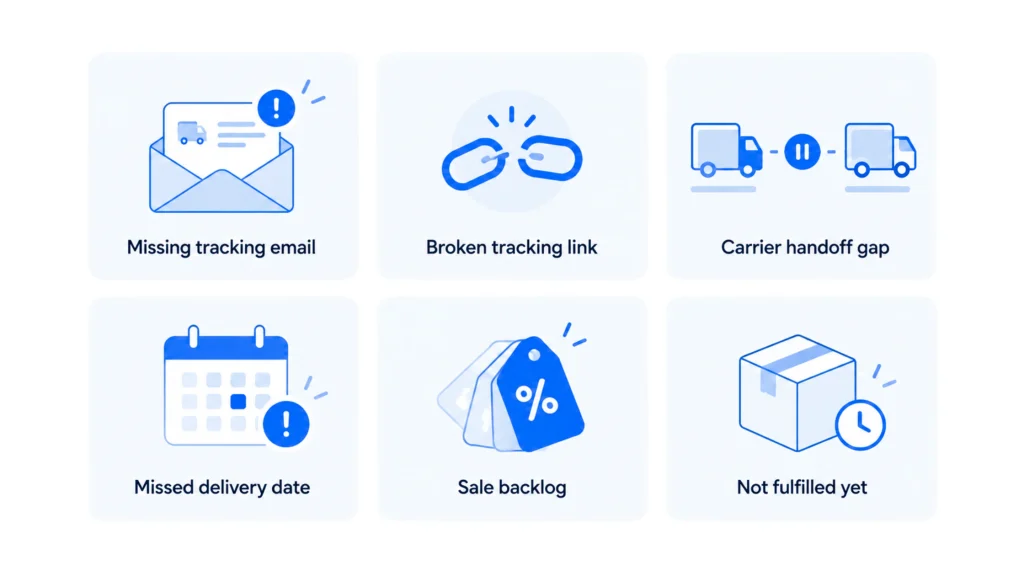
Sort the WISMO rows by date before you read them. The tickets tend to cluster around the days when something in the delivery chain went quiet, and the first message usually names the gap.
| Cause | What the first message says | Fix to try first |
|---|---|---|
| Tracking email missing | “Can you send my tracking number” a day or two after dispatch | Check that the shipping confirmation email sends and lands outside spam |
| Tracking link fails | “The link doesn’t work” or “It shows no information” | Link to a page that shows the scan history without a login |
| Carrier handoff gap | “Tracking hasn’t moved in days” | Say on the shipping page that scans can pause between carriers |
| Promised date passed | “It was supposed to arrive on Monday” | Match the delivery windows on your site to what carriers deliver |
| Sale backlog | A cluster of “has my order shipped” after a promotion | Post the longer handling time before and during the sale |
| Not fulfilled yet | “I ordered three days ago and nothing happened” | Show handling time at checkout and in the order confirmation |
Tally the rows against each cause. If one cause holds a large block of the tickets, fix it before you touch automation. An agent that accurately says “your tracking has not updated in six days” still leaves the customer waiting.
The top fixes are small, and the email and shipping page they produce are what the agent will quote later.
Three changes remove tickets without any agent at all. Each one is a form of proactive customer service, where the store answers the question before the customer has to ask it.
Send the shipping confirmation email when the order is fulfilled, with the tracking number as text and as a link. The link should open a page with the scan history. Test it on a phone with a real order, clicking through the way a customer would.
A link that lands on a carrier homepage or a login screen produces the “link doesn’t work” tickets from the table. Check it again whenever you add a carrier.
One public page should state the handling time, delivery windows for each region or shipping method, order cut-off times, and what happens when a parcel stalls. Link it from product pages and checkout so the promise is visible before purchase.
Review the page whenever carriers or cut-offs change, and before every sale. A page that promises two days while carriers take five invites a ticket from every customer still waiting on day three. Keep it on a stable, public URL, because the agent will read it later.
Add an order status link to the account menu, the site footer, and the order confirmation email. Customers who find the status themselves never become a ticket.
Once these fixes are live, the WISMO tickets that remain are the ones where a customer needs a live answer about one specific order.
An agent trained only on your website can explain your shipping policy, but it cannot see an individual order. For “where is my order”, it needs two sources: the policy pages for the rules, and a connection to the store for the order itself.
Add the shipping page as a website link source under Training → Add New Link. The agent then answers handling times, cut-offs, and regional windows in your own wording. The page must be public for the crawl to work.
When the written policy changes, refresh that source, because product webhooks keep catalog data current but do not update a policy page. Re-index timing lives in Advance Training. Your returns and FAQ pages go in the same way, since training an agent on your own data works the same for every public page.
For Shopify stores, AI Studio includes a template called Connect Your Shopify Store with an AI Chatbot. Import it with File → Import, then set two config variables:
SHOPIFY_TOKEN: the Admin API access token that Shopify issues when you create a custom appSHOPIFY_ENDPOINT: your store.myshopify.com addressThe template’s scenarios include Order Status and Return Order, alongside product search, product details, and cart links. Before the agent returns any order details, it should collect the customer’s email and order ID so the lookup matches the right order. We cover that scenario step by step in our Shopify agent for real-time order status walkthrough.
Do not confuse the template with AI Copilot Actions for Shopify under Functions → AI Copilot Actions. Those five actions search products, display products, show product details, add to cart, and view the cart, and they run only in Agent Mode. None of them looks up an order, so WISMO setup does not need Agent Mode.
Stores on WooCommerce or a custom platform follow the same pattern: connect the order system through Functions, REST APIs, webhooks, or AI Studio. On WooCommerce, you can build a WooCommerce agent on that pattern.
Pick five WISMO tickets from last month’s export, including one where tracking stalled. Ask each question in the Emulator with a real order number and email, then compare the reply with the order in your store admin.
Then ask about an order that has no tracking number yet. The reply should quote the handling time from your shipping page rather than invent a delivery date. If it invents one, check that the shipping page was added and trained. Publish once every reply matches what the store admin shows.
The stalled order from that test is also where you decide what the agent should stop answering.
The agent can report a status, but it should not decide who pays for a missing parcel. Send these cases to a person:
You can set up human handoff in three ways. The Request Human button sits in Widget Settings under Follow-up Actions and can notify Slack or Discord through a webhook. Quick Replies match phrases such as lost parcel and can escalate to a person. AI Studio handles routing built on intents or Unable to Answer events.
In AI Studio, use Escalate to Human under Actions when the agent should stop replying. Assign Member routes the thread to a teammate but does not pause the agent, so the customer could get replies from both. Have the agent collect the order ID before the handoff. The teammate who takes over can open the order straight away, and the customer gets a clean escalation without repeating anything.
Once handoff is in place, the last step is to prove the setup changed the numbers you measured at the start.
Rerun the same filter with the same phrases on the next full month. Compare both the WISMO share and the per-order rate against your baseline. If the share fell but the per-order rate did not, other tickets grew and WISMO did not shrink.
Then look past the tickets that reached your team. Count the order status conversations the agent finished without a handoff, and check which customers wrote again about the same order within a few days. A repeat contact means the first reply did not settle the question, which is the gap between answering and resolving. Tickets that never reach a person feed your deflection rate, but only the repeat check shows whether customers got their answer.
When set up correctly and maintained, YourGPT agents resolve up to 90% of repeated queries autonomously, and order status is a typical repeated query. Your own figure depends on how many orders carry tracking, what the connected store data exposes, and which cases you route to a person. Judge the result against your baseline, not against that ceiling.
Yes, the same agent can take them, but keep the tag separate in your reports. It can answer refund timing from a public refund policy page you add as a training source. A status for one specific refund needs a connection to the system that holds it. The Shopify template in AI Studio lists Return Order among its scenarios, but not a refund status check. Route disputed or overdue refunds to a person.
Hand it to a person. While the order is still inside the handling time on your shipping page, the agent can confirm it is not yet fulfilled and quote that time. Once the time has passed, the customer needs someone who can chase the order with your fulfillment team, and repeating the policy only invites another message. Treat it like the other handoff cases, with the order ID collected first.
Yes. You connect the same trained agent to each channel from Integrations, so WhatsApp answers from the same training sources as your website. Each channel still needs its own connection step, so connect WhatsApp to your Shopify store first. Then rerun the real-ticket test on that channel before you tell customers it is live.
Pull the phone log for the same month and add its WISMO calls to both the WISMO count and the total before you divide. Calls often sit in a separate system from the ticket export, which is why they go missing from the share. If calls are not logged by reason, tag a sample week by hand. Keep the channel column so you can see where the remaining tickets arrive after the fixes.
There is no reliable universal benchmark, so compare against your own baseline. The share depends on your catalog, carriers, regions, and how many other ticket types you receive. A rising per-order rate is the clearer warning, because it means more customers need to ask about each shipment. Track it monthly, and check it after every carrier change or sale.
WISMO is a visibility problem that happens to land in support. The share and the per-order rate tell you how large it is. The causes table shows which part a tracking email or shipping page can remove, and the handoff list marks the part that should stay with a person.
What remains is a lookup against the order record. An agent connected to your store can answer it, through the Shopify template in AI Studio or your own connection. Run the same count next month. If the per-order rate falls and repeat contacts stay low, the agent is resolving the question rather than only replying to it.
Import the Shopify template in AI Studio, add your token, then test one real ticket.
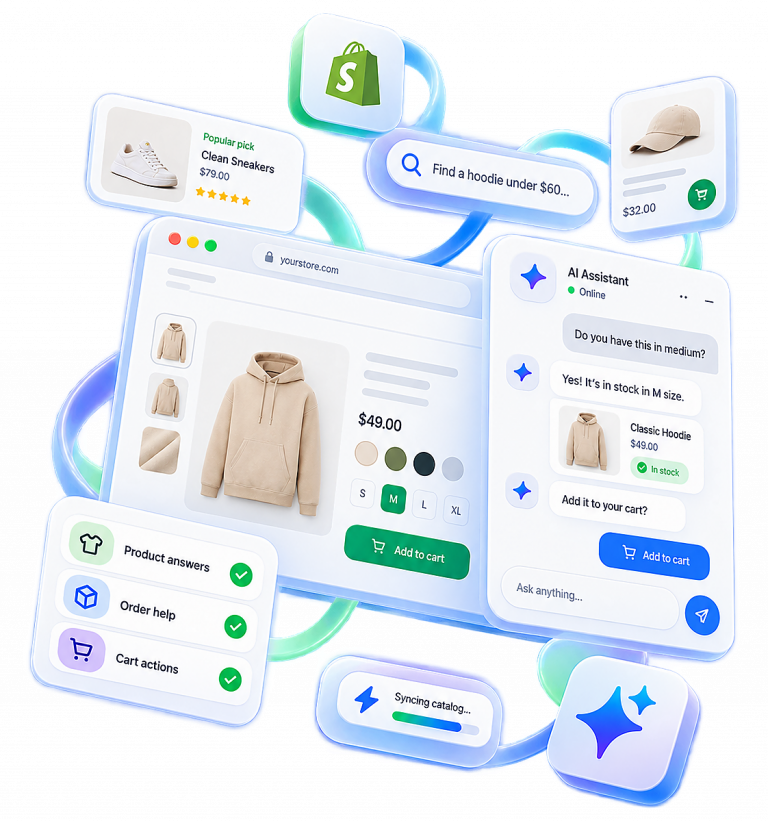
Run WordPress customer service alone. Train a YourGPT agent on your help pages, test it on real tickets, install the plugin, and get only the exceptions.

Learn how to judge Shopify AI resolution rates with clear formulas, a worked example, ticket-level checks and practical ways to improve support quality.
TL;DR B2B customer service means supporting multiple people within the same account, including end users, admins, finance or procurement contacts, and executive sponsors, each with a different definition of a resolved ticket. Traditional support bots handle one conversation at a time and often lose account context when requests move between contacts, channels, or teams, forcing […]

TL;DR A vector embedding is a list of numbers that represents meaning, placing similar concepts closer together in a mathematical space. AI chatbots use embeddings to match questions by meaning rather than exact wording, which is a core part of retrieval-augmented generation (RAG). Anthropic recommends Voyage AI for embeddings, while OpenAI, Google, and Cohere provide […]
TL;DR An FAQ chatbot answers repetitive questions by matching user queries with a knowledge base and returning grounded responses using rules, AI retrieval, or both. Modern FAQ chatbots use confidence checks to deliver instant answers for strong matches and fall back to broader retrieval or human handoff when confidence is low. Rule-based bots work well […]
TL;DR Multimodal chatbots let customers share photos, screenshots, documents, video, or audio directly in a conversation, giving AI more context than text alone. YourGPT’s Attachment Capture node in AI Studio can collect these files mid-conversation, while vision-capable AI models can analyze and understand their contents. Key use cases include ecommerce returns, insurance and warranty claims, […]