7 Halloween Marketing Ideas for Ecommerce Stores Using AI Agents

Rajni
October 16, 2026
Ecommerce stores can deploy Halloween product finders, occasion bundles, reply-enabled campaigns, creator collections, cart follow-ups, delivery-cutoff offers, and relevant November follow-ups. AI agents support these initiatives with product and policy answers plus permitted connected actions, though availability depends on the store integration. Track orders and contribution to judge success rather than relying on views alone.
A Halloween offer can earn a click while leaving the buying decision unfinished. The shopper still needs to know which products fit the occasion, whether the offer applies and when the order could arrive. Choose a campaign where your products serve a Halloween occasion and your customer questions reveal a buying decision you can help with. A seasonal theme alone is not a reason to promote an unrelated product.
An AI agent workflow takes an incoming shopper request, checks product and policy sources, and returns a permitted next action or human handoff. The seven ideas below apply that pattern to different questions, from choosing a set to deciding whether a late order can arrive in time.
These seven Halloween campaign ideas show how AI agents can help ecommerce stores guide product selection, answer shopping questions, recover abandoned carts, and manage seasonal offers. Each idea includes a practical workflow to help businesses turn customer interest into purchasing opportunities.
| Buying question | Campaign to start with | Inputs you need |
|---|---|---|
| Which products fit my occasion? | Guided finder | Product attributes, prices and availability |
| What goes together? | Occasion bundle | Components, price and eligibility |
| Does this offer apply to me? | Reply-enabled campaign | Approved terms, permitted audience and connected channel |
| Which exact items made this look? | Creator collection | Product and variant mapping |
| What is stopping checkout? | Cart question follow-up | Cart event, contact permission and purchase suppression |
| Will it arrive before my event? | Delivery cutoff offer | Destination, method and current shipping rules |
| Which November offers are relevant? | Preference-based follow-up | Declared interests and channel permission |
Use a guided product recommendation experience when shoppers need to choose among products with meaningful differences, such as indoor or outdoor use, dimensions and budget. Promote the finder on the Halloween collection page or in an email. An ecommerce AI agent can ask about those requirements before retrieving matching products; a small range with obvious choices may need only a collection page.

Prepare the attributes the finder will use to filter products. Use recorded suitability information rather than inferring outdoor safety from a product photo. If nothing meets the requirements, say so and offer a human handoff.
Ensure your catalog sync includes the attributes used to filter products, current prices and availability status. A crawl alone is not proof of live inventory. A product recommendation needs a verified match, price and availability.
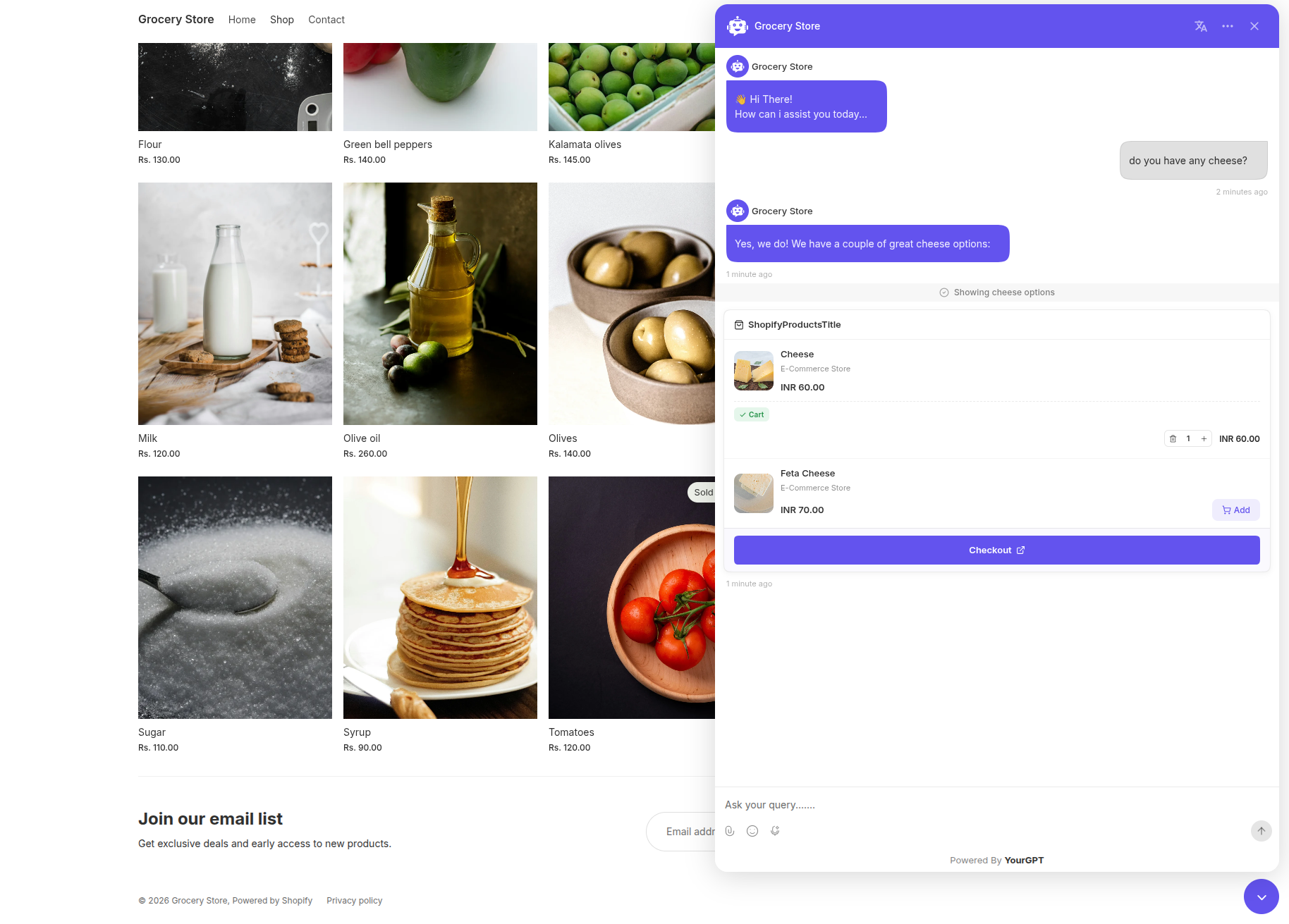
Switch from Chat Mode to Agent Mode in your agent’s mode settings before using the storefront controls. On Shopify, AI Copilot Actions provide the product cards and cart controls shown below. WooCommerce and custom stores need their own supported connection; the same marketing idea does not imply identical actions.
Before launch, check recommendations against your live product pages, including a sold-out variant and a request your catalog cannot meet. Track product clicks and completed orders from finder sessions separately; those orders show association, not proof that the finder caused the purchase. If shoppers need complementary items, an occasion bundle addresses that question.
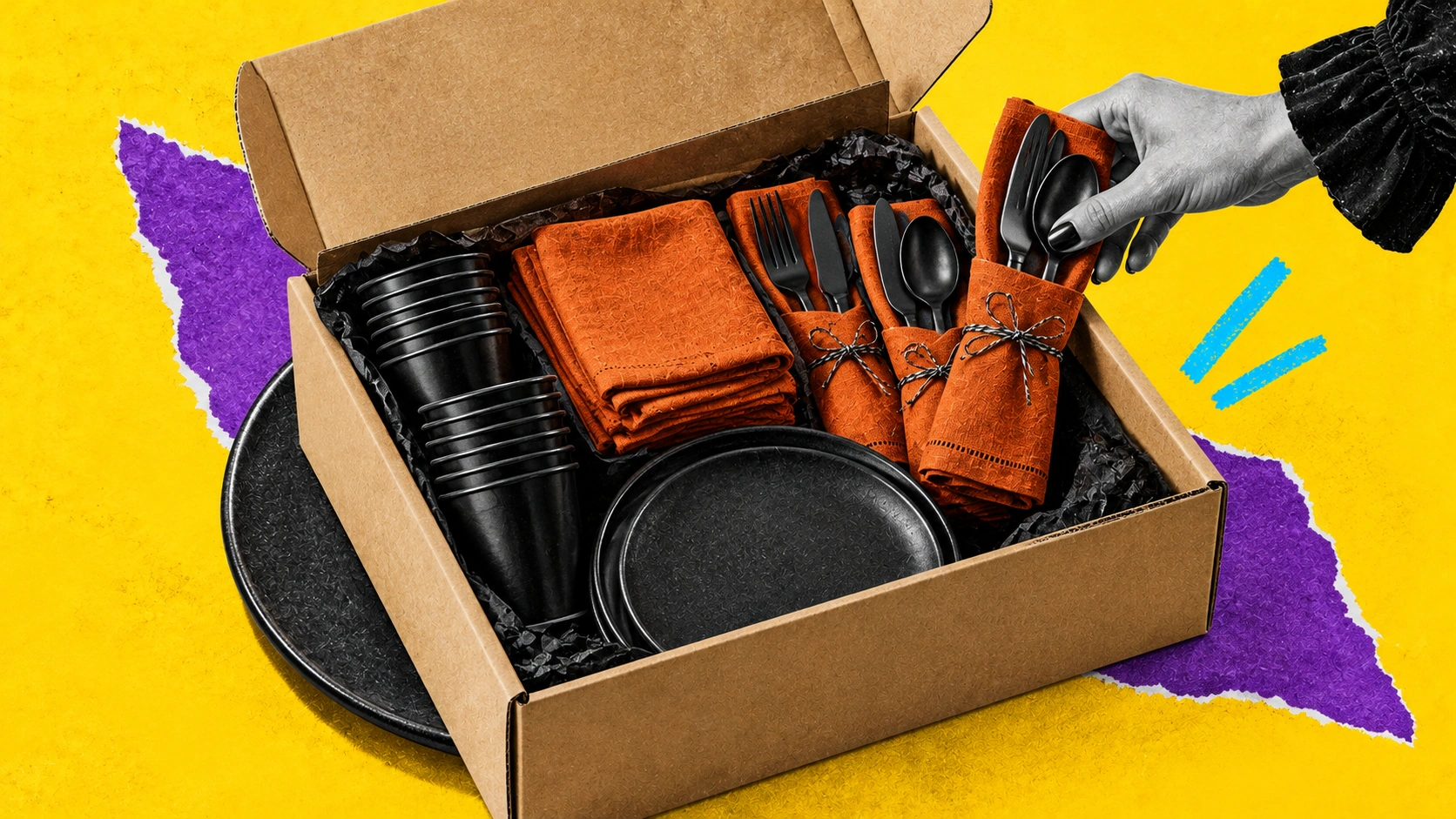
Build a party-table set with cups, napkins and cutlery for a stated guest count. Show the quantity of each item before purchase and keep optional decorations separate. This gives shoppers a defined set to evaluate rather than a collection of loosely related products.
| Field | Offer input |
|---|---|
| Audience | [Permitted audience or storefront segment] |
| Occasion | Halloween party |
| Guest count | [Number served and quantity of each required item] |
| SKUs | [Item IDs and quantities in the set] |
| Price | [Bundle price] |
| Expiry | [Date and time with timezone] |
| Exclusions | [Merchant-defined exclusions] |
Use the guest count to retrieve a configured set, rather than asking the agent to invent a bundle price:
Enter your actual bundle price and variable costs. Subtract costs for goods, fulfillment, payment fees and other applicable variable costs to find contribution before advertising. Then track bundle orders and total contribution.

A suggested set is not a configured discount. Configure any bundle price or discount in your store. Claim savings only after comparing the same quantities bought separately.
Use the same approved terms in ecommerce customer service answers and campaign messages. Reply-enabled outreach gives shoppers a way to clarify those terms.
Use a reply-enabled campaign when previous chats show questions about product suitability or offer terms. Choose one configured channel with a permitted audience and make sure replies reach the agent with the original campaign context. Adapt these messages to that channel:
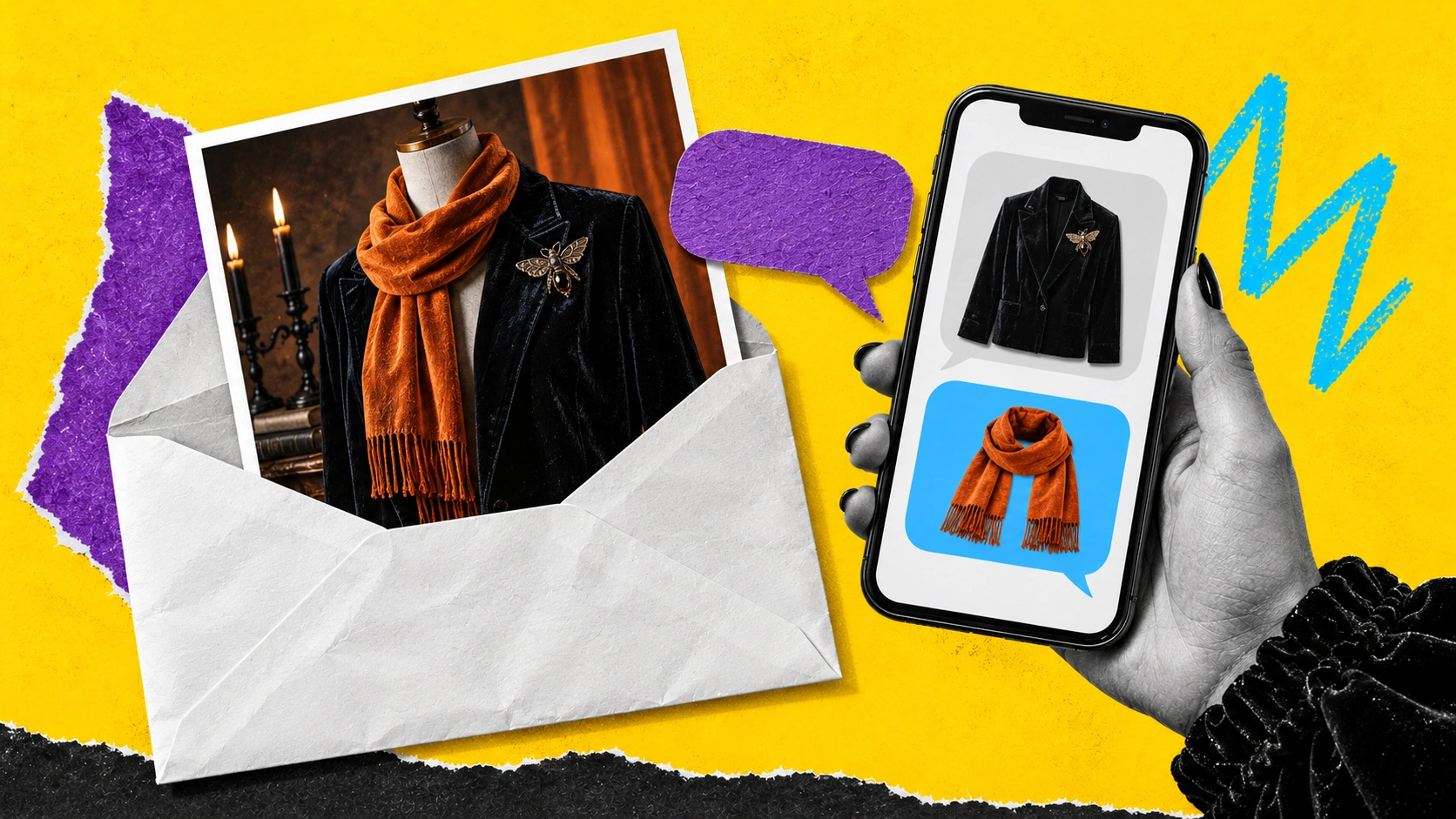
YourGPT Campaigns supports Email, WhatsApp, SMS and AI phone outreach, with replies handled in the original campaign context. Confirm Campaigns access in your project and connect the selected channel before putting the send on your calendar.
When a reply arrives, the agent uses the original offer to identify the collection and terms, checks the product or eligibility question against the approved source, then returns the relevant product link or handoff. Campaign context identifies the offer; current product data determines the answer. For event-based follow-ups, configure scheduling and completed-purchase suppression in the connected store automation.
Measure completed orders and contribution alongside campaign replies. Inspect whether replies ask for buying advice or merely clarify confusing exclusions; a higher reply count can reflect either. Use the unanswered questions to clarify the next message before expanding the audience.
Link a Halloween makeup tutorial to a collection containing the exact products and variants used in the look. Configure the integration to pass the collection URL or ID to the agent; a visit from a creator link does not automatically provide that context. If the context is missing, ask which tutorial or collection the shopper means.
The same mapping works for a lighting tutorial: link the featured bulbs, fittings and accessories to one collection. If the original variant is unavailable, the agent can explain verified alternatives from the catalog.
| Field | Record before sharing the creator link |
|---|---|
| Tutorial | Creator name and the specific video or post URL |
| Featured items | Exact product and variant IDs matched to each item used |
| Collection | Live landing URL containing those variants |
| Tracking | A distinct tracked link for this creator and tutorial |
| Conversation context | Collection or tutorial ID passed to the agent by the integration |
| Reuse rights | Agreed channels, usage period and permission to edit the content |
A creator’s product choice and an available replacement are different recommendations. Keep those labels separate in the collection and the agent’s reply.

Before publishing, follow the creator’s link and check each featured product against its exact variant on the collection page. If an item is unavailable, identify any replacement as an alternative rather than a product the creator used. Track attributed orders and contribution after creator fees and paid distribution, with the attribution window recorded.
A campaign tag identifies a traffic source; it does not establish shopper identity across devices. Use the same attribution window when comparing creator costs and orders.
A WooCommerce AI agent uses its own store connection for product data. Check which actions your platform supports before adding cart controls to a creator campaign.
Use this campaign when your store can identify an abandoned cart and the contact is eligible for a follow-up on the selected channel. First check for checkout faults and unexpected shipping costs; a reminder does not fix a broken payment step. Ask about the unresolved product question before adding a discount:
“Hi [Name], do you need help with sizing, bundle contents or delivery for [Halloween Item]? Reply with your question. You can return to your cart at [Checkout Link].”
Use your connected store automation to detect the cart event and schedule the message. Configure the purchase check there; YourGPT handles replies through the connected channel:
Test the automation by completing a purchase while a reminder is queued; the reminder should be skipped once the order event arrives. Check how quickly order events sync before choosing the delay. If the variant is unavailable, explain that and offer an available alternative. For an expired cart, use a working product link or create a new cart only when the integration supports it.
Use the Shopify integration for storefront cart actions in Agent Mode. Other platforms need their own supported cart connection.
A reminder-attributed order is not necessarily an additional order.
Randomly assign eligible shoppers once, before the send, to a reminder group or a control group that receives no reminder. Keep assignment fixed if the shopper returns. Use the same eligibility rules and purchase window, and avoid giving one group a different offer.

Count all assigned eligible shoppers in each group, including those who never click or reply. Assess uncertainty before attributing a difference to the reminder: random variation can produce a positive observed difference. With too few orders to distinguish an effect, treat the result as inconclusive rather than declaring a winner.
Record unanswered sizing, price and delivery questions in your customer journey map before choosing the reminder message. Near the shipping cutoff, review delivery questions against the rules below.
Promote only the products and destinations still eligible under your actual shipping rules. Ask for the event date, destination and shipping method, then check the cutoff worksheet. Include processing time, transit estimates and the working-day calendar before quoting an arrival estimate.
Complete one record for each destination and shipping method:
| Policy field | Store information to record |
|---|---|
| Destination | Region or delivery zone covered |
| Method | Exact shipping service available at checkout |
| Order cutoff | Last eligible order date and time with timezone |
| Processing | Time needed before dispatch and applicable working days |
| Transit | Current estimate for that service and destination |
| Exclusions | Products, dates or locations the rule does not cover |
| Campaign | Collection link and scheduled messages that must change at cutoff |
Train the agent on this policy using website links or documents. Match the event date, destination and method to the relevant policy record, then return the eligible collection and the applicable cutoff. If no policy record supports the requested date, explain that before showing a purchase link.
Use separate campaign links for delivery zones with different deadlines. When a zone’s cutoff passes, pause its scheduled promotion and update the collection’s delivery message. Offer a faster method only when your current rules support that destination and event date.
Quote an arrival guarantee only when your store offers it for that order. A carrier’s refund policy does not establish your customer promise. State processing time, the transit estimate and any merchant guarantee separately.
A tracking estimate for a dispatched parcel cannot establish when a new order will arrive. Use a connected pre-purchase estimate only if it accounts for the destination, selected service and processing rules. If required information is missing or the lookup fails, explain the uncertainty and offer human handoff.
Test a destination before and after its actual cutoff, including any excluded product. Offer pickup or digital products only if your store actually provides them in time. Track campaign orders alongside delivery complaints and wrong-cutoff answers as part of proactive customer service.
Refresh trained policy sources when written shipping rules change using website links. Product synchronization does not refresh the shipping policy.
Use a November follow-up only when there is a relevant next purchase and the shopper has declared an interest in that category. Hosting supplies for a later gathering can fit an expressed hosting interest; buying single-use Halloween props does not establish that need. Ask for the category preference and permission for the selected channel.
After resolving open service issues, record the shopper’s category choice and channel permission in your connected customer system. A Halloween purchase does not enroll someone in November promotions.

Follow-Up Template
| Trigger | Data Required | Action | Exception |
|---|---|---|---|
| Declared hosting interest | Category preference and permitted channel | Send relevant November collection | Opted out or category preference changed |
| Open service issue | Issue remains unresolved | Pause promotional ask | Resume only after resolution and with permission |
| Opted out | Channel preference | Suppress marketing on that channel | Respect global opt-out |
Build the audience from the saved category choice and permitted channel. Have the connected automation recheck opt-outs, changed preferences and unresolved service issues immediately before sending. Test actual contact records that should be included and excluded, and confirm that each collection link matches the recorded interest. Skip the send when there is no useful next offer.
When a shopper replies, the agent uses the selected category and current offer terms to answer product questions and return matching collection links. Route unresolved questions to your team; keep promotional scheduling and audience checks in the connected customer system.
Track completed orders and contribution from November campaign links, plus the share of eligible recipients who purchase in your chosen window. Compare results to a valid baseline or holdout group where feasible. Review complaints and unsubscribes to gauge trust. Carry the verified sources and checks into your Black Friday sales campaigns, then review the new offer terms before sending.
Choose tools around the campaign you selected: creative production, message delivery, buying questions and measurement. We selected these five for their documented capabilities and the different jobs they cover. Start with the gap in your existing setup; an established email or design workflow may already do what you need.
| Tool | Campaign job | First output to build |
|---|---|---|
| 1. Canva | Collection banners and social graphics | A consistent set of campaign assets |
| 2. CoAnimator | Product videos and creator tutorials | An editable bundle reveal or product tutorial |
| 3. YourGPT | Customer support and sales | An agent for product guidance and connected order support |
| 4. Klaviyo | Event based email follow-ups | A cart flow with a purchase exclusion filter |
| 5. Google Analytics 4 | Campaign and purchase measurement | Tagged campaign links and verified purchase events |
Use Canva Brand Kit when the same Halloween collection needs a storefront banner, email header and social creative. Its value here is keeping the product, offer and brand treatment consistent as the asset changes shape.
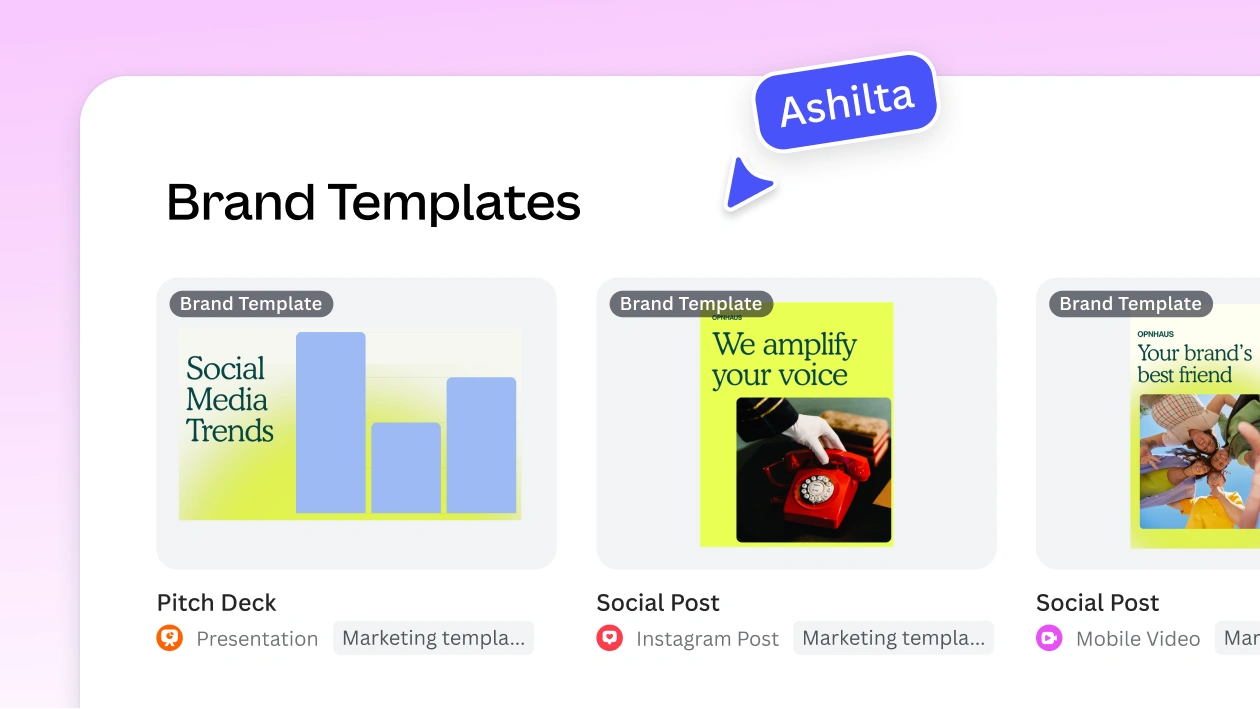
Useful features
Prepare one master design with the real product photo, exact offer and expiry with timezone. Adapt it for the collection page, email and a portrait social placement. Check every output at its intended display size: resizing can move or shrink the offer, crop a product, or leave an action outside the visible area. Keep the same approved product quantities and terms across all three.
Brand Kit and Magic Switch are promoted as Pro capabilities, so check your plan before building the process around them. Canva does not validate your store’s current stock or discount eligibility. Recheck those details before exporting the creative, especially after a product or offer changes.
CoAnimator is an agentic animation studio for building and revising product videos. It fits a Halloween bundle reveal or tutorial where shoppers need to see the contents, sequence or finished look before choosing the products.
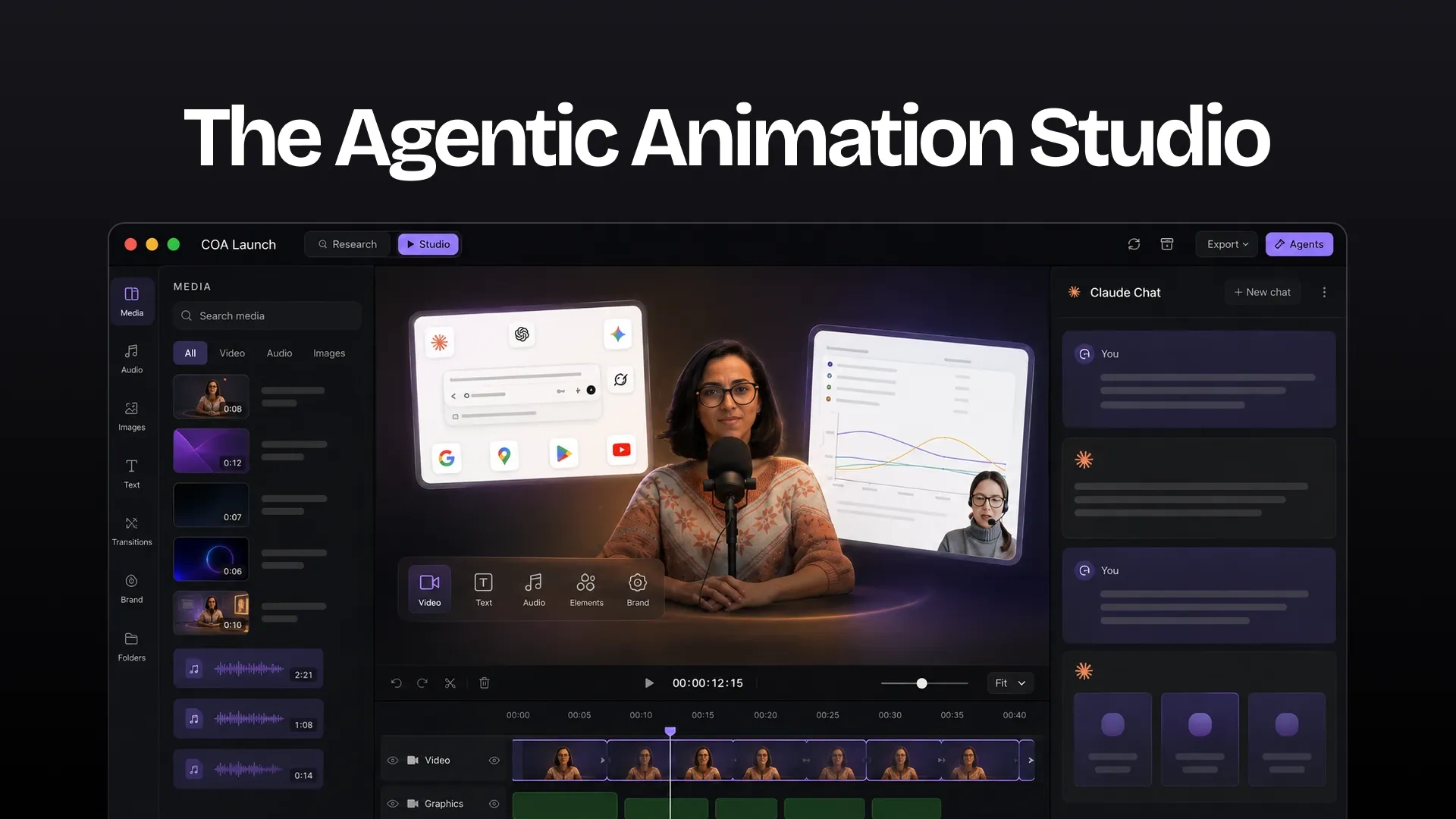
Useful features
Give the agent your approved product photos or footage, bundle quantities, collection URL and exact offer terms. Build a reveal that shows what is included and ends with the collection destination. Keep the project so you can replace a sold-out item or change expiry text without rebuilding every scene. Inspect the exported video on a phone for product accuracy, legible captions and a readable next action.
Allow time for agent and plugin setup. Voiceover, generation or research can require additional configured services. Works with a Free Forever model and a valid paid licence permits higher resolutions and advanced features.
YourGPT is an AI agent platform for customer support and sales. Use it to help shoppers choose a Halloween product before purchase, then answer delivery, order and return questions after checkout.
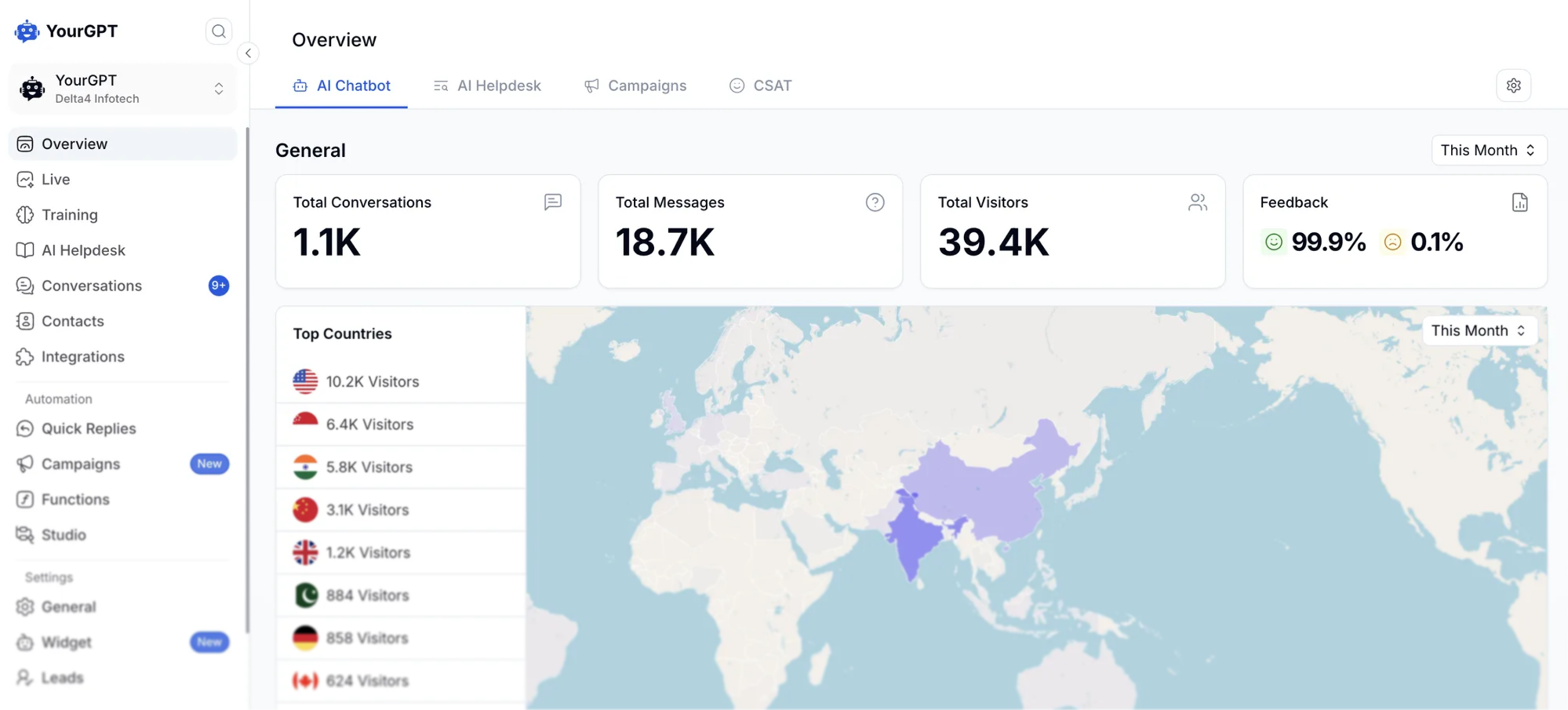
Customer support and sales features
Start with one Halloween collection, its size guide, offer terms and shipping and return policies. Connect the supported catalog and order lookups your workflow needs. Before launch, test a product recommendation against its attributes, an order-status answer against a real order, and a request for human help. Check that the agent asks for missing details instead of guessing.
Training on a website does not provide live stock or order data. Those answers require connected lookups and appropriate access checks. Shopify storefront cart actions require a supported connection and Agent Mode; verify available actions separately for other platforms. Keep scheduled cart reminders and purchase suppression in your configured store or email automation.
Klaviyo’s abandoned cart flows fit stores that need email sequences triggered by checkout activity. Use your existing commerce integration to carry the cart data into the message and check whether the shopper has already purchased.
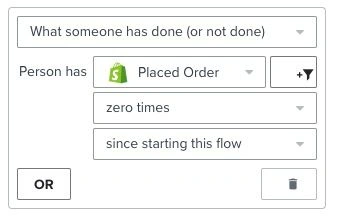
Useful features
Retain the integration’s dynamic cart block when adapting the email to your Halloween collection. Configure the profile filter Placed Order zero times since starting this flow, then test a purchase while its reminder is queued. Check that the order event arrives, the email is skipped and another store automation does not send a duplicate.
A branch changes the recipient’s route; the purchase filter excludes them from later sends. Store events, cart rebuilding and sync speed vary by integration. Assign one system to schedule each message, and test any reply routing you configure rather than assuming these tools connect automatically.
Use Google Analytics 4 to inspect which campaign links bring sessions and what those visitors do in the store. The Traffic acquisition report helps separate email, creator and social traffic when the links and measurement are configured correctly.
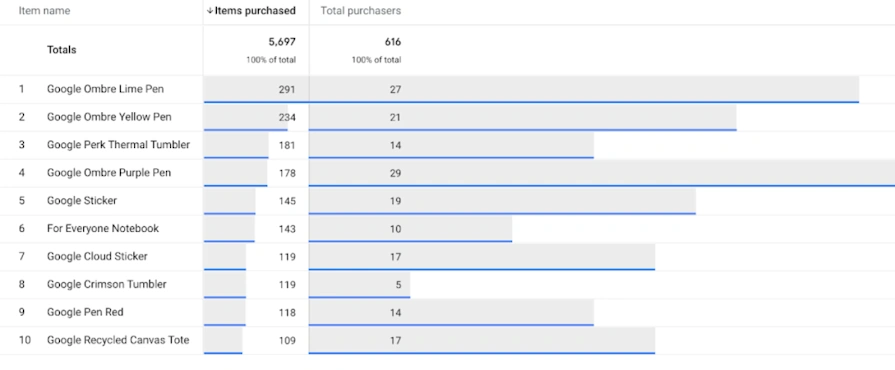
Useful features
utm_content to distinguish the video, banner or message variant.add_to_cart, begin_checkout and purchase through your platform setup or implementation.Choose one campaign naming convention before sharing the collection links. Verify that a test purchase produces the correct value and currency without duplicate purchase events. Compare campaign results with store order records and investigate measurement gaps before increasing spend. Installing a base analytics tag alone does not establish that ecommerce events are working.
Items purchased counts units rather than orders. Use the relevant purchase metric for order measurement, then calculate contribution from actual store costs. Campaign attribution allocates credit; the holdout method above is what helps investigate additional sales.
Keep one shared campaign brief with approved product URLs, quantities, offer expiry, creative files and tracked collection links. Name the owner of each send and record which system supplies stock, order and permission checks. Once those handoffs are clear, run the launch checks below.
Run these checks with your actual product URLs, approved offer terms and current shipping policy before launch. Use recent customer questions and real records, and record the answer, the source it used and the person responsible for any fix.
| Check | Action to take | Result required before launch |
|---|---|---|
| Stock change | Ask about a real sold-out variant | The agent does not present it as available and labels any alternative clearly |
| Offer expiry | Check a current offer and an expired offer against their recorded expiry times | The expired offer is no longer quoted as active |
| Missing delivery rule | Use a destination absent from the current policy | The agent explains the missing estimate and offers handoff |
| Lookup failure | Test the configured failure path for an unavailable store connection | The agent does not invent a price, stock level or order result |
| Human request | Use a recent customer request for a person | The conversation reaches the configured team destination |
| Purchase during queue | Complete a test purchase while its reminder is queued | The connected automation skips the reminder after the purchase event syncs |
Fix the source, action or automation that failed, then rerun that check. A correct reply cannot compensate for a reminder sent to the wrong audience.
Yes, you can promote a curated collection, guest-count bundle or creator tutorial at your regular prices. Make the value specific: quantities, compatibility, exact variants or help choosing. Show any shipping charges before payment and avoid a savings claim unless the comparison supports it. Judge the campaign on completed orders and contribution after its costs, rather than assuming a discount is necessary.
Work backward from the last order date your store can support for the event. Allow time before that date to prepare the collection, check offer terms and test replies, handoff and purchase suppression. Separate delivery zones with different cutoffs. If testing finishes after a zone’s deadline, remove that zone from the physical-product promotion instead of compressing the delivery promise.
Start with a curated collection and answers grounded in approved product pages and written offer terms. Treat those sources as published information, not a live stock or checkout feed. Send shoppers to the store to confirm availability and complete payment. Add live availability, cart changes or order lookup only after you have a supported connection and have tested the specific action.
Treat a small number of orders as limited evidence, not a reliable conversion uplift. Record campaign costs, completed orders, contribution and the buying questions left unanswered. Keep a consistent purchase window and inspect failed recommendations or delivery answers individually. A control group may remain inconclusive with low traffic; report that uncertainty and use the findings to fix the workflow before increasing spend.
Keep order support active and stop promoting delivery options that no longer meet the event date. Update scheduled messages, collection banners and trained shipping rules together. Continue an offer only where your store can still fulfill it, such as a remaining eligible destination or an available pickup option. Move shoppers to November promotions only when those offers match their declared interest and channel permission.
Choose your first campaign from the buying questions shoppers already ask. Prioritize a recurring question that affects whether they can place an order, and for which you have a reliable answer source. If your shipping rules cannot support the event date, resolve that before spending on a delivery-led promotion.
Use the first campaign to diagnose what needs changing. When an agent gives a wrong answer, check its source or connected lookup. When it correctly explains an offer shoppers reject, review the price, contents or delivery terms. When shoppers accept the offer but cannot complete payment, inspect checkout before buying more traffic.
Keep this distinction in your campaign review: what the agent needs to answer better, and what the store needs to change. Assign an owner to each fix before approving the next send.
Create an agent, add your collection and offer terms, then test a real shopper question.
Compare outsourcing customer service with an AI agent using your own ticket mix, a cost model you fill in, and a clear rule for a hybrid split.
Export the Zendesk ticket archive, train an AI Agent on the help center, and test one real ticket before you stop the old queue.

Compare six Yuma alternatives by ecommerce capabilities, helpdesk compatibility, pricing and human handoffs to choose a replacement for your support team.

Move from Gorgias with a verified ticket archive, tested AI workflows, human handoff and a channel cutover plan before ending your subscription.
TL;DR The Gorgias AI Agent is the automation layer inside the Gorgias helpdesk, split between a Shopping Assistant for pre-purchase conversations and a Support Agent for post-purchase support. A connected Shopify store is required, and Gorgias documentation rules out platforms such as BigCommerce, Magento, and WooCommerce for the AI Agent. Billing runs on two separate […]

TL;DR Gorgias is the closest Richpanel alternative for Shopify stores that need native order actions directly inside support tickets. YourGPT fits stores that want one AI agent handling requests across web, WhatsApp, Instagram, and email, while Tidio and Re:amaze suit smaller teams looking for lighter, lower-cost options. Richpanel’s AI pricing starts around $500/month for two […]