25 AI Chatbot Tools Compared for 2026 [Free & Paid]

Akansha
Last updated on August 7, 2026
![25 AI Chatbot Tools Compared for 2026 [Free & Paid]](https://s3.us-east-2.amazonaws.com/assets.yourgpt.ai/content/uploads/2025/05/31082238/Best-chatbot-1.png)
AI chatbots now play a practical role in business operations. The global chatbot market may reach $15.57 billion in 2026 and grow to $46.64 billion by 2029, as companies use chatbots to lower support costs, respond faster, and handle more conversations without increasing team size at the same pace.
Different chatbot tools serve different needs. Some focus on writing and research, while others handle customer support, sales, ecommerce, or internal workflows.
This blog covers the best 25 AI chatbot tools for 2026, including general-purpose assistants, business platforms, and no-code AI chatbot builders, so you can see which options fit your use case, team, and day-to-day workflow.
The best AI chatbot in 2026 depends on what you need it to do. General AI assistants such as ChatGPT, Claude, and Gemini are best suited to writing, research, coding, analysis, and everyday productivity.
Business AI chatbot platforms are built for customer-facing and operational use cases such as customer support, lead qualification, and workflow automation. Platforms such as YourGPT, Kore.ai, and Tidio are better suited to teams that need AI connected to company knowledge, business systems, and customer communication channels.
Developer and open-source platforms such as Rasa are a better fit when engineering teams need deeper control over conversation logic, integrations, infrastructure, deployment, and customization.
Choose general AI assistants for productivity and research, business AI platforms for customer support, sales and automation, and developer or open-source platforms when maximum technical control is the priority.
With dozens of AI chatbot tools available in 2026, choosing the right one can feel overwhelming. To simplify your decision, we used a structured evaluation process focused on features that actually matter whether you’re building customer support bots, automating workflows, or creating intelligent assistants at scale.
| Criteria | What We Looked For |
|---|---|
| Core Features | Language understanding, generative AI, customization |
| Ease of Use | No-code builders, intuitive UIs, developer experience |
| Channel Coverage | Web, mobile, social, voice, CRM, API, app integrations |
| Performance | Accuracy, uptime, speed, scalability |
| Training Options | Ability to train on your own data, import docs, add custom sources |
| Pricing Clarity | Transparent pricing, free plans, fair upgrade paths |
| Use Case Fit | Is it built for your team? Sales, support, devs, marketing, or internal ops? |
| Platform Name | Best For |
|---|---|
| ChatGPT (OpenAI) | General-purpose AI for writing, coding, research, analysis, and multimodal conversations. |
| Gemini (Google) | AI assistance across Google products for research, planning, productivity, and multimodal tasks. |
| Claude (Anthropic) | Document analysis, coding, research, writing, and long-context professional work. |
| Microsoft Copilot | AI assistance across Microsoft 365 for writing, summarization, meetings, and data-related tasks. |
| Perplexity AI | Web research, source discovery, cited answers, and fact-focused search. |
| You.com | AI search, research workflows, web intelligence, and customizable agent experiences. |
| Grok | Real-time web and X search, reasoning, coding, and media-related tasks. |
| YourGPT | Customer support automation, sales conversations, business knowledge, and internal workflows. |
| Kore.ai | Enterprise conversational AI, customer service automation, employee assistance, and complex workflows. |
| Tidio | Live chat, customer support automation, and ecommerce-focused AI assistance. |
| Landbot | No-code conversational workflows for lead generation, websites, and WhatsApp automation. |
| Manychat | Marketing automation across Instagram, Messenger, WhatsApp, TikTok, SMS, and related channels. |
| Chatfuel | Social messaging automation, customer conversations, and lead engagement across messaging channels. |
| Botsify | Business chatbots, white-label deployments, CRM connections, live chat, and messaging automation. |
| Kommunicate | Customer support automation with AI agents, helpdesk integrations, and human handoff. |
| Chatbase | AI agents trained on websites, documents, help-center content, and business knowledge. |
| Tars | Conversational landing pages, lead generation, and template-based chatbot workflows. |
| Rasa | Developer-controlled conversational AI with custom business logic, integrations, and deployment options. |
| Botpress | Developer-oriented AI agent development, workflow orchestration, integrations, and knowledge bases. |
| Botkit | JavaScript-based conversational application development for messaging and collaboration environments. |
| Bottender | Node.js framework for building conversational applications across multiple messaging channels. |
| BotMan | PHP and Laravel chatbot development across messaging and web channels. |
| DeepPavlov | NLP research, dialogue systems, conversational AI experiments, and custom language-processing pipelines. |
| Wit.ai | Natural language processing for text and voice interfaces, intent recognition, and entity extraction. |
| Tock | Open-source conversational AI development with multi-channel support and custom integrations. |
We organized the 25 platforms into three groups because they solve different problems and should not be judged in exactly the same way:
Within each group, we evaluated the factors that affect how people actually use these tools.
| Criteria | What We Evaluated |
|---|---|
| AI capabilities | Natural language understanding, reasoning, generative AI, multimodal support, context handling, and model flexibility. |
| Knowledge and data | Knowledge bases, document ingestion, website crawling, retrieval-augmented generation (RAG), custom data sources, and data controls. |
| Ease of use | No-code and low-code builders, setup process, user interface, developer tooling, APIs, SDKs, and documentation. |
| Integrations and channels | Web chat, mobile, WhatsApp, Messenger, Instagram, voice, CRM, help desk, ecommerce, APIs, and webhooks. |
| Automation | Workflow automation, tool calling, actions, lead qualification, ticket creation, human handoff, and multi-agent workflows. |
| Performance | Response quality, latency, reliability, scalability, and performance across practical use cases. |
| Business controls | Analytics, permissions, security, governance, team management, deployment options, and administrative controls. |
| Pricing model | Subscription structure, usage-based charges, seats, conversations, message credits, AI credits, resolutions, free access, and trial availability. |
| Use-case fit | How well the platform serves its intended users, including individuals, support teams, sales teams, developers, marketers, and enterprise operations. |
We did not rank every platform against one universal definition of a “good chatbot.” A general AI assistant should perform well at reasoning, research, content creation, and multimodal interaction. A business chatbot needs stronger knowledge management, CRM and help desk integrations, workflow automation, analytics, security, and human handoff. An open-source framework needs flexibility, deployment control, extensibility, developer tooling.
This approach lets us compare products within the context they were built for while still using a consistent set of technical and business criteria across the guide.

We have Breakdown these into three categories, General AI chatbot, Business AI chatbot, OpenSource AI chatbot
For writing, research, reasoning, and productivity — not built for custom chatbot deployment.
| Platform | Best For | Current Models | Multimodal | Availability | Access |
|---|---|---|---|---|---|
| ChatGPT | General productivity, coding, analysis, research, writing, and business work | GPT-5.6 family | Text, images, files, voice, data analysis, web search, and image generation | Web, Windows, macOS, iOS, and Android | Free with limits |
| Claude | Long documents, coding, research, writing, and complex professional work | Claude Sonnet 5 | Text, images, files, analysis, artifacts, and interactive workflows | Web, desktop, iOS, and Android | Free tier available |
| Gemini | Google ecosystem, research, planning, learning, and everyday assistance | Gemini 3 family | Text, images, files, audio, video, voice, and media tools | Web, iOS, Android, and supported Google products | Free with usage limits |
| Perplexity | Web research, cited answers, source discovery, and fact finding | Sonar + plan-dependent models | Text, images, files, voice, search, and research tools | Web, desktop, iOS, and Android | Standard plan free |
| You.com | AI search, grounded answers, web intelligence, and research APIs | You.com agents + third-party models | Text, web search, files, research, and agent workflows | Web, API, and integrations | Free API credits |
| Grok | Real-time web and X information, reasoning, coding, and media tasks | Grok 4 family | Text, images, voice, search, and media generation | Grok web and apps, X, iOS, and Android | Access varies by plan |
Best for: General productivity, writing, coding, analysis, research and multimodal work.
ChatGPT is OpenAI’s general-purpose AI assistant and one of the broadest AI productivity platforms available.
In 2026, ChatGPT spans much more than basic text conversation. Depending on the account and plan, users can work with documents, images, data, web information, code, voice and other tools within the same conversational environment.
OpenAI introduced the GPT-5.6 family in July 2026, including GPT-5.6 Sol for higher-capability work. Availability can vary by plan and rollout.
ChatGPT is particularly useful when you want one AI workspace capable of handling many different tasks rather than a chatbot dedicated to a single business workflow.
Strong for:
Your primary goal is to deploy a branded customer-support chatbot trained on company knowledge across channels such as WhatsApp, website chat, helpdesk systems, or phone support.
Verdict: One of the strongest all-purpose AI assistants, but it serves a different purpose from dedicated customer-service chatbot platforms.
Best for: Long documents, coding, professional analysis and complex knowledge work.
Claude is Anthropic’s AI assistant and is particularly well suited to document-heavy professional workflows, structured writing, analysis, coding and agentic tasks.
Anthropic introduced Claude Sonnet 5 in June 2026, continuing its focus on coding, agents and professional work.
Claude is a strong choice for users who regularly work with lengthy documents, complex instructions, research material or software projects.
Strong for:
You need a turnkey customer-facing chatbot platform with built-in omnichannel deployment, lead management, customer-service workflows and human-agent operations.
Verdict: An excellent AI assistant for serious knowledge work and one of ChatGPT’s strongest alternatives.
Best for: Google ecosystem users, multimodal work, research, planning and productivity.
Gemini is Google’s AI assistant and benefits from Google’s broader ecosystem across search, productivity, mobile devices and multimodal AI.
Google’s Gemini model family continues to evolve rapidly. In 2026 Google introduced Gemini 3.5 and later Gemini 3.6 Flash, with a growing focus on agentic workflows, multimodal intelligence and efficient AI execution.
Its biggest advantage is how naturally AI can fit into workflows already centered around Google products.
Strong for:
Your primary requirement is customer-support automation across CRM, helpdesk, website chat, WhatsApp and voice.
Verdict: One of the strongest choices for users already deeply invested in Google’s ecosystem.
Best for: Web research, source discovery and evidence-based answers.
Perplexity combines generative AI with web search and source discovery.
Rather than focusing primarily on open-ended conversation, Perplexity is particularly useful when the task starts with a question that requires external information.
Its research capabilities have continued expanding into deeper analysis and agentic workflows.
The platform is particularly valuable when you need to understand where an answer came from and explore the underlying sources.
Strong for:
You primarily need creative collaboration, an internal productivity assistant or a customer-facing business automation platform.
Verdict: One of the best AI tools for research-oriented users who value source discovery.
Best for: Organizations working primarily in Microsoft’s productivity ecosystem.
Microsoft 365 Copilot brings AI into workplace tasks involving documents, communication, files, collaboration and enterprise information.
The key advantage is not simply access to an AI model. It is the ability to use AI in the context of Microsoft 365 workflows and information a user is permitted to access.
Your main use case is public-facing customer support rather than employee productivity.
Verdict: A natural choice for organizations whose daily work already happens inside Microsoft 365.
Best for: AI search, research and customizable research workflows.
You.com combines AI-assisted search with research-oriented tools and APIs.
It is worth considering for users who want search-grounded responses with generative AI tools but also need flexibility around research workflows and external AI models.
You mainly need customer-service automation or social messaging automation.
Verdict: A useful alternative in the AI-search category, particularly for research-oriented workflows.

Best for: Real-time information, conversational AI, voice and media workflows.
Grok is xAI’s assistant and is available through Grok’s own applications as well as the wider X ecosystem.
Current Grok experiences include conversational AI, file analysis, voice and media generation, with xAI documenting Grok 4.5 in 2026.
You need a specialized enterprise customer-service system with structured escalation, CRM workflows and support operations.
Verdict: A broad consumer AI assistant particularly relevant to users interested in current information and media capabilities.
Business AI chatbots combine conversational AI with company data, integrations, and workflow automation. General AI assistants focus on writing, research, and personal productivity, while business chatbots handle customer support, sales, and employee conversations across operational systems.
A business AI chatbot can:
These capabilities shape how you should evaluate a platform for customer support automation or business operations. The underlying large language model, or LLM, influences response quality, but it represents only one part of the system. You should also evaluate knowledge management, RAG performance, CRM and help desk integrations, API access, workflow automation, omnichannel support, human handoff, analytics, security, and governance.
| Platform | No-Code Builder | Voice | Languages | Business Data | Integrations | Channels | Pricing | How Pricing Scales | Free / Trial Access |
|---|---|---|---|---|---|---|---|---|---|
| YourGPT | Yes | Yes | 100+ | Websites, help centers, documents, PDFs, text, CSV, DOCX, PPTX, Notion, YouTube, and custom sources | APIs, webhooks, Salesforce, Slack, WhatsApp, and other business integrations | Web, WhatsApp, Instagram, Slack, Messenger, Telegram, voice, and API | Essential: $59/mo $39/mo billed annually Professional: $129/mo $79/mo billed annually Advanced: $499/mo $349/mo billed annually Enterprise: Custom | Subscription + AI credits Plans include monthly AI-credit allowances rather than charging for each message. Higher tiers add more chatbots, data sources, team members, and credits. Extra credits can be purchased when required. | Free trial |
| Kore.ai | Visual no-code and developer tools | Yes | 30+ | Enterprise documents, databases, knowledge bases, search indexes, APIs, and connected business systems | Salesforce, ServiceNow, Genesys, Microsoft, enterprise applications, APIs, and custom integrations | Web, mobile, messaging channels, contact center, voice, WhatsApp, and API | Enterprise pricing: Custom quote Public self-service pricing is not clearly published | Custom + usage + seats Pricing can depend on the Kore.ai product, conversational usage, agent seats, voice, enterprise features, support, and negotiated volume. | Contact sales |
| Kommunicate | Yes | Yes, paid plans | Multilingual | Websites, documents, FAQs, knowledge bases, and connected business sources | Zendesk, Freshdesk, Salesforce, HubSpot, Zapier, Google Analytics, APIs, and webhooks | Web, mobile apps, WhatsApp, Telegram, Instagram, email, and phone | Starter: $40/mo $34/mo billed yearly Professional: $200/mo $167/mo billed yearly Enterprise: Custom | Subscription + conversations + seats Starter includes 250 conversations, 1 AI agent, and 1 team member. Professional includes higher conversation limits and additional seats. Extra conversations, AI agents, team members, and voice usage can add to the monthly bill. | 30-day free trial |
| Tidio | Yes | Limited / plan-dependent | Multilingual | Websites, FAQs, Zendesk content, product information, and uploaded sources | Shopify, Zendesk, Mailchimp, ecommerce tools, OpenAPI, and integrations | Website chat, email, social messaging, helpdesk, and supported integrations | Starter: from $24.17/mo Growth: from $49.17/mo Plus: from $300/mo + usage Premium: Custom pricing | Subscription + Flow + AI Handled conversations Human support usage depends on billable conversations. Lyro AI uses a separate AI conversation allowance. Premium deployments can use pay-per-resolution billing. | 7-day trial Initial Lyro AI usage is also available for testing. |
| Landbot | Yes | Limited / integration-based | Multilingual | Knowledge sources, files, APIs, custom code, and connected data | HubSpot, Google Sheets, Airtable, Calendly, Stripe, Zapier, APIs, and webhooks | Web, Facebook Messenger, WhatsApp, and API | Sandbox: $0 Starter: $45/mo $36/mo billed annually Pro: about $110/mo Lower effective price with annual billing WhatsApp plans: from about $85/mo Business: from about $450/mo | Subscription + chats + AI chats Plans include chat quotas, AI-chat allowances, and seats. Additional chats, AI chats, extra seats, WhatsApp numbers, and Meta messaging charges can increase the total cost. | Free Sandbox |
| Chatfuel | Yes | No native voice focus | Multilingual | AI knowledge base, business information, GPT-powered data, and API-connected sources | Google Sheets, Zapier, Stripe, Shopify, API, and marketing tools | WhatsApp, Instagram, Facebook Messenger, and shared inbox | Chatfuel Light: Free AI Pro: $49/mo Annual billing discount available | Subscription + usage limits Paid AI access includes usage limits. Some Chatfuel accounts and product configurations may also use active-contact-based allowances. | Free Light plan |
| Manychat | Yes | No native voice focus | Multilingual | Business information, automation data, contact data, and AI knowledge | Shopify, marketing tools, CRM connections, API, and automation integrations | Instagram, TikTok, Facebook Messenger, WhatsApp, Telegram, SMS, and email | Free: $0 Essential: from $14/mo annual billing equivalent Pro: from $29/mo Business: from $69/mo Advanced: from $139/mo | Subscription + Active Contacts New pricing introduced in 2026 bills according to the number of people who actively interact with your automations during a billing month. Plans include an Active Contact allowance. Additional active contacts incur per-contact overage charges. | Free plan Paid-plan trials may also be available. |
| Botsify | Yes | Yes | Multilingual | Documents, websites, web search, uploaded content, APIs, and MCP integrations | CRM tools, Zapier, business apps, MCP integrations, and custom connections | Website, WhatsApp, Messenger, Instagram, Telegram, SMS, and voice | DIY: around $49/mo Done-for-You: $149/mo $1,490/year Agency / White Label: Custom | Subscription + message credits The Done-for-You plan includes 30,000 message credits per month and 60 voice minutes. One credit represents one message. BYOK can change AI usage economics. | Limited free access / demo |
| Chatbase | Yes | Yes, paid plans | Multilingual | Websites, PDFs, documents, URLs, helpdesk content, and other knowledge sources | Zendesk, Salesforce, Intercom, HubSpot, Freshdesk, Shopify, Slack, Zapier, API, and other integrations | Website, WhatsApp, Messenger, Instagram, Slack, telephony, and API | Free: $0 Hobby: $32/mo when billed annually Standard: $120/mo Pro: $400/mo Enterprise: Custom | Subscription + message credits Each plan includes a monthly message-credit allowance. Extra credits cost $40 per 1,000. Additional AI agents and selected features can also carry separate charges. | Free plan |
Pricing checked in August 2026. Prices shown in USD unless noted otherwise. Annual prices may appear as monthly equivalents but require annual billing. Usage allowances, AI model costs, messaging fees, WhatsApp or Meta charges, telephony fees, taxes, integrations, and enterprise terms can change the final cost. Check each provider’s current pricing page before purchasing.

YourGPT is a no-code AI agent platform for customer support, sales, and business operations. It enables teams to turn existing business knowledge and processes into intelligent agents that can manage customer requests, coordinate service workflows, and support day-to-day operations across more than 100 languages. By combining automation, business context, and human oversight in one platform, YourGPT helps organizations move beyond basic question answering with the company reporting end-to-end resolution rates of up to 90% for repetitive queries.

Kore.ai is an enterprise-grade conversational AI platform designed to help organizations build, deploy, and manage intelligent virtual assistants (VAs) and chatbots across various channels. It offers a comprehensive suite of tools and features to create advanced conversational experiences for both customers and employees. Kore.ai helps enterprises scale their digital operations with the company citing containment and resolution rates of 50% to 70% for routine requests.

Tidio is a versatile customer experience platform that combines live chat, AI-driven chatbots, and helpdesk functionalities to enhance customer engagement and streamline communication for businesses of all sizes. Trusted by over 300,000 businesses worldwide, Tidio offers a comprehensive suite of tools designed to automate customer interactions, boost sales, and improve overall efficiency. By using its conversational AI (Lyro), the platform solves customer queries using existing help center content and support data, allowing brands to achieve automated resolution rates of 40% to 55% for incoming support requests.

Landbot is a user-friendly, no-code chatbot platform that enables businesses to create conversational experiences across various channels, including websites, WhatsApp, and Facebook Messenger. Its intuitive design and robust features make it suitable for marketing, customer support, and lead generation. By guiding users through structured, interactive flows and automated FAQs, Landbot helps teams streamline customer communication, capture qualified leads, and achieve automated resolution and engagement rates of 30% to 45% for standard inbound queries.

ManyChat is a platform that helps businesses in marketing, sales, and audience nurture across messaging channels like Facebook Messenger, Instagram, WhatsApp and SMS. Its Flow Builder allows users to design sequences without coding knowledge. The platform supports features such as audience segmentation, broadcast messaging, and integrations with tools like Shopify and Mailchimp.

Chatfuel is a bot builder that allows businesses to automate customer interactions across platforms like Facebook Messenger, Instagram, WhatsApp, and websites. It features a drag-and-drop interface and integrates AI capabilities, including to facilitate human-like conversations.

Botsify is a no-code chatbot platform, designed to help businesses automate customer interactions across various channels without requiring programming skills. It supports integration with platforms like websites, Facebook Messenger, WhatsApp, Instagram, Telegram, and SMS, making it suitable for diverse industries such as e-commerce, education, healthcare, and real estate.

Kommunicate is a no-code conversational AI platform designed to help businesses automate customer interactions across various channels. It enables the creation of intelligent chatbots that can handle customer queries, integrate with existing systems, and provide seamless handoffs to human agents when necessary.

Chatbase is an AI-powered chatbot platform that enables businesses to create custom AI agents tailored to their specific data and requirements. By integrating Chatbase into websites or applications, organizations can enhance customer support, generate leads, and engage users more effectively.

Tars is a no-code chatbot platform designed to help businesses automate customer interactions and enhance user engagement. It enables the creation of conversational AI agents that can be deployed across various channels, including websites and messaging platforms.

Rasa is an open-source framework designed for building advanced conversational AI assistants, including chatbots and voice-based applications. It provides developers with the tools to create context-aware, customizable, and scalable AI-driven conversations.

Botpress is an open-source conversational AI platform designed for building, deploying, and managing chatbots and virtual assistants. It caters to developers and enterprises seeking a customizable solution for creating sophisticated conversational agents

Botkit is an open-source framework for building conversational applications that run across messaging platforms like Slack, Microsoft Teams, Facebook Messenger, and more. Originally developed by Howdy.ai and now maintained within the Microsoft Bot Framework ecosystem, it provides developers with structured tools for managing conversations and integrating services.

Bottender is an open-source JavaScript framework for building conversational interfaces across platforms like Facebook Messenger, LINE, Telegram, Slack, and Viber. Developed by Yoctol, it provides a declarative and structured approach to building chatbots, focusing on maintainability and scalability.

BotMan is an open-source PHP library designed to streamline the development of chatbots across multiple messaging platforms. It offers a framework-agnostic approach, allowing integration into various PHP applications, including those built with Laravel.

DeepPavlov is an open-source conversational AI framework designed for developing chatbots and virtual assistants. It provides a suite of tools and pre-trained models for natural language processing (NLP) tasks, facilitating the creation of complex dialogue systems.

Wit ai is a free natural language processing (NLP) platform developed by Facebook, designed to help developers build applications and devices that users can interact with using voice or text. It enables the conversion of natural language into structured data, facilitating the creation of conversational interfaces such as chatbots and voice-controlled applications.

Tock is an open-source conversational AI platform designed for building and deploying chatbots and voice assistants across various channels. It offers a comprehensive suite of tools for natural language understanding (NLU), dialogue management, and integration with multiple messaging platforms.
Not all AI chatbot platforms are built for the same kind of business. Some are great for handling support tickets.
Others work better for qualifying leads or automating internal processes. So the right chatbot for you? It depends on what you’re trying to solve. Here’s how to pick a tool that actually fits your business not just the trend.
Start by identifying the core function your chatbot must perform. This ensures you’re selecting a tool aligned with your immediate goals.
| Use Case | Features to Prioritise |
|---|---|
| Customer Support | AI live chat + human handoff, omnichannel deployment, conversation history |
| Lead Generation | CRM integration, form-based data capture, user segmentation |
| Internal Automation | Document-based training, private knowledge base access, permissions management |
Matching the tool to the use case improves ROI and operational efficiency.
Choose a platform based on the technical resources available in your organisation.
| Team Type | Suitable Platforms |
|---|---|
| Non-technical Teams | YourGPT, Landbot, Tidio – no-code, user-friendly interfaces |
| Developer Teams | Rasa, Botpress – open-source, customisable environments |
YourGPT is a strong option for teams seeking an AI-first, no-code solution with flexible training workflows.
Look at where your customers actually prefer to talk to you. That might be your website, WhatsApp, Instagram, Messenger, a mobile app, or even voice. The more of these channels a chatbot can support, the easier it is to give customers a consistent experience without forcing them to switch platforms.
Industries such as healthcare, banking, and government require strict data handling policies. Choose a platform that meets your compliance standards.
Key features to look for:
Platforms such as YourGPT, Kore.ai and Rasa are designed for enterprise-level data governance.
Your choosen platform should be able to grow with your needs rather than become a limitation later. Look for support for more complex workflows, multi-agent setups, API integrations, custom logic, and built-in analytics so you can expand what the chatbot does as your team and use cases evolve. YourGPT is designed to support more advanced AI agent workflows, making it a practical option for teams that expect their automation needs to become more complex over time.
Before committing to a chatbot platform, test it with a small pilot or proof of concept. A polished demo can look impressive, but what matters is how the platform performs with your actual customer questions, workflows, integrations, and support processes.
A practical evaluation should include:
During the pilot, measure the things that will affect day-to-day performance. Pay particular attention to answer accuracy, unsupported or hallucinated responses, response time, escalation and resolution rates, human handoff quality, workflow completion, multilingual performance, integration reliability, and the amount of ongoing maintenance required.
Testing these areas early gives you a much clearer picture of whether the platform fits your team and helps avoid an expensive migration later.
Clear answers to common questions about chatbot features, pricing, integrations, deployment, security, and business use cases.
There is no single best platform for every business. The right choice depends on your use case, technical resources, channels, security requirements, and budget.
No-code platforms such as YourGPT, Tidio, and Landbot can suit teams that want to launch quickly. Platforms such as Kore.ai and Rasa may be more appropriate for complex, highly customized, or enterprise deployments. ManyChat is commonly considered for social messaging and marketing automation.
Yes. Many chatbot platforms provide visual builders, reusable templates, website crawlers, document uploads, and prebuilt integrations. These features allow non-technical teams to create and publish a chatbot without writing application code.
Coding may still be useful when you need custom API actions, advanced business logic, proprietary authentication, or deeper integration with internal systems.
Yes. Many platforms can use content from websites, help-center articles, PDFs, product documentation, databases, and other approved knowledge sources.
Before choosing a platform, check how frequently the knowledge base can be updated, whether sources can be cited, how access permissions are handled, and whether sensitive information is excluded from model training.
General AI assistants are designed for broad tasks such as writing, brainstorming, research, and personal productivity. Business chatbots are configured for specific customer or employee journeys.
A business chatbot may answer support questions, qualify leads, collect contact details, create tickets, schedule appointments, perform approved actions, and transfer conversations to a human agent.
Pricing varies widely. Providers may charge by message volume, conversation, active contact, AI usage, agent seat, integration, or feature tier. Enterprise plans may also include implementation, support, security, and service-level commitments.
Compare the total cost at your expected usage level rather than relying only on the advertised starting price. Include model usage, channels, integrations, human-agent seats, and overage fees in your estimate.
Free plans can be useful for prototypes, internal testing, and low-volume experiments. They often limit conversations, AI usage, knowledge sources, integrations, customization, analytics, or support.
A paid plan is usually more suitable when the chatbot becomes a customer-facing production system or needs predictable capacity, advanced security, and operational support.
Yes. Business-focused platforms commonly connect with CRM, helpdesk, ecommerce, scheduling, and automation systems through native integrations, webhooks, APIs, or services such as Zapier and Make.
These connections can help a chatbot create or update contacts, qualify leads, open support tickets, retrieve order information, book appointments, and transfer conversation context to a human agent.
Many modern platforms support multilingual text conversations. Some also support speech recognition, text-to-speech, voice messages, website calling, or telephone-based AI agents.
Support quality can differ by language, dialect, channel, and speech provider. Test the platform with real customer phrases, accents, background noise, and domain-specific terminology before deploying it widely.
A self-hosted or open-source approach can be valuable when an organization needs extensive customization, infrastructure control, private deployment, specialized integrations, or predictable model hosting.
It also creates additional responsibility for deployment, security, monitoring, testing, maintenance, and scaling. A managed platform is often easier for teams that prioritize speed and lower operational overhead.
Begin with one clearly defined use case and evaluate each platform against the same requirements. Important criteria include answer accuracy, setup effort, supported channels, integrations, analytics, human handoff, multilingual performance, security, scalability, and total cost.
Run a pilot using real questions and workflows. Measure resolution rate, escalation rate, response quality, latency, conversion, and maintenance effort before committing to a larger rollout.
The AI chatbot market in 2026 includes several fundamentally different product categories.
ChatGPT, Claude, Gemini, Grok and similar assistants are primarily designed to help people think, create, research and work.
Perplexity and You.com place greater emphasis on AI-assisted search and research.
YourGPT, Kore AI, Tidio, Landbot, ManyChat, Kommunicate and similar platforms are built around business conversations, customer engagement and operational workflows.
Rasa and developer-oriented frameworks provide deeper technical control when a company is prepared to own more of the implementation.
The right decision therefore starts with one question:
What should the AI actually accomplish for your business?
If the answer is “help our employees write and research,” start with a general AI assistant.
If the answer is “answer customer questions and handle customer support , use our company knowledge, high resolution rate, connect to our systems and automate support workflows,” evaluate business AI agent platforms.
If the answer is “give our engineering team complete control over how the system works,” consider a developer-first framework.
Do not choose based on the loudest AI model announcement or the longest feature list.
Choose based on accuracy, business-data quality, actions, channels, integrations, human escalation, security, cost and the ability to solve your actual workflow reliably.
Build an AI support agent that learns from your website, help center, documents, and business knowledge. Give customers fast answers, capture qualified leads, and pass complex conversations to your team with the full context intact.
No credit card required Start with your own content
The reader can shortlist one or two platforms by primary job, existing stack, action depth, handoff, governance, and billing unit.


A practical breakdown of Gorgias Helpdesk and AI Agent pricing, including what counts toward each allowance, how to compare plans and how to budget with your own volumes.
Choose Halloween ecommerce campaigns that fit your products, with AI agent workflows, offer worksheets, launch tests and order measurement.
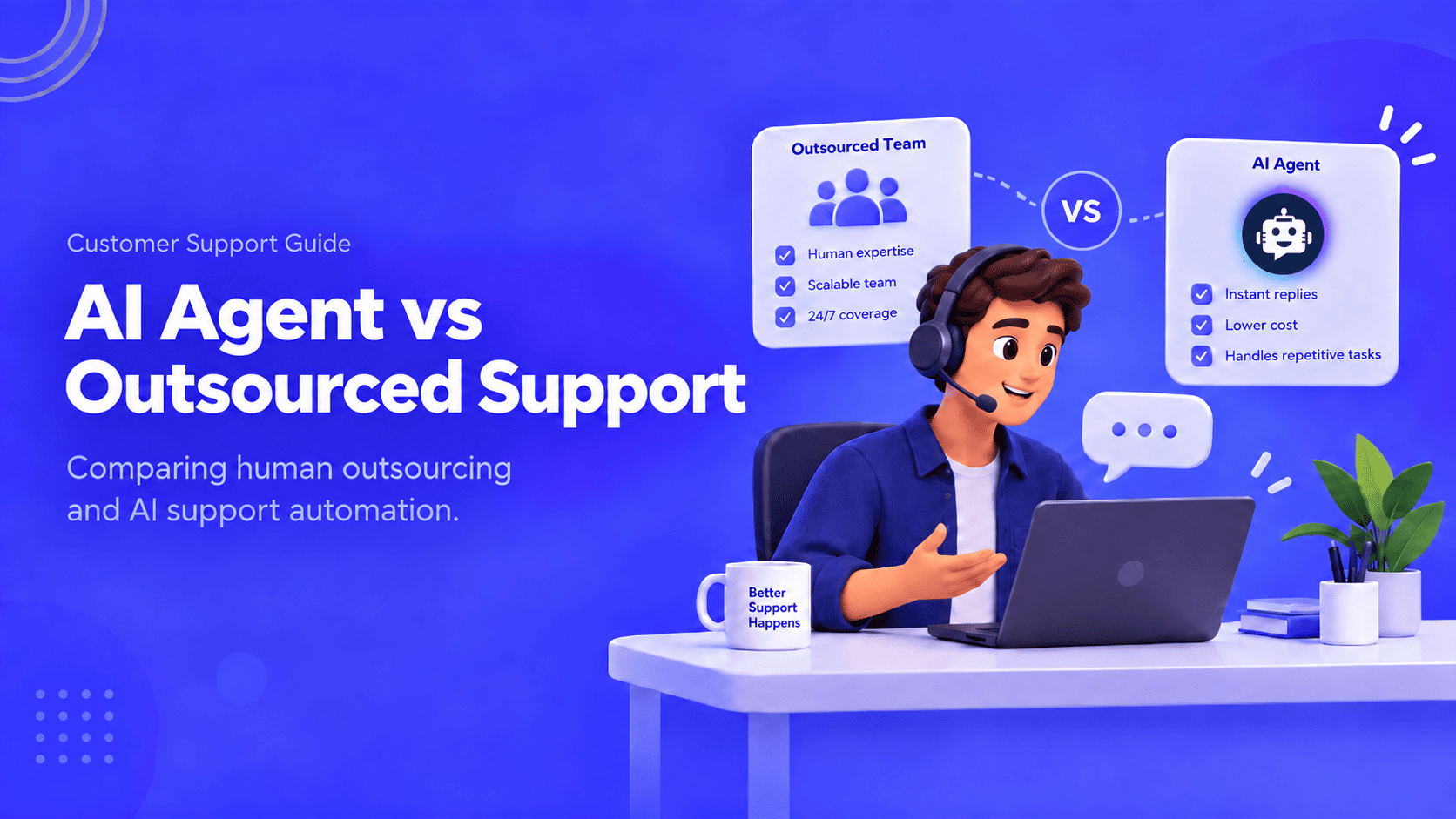
Compare outsourcing customer service with an AI agent using your own ticket mix, a cost model you fill in, and a clear rule for a hybrid split.
Export the Zendesk ticket archive, train an AI Agent on the help center, and test one real ticket before you stop the old queue.

Compare six Yuma alternatives by ecommerce capabilities, helpdesk compatibility, pricing and human handoffs to choose a replacement for your support team.
