AI Agents for Small & Medium Businesses: A Strategic Playbook

Rajni
Last updated on June 30, 2026
AI agents help small and medium businesses respond faster, automate repetitive work, and manage more customer requests without increasing headcount.
Unlike basic chatbots, they can understand goals, use business knowledge, reason through tasks, and take action across tools like CRMs, helpdesks, calendars, and ecommerce platforms.
This playbook explains how SMBs can choose the right AI agent platform, start with one high-volume workflow, measure ROI, and scale automation safely with YourGPT.
Small and medium businesses are facing a structural shift.
Customers expect instant responses. Work happens across dozens of tools. Teams remain lean. Costs keep rising. Yet service quality is expected to match large enterprises.
For years, businesses depended on chatbots, helpdesks, and manual workflows. These systems offered limited relief, handling basic questions and ticket routing but little else.
AI agents mark a fundamental breakthrough.
Instead of just responding, they actually understand what the customer or your team is trying to achieve, think through the right steps, and then go do the work across your systems. The repetitive tasks are reduced, response times become much faster, and a small team can handle more work without needing to hire additional people.
This blog breaks down exactly how AI agents work, where they create the most value for SMBs, how to implement them safely, and how to avoid the mistakes that ruin ROI.
AI agents are autonomous software systems that understand goals, analyse information, reason through tasks, and take independent actions across connected tools and platforms to complete business processes with minimal human intervention.
Instead of only replying to messages, they continuously collect input, reason through the best response or action, and execute workflows in real time.
Many modern AI agents combine rule-based logic with data-driven intelligence and use techniques such as retrieval-augmented generation (RAG) to pull accurate, up-to-date information directly from your business knowledge base.
In 2026, AI agents have become a core layer of business automation, widely used across customer service, sales, marketing operations, research, and reporting.
Every effective AI agent is built on four connected layers that work together to turn conversations into completed business tasks. When any one of these layers is weak, automation becomes inaccurate, slow, or unreliable. Strong agents balance knowledge, reasoning, action, and control.
This layer provides the agent with everything it needs to understand how your business actually operates. It acts as the single source of truth that guides responses, decisions, and workflow execution.
Instead of relying on generic internet knowledge, the agent is trained on:
• Company policies and procedures
• FAQs and customer support content
• Website and product information
• Internal workflows and documentation
When this layer is structured clearly and kept up to date, the agent delivers consistent, accurate answers and avoids costly mistakes. Most automation failures happen because the knowledge foundation is weak or outdated.
This is the intelligence layer that allows the agent to think through requests rather than follow rigid scripts. It determines what the user wants, what information is relevant, and which action should happen next.
Here, the agent:
• Interprets user intent across multi-turn conversations
• Considers real-time data and business conditions
• Weighs different possible actions
• Applies company rules and priorities
Instead of reacting blindly, it adapts to each situation, much like a trained employee deciding how to handle a request.
This layer connects the agent to the tools your business already uses, turning decisions into real operational outcomes. Without it, an AI system remains just a conversation interface.
Through this layer, the agent can:
• Update CRM records automatically
• Schedule meetings and appointments
• Process orders or requests
• Trigger internal tasks and notifications
• Communicate with APIs and databases
This is what allows AI agents to complete tasks end-to-end rather than passing work back to humans.
Automation only works when it remains safe, accountable, and easy to intervene in. This layer ensures the agent knows when to act independently and when to involve a person.
It typically includes:
• Escalation triggers for complex cases
• Approval requirements for sensitive actions
• Risk limits and permission boundaries
• Conversation history for human review
When uncertainty increases or policies require oversight, the agent smoothly hands control to a human without disrupting the customer experience.
This layer lets the agent see what is happening in your business in real time. It pulls live data from systems listens to events and triggers and gathers context from APIs and databases. Strong observation turns the agent from a simple responder into a system that understands the full picture before taking action.
SMB owners do not need another technology pitch. They need practical ways to reduce workload, respond faster, and run the business more efficiently without constantly adding headcount.
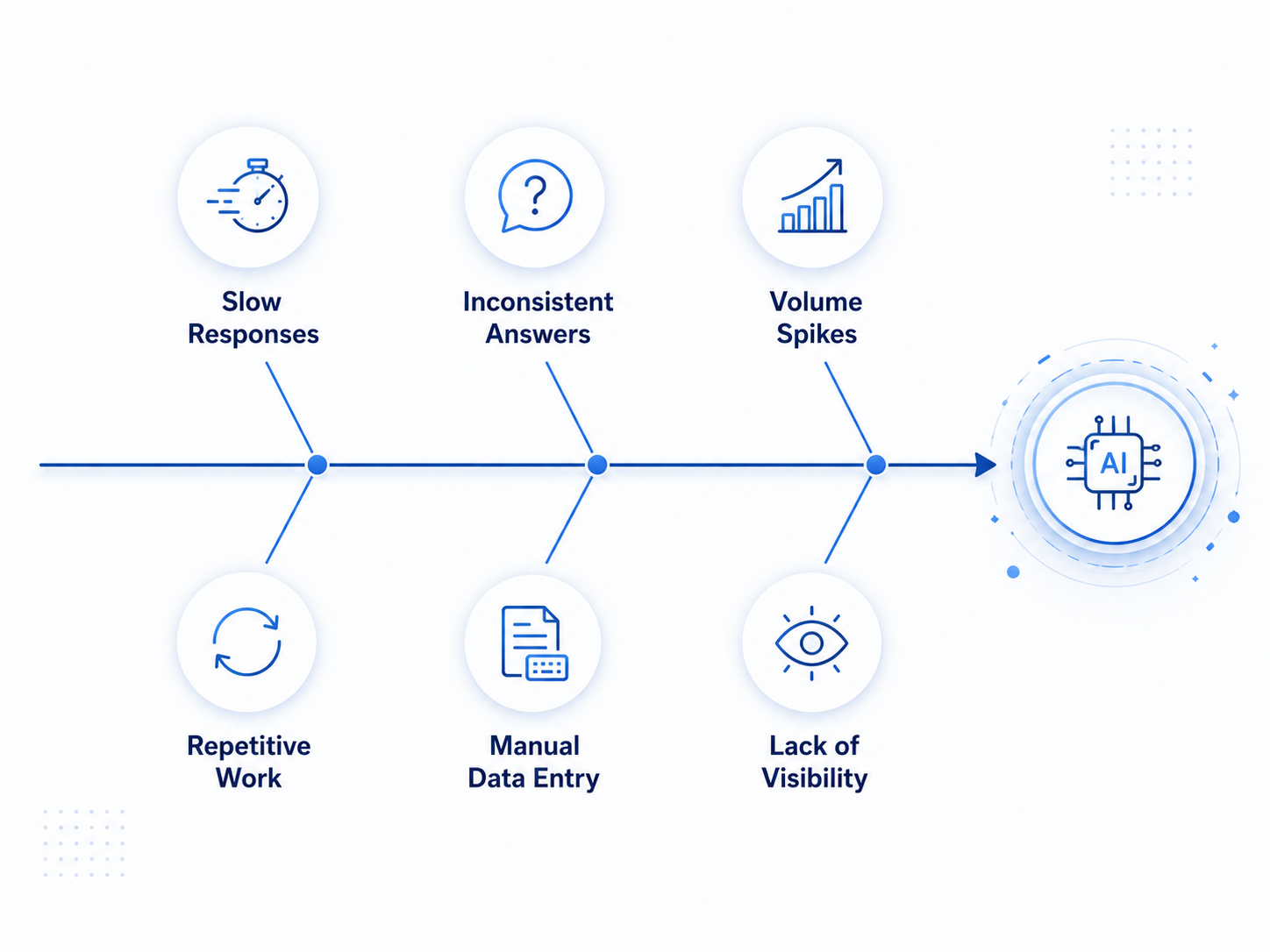
AI agents are useful because they solve real operational problems that small and medium businesses face every day. These are the six areas where they create the most immediate impact.
1. Slow responses outside business hours
Customers do not wait for office hours. They send messages in the evening, on weekends, and during holidays. For a small support team, covering every hour of the day is expensive and often unrealistic.
An AI agent can respond instantly, even when your team is offline. Instead of a customer waiting until the next business day, they can get an answer in seconds. This helps reduce missed opportunities, improves customer experience, and keeps potential buyers from moving to a competitor.
2. Repetitive work that consumes team capacity
Many SMB teams spend a large part of the day repeating the same tasks: answering common questions, updating records, routing requests, sending follow-ups, and checking basic information across tools.
This work is necessary, but it rarely requires deep human judgment. AI agents can take over these repeatable tasks so employees can focus on higher-value work such as closing deals, solving complex customer issues, improving processes, and building stronger customer relationships.
3. Inconsistent answers across teams and channels
When different team members answer the same question in different ways, customers can become confused. One person may explain a policy one way, while another may miss an important detail or share outdated information.
AI agents reduce this problem by using a single approved knowledge base. Whether a customer reaches out through your website, WhatsApp, email, or another channel, the answer stays consistent. This builds trust and helps your business deliver a more reliable customer experience.
4. Sudden spikes in customer volume
Seasonal demand, product launches, campaigns, or viral attention can quickly increase the number of customer inquiries. Hiring and training new staff takes time, but customer expectations rise immediately.
AI agents help absorb these spikes by handling routine questions and workflows at scale. Instead of overwhelming your team, the agent manages the first layer of support, routes important cases, and keeps response times under control during busy periods.
5. Manual data entry between disconnected tools
Small businesses often use separate systems for sales, support, finance, ecommerce, and operations. Team members end up copying data from one tool to another, which wastes time and increases the risk of errors.
AI agents can connect with your CRM, helpdesk, ecommerce platform, calendar, or internal systems to update information automatically. This keeps records cleaner, reduces manual work, and helps teams spend less time managing tools and more time serving customers.
6. Limited visibility into daily operations
Many SMBs make decisions based on scattered information or gut feeling because they do not have a clear view of what is happening across workflows.
AI agents create structured data as work happens. They can help track response times, resolution rates, escalation patterns, completed tasks, repeated customer questions, and workflow bottlenecks. This gives business owners better visibility into what needs improvement, where customers are getting stuck, and where human attention matters most.
In short, AI agents help SMBs move from reactive, manual operations to faster, more consistent, and more measurable workflows.
AI agents improve daily operations by removing friction from the work that slows teams down most. Instead of adding another system to manage, they streamline how customer requests, internal tasks, and workflows move across the business.
The impact shows up quickly in both efficiency and service quality.
AI agents handle common customer requests instantly, whether someone is checking an order, rescheduling an appointment, or asking a routine support question. Customers receive answers in seconds rather than waiting for a team member to become available.
This speed makes a noticeable difference in customer satisfaction, especially during evenings, weekends, and peak periods when small teams are often overwhelmed.
Much of the daily workload in small businesses involves the same actions repeated again and again. Updating systems, replying to common questions, sending confirmations, and routing requests all consume time without adding strategic value.
By taking over these tasks, AI agents remove a large portion of manual work from daily operations. Teams spend less time reacting to routine requests and more time focusing on meaningful work.
Manual processes often lead to inconsistent responses. Different staff members may explain policies differently, miss details, or make errors under pressure.
AI agents follow approved knowledge and workflows every time, drawing directly from your knowledge base. This creates predictable service quality, fewer mistakes, and clearer communication across all customer interactions.
Over time, this consistency becomes one of the most effective customer retention strategies, as customers are far more likely to stay loyal to businesses that deliver reliable support.
As customer demand grows, most SMBs feel immediate pressure to hire. Each new wave of inquiries means more staff hours and higher costs.
AI agents absorb much of this increased volume by handling routine requests automatically. Businesses can scale operations smoothly while keeping staffing levels stable and expenses under control.
When repetitive tasks disappear, human teams are free to focus on areas that truly require judgment and expertise. This includes solving complex customer issues, building relationships, improving products, and closing sales.
Work becomes more strategic instead of constantly reactive.
AI-driven workflows naturally create structured data around customer behavior, task completion, and system performance.
This gives SMBs clearer insight into what slows teams down, where customers struggle, and which processes need improvement. Decisions become data-informed rather than based on guesswork.
Because AI agents operate across websites, messaging platforms, email, and internal systems, conversations stay connected no matter where customers reach out.
Information flows seamlessly between touchpoints. Customers do not have to repeat themselves, and requests move faster from start to finish.
If you are exploring how to use AI agents to improve customer experience or automate repetitive workflows, YourGPT offers a simple, no-code way to get started. Here’s how businesses can go from idea to deployment in just a 4 simple steps.

Create your account or login to start creating your AI agent.
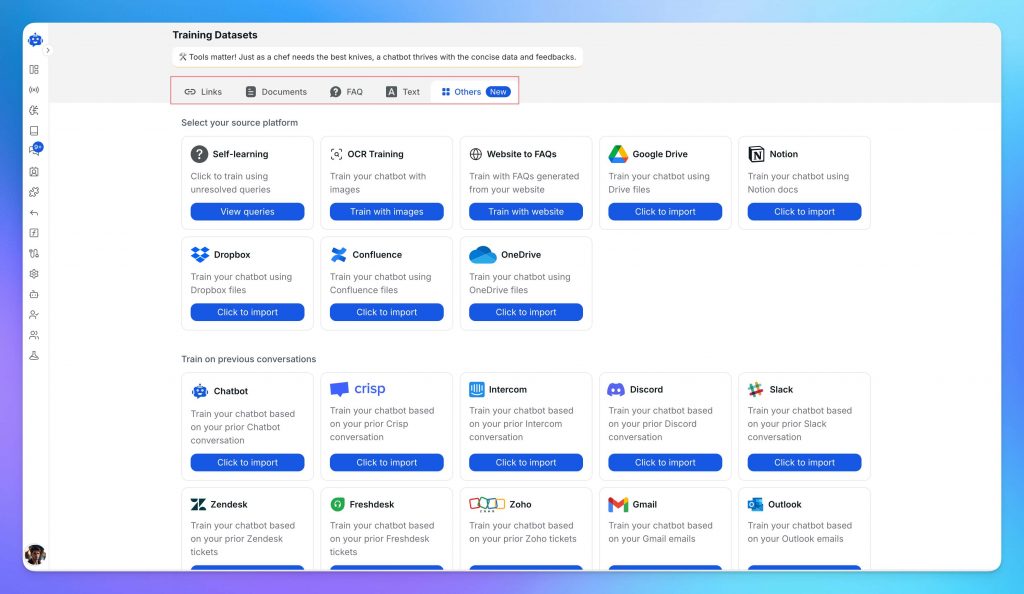
Once you’re in, start training your AI agent using your business-specific data. This can include:
You can upload files in formats like PDF, DOCX, CSV, or connect cloud sources directly. The better the training data, the more accurate and useful your agent will be. Customise the AI agent persona based on your Needs
Test your AI agent, this helps you check the quality of responses and make adjustments before going live. You can:
Even non-technical users can manage this easily.
Once you’re satisfied with the performance, deploy the agent across your support channels. YourGPT supports integration with:
Deployment is fast, with prebuilt connectors that require minimal setup.
If you want deeper control over how the chatbot behaves, visit the AI Studio or check this guide: How to Create an AI Chatbot with YourGPT
By following these steps, your business can quickly build and deploy an AI agent using YourGPT one that improves support quality, saves time, and fits into your existing workflows.
For most SMBs, growth depends on how smoothly work moves across teams and systems. Customer inquiries, sales conversations, scheduling, fulfillment, and follow-up all rely on coordination. AI agent platforms are increasingly used as an orchestration layer that connects those moving parts.
Selecting the right platform is less about finding the most advanced model and more about choosing software that fits your workflows, team structure, and stage of growth. A thoughtful evaluation process makes the difference.
Start with a specific workflow that is already active in your business. Examples include:
Choosing a contained, repeatable process makes evaluation clear. You can observe how the platform performs under real conditions and determine whether it improves consistency and speed.
Clarity at this stage also helps internal alignment. Teams understand what is being tested and what success looks like.
An effective AI agent platform should allow business users to configure logic directly. Conditional routing, task sequencing, and integration triggers should be visible and understandable.
When operations managers can adjust workflows themselves, iteration becomes faster. Over time, this flexibility supports continuous improvement rather than one-time deployment.
During evaluation, build a realistic workflow with multiple steps. Make adjustments after publishing it. The experience of configuring and refining is as important as the initial setup.
The value of an AI agent increases when it reflects your policies, tone, and internal documentation.
Upload FAQs, service policies, onboarding guides, or product documentation. Then test practical customer questions, including nuanced ones. The goal is alignment with your material and reliable referencing.
When the system consistently draws from your internal knowledge management system, it reinforces brand accuracy and reduces the need for manual correction.
True operational leverage comes from execution. In addition to generating responses, the platform should be able to interact with your core systems.
Examples include:
This level of integration transforms the agent from a conversational interface into a workflow participant. During your pilot, test at least one scenario that requires a completed task inside an external system.
Customers often interact across email, chat, and other communication channels. A unified context ensures continuity.
When evaluating a platform, move a conversation from one channel to another and observe how well the history, intent, and prior actions carry over. Smooth context preservation improves both customer experience and internal efficiency.
Over time, this continuity supports better analytics and more informed human intervention when needed.
AI agents work best when integrated with human teams. Structured escalation rules allow seamless collaboration.
Look for features such as:
When human team members can quickly understand what has already occurred, they can focus on higher-value interactions rather than reconstruction.
Effective reporting connects activity to outcomes. During a pilot phase, track metrics such as:
Comparing these against your baseline helps quantify impact. Even incremental improvements compound over time, especially in high-volume workflows.
Ensure reporting can be exported or shared with leadership. Transparency supports informed scaling decisions.
AI adoption in SMBs typically expands step by step. Start with one workflow, refine it, then extend to adjacent areas.
A pricing structure that accommodates gradual growth enables experimentation and measured expansion. Review usage tiers, integration limits, and projected cost at higher volumes so scaling remains predictable.
Select two or three platforms and apply the same pilot workflow to each. Keep the test period defined. Document results objectively.
At the end of the evaluation, you should have clear answers to three questions:
When those answers are affirmative, you are not just adopting AI. You are strengthening operational infrastructure in a way that supports steady, long-term growth.
This practical framework helps estimate impact using everyday business numbers rather than assumptions.
AI only has value if it gives you time back and lowers your operating costs. The simplest way to evaluate that is to put real numbers on a few key workflows and see what actually changes.
Use this simple framework to calculate AI ROI value using inputs.
Start with repetitive customer support work: FAQs, order updates, appointment scheduling, basic service requests.
Example:
900 requests × (5 ÷ 60) hours × $18/hour
= 900 × 0.0833 × 18
= $1,350 saved per month
That is 75 hours back each month from one category alone.
Look at tasks that eat time but do not require a salesperson’s judgment: lead qualification, follow ups, meeting booking, CRM updates.
If you want to estimate revenue lift, keep it separate: faster response and consistent follow ups can increase conversions, but that should be measured after rollout rather than guessed upfront.
Pick internal workflows people complain about because they are slow and manual: routing requests, generating reports, handling documents, answering internal questions.
Operations ROI tends to stack across teams because the same workflow touches multiple departments.
Marketing does not need automation everywhere. It helps most on routine output: drafts, variations, updates, summaries, repurposing.
Then multiply by hourly cost if you want the dollar value.
Add up savings across support, sales, ops, and marketing, then compare it to the platform cost.
Start with one high volume workflow first. Get a clean win. Then expand. That is how SMBs avoid spreading effort across ten half finished automations.
An AI agent is a smart software assistant that can understand customer or team requests, use your business information, decide the next step, and complete tasks across connected tools. It can help with support, sales, scheduling, data updates, and internal workflows.
Regular chatbots usually answer basic questions or follow fixed scripts. AI agents go further by understanding goals, reasoning through tasks, and taking action inside business systems such as CRMs, helpdesks, calendars, ecommerce platforms, and databases.
Small businesses can automate tasks like answering FAQs, qualifying leads, booking appointments, routing support tickets, updating CRM records, sending confirmations, handling order updates, and helping employees find internal information faster.
Yes. AI agents can handle common customer questions instantly, reduce repetitive tickets, provide 24/7 responses, and escalate complex issues to human agents when needed. This helps small teams manage more conversations without increasing workload.
Yes. A good AI agent should be trained on your own knowledge base, including FAQs, website content, product information, policies, SOPs, and internal documents. This helps it provide accurate, consistent answers that match your business.
The best starting point is a high-volume, repetitive workflow that takes up too much team time. Examples include customer support FAQs, appointment booking, lead qualification, order status updates, or ticket routing.
Look for a platform that can train on your business knowledge, integrate with your existing tools, take real workflow actions, support human handoff, maintain context across channels, and provide reporting to measure performance and ROI.
YourGPT helps SMBs build and deploy AI agents trained on their own business data. Teams can use it to automate customer support, sales workflows, internal questions, and multi-channel conversations without heavy technical setup.
Small and medium businesses are under constant pressure to do more with less. Rising operational costs, increasing customer expectations, and growing digital complexity make manual processes harder to sustain over time.
AI agents offer a structured way to reduce that pressure. By automating repetitive tasks, connecting core business systems, and improving response speed, they help teams recover time, improve service consistency, and operate more efficiently. The real advantage comes when businesses measure results through time saved and operational ROI rather than adopting automation blindly.
The smartest approach is to begin with high-volume workflows, calculate the potential return, and expand gradually once impact is clear. This reduces risk and ensures automation aligns with real business priorities.
Choosing a platform built for small and medium businesses matters just as much as the strategy itself. YourGPT is designed to let teams train agents on their own knowledge base, automate customer support, sales and internal workflows, and deploy across multiple customer channels without heavy technical setup.
For SMBs focused on sustainable growth, stronger customer service, and better use of team capacity, AI agents represent a practical operational improvement grounded in measurable outcomes rather than hype.
Train YourGPT on your business knowledge, policies, and documents. Deploy intelligent AI agents that understand goals, reason through tasks, and complete full workflows across your systems — all in one platform.
No credit card required • 7-day trial • Setup in minutes
TL;DR Insurance platforms are using AI to automate claims support, quote intake, and policy servicing, reducing reliance on call centers and static forms. This guide compares five commonly shortlisted platforms: YourGPT, Ada, Sierra AI, Decagon, and Forethought. None are purpose-built exclusively for insurance, so configuration flexibility and proven insurance use cases matter. Pricing ranges from […]

TL;DR The core distinction is retrieval versus training. RAG pulls outside documents into a prompt when an answer is generated, while fine-tuning changes a model’s weights during a separate training step. The 2026 shift matters because OpenAI’s wind-down of its self-serve fine-tuning platform, announced in May 2026, closed off the default path many teams expected […]
TL;DR Real deployments show measurable results. Georgia Tech’s Jill Watson achieved 78.7% classroom question accuracy compared with 30.7% for a stock OpenAI Assistant, while Georgia State’s Pounce chatbot improved enrollment outcomes in a randomized controlled trial. The strongest use cases are admissions, student services, and staff workload reduction rather than homework assistance. Guardrails matter more […]
TL;DR AI is now part of most SEO workflows, but the real advantage comes from using it within a disciplined process rather than simply producing content faster. As Google AI Overviews and tools like ChatGPT answer more queries directly, content must be structured to earn both traditional search rankings and citations from AI assistants. AI […]
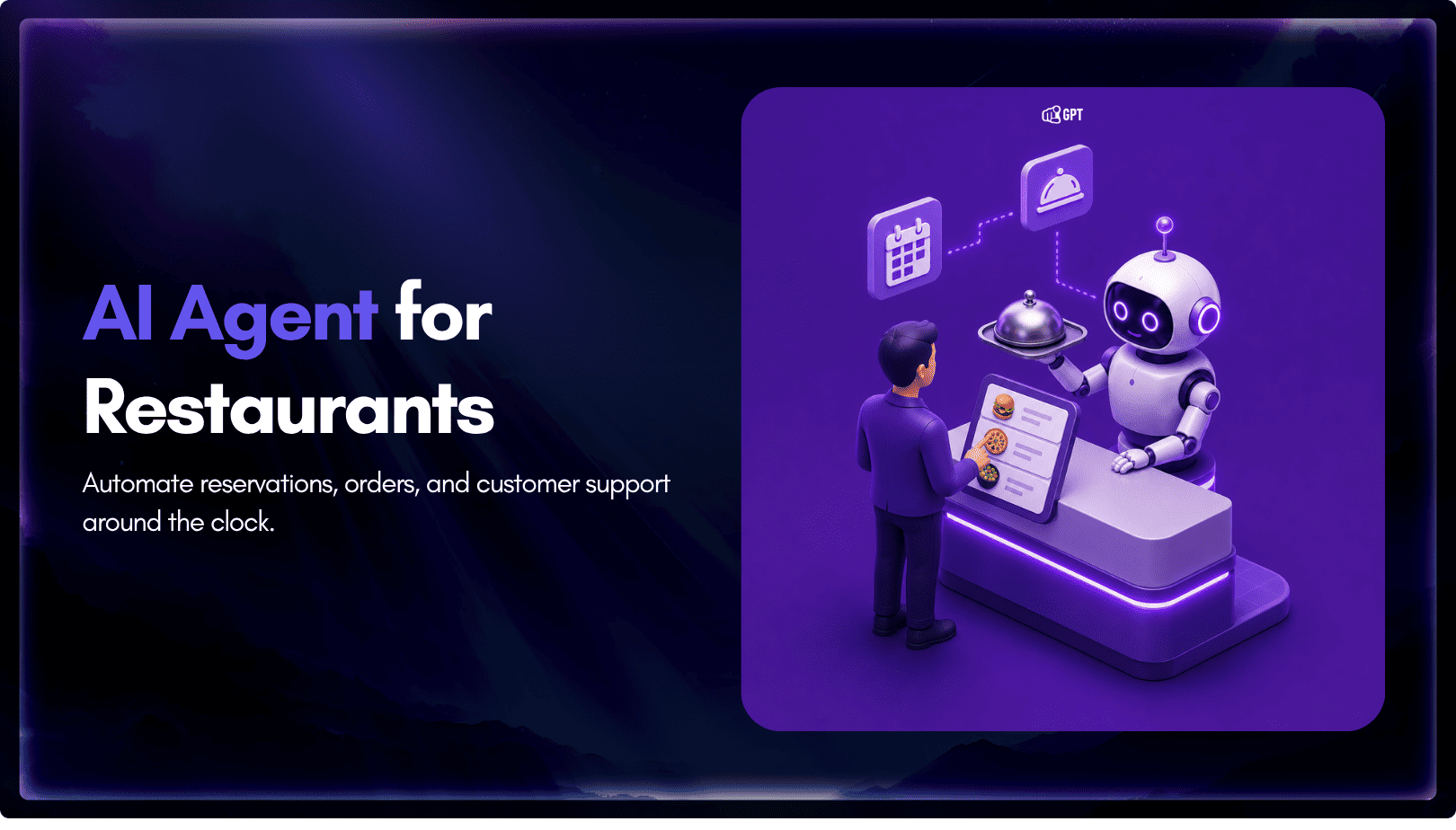
TL;DR Restaurant AI agents help reduce staffing pressure by handling reservations, food orders, and customer inquiries around the clock without increasing headcount. Unlike basic chatbots, they integrate with booking systems, POS platforms, and messaging channels to automate reservations, order processing, and routine customer support. The biggest benefits include automated reservation management, order intake across phone, […]
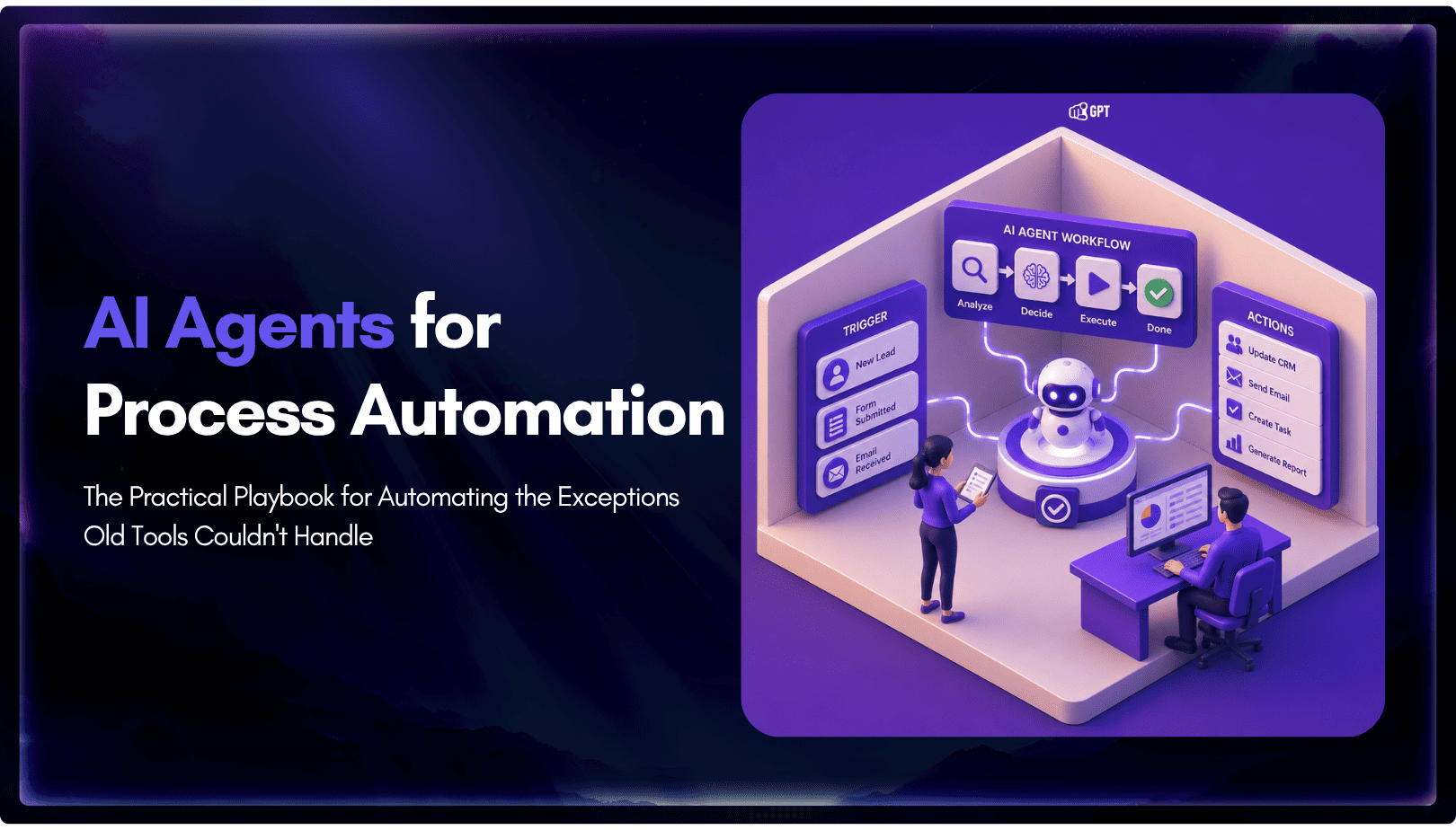
TL;DR Business process automation with AI agents lets software plan multi-step work, call tools, and handle exceptions instead of following fixed scripts like traditional RPA. AI agents can adapt when a process changes, but that flexibility also requires clear permission boundaries, reliable data, and human oversight for consequential actions. Start with one repetitive process, document […]